
1. Вступ
This manual provides detailed instructions for the installation, operation, and maintenance of your CAMECHO 9-inch Android 15 Car Stereo. Please read this manual thoroughly before using the product to ensure proper function and safety. Keep this manual for future reference.
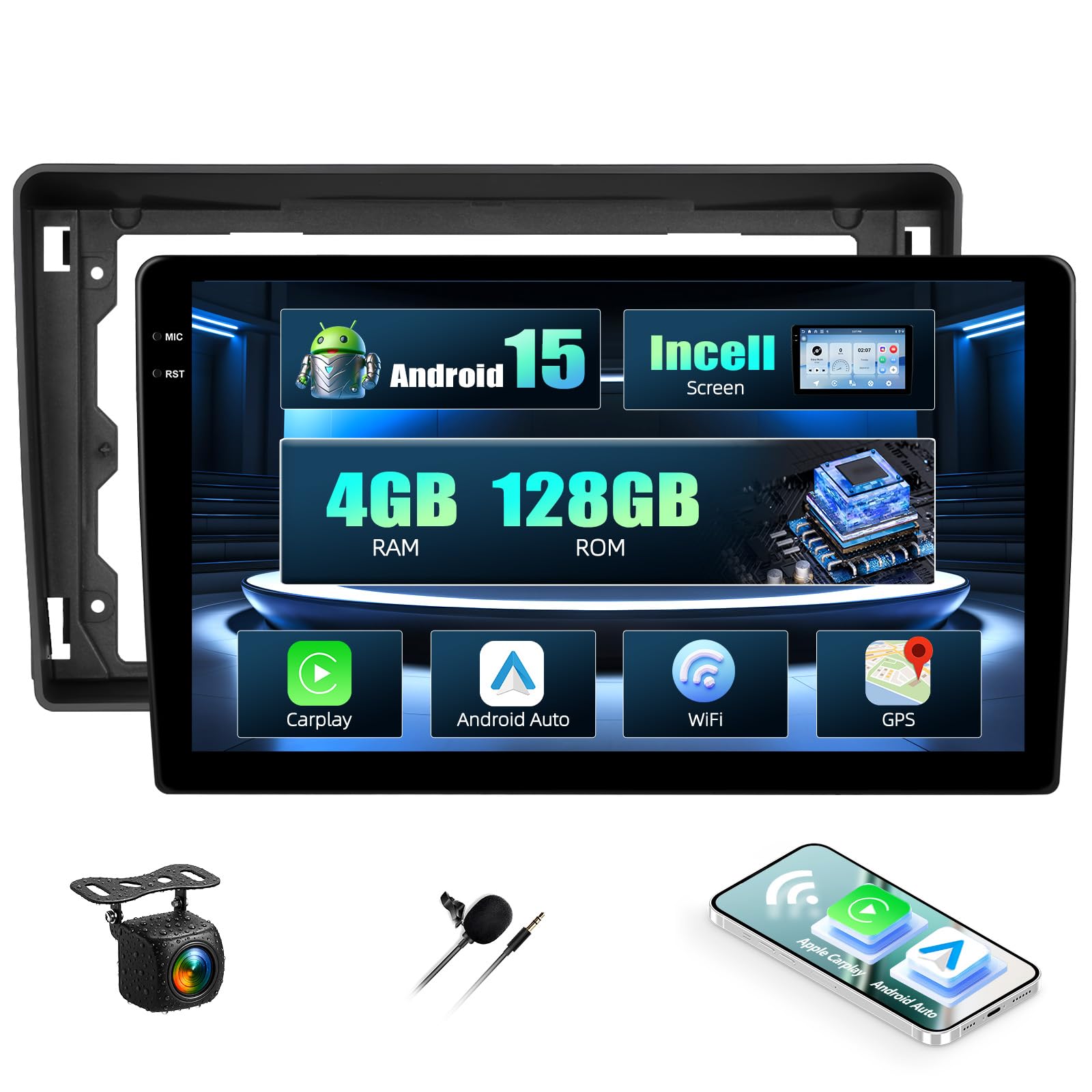
Фронт view of the CAMECHO 9-inch Android 15 car stereo unit.
2. Інформація про безпеку
Always prioritize safety while operating your vehicle. Distracted driving can lead to accidents. Ensure the unit is securely installed to prevent it from becoming a projectile during sudden stops or collisions. For detailed safety guidelines, please refer to the provided safety information PDF document: Інформація про безпеку (PDF).
3. Вміст упаковки
Перед встановленням переконайтеся, що всі елементи присутні в упаковці:
- CAMECHO 9-inch Android 15 Car Stereo Unit
- Кабель живлення
- RCA кабель
- USB-кабелі (4-контактний та 6-контактний)
- Вхідний кабель камери
- Радіо Антена
- GPS антена
- AHD-камера заднього виду
- Адаптер антени
- Інструмент встановлення
- мікрофон
- Декодер CANbus
- Посібник користувача (цей документ)

Diagram showing the dimensions of the 9-inch car stereo unit and a list of included accessories such as cables, antennas, and the user manual.
4. Продукт закінчивсяview
The CAMECHO 9-inch Android 15 Car Stereo is designed for select Ford models, offering advanced features for an enhanced in-car experience. It includes a powerful Android 15 system, ampпам'ять та різні варіанти підключення.
Ключові характеристики:
- Операційна система: Android 15
- Пам'ять: 4GB RAM + 128GB ROM
- Дисплей: 9-inch HD Incell Touchscreen (1280x720 resolution)
- Підключення: Wireless Carplay, Android Auto, Bluetooth 5.0, Wi-Fi
- Навігація: Вбудований GPS з підтримкою онлайн та офлайн-карт
- радіо: FM/RDS-тюнер
- Аудіовихід: Stereo, 4.0 Surround Sound, 4 Channels, 45W x 4 Output
- Додаткові функції: Steering Wheel Control support, Split-Screen function, Rear Camera input (camera included), Microphone (included).

Visual representation of the car stereo's core features: Android 15 operating system, 4GB RAM + 128GB ROM storage, and a high-definition Incell touchscreen with 1280x720 resolution and 68% light transmittance.
5. Налаштування та встановлення
Рекомендується професійне встановлення. Перед початком встановлення переконайтеся, що живлення автомобіля відключено.
5.1 Сумісність з транспортними засобами
This unit is compatible with the following Ford models: Fiesta, Focus, Transit Connect, Kuga, Mondeo, Smax.

Image showing the CAMECHO car stereo integrated into a Ford vehicle dashboard, highlighting compatibility with Ford Fiesta, Focus, Transit Connect, Kuga, Mondeo, and Smax models.
5.2 Схема підключення
Зверніться до схеми підключення, що додається до вашого пристрою, для отримання інформації про конкретні з'єднання. Основні з'єднання включають:
- Кабель живлення: Підключіть до джерела живлення автомобіля (ACC, B+, GND).
- Кабелі RCA: Для виведення аудіо на зовнішній amplifiers or video input/output.
- USB кабелі: Для підключення USB-пристроїв або заряджання.
- Вхід камери: Connect the included AHD rear camera.
- Радіоантена: Підключіть радіоантену автомобіля.
- GPS антена: Встановіть у місці з чітким view неба для оптимального прийому сигналу.
- Декодер CANbus: Connect as per vehicle-specific instructions for steering wheel controls and other vehicle data integration.
5.3 Фізичне встановлення
- Carefully remove the original car stereo and trim panels.
- Connect all necessary cables (power, speakers, antennas, camera, USB, Canbus).
- Secure the new CAMECHO unit into the dashboard opening.
- Reinstall trim panels.
- Reconnect the vehicle's power.
5.4 Початкове ввімкнення
After installation, turn on the vehicle's ignition. The stereo should power on automatically. Follow any on-screen prompts for initial setup, such as language selection and time zone.
6. Інструкція з експлуатації
6.1 Основні операції
- Увімкнення/вимкнення живлення: The unit typically powers on with the vehicle's ignition. A long press on the power button (if available) may turn the screen off or put the unit into standby.
- Регулювання гучності: Регулюйте гучність за допомогою екранних елементів керування або кнопок на кермі.
6.2 Навігація системою Android 15
The unit runs on Android 15, providing a familiar smartphone-like interface. Swipe to navigate between home screens, tap icons to open applications, and use the back/home/recent apps buttons for system navigation.
6.3 Бездротовий Carplay та Android Auto
Connect your smartphone wirelessly to access Carplay or Android Auto. This allows for seamless integration of navigation, music, calls, and messaging directly on the car stereo display.
- Ensure Bluetooth and Wi-Fi are enabled on your smartphone and the car stereo.
- На автомобільній стереосистемі відкрийте програму Carplay або Android Auto.
- Follow the on-screen instructions to pair your phone. Once paired, the connection will be automatic for future use.

Demonstrates the wireless Carplay, Android Auto, and Mirror Link functionalities, showing smartphone integration for navigation, music, and calls.
6.4 Дзеркальне посилання
Mirror Link allows you to display your smartphone's screen directly on the car stereo. Android devices support two-way operation (control from stereo), while iOS devices typically support one-way display.
- Відкрийте програму «Mirror Link» на автомобільній стереосистемі.
- Follow the specific instructions for connecting your iOS or Android device.
6.5 GPS-навігація
The unit supports both online and offline navigation. For offline maps, download them via a Wi-Fi connection.
- Онлайн-карти: Requires an active internet connection (via Wi-Fi hotspot).
- Офлайн-карти: Download map data to the unit's internal storage for navigation without an internet connection.

Illustrates the GPS navigation capabilities with online and offline maps, along with WiFi hotspot connection for app downloads and web перегляд.
6.6 Підключення до точки доступу Wi-Fi
Connect the car stereo to a Wi-Fi hotspot (e.g., from your smartphone) to access online features, download apps, and browse the internet.
- Go to 'Settings' on the car stereo and select 'Wi-Fi'.
- Увімкніть Wi-Fi та виберіть потрібну мережу.
- Введіть пароль, якщо буде запропоновано.
6.7 FM/RDS радіо
Access the FM/RDS radio application to listen to local radio stations. RDS (Radio Data System) provides additional information like station name and traffic updates.

Shows the FM/RDS radio interface and the graphic equalizer for sound customization.
6.8 Підключення Bluetooth
Pair your smartphone via Bluetooth 5.0 for hands-free calling and wireless audio streaming.
- На автомобільній стереосистемі відкрийте програму «Bluetooth».
- Увімкніть Bluetooth на своєму смартфоні та знайдіть доступні пристрої.
- Select the car stereo's Bluetooth name (e.g., "CAMECHO") and pair.

Highlights the upgraded Bluetooth 5.0 feature for stable, fast connections, hands-free calling, and wireless audio streaming.
6.9 Split-Screen Function
Функція розділеного екрана дозволяє одночасно запускати дві програми, такі як навігація та відтворення музики.
- Відкрийте першу програму, яку ви хочете використовувати.
- Press and hold the 'Recent Apps' button or swipe up from the bottom (depending on Android gesture settings) to enter split-screen mode.
- Select the second application from the recent apps list or app drawer.

Demonstrates the split-screen feature, allowing two applications (e.g., navigation and music) to run simultaneously for enhanced multitasking.
6.10 Елементи керування на кермі
The unit supports integration with your vehicle's original steering wheel controls via the Canbus decoder. This allows for safe operation of basic functions without diverting attention from the road.
- Отримайте доступ до налаштувань «Керування на кермі» в меню пристрою.
- Follow the on-screen instructions to program each button on your steering wheel to the desired function (e.g., volume up/down, track skip, mode).

Illustrates how the car stereo integrates with existing steering wheel controls for safe and convenient operation.
6.11 Функція задньої камери
When the vehicle is shifted into reverse gear, the unit will automatically display the feed from the connected rear camera.
7. Технічне обслуговування
- Прибирання: Використовуйте м’яку суху тканину для очищення екрана та пристрою. Уникайте абразивних засобів для чищення або розчинників.
- Оновлення програмного забезпечення: Periodically check for software updates to ensure optimal performance and access to new features. Updates can usually be found on the manufacturer's website or through the unit's system settings if connected to Wi-Fi.
- температура: Уникайте впливу на пристрій екстремальних температур.
8. Вирішення проблем
| проблема | Можлива причина | Рішення |
|---|---|---|
| Пристрій не вмикається. | Loose power connection, blown fuse, vehicle ignition off. | Check power cables, inspect vehicle fuses, ensure ignition is on. |
| Ні звуку. | Volume too low, speaker wires disconnected, incorrect audio source. | Increase volume, check speaker connections, select correct audio source. |
| Сигнал GPS втрачено або неточний. | GPS-антена заблокована або неправильно встановлена. | Переконайтеся, що GPS-антена має чіткий сигнал view of the sky, check connection. |
| Проблеми з підключенням Bluetooth. | Bluetooth off, pairing failed, interference. | Ensure Bluetooth is on for both devices, re-pair, move away from interference sources. |
| Сенсорний екран не реагує. | System freeze, dirty screen. | Restart the unit (if possible), clean the screen, perform a factory reset if necessary (data will be lost). |
9. Технічні характеристики
| Особливість | Деталь |
|---|---|
| Бренд | КАМЕЧО |
| Номер моделі | 4+128G Incell touchscreen |
| Операційна система | Android 15 |
| RAM + ROM | 4GB RAM + 128GB ROM |
| Розмір екрана | 9 дюймів |
| Роздільна здатність екрана | 1280*720 HD Incell Touchscreen |
| Технологія підключення | Bluetooth, WiFi |
| Особливості | 8 Core, Wireless Carplay, Android Auto, FM, RDS, Bluetooth, GPS, WIFI |
| Сумісні пристрої | Смартфон |
| Загальна кількість портів HDMI | 2 |
| Тип роз'єму | RCA, USB |
| Режим аудіовиходу | Стерео |
| Канали об'ємного звуку | 4.0 |
| Кодування відео | MKV, AVI, MP4 |
| Вихідна потужність | 45 Вт (на канал) |
| Кількість каналів | 4 |
| Загальна ватtage Вихід | 180 Вт |
| Internet Applications | Carplay, Android Auto |
| Спосіб контролю | Дотик |
| Формат цифрових медіа | AVI, Dolby, MP3 audio, MPEG, MPEG-2.5, WAV |
| Країна походження | Китай |
10. Інформація про гарантію
CAMECHO products typically come with a standard manufacturer's warranty. Please refer to the warranty card included in your package or contact CAMECHO customer support for specific warranty terms and conditions.
11. Підтримка та контакти
For technical assistance, troubleshooting, or any questions regarding your CAMECHO car stereo, please contact our customer support team:
- Електронна пошта: bs_support21@126.com

Image displaying the customer support email address for professional online assistance and manual instructions.