
вступ
Thank you for choosing the SABLUTE MA31 Ergonomic Wireless Keyboard and Mouse Combo. This manual provides essential information for setting up, operating, and maintaining your new peripheral set. Designed for comfort and efficiency, this combo features a full-size wave-key keyboard with a cushioned palm rest and a 3-DPI adjustable ergonomic mouse, offering seamless 2.4G wireless connectivity for various devices.
Що в коробці
- 1 x Ergonomic Wireless Keyboard (MA31)
- 1 x Ergonomic Wireless Mouse (MS801)
- 1 x 2.4GHz USB Receiver (shared for both keyboard and mouse, stored in mouse battery compartment)
- 1 x адаптер USB-A – USB-C
- 1 х посібник користувача

Image: The contents of the product box, showing the ergonomic keyboard, ergonomic mouse, a small USB receiver, a USB-A to Type-C adapter, and the user manual.
Інструкції з налаштування
- Встановіть акумулятори:
- Клавіатура: Insert two (2) AA batteries (not included) into the battery compartment on the underside of the keyboard.
- миша: Insert one (1) AA battery (not included) into the battery compartment on the underside of the mouse. The 2.4GHz USB receiver is stored in this compartment.
- Отримання USB-приймача: Carefully remove the 2.4GHz USB receiver from the mouse's battery compartment.
- Підключення приймача:
- Plug the USB receiver directly into an available USB-A port on your computer, laptop, tablet, or Mac.
- If your device only has USB-C ports, use the provided USB-A to USB-C adapter to connect the receiver.
- Увімкнення:
- Клавіатура: Увімкніть клавіатуру за допомогою перемикача ON/OFF, розташованого збоку.
- миша: Увімкніть мишу за допомогою перемикача ON/OFF, розташованого на нижній стороні.
- Автоматичне підключення: The keyboard and mouse will automatically connect to your computer. No additional drivers are needed.

Image: A close-up of the USB-A receiver and the USB-A to Type-C adapter, illustrating how to connect the wireless peripherals to different types of ports on a computer.
Інструкція з експлуатації
Функції клавіатури
- Ергономічний дизайн: The keyboard features a wave-shaped key layout and a cushioned faux lambskin palm rest for natural typing posture and reduced wrist strain.
- Регульовані по нахилу ніжки: Dual-angle tilt legs on the underside allow you to adjust the keyboard's elevation for comfortable typing while sitting or standing.
- Тихий набір тексту: The keys are designed for soft, quiet presses, minimizing noise during use.
- Клавіші швидкого доступу: 9 dedicated multimedia shortcut keys are located at the top of the keyboard for quick access to functions like:
- Emoji (FN+Q for Windows, FN+W for Mac)
- Калькулятор
- Print Screen
- Попередня пісня
- Відтворення/Пауза
- Наступна пісня
- Збільшення гучності
- Зменшення гучності
- Вимкнути звук
- Функціональні клавіші (F1-F12): These keys can be used in combination with the 'Fn' key for additional system-specific functions (e.g., screen brightness, search, window switch, sleep, lock screen). Refer to the included quick guide for a full layout.
- Compatibility Switch: Use FN+Q for Windows/ChromeOS and FN+W for macOS to optimize keyboard functions for your operating system.
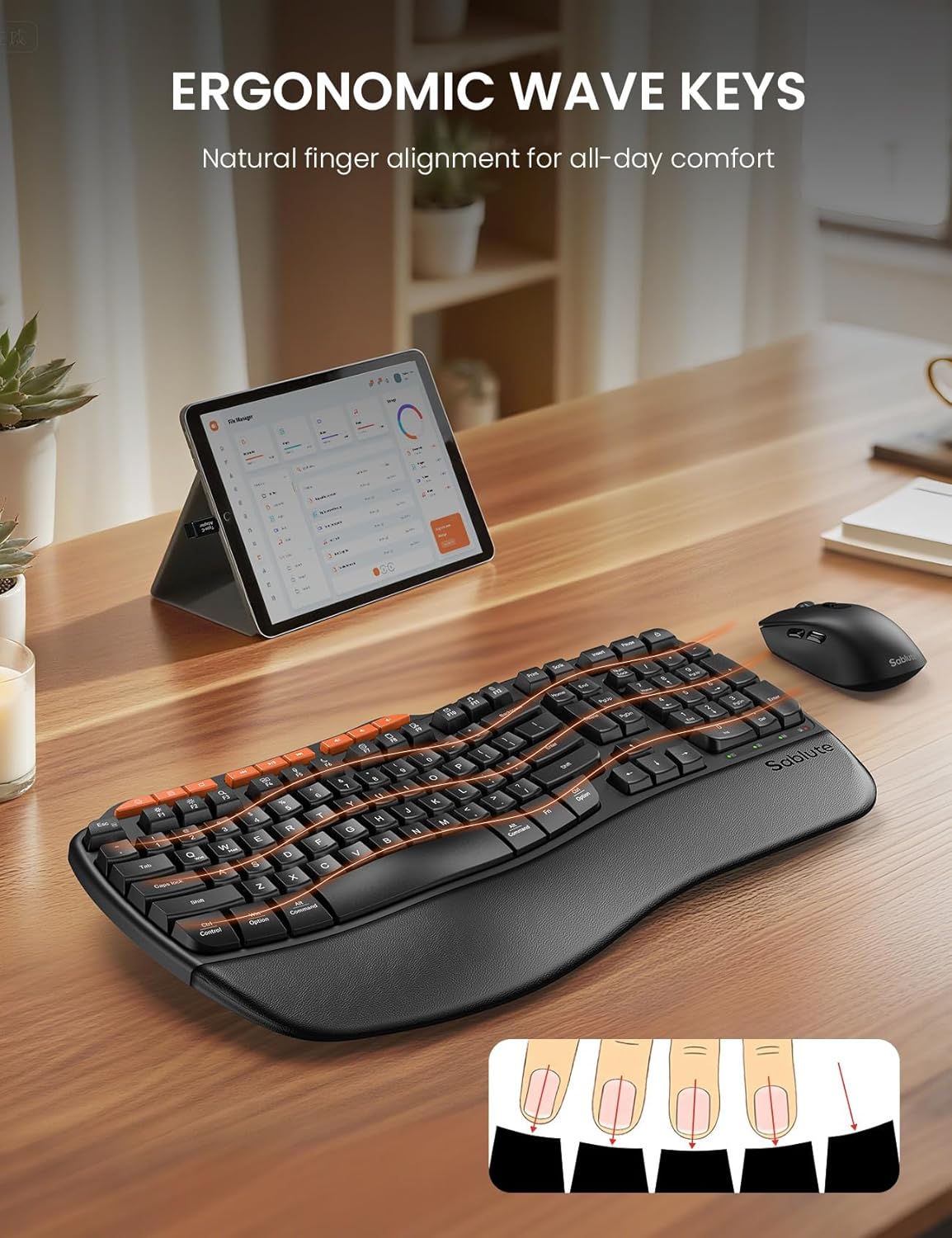
Image: The ergonomic keyboard with its distinctive wave-shaped keys and integrated wrist rest, designed for natural finger alignment and comfort.

Image: The underside of the keyboard with its dual-angle tilt legs extended, demonstrating how to adjust the keyboard for comfortable use in both sitting and standing postures.

Зображення: Детальний view of the nine orange-colored multimedia shortcut keys located at the top of the keyboard, highlighting their accessibility.
Особливості миші
- Ергономічний скульптурний дизайн: The mouse is shaped to fit comfortably in the right hand, promoting a natural hand position.
- Регульований DPI: Cycle through 3 DPI settings (800/1200/1600) using the dedicated DPI switch button to adjust cursor sensitivity for different tasks.
- Бічні кнопки: Features forward and backward buttons on the side for enhanced navigation.
- Тихі клацання: The mouse buttons and scroll wheel are designed for silent operation.
- Вимикач живлення: An ON/OFF switch on the underside helps conserve battery life when not in use.

Image: The ergonomic mouse, showcasing its sculpted shape designed to provide a comfortable and natural grip for the right hand.
Бездротове підключення
- Бездротовий зв'язок 2.4 ГГц: Both the keyboard and mouse connect wirelessly via a single 2.4GHz USB receiver.
- Ефективний діапазон: Enjoy a stable connection up to 33 feet (10 meters) with minimal lag or drops.
- Універсальна сумісність: Compatible with 99% of devices including PCs, laptops, tablets, and Macs. Supports Windows, macOS, Chrome OS, Android, and Linux operating systems.
- Примітка: This combo connects to one device at a time; multi-device switching is not supported.

Image: The wireless keyboard and mouse in a professional setting, illustrating the 33-foot stable 2.4GHz wireless connection range.
Технічне обслуговування
- Прибирання: Використовуйте м'який, damp cloth to clean the surfaces of the keyboard and mouse. Avoid harsh chemicals or abrasive materials. The faux lambskin palm rest is sweat-proof and easy to maintain.
- Заміна батареї: Replace batteries when performance degrades. The keyboard requires 2 AA batteries, and the mouse requires 1 AA battery.
- Зберігання: When not in use, turn off both the keyboard and mouse to conserve battery life. Store the USB receiver in the mouse's battery compartment to prevent loss.
Усунення несправностей
Keyboard/Mouse Loses Connection with USB
- Для клавіатури: Long-press the "ESC" + "=" keys for three seconds until the red light flashes. Then, immediately plug the USB receiver into your computer.
- Для миші: Press and hold the left, middle (scroll wheel click), and right buttons of the mouse for 3-5 seconds. Then, plug the USB receiver into your computer.
- Перевірте батареї: Ensure fresh batteries are installed in both devices.
- Перевірте USB-порт: Спробуйте підключити USB-приймач до іншого USB-порту на вашому пристрої.
- Перешкоди: Move the devices closer to the USB receiver and away from other wireless devices that might cause interference.
Технічні характеристики
| Особливість | Деталь |
|---|---|
| Бренд | САБЛЮТ |
| Номер моделі | MA31 |
| Колір | чорний |
| Технологія підключення | 2.4G USB Wireless |
| Ефективна відстань | 33 футів (10 м) |
| Розкладка клавіатури | QWERTY, Full Size (104 keys) |
| Спеціальні функції клавіатури | Ergonomic Wave Keys, Cushioned Wrist Rest, Dual-Angle Tilt Legs, 9 Multimedia Shortcut Keys, FN Function Keys, Non-Fading Keycaps |
| Параметри DPI миші | 800/1200/1600 (регульований) |
| кнопки миші | Left, Right, Scroll Wheel, Forward, Backward, DPI Switch |
| Джерело живлення | Battery Powered (Keyboard: 2xAA, Mouse: 1xAA) |
| Сумісні пристрої | PCs, Laptops, Tablets, Mac, Gaming Consoles, Television |
| Сумісні операційні системи | Windows (10+), macOS, Chrome OS (134+), Linux, Android |
| Вага товару | 2.7 фунта |

Image: A diagram illustrating the dimensions of the full-size ergonomic keyboard (44.2cm x 24.13cm) and the ergonomic mouse (12.45cm x 6.35cm x 4.32cm).
Гарантія та підтримка
- Гарантія: На цей продукт надається 1-річна гарантія.
- Повернення: Enjoy a 30-day money-back guarantee.
- Заміна: A 1-year free replacement policy is offered for manufacturing defects.
- Обслуговування клієнтів: For any inquiries or support, please contact SABLUTE Inc.
- Електронна пошта: sabluteservices@outlook.com
- Телефон: 1-888-858-1618 (США)
- Operating Hours: Mon-Fri, 9am-6pm (Worktime), 1pm-2pm (Rest)
Відео про продукт
SABLUTE Ergonomic Wireless Keyboard and Mouse Combo Overview
Відео: Посадовець надview of the SABLUTE Ergonomic Wireless Keyboard and Mouse Combo, highlighting its key features and ergonomic design. This video is provided by a seller.
SABLUTE Wireless Keyboard with Cushioned Palm Rest
Video: A detailed look at the wireless keyboard, focusing on its cushioned palm rest and ergonomic benefits for comfortable typing. This video is provided by a seller.