
FCOB SP530E
FCOB SP530E WiFi Bluetooth LED Controller and COB LED Strip Light User Manual
Model: SP530E
1. Вступ
This manual provides detailed instructions for the installation, operation, and maintenance of your FCOB SP530E WiFi Bluetooth LED Controller and accompanying 6000K Daylight White COB LED Strip Light. Please read this manual thoroughly before use to ensure proper functionality and safety.
2. Інформація про безпеку
- Переконайтеся, що блок живлення обtage matches the product specifications (24V). Incorrect voltage може пошкодити пристрій.
- Do not expose the controller or LED strip to moisture or extreme temperatures.
- Від’єднайте живлення перед будь-якими підключеннями або проведенням технічного обслуговування.
- Avoid bending the LED strip sharply to prevent damage to the internal circuitry.
- Зберігати в недоступному для дітей місці.
3. Вміст упаковки
Перевірте наявність усіх предметів у вашій упаковці:
- SP530E WiFi Bluetooth LED Controller
- 6000K Daylight White COB LED Strip Light (32.8FT)
- Роз'єми живлення постійного струму
- Монтажні затискачі та гвинти
- Маленька викрутка

Image 3.1: Contents of the FCOB SP530E LED Controller and Strip Light kit, including the controller, COB LED strip, power connectors, mounting clips, and a screwdriver.
4. Технічні характеристики
- Модель контролера: SP530E
- Підключення: WiFi, Bluetooth LE5.0
- Вхідний об'ємtage: DC 5-24V
- Вихідні канали: 6-channel (PWM), SPI
- Максимальний вихідний струм: 10А
- Робоча температура: -20°C до 60°C
- Тип світлодіодної стрічки: Світлодіодні стрічки COB
- Довжина світлодіодної стрічки: 32.8 футів (10 метрів)
- Щільність світлодіодів: 320 світлодіодів/метр
- Колірна температура: 6000K денне біле
- Кут променя: 180°
- Можливість вирізання: Every 1.97 inches (5cm) at marked lines
- Розмір вилки постійного струму: 5.5 мм х 2.1 мм
5. Налаштування та встановлення
5.1 LED Strip Preparation
- Відміряйте та відріжте: If a shorter length is required, cut the COB LED strip only at the designated cutting marks (usually indicated by a scissor icon or copper pads).

Image 5.1: Illustration showing correct and incorrect cutting points for the LED strip. Always cut along the marked lines to ensure functionality.
- Чиста поверхня: Ensure the mounting surface is clean, dry, and smooth for optimal adhesive performance.
- Очистіть і приклейте: Remove the backing from the adhesive tape on the back of the LED strip and firmly press the strip onto the desired surface.
- Закріпіть за допомогою затискачів: For added security, use the provided mounting clips and screws, especially for longer runs or uneven surfaces.
5.2 Підключення контролера
The SP530E controller supports both PWM (non-addressable) and SPI (addressable) LED strips, including combined setups. Refer to the labels on the controller for correct wiring.
- PWM LED Strips (e.g., Monochrome, CCT, RGB, RGBW, RGBCCT): Connect the corresponding wires from your LED strip to the V+, R, G, B, CW, WW terminals on the controller. Ensure polarity is correct.
- SPI LED Strips (e.g., WS2811, WS2812B): Connect the Data (DAT) wire from your SPI strip to the DAT terminal on the controller. Connect the Ground (GND) wire to the GND terminal.
- Підключення живлення: Connect the DC power adapter (not included) to the DC Power Jack Socket (5.5mm x 2.1mm) on the controller. Ensure the power supply is rated for 24V and has sufficient current capacity for your LED strips.

Image 5.2: The SP530E controller is compatible with various PWM and SPI LED strip types, including single color, CCT, RGB, RGBW, and RGBCCT configurations. The image also shows the associated mobile application interface.
6. Операція
6.1 Методи контролю
The SP530E controller offers multiple ways to manage your LED lighting:
- APP Control: Connect via 2.4GHz WiFi or Bluetooth LE5.0 using the dedicated mobile application (Banlanx APP). This allows for comprehensive control over colors, effects, brightness, and scheduling.
- 2.4G RF Remote / Smart Panel Control: Compatible with separately purchased 2.4G RF touch remotes or wall-mounted smart panels for convenient local control.
- Голосове керування третьої сторони: Integrate with smart home systems like Amazon Alexa or Google Home for voice-activated control (requires initial setup through the mobile app).

Image 6.1: Visual representation of the three primary control methods: mobile application, 2.4G RF remote/smart panel (sold separately), and third-party voice assistants like Amazon Alexa and Google Home.
6.2 Mobile Application (Banlanx APP)
Download the Banlanx APP from your device's app store. Follow the in-app instructions to pair your SP530E controller via WiFi or Bluetooth.
- Динамічні режими: Choose from various pre-programmed dynamic lighting effects.
- Суцільні кольори: Select any static color from a color wheel or adjust white light temperature.
- Музичні ефекти: Synchronize lighting with music using player streaming, mobile microphone, or the controller's built-in microphone.
- DIY ефекти: Create and customize your own lighting patterns and sequences.
- Таймери: Set schedules for turning lights on/off or activating specific modes.
- Регулювання яскравості: Adjust the overall brightness level from 0% to 100%.

Image 6.2: Screenshots of the Banlanx mobile application, showcasing features such as dynamic modes, music synchronization, parameter settings, timers, and pattern customization.

Image 6.3: The SP530E controller's music effects feature, allowing synchronization of LED strip or matrix lighting with audio input from player streaming, mobile microphone, or the built-in microphone.
6.3 Brightness Dimming
The controller allows for precise brightness adjustment of the connected LED strips. This can be controlled via the mobile application, RF remote, or voice commands.
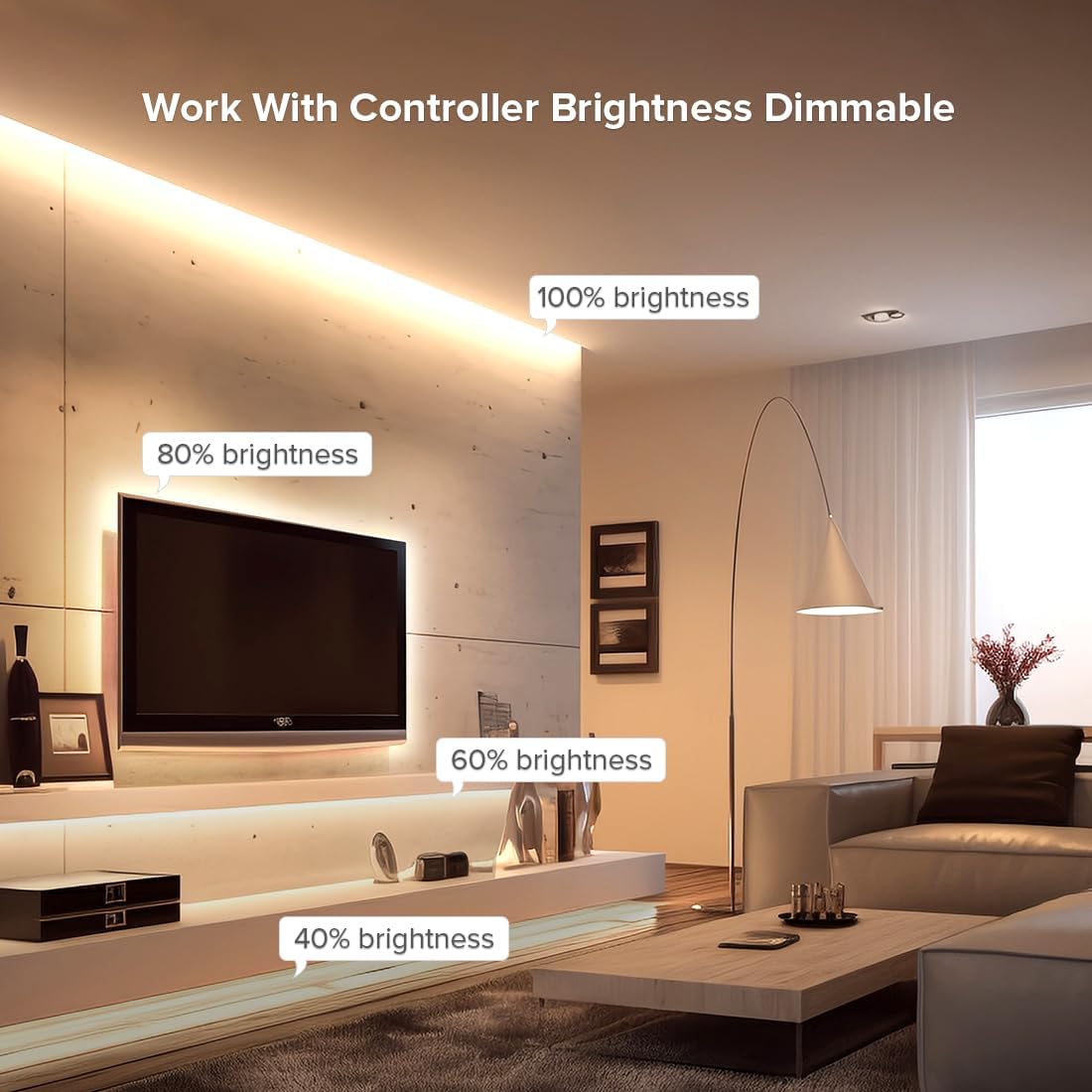
Зображення 6.4: Колишнійample of an LED strip installed in a living room setting, demonstrating various brightness levels (100%, 80%, 60%, 40%) achievable with the controller.
7. Технічне обслуговування
- Прибирання: Gently wipe the LED strip and controller with a dry, soft cloth. Do not use harsh chemicals or abrasive cleaners.
- Огляд: Periodically check connections for any signs of wear or damage.
- Зберігання: If storing the product for an extended period, ensure it is kept in a dry, cool environment away from direct sunlight.
8. Вирішення проблем
| проблема | Можлива причина | Рішення |
|---|---|---|
| Світлодіодна стрічка не світиться | No power; incorrect wiring; faulty strip/controller | Check power supply connection; verify wiring polarity; test with another strip/controller if available. |
| Incorrect colors or effects | Incorrect strip type selected in app; wiring issue | Ensure correct LED strip type (PWM/SPI, RGB/CCT, etc.) is configured in the Banlanx APP. Recheck wiring. |
| Controller not connecting to app | WiFi/Bluetooth off; incorrect network; controller too far | Ensure WiFi/Bluetooth is enabled on your phone. Connect to a 2.4GHz WiFi network. Move closer to the controller. Reset controller if necessary (refer to app for reset procedure). |
| Strip sections not working after cutting | Cut at wrong location | Only cut at designated marks. Sections cut incorrectly cannot be repaired. |
9. Гарантія та підтримка
For warranty information and technical support, please refer to the FCOB official webсайт або зверніться до продавця. Зберігайте чек про покупку як підтвердження покупки.
Ask a question about this manual
Ask about setup, troubleshooting, compatibility, parts, safety, or missing instructions. Manuals+ will review the question and use this page’s manual context to help answer it.