
1. Вступ
Thank you for choosing the XTUGA J02S Wireless In-Ear Monitor System. This system provides high-fidelity stereo audio monitoring with low latency, designed for musicians, singers, and performers on stage, in church, or for content creation. This manual will guide you through the setup, operation, and maintenance of your new wireless IEM system.
2. Вміст упаковки
Будь ласка, поставте позначку у відповідному полі для наступних пунктів:
- 1 x XTUGA J02S Transmitter
- 1 x XTUGA J02S Receiver
- 1 x 3.5mm to 3.5mm Connecting Cable
- 1 x USB-C зарядний кабель
- 1 x 6.35mm Audio Adapter Plug
- 1 х посібник користувача

3. Продукт закінчивсяview
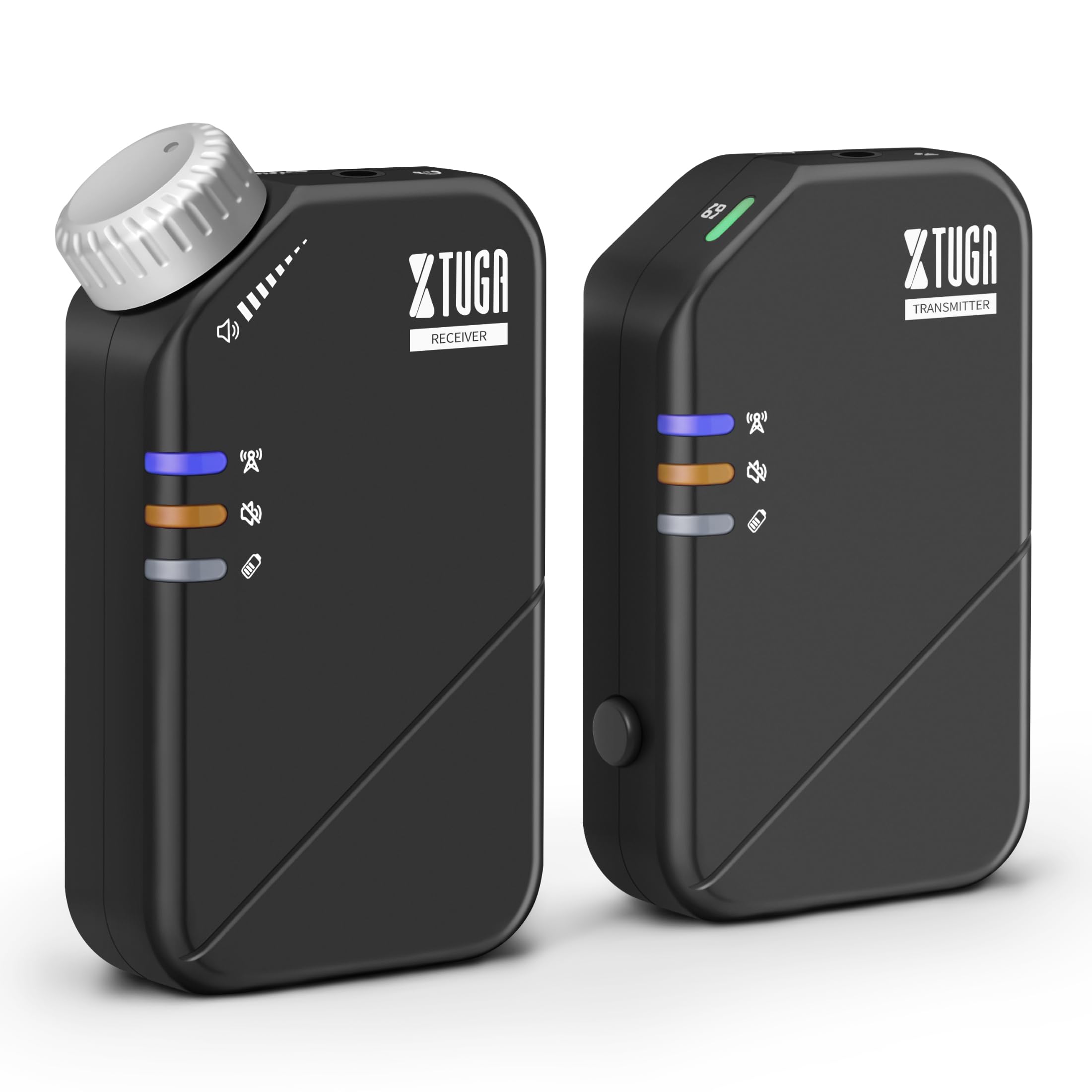
The XTUGA J02S system consists of a compact transmitter and receiver unit, designed for portability and ease of use. Both units feature durable ABS construction and integrated belt clips for convenient attachment during performances.
4. Налаштування
4.1 Заряджання пристроїв
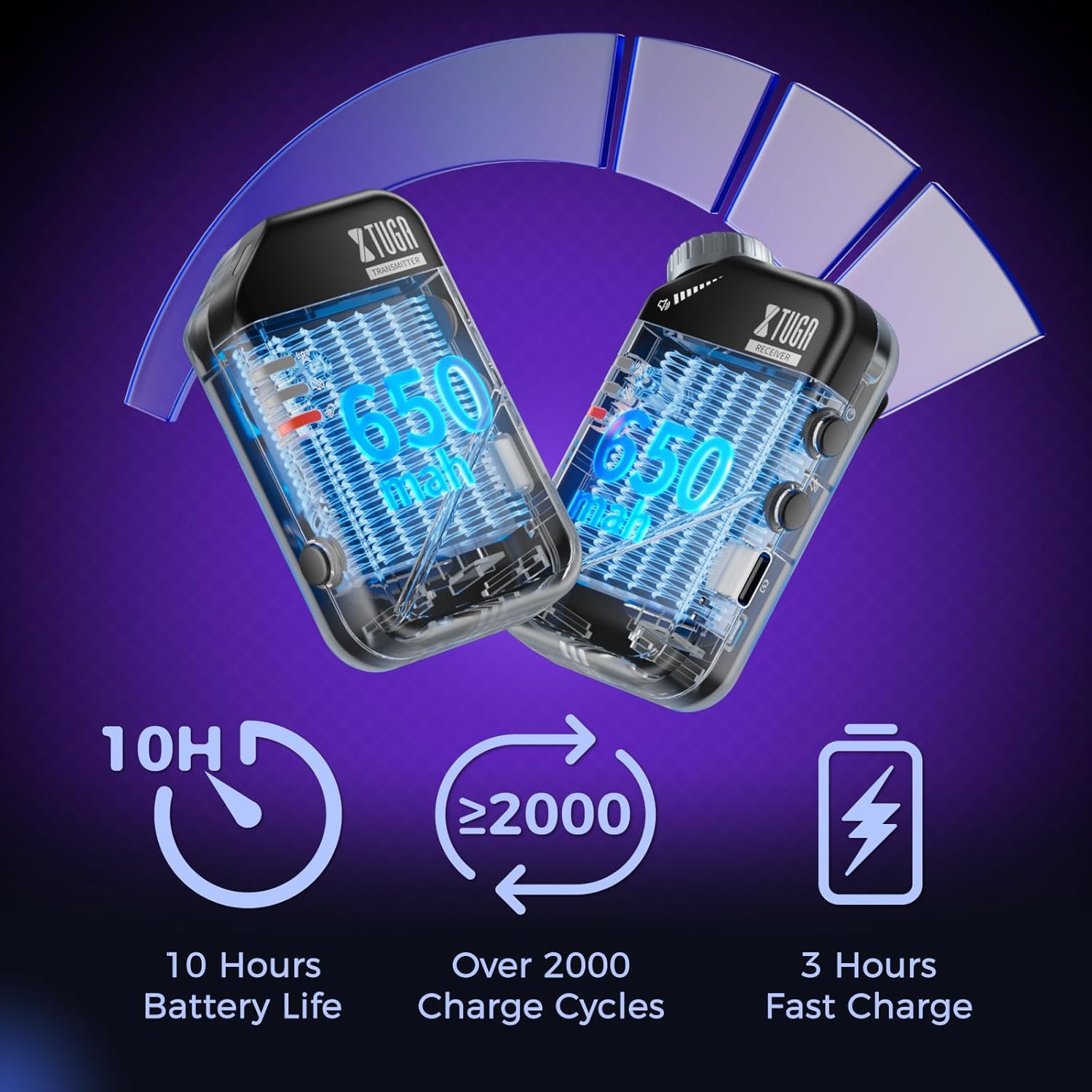
Before first use, fully charge both the transmitter and receiver using the provided USB-C charging cable. A red light will flash to indicate low battery and will turn solid red while charging, turning off when fully charged.
4.2 Підключення передавача
- Connect the 3.5mm connecting cable to the 'INPUT' jack on the transmitter.
- If your audio source has a 6.35mm output, use the provided 6.35mm adapter plug.
- Plug the other end of the connecting cable into your audio source (e.g., mixer, audio interface, phone, sound card).
4.3 Підключення приймача
- Plug your in-ear monitors or headphones into the 'OUTPUT' jack on the receiver.
- Clip the receiver to your belt or waistband for convenient monitoring.
4.4 Сполучення пристроїв
The units are typically pre-paired. If re-pairing is needed:
- Увімкніть передавач і приймач.
- The blue indicator light will be solid when connected. A flashing blue light indicates no connection.
- If they do not connect automatically, refer to the detailed pairing instructions in the included user manual.
5. Інструкція з експлуатації
5.1 Увімкнення/вимкнення живлення
Long press the power button on each unit to turn it on or off.
5.2 Функція вимкнення звуку
Press the mute button on either the transmitter or receiver to mute the audio. A yellow light indicates the unit is muted.

5.3 Перемикання моно/стерео
The system supports both mono and stereo modes. Use the dedicated button on the transmitter to switch between modes. A green light indicates mono mode, while no light indicates stereo mode.
5.4 Регулювання гучності
Adjust the volume directly on the receiver unit using the tactile volume knob. This allows for precise, on-the-fly adjustments without needing to look at the unit.

6. Ключові характеристики
- Звук високої якості: The 2.4GHz wireless system offers a low-noise design (SNR>100dB) and ultra-low latency (≤4.5ms mono, <12ms stereo) for clear audio.
- Розширений діапазон бездротового зв'язку: Enjoy freedom of movement with a wireless transmission range of up to 164ft (50m).
- Тривалий термін служби батареї: Each unit provides up to 10 hours of continuous use on a single 3-hour fast charge, with a lifespan of over 2000 charge cycles.
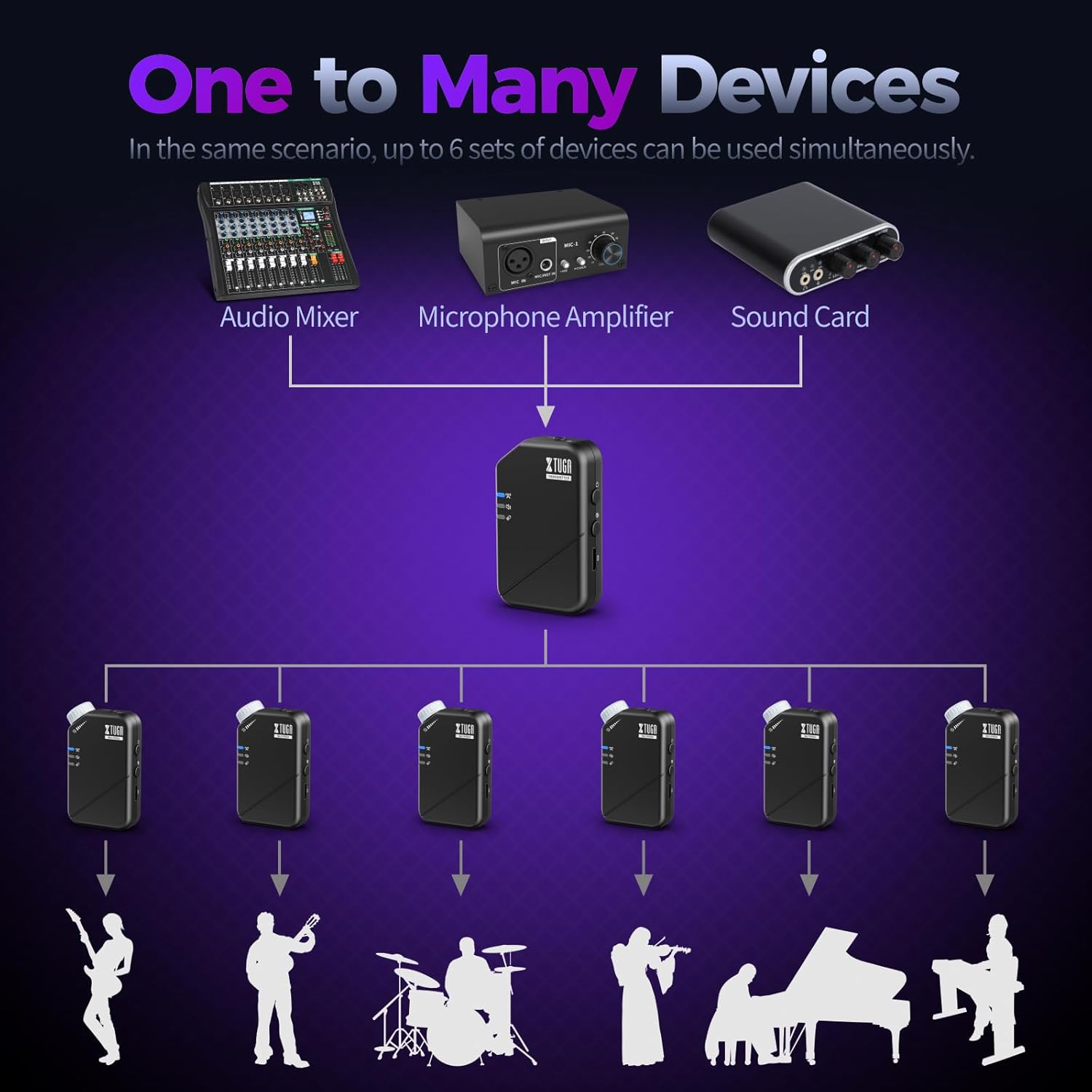
- One Transmitter to Many Receivers: A single transmitter can send signals to multiple receivers simultaneously (up to 6 pairs), ideal for band monitoring.


7. Технічні характеристики
| Специфікація | Значення |
|---|---|
| Назва моделі | J02S-JT |
| Технологія підключення | Бездротовий (2.4 ГГц) |
| Діапазон частот | 20-24 кГц |
| Sampлінг -курс | 48 кГц/24 біт |
| Low Latency (Mono) | ≤4.5 мс |
| Low Latency (Stereo) | <12 мс |
| Дальність бездротового зв'язку | До 164 футів (50 м) |
| Термін служби батареї | 10 години |
| Час зарядки | 3 години |
| матеріал | Акрилонітрилбутадієнстирол (АБС) |
| Гніздо для навушників | 3.5mm (with 6.35mm adapter) |
| Сумісні приймачі | Up to 6 pairs per transmitter |
| Вага товару | 7 унцій (0.2 кг) |
| Розміри продукту | 6.89 x 4.72 x 1.97 дюймів |

8. Вирішення проблем
8.1 Немає аудіовиходу
- Переконайтеся, що і передавач, і приймач увімкнені та повністю заряджені.
- Check that the units are successfully paired (solid blue indicator light).
- Verify that your headphones/IEMs are correctly plugged into the receiver's 'OUTPUT' jack.
- Adjust the volume knob on the receiver.
- Confirm the audio source is active and connected correctly to the transmitter's 'INPUT'.
- Check if the mute function is active (yellow indicator light). Deactivate if necessary.
8.2 Intermittent Signal/Dropouts
- Ensure the transmitter and receiver are within the 164ft (50m) operating range.
- Minimize physical obstructions (walls, large metal objects) between the units.
- Avoid areas with high 2.4GHz wireless interference (e.g., multiple Wi-Fi routers, other wireless devices).
- Ensure units are fully charged to maintain optimal signal strength.
8.3 Проблеми із затримкою
- The system is designed for low latency. Ensure you are operating within optimal conditions (clear line of sight, minimal interference).
- Consider switching to mono mode if stereo latency is noticeable, as mono mode offers lower latency.
9. Технічне обслуговування
- Прибирання: Use a soft, dry cloth to clean the units. Avoid liquid cleaners or solvents.
- Зберігання: Зберігайте систему в прохолодному, сухому місці, подалі від прямих сонячних променів та екстремальних температур.
- Догляд за акумулятором: For optimal battery longevity, avoid completely draining the battery frequently. Charge the units regularly, even if not in constant use.
- Обробка: While durable, avoid dropping the units or subjecting them to harsh impacts to prevent damage to internal components.
10. Гарантія та підтримка
XTUGA products are designed for reliability and performance. For warranty information, technical support, or service inquiries, please refer to the contact details provided in the original product packaging or visit the official XTUGA webсайт. Зберігайте чек про покупку як підтвердження покупки для гарантійних претензій.