
1. Вступ
This manual provides comprehensive instructions for the setup, operation, and maintenance of your ASprink A64M Bluetooth Shipping Label Printer. The A64M is designed for efficient thermal label printing, featuring a compact design and versatile connectivity options for various label sizes.
2. Що в коробці
- ASprink A64M Bluetooth Shipping Label Printer
- 100 Thermal Labels (4x6 inches)
- Адаптер живлення
- USB кабель
- Посібник користувача (цей документ)
3. Налаштування
3.1. Завантаження міток
The A64M printer features an innovative built-in label bin that can accommodate up to 250 4x6 inch roll labels internally. Alternatively, folded labels can be loaded via the rear slot.
- Open the Printer Cover: Gently lift the top cover of the printer.
- Вставити рулон етикеток: Place the label roll into the internal bin. Ensure the labels feed from the bottom of the roll and the print side is facing up.
- Adjust Guide Rails: Slide the adjustable guide rails to fit the width of your labels snugly, preventing misalignment during printing.
- Мітки каналу: Pull the leading edge of the labels through the printer's output slot until it extends slightly past the cutter.
- Закрити обкладинку: Надійно закрийте кришку принтера.

Image: Internal label bin with adjustable components for label loading.
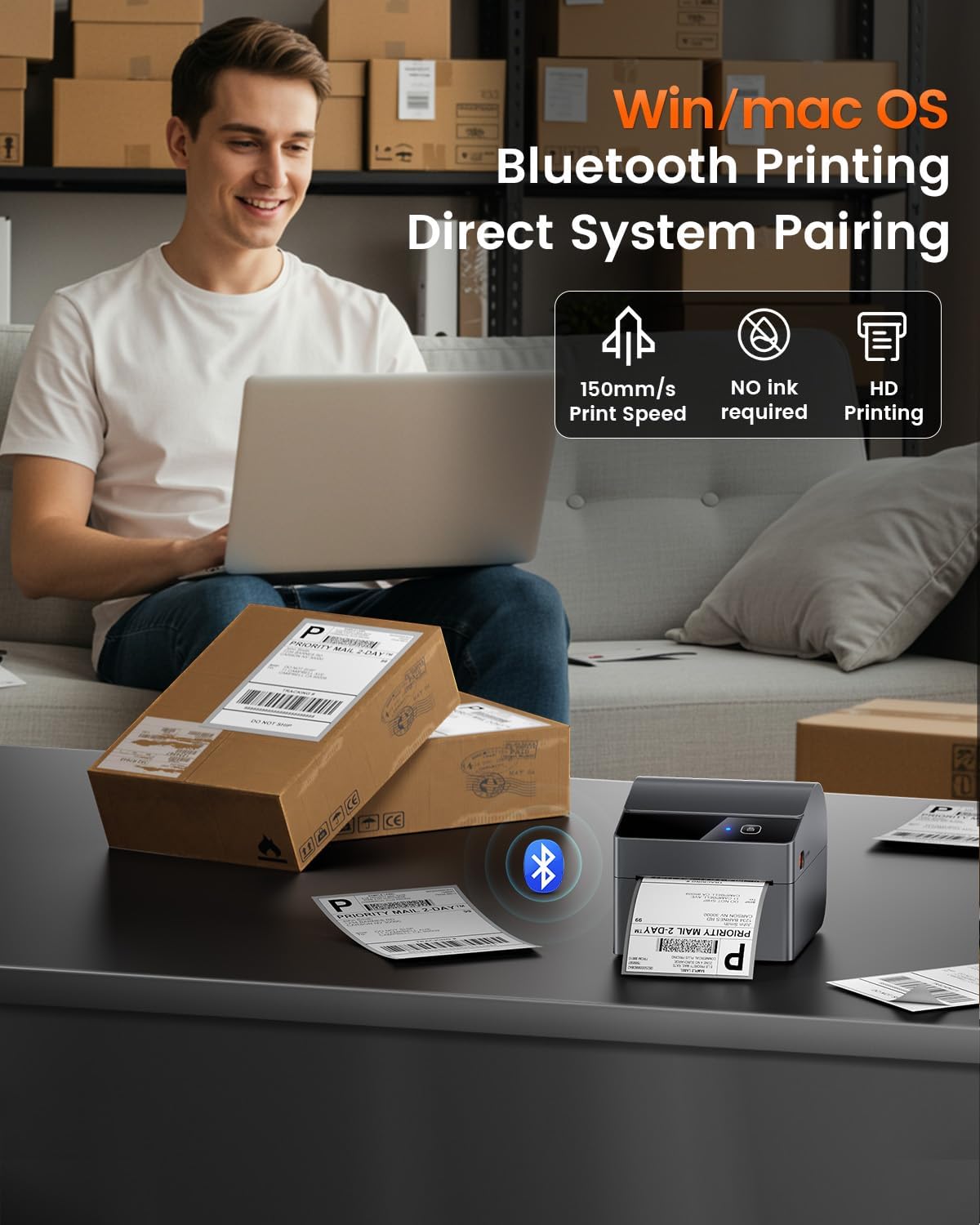
Image: Detail of label roll insertion and guide adjustment.
3.2. Підключення
The A64M printer offers both Bluetooth and USB connectivity.
- Підключення Bluetooth:
The printer supports Bluetooth 5.0 for wireless printing from Android, iOS, Windows, and macOS devices. Ensure Bluetooth is enabled on your device and pair with the A64M printer.

Image: Bluetooth connectivity with various devices.
- Підключення USB:
For a wired connection, use the provided USB cable to connect the printer to your computer. The printer is compatible with all major computer systems via USB.
3.3. Початкове калібрування
After loading labels and connecting the printer, it is recommended to perform an initial calibration to ensure accurate label detection and printing.
- Увімкнення: Увімкніть принтер.
- Автоматичне калібрування: The printer typically performs an automatic calibration when powered on with labels loaded. If not, refer to the printer's specific button sequence for manual calibration (usually involves holding a feed button).
4. Операція
4.1. Процес друку
Once connected and calibrated, you can initiate printing from your device. Ensure your label design matches the physical label size for optimal results.

Image: ASprink A64M printer in operation.
4.2. Supported Label Sizes
The A64M printer supports a wide range of thermal label widths from 1 inch to 4 inches. This includes standard 4x6 inch shipping labels, as well as smaller labels for various applications.

Зображення: Прamples of supported label sizes.
4.3. High-Definition Printing
The printer delivers clear and sharp prints with a maximum black and white print resolution of 300 dpi, ensuring barcodes and text are easily scannable and readable.
4.4. Сумісність платформи
The ASprink A64M is compatible with major shipping and e-commerce platforms, facilitating seamless integration into your workflow.

Image: Compatible platforms for the A64M printer.
5. Технічне обслуговування
5.1. Загальний догляд
- Keep the printer clean and free from dust. Use a soft, dry cloth for external cleaning.
- Уникайте впливу екстремальних температур або прямих сонячних променів на принтер.
- Забезпечте належну вентиляцію навколо принтера під час роботи.
5.2. Label Care
The included thermal labels are designed for durability and clarity:
- Стійкий до вицвітання: Labels are designed to resist fading over time.
- Стійкість до подряпин: The label surface is resistant to minor scratches.
- Oil-Proof: Labels maintain integrity when exposed to oils.
Store thermal labels in a cool, dry place away from direct light to preserve their quality.
6. Вирішення проблем
This section addresses common issues you might encounter with your ASprink A64M printer. For more detailed troubleshooting, please refer to the official support resources.
- Принтер не відповідає:
- Check if the printer is powered on and properly connected via USB or Bluetooth.
- Restart the printer and your connected device.
- Ensure printer drivers are correctly installed for USB connections.
- Погана якість друку:
- Verify that you are using thermal labels designed for thermal printers.
- Clean the print head if smudges or lines appear (refer to manufacturer guidelines for cleaning).
- Ensure the label roll is loaded correctly and the guide rails are adjusted.
- Етикетки не подаються належним чином:
- Перевірте наявність будь-яких перешкод на шляху етикетки.
- Ensure the label roll is not jammed and is properly seated in the internal bin or rear slot.
- Perform a label calibration.
- Проблеми з підключенням Bluetooth:
- Переконайтеся, що Bluetooth увімкнено як на принтері, так і на вашому пристрої.
- Unpair and re-pair the printer with your device.
- Move the printer closer to your device to ensure a strong signal.
7. Технічні характеристики
| Особливість | Деталь |
|---|---|
| Назва моделі | A64M |
| Бренд | ASprink |
| Технологія друку | Теплові |
| Технологія підключення | USB, Bluetooth |
| Максимальна ємність вхідного аркуша | 250 (for 4x6 inch rolls) |
| Підтримувані розміри носія | 1" - 4" width, including 4x6 inches |
| Максимальна роздільна здатність чорно-білого друку | 300 dpi |
| Вихід на принтер | Монохромний |
| Особливість | Network Ready, Portable |
| Включені компоненти | 100 Thermal Labels |
| Колір | чорний |
| Конкретне використання продукту | Shipping labels, Barcode printing, Retail pricing, Inventory management, E-commerce logistics, Warehouse organization, Retail tagging, Home decluttering |
8. Підтримка та гарантія
For technical support, warranty information, or further assistance, please visit the official ASprink website or contact their customer service. Details can typically be found on the product packaging or the ASprink brand store.
ASprink Brand Store: Visit ASprink Store on Amazon
9. Відео про продукт
Відео: Офіційна відеопрезентація продуктуasing the ASprink A64M Label Printer for small businesses, highlighting its features and functionality.