
1. Вступ
This manual provides instructions for the assembly, operation, and maintenance of the MONTECH X5M Micro ATX Gaming PC Case. The X5M is designed for high airflow and features pre-installed ARGB fans, a glass side panel, and an integrated GPU holder.
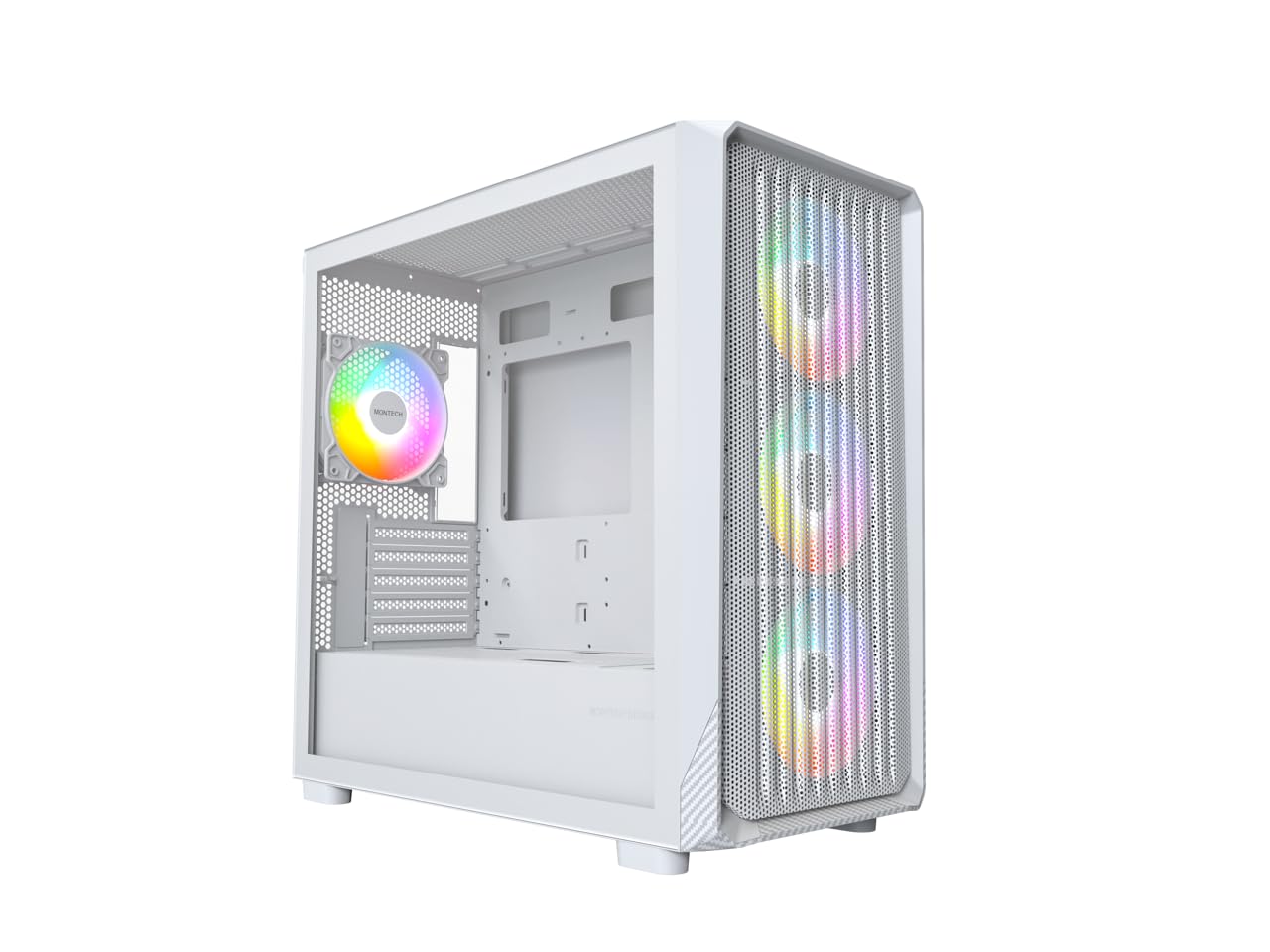
Figure 1: MONTECH X5M Micro ATX Gaming PC Case (White variant).
2. Ключові характеристики
- Integrated GPU Holder: An adjustable GPU support stand is included to provide physical support for graphics cards.
- Конструкція з високим потоком повітря: Optimized structure for efficient cooling.
- Попередньо встановлені ARGB-вентилятори: Four 120mm ARGB fans are pre-installed for immediate cooling and customizable lighting.
- Бічна панель із загартованого скла: Забезпечує чітке view внутрішніх компонентів.
- Carbon Fiber Print Accents: Aesthetic detailing on the front panel.
- Універсальний підключення: Front I/O panel includes USB 2.0, USB 3.0, USB Type-C, and audio ports.

Малюнок 2: Закінченоview of the MONTECH X5M case highlighting internal layout and ARGB fans.
3. Технічні характеристики
| Бренд | Montech |
| Назва моделі | X5M |
| Тип корпусу | Micro ATX Mid Tower |
| Сумісність материнської плати | Micro ATX |
| Попередньо встановлені вентилятори | 4 x 120 мм вентилятори ARGB |
| Підтримка довжини графічного процесора | До 405 мм |
| CPU Cooler Height Support | До 165 мм |
| Підтримка довжини блоку живлення | До 230 мм |
| Відсіки для зберігання | Up to 2 HDDs & 4 SSDs |
| Передні порти вводу-виводу | 1x USB 2.0, 1x USB 3.0, 1x USB Type-C, Mic & Audio, LED Button, Power Button |
| Спосіб охолодження | повітря |
| Підтримка радіатора AIO | Top: Up to 360mm; Front: Up to 360mm |
| матеріал | Plastic with Carbon Fiber Accents, Tempered Glass |
| Вага товару | 14.3 фунтів (6.49 кг) |

Figure 3: Close-up of the carbon fiber print detailing on the front panel of the X5M case.
4. Налаштування та встановлення
Follow these steps for installing components into your MONTECH X5M PC case. Ensure your system is powered off and unplugged before beginning any installation.
4.1. Підготовка справи
- Carefully remove the tempered glass side panel by unscrewing the thumb screws and sliding it off.
- Зніміть задню бічну панель, щоб отримати доступ до зони для укладання кабелів.
4.2. Встановлення материнської плати
- Встановіть панель вводу/виводу (якщо вона не попередньо прикріплена до материнської плати) у задній отвір корпусу.
- Вирівняйте материнську плату Micro ATX з виступами всередині корпусу.
- Закріпіть материнську плату за допомогою наданих гвинтів.
4.3. Встановлення блоку живлення (БЖ)
- Place the PSU into the dedicated compartment at the bottom rear of the case.
- Закріпіть блок живлення гвинтами ззаду корпусу.
4.4. Storage Device Installation (HDDs/SSDs)
The X5M supports up to 2 HDDs and 4 SSDs.
- 2.5-дюймові SSD-накопичувачі: Mount SSDs onto the designated brackets behind the motherboard tray or on the PSU shroud.
- 3.5-дюймові жорсткі диски: Install HDDs into the drive cage located under the PSU shroud.
4.5. Встановлення відеокарти (GPU)
- Зніміть необхідні кришки слотів PCIe із задньої частини корпусу.
- Insert the GPU into the appropriate PCIe slot on your motherboard.
- Закріпіть графічний процесор гвинтами.
- Adjust the integrated GPU support stand to provide stability for your graphics card.
4.6. Встановлення вентилятора та радіатора
The X5M comes with four 120mm ARGB fans pre-installed. Additional fans or AIO radiators can be installed as follows:
- Вгорі: Supports 3x 120mm or 2x 140mm fans, or AIO radiators up to 360mm.
- Спереду: Supports 3x 120mm or 2x 140mm fans, or AIO radiators up to 360mm.
- задній: Підтримує 1 вентилятор 120 мм.
- Кожух блоку живлення: Supports 2x 120mm fans.

Figure 4: Illustration of airflow within the MONTECH X5M case and the pre-installed ARGB fans.

Figure 5: Diagram detailing fan and radiator support locations and sizes within the X5M case.
4.7. Кабельний менеджмент
Використовуйте вирізи для прокладання кабелів та точки кріплення за лотком материнської плати для їх упорядкування. Це покращує потік повітря та естетику.
4.8. Підключення передньої панелі вводу/виводу
Connect the front panel cables (USB 2.0, USB 3.0, USB Type-C, HD Audio, Power Switch, Reset Switch, LED) to the corresponding headers on your motherboard. Refer to your motherboard manual for specific header locations.

Figure 6: Front I/O panel of the MONTECH X5M, showing USB 2.0, USB 3.0, USB Type-C, Mic & Audio jacks, LED button, and Power button.
5. Операція
5.1. Увімкнення
After all components are installed and cables connected, replace the side panels. Connect your monitor, keyboard, mouse, and power cable. Press the Power Button on the front I/O panel to start your system.
5.2. Керування вентилятором ARGB
Попередньо встановленими ARGB-вентиляторами можна керувати двома способами:
- Dedicated LED Button: Use the LED button on the front I/O panel to cycle through 25 built-in lighting modes.
- Синхронізація материнської плати: Connect the ARGB cables to a compatible 5V 3-pin ARGB header on your motherboard. Use your motherboard's RGB software (e.g., ASUS Aura Sync, MSI Mystic Light Sync, GIGABYTE RGB Fusion, ASRock Polychrome Sync) to synchronize and customize lighting effects.
6. Технічне обслуговування
Регулярне технічне обслуговування допомагає забезпечити оптимальну продуктивність та довговічність компонентів вашого ПК.
- Очищення пилового фільтра: Periodically remove and clean the dust filters (located on the top, front, and bottom) to maintain optimal airflow. Use compressed air or a soft brush.
- Зовнішнє очищення: Протріть зовнішні поверхні м’якою, damp тканина. Уникайте абразивних очищувачів.
- Прибирання салону: With the system powered off and unplugged, use compressed air to remove dust from internal components and fans.
7. Вирішення проблем
- Система не вмикається:
- Переконайтеся, що кабель живлення надійно підключений до блоку живлення та розетки.
- Перевірте, чи перемикач блоку живлення знаходиться в положенні «УВІМК.».
- Verify all front panel connectors (especially the Power Switch) are correctly attached to the motherboard.
- Confirm the 24-pin ATX and 8-pin CPU power cables are securely connected to the motherboard.
- Вентилятори не обертаються / RGB-підсвітка не вмикається:
- Check that all fan power cables are securely connected to the fan hub or motherboard headers.
- Ensure ARGB cables are properly connected to the fan hub or a compatible 5V 3-pin ARGB header on the motherboard.
- If using motherboard synchronization, verify that the RGB software is installed and configured correctly.
- Try cycling through modes using the dedicated LED button on the front panel.
- Немає виводу на дисплей:
- Ensure your monitor cable is connected to the graphics card (GPU) and not the motherboard's integrated graphics port (unless you are using integrated graphics).
- Перевстановіть відеокарту в слот PCIe.
- Check that the GPU power cables are securely connected.
8. Гарантія та підтримка
8.1. Інформація про гарантію
The MONTECH X5M PC Case comes with a 1 роки гарантії від виробника. This warranty covers defects in materials and workmanship under normal use. For specific terms and conditions, please refer to the official Montech webсайту або зв’яжіться зі службою підтримки клієнтів.
8.2. Підтримка клієнтів
For further assistance, technical support, or warranty claims, please visit the official Montech website or contact their customer service department. You can find contact information on the Montech webсайт: www.montechpc.com