1. Getting Started: Unboxing and Components
This section details the contents of your TABWEE T80 package and provides an overview of the tablet's physical features.
1.1 Вміст упаковки
Перевірте, чи всі перелічені нижче предмети присутні у вашій упаковці:
- TABWEE T80 Android Tablet
- Клавіатура Bluetooth
- Бездротова миша
- Стилус
- Захисний футляр
- Захисна плівка для екрану (попередньо нанесена або окрема)
- Підставка для планшетів
- Charger and USB-C Cable

1.2 продукт закінченоview
Familiarize yourself with the tablet's buttons, ports, and camera locations.
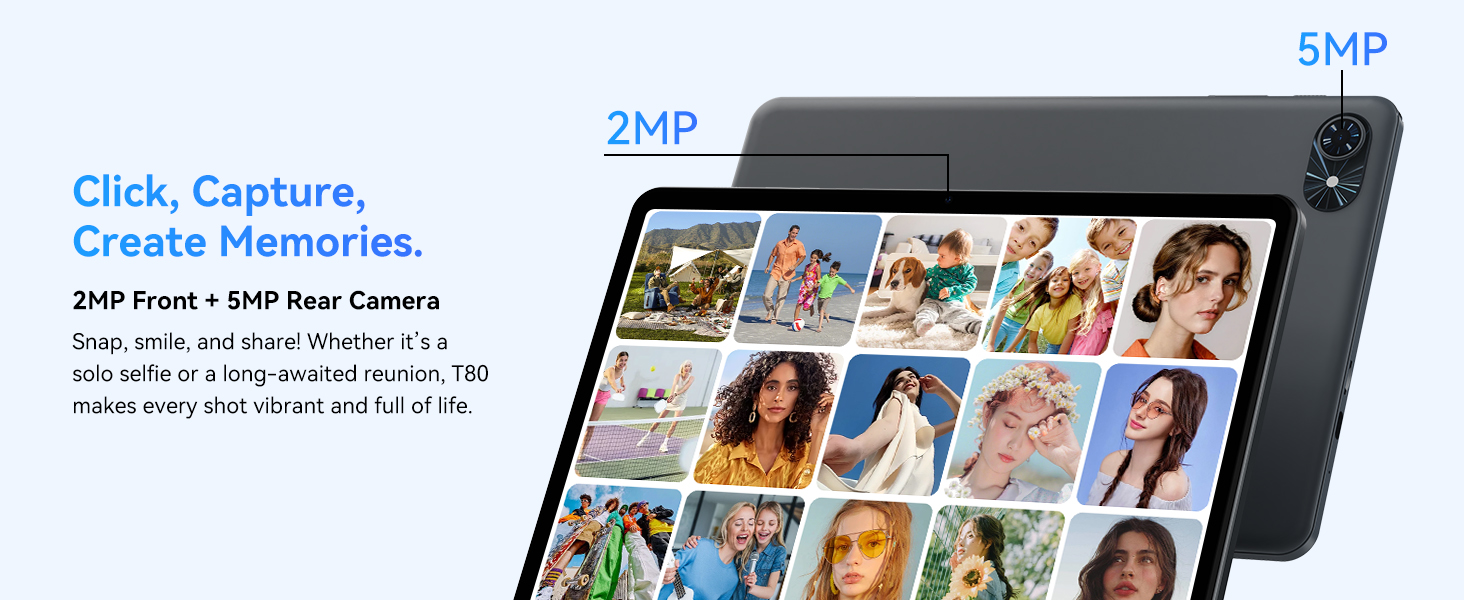
- Фронтальна камера: Located at the top center when held in landscape orientation. (2MP)
- Задня камера: Located on the back panel, typically in the upper left corner. (5MP)
- Кнопка живлення: Used to turn the tablet on/off or wake/sleep the screen.
- Кнопки гучності: Налаштуйте рівень вихідного аудіо.
- Порт USB-C: Для зарядки та передачі даних.
- Слот для карт MicroSD: Для розширення сховища до 2 ТБ.
- Доповідачі: Два динаміки для виведення звуку.
2. Інструкції з налаштування
Follow these steps to set up your TABWEE T80 tablet for first-time use.
2.1 Початкове ввімкнення та базова конфігурація
- Зарядити планшет: Connect the provided USB-C cable and charger to the tablet and a power outlet. Allow the tablet to charge for at least 30 minutes before first use.
- Увімкнення: Press and hold the Power button until the TABWEE logo appears on the screen.
- Мова та регіон: Дотримуйтесь підказок на екрані, щоб вибрати потрібну мову та регіон.
- Підключіться до Wi-Fi: Select your Wi-Fi network from the list and enter the password. A stable internet connection is required for initial setup and updates.
- Обліковий запис Google: Увійдіть, використовуючи свій обліковий запис Google, або створіть новий. Це необхідно для завантаження програм із магазину Google Play.
- Дата і час: Confirm the date and time settings.
- Безпека: Налаштуйте блокування екрана (PIN-код, графічний ключ або пароль) для безпеки.
2.2 Підключення аксесуарів
The TABWEE T80 comes with several accessories to enhance its functionality.
- Bluetooth-клавіатура та миша:
- Переконайтеся, що клавіатура та миша заряджені та увімкнені.
- На планшеті перейдіть до Налаштування > Підключені пристрої > Bluetooth.
- Увімкніть Bluetooth та пошукайте нові пристрої.
- Виберіть клавіатуру та мишу зі списку, щоб їх сполучити. Дотримуйтесь підказок на екрані.
- Стилус: The stylus pen can be used directly on the screen for navigation, drawing, or writing. No pairing is typically required for basic capacitive styluses.
- Захисний чохол та підставка: Attach the protective case to the tablet. The case often includes a foldable stand for hands-free viewінж.
3. Інструкція з експлуатації
This section covers the daily operation of your TABWEE T80 tablet.
3.1 Базова навігація та функції Android 15
- Головний екран: Swipe left or right to access different home screens. Tap and hold an empty space to customize widgets, wallpaper, and settings.
- Сповіщення та швидкі налаштування: Проведіть пальцем вниз від верхньої частини екрана до view notifications and access quick settings like Wi-Fi, Bluetooth, and brightness.
- Ящик програм: Проведіть пальцем вгору від нижньої частини екрана, щоб отримати доступ до всіх встановлених програм.
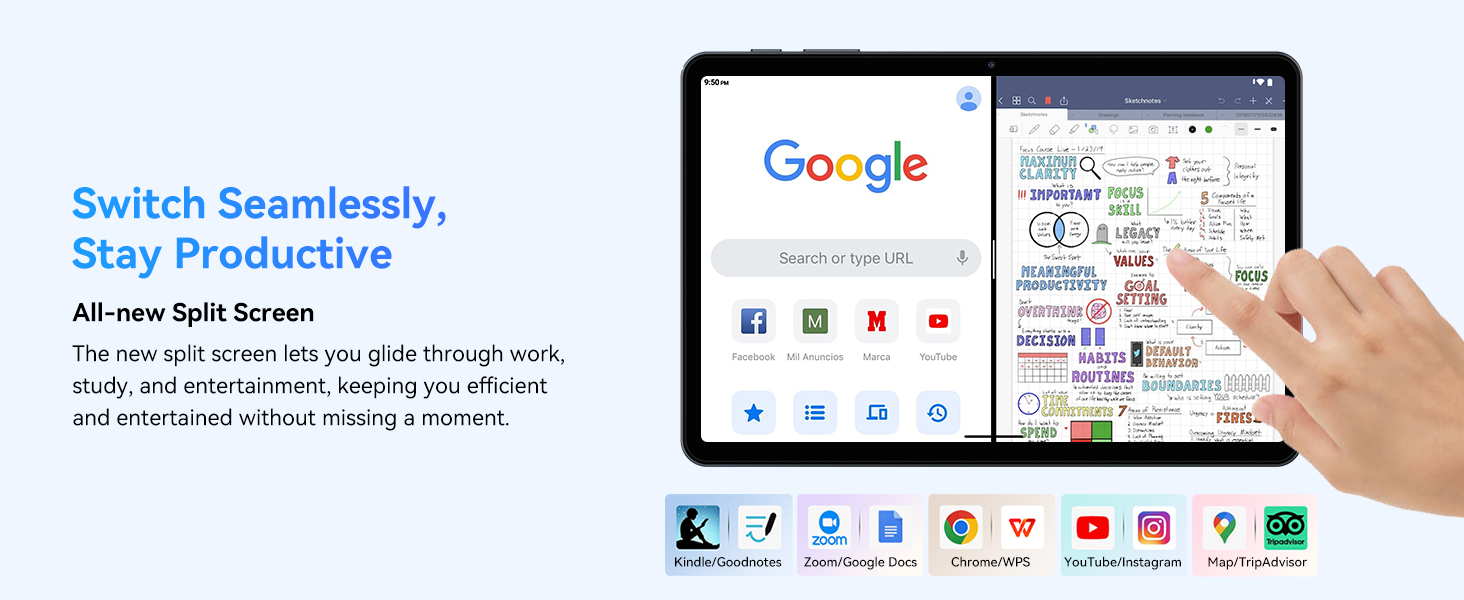
- Multitasking (Split Screen): Android 15 supports enhanced split-screen functionality. To use, open an app, then swipe up from the bottom, hold, and drag another app icon to either side of the screen.
- Gemini AI 2.0: Your tablet integrates Gemini AI 2.0 for enhanced task management, smart chats, text-to-image generation, voice-enabled Q&A, and real-time conversations. Access AI features through compatible apps or dedicated AI interfaces.
- Конфіденційність і безпека: Android 15 offers improved privacy controls. Review and adjust app permissions in Налаштування > Конфіденційність.
3.2 Підключення
- Wi-Fi: Supports 802.11a/b/g/n/ac for fast 5G Wi-Fi connectivity. Manage Wi-Fi connections in Налаштування > Мережа та інтернет > Wi-Fi.
- Bluetooth 5.0: For connecting wireless headphones, speakers, keyboards, and mice. Manage Bluetooth devices in Налаштування > Підключені пристрої > Bluetooth.
- GPS: The tablet includes GPS functionality for location services and navigation apps.
- OTG (У дорозі): Supports OTG, allowing you to connect USB devices like flash drives or external hard drives using an appropriate adapter.
3.3 Використання камери
The TABWEE T80 features a 2MP front camera and a 5MP rear camera.
- Відкрийте програму «Камера» на головному екрані або в панелі програм.
- Натисніть кнопку спуску затвора, щоб зробити фотографії.
- Перемикайтеся між передньою та задньою камерами за допомогою значка перемикача камери.
- Explore different modes such as video recording or panorama if available.

3.4 Зберігання та продуктивність
- Оперативна пам'ять: The tablet comes with 6GB of physical RAM, expandable virtually to 18GB for smooth multitasking. Adjust RAM settings in Налаштування якщо потрібно.
- Внутрішня пам'ять: 128GB ROM is provided for apps and files.
- Розширюване сховище: A MicroSD card slot allows for storage expansion up to 2TB. Insert a compatible MicroSD card into the designated slot.
- Процесор: Powered by a Quad-Core Unisoc T310 processor (1x A75 2.0GHz, 3x A55 1.8GHz) and GE8300 GPU for efficient performance.
3.5 Акумулятор та зарядка
- Ємність батареї: Equipped with a 6000mAh battery, providing over 10 hours of typical usage.
- Зарядка: Use the provided 10W fast charger and USB-C cable. Connect the cable to the tablet's USB-C port and the charger to a power outlet.
- Оптимізація роботи батареї: Android 15 includes AI Super Power Saving Algorithms to extend battery life. Monitor battery usage in Налаштування > Акумулятор.

3.6 Display and Entertainment
- Дисплей: 10-inch IPS display with a resolution of 1280 x 800 pixels.
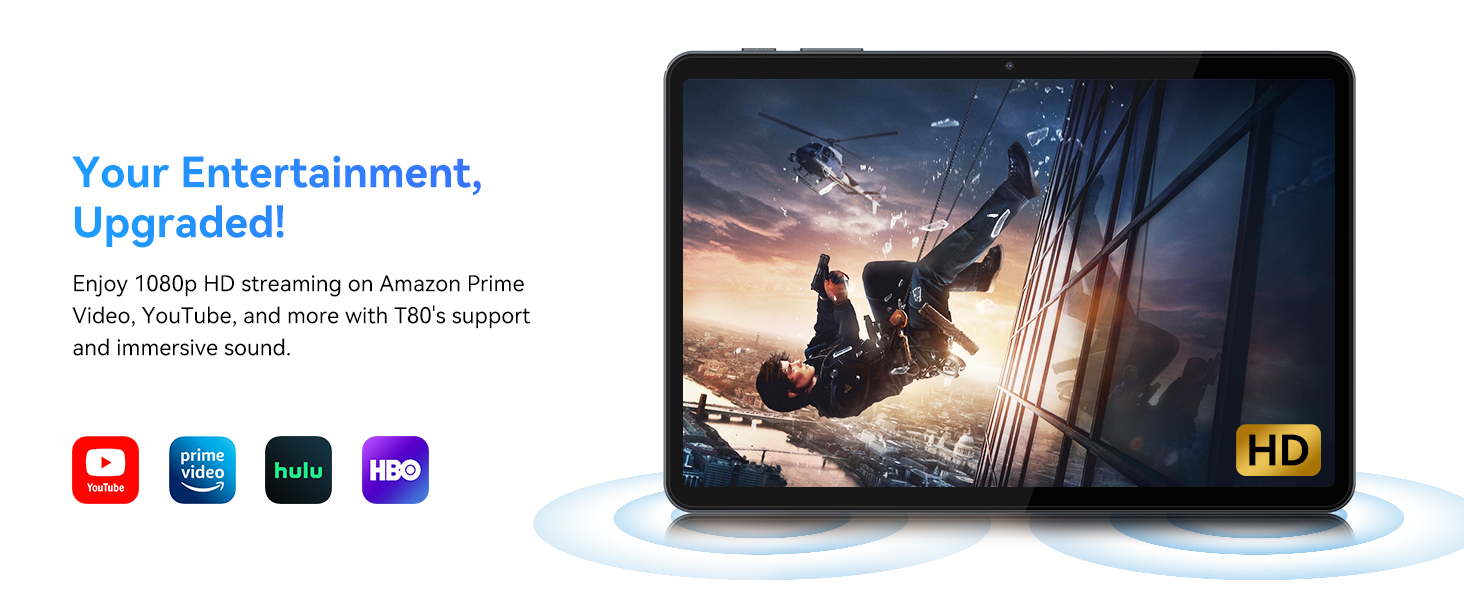
- Відтворення відео: Supports 1080P video playback for streaming services like Amazon Prime Video, YouTube, Hulu, and HBO.
- Аудіо: Dual speakers provide clear audio for media consumption.
4. Технічне обслуговування
Правильне обслуговування забезпечує довговічність та оптимальну продуктивність вашого планшета.
4.1 Догляд за акумулятором
- Уникайте екстремальних температур, оскільки вони можуть знизити термін служби акумулятора.
- Не допускайте частої повної розрядки акумулятора. Заряджайте його, перш ніж він досягне 0%.
- Використовуйте лише зарядний пристрій та кабель, що постачаються в комплекті, щоб запобігти пошкодженню.
4.2 Очищення
- Використовуйте м’яку тканину без ворсу для очищення екрана та корпусу планшета.
- Для стійких плям злегкаampПротріть тканину водою або розчином для чищення екрану. Уникайте агресивних хімікатів.
- Переконайтеся, що всі порти чисті від пилу та сміття.
4.3 Оновлення програмного забезпечення
- Regularly check for and install system updates. These updates often include performance improvements, security patches, and new features.
- Перейти до Налаштування > Система > Оновлення системи щоб перевірити наявність оновлень.
5. Вирішення проблем
This section addresses common issues you might encounter with your TABWEE T80 tablet.
5.1 Планшет не вмикається
- Переконайтеся, що планшет достатньо заряджений. Підключіть його до зарядного пристрою та зачекайте кілька хвилин, перш ніж спробувати знову ввімкнути.
- Try holding the Power button for 10-15 seconds to force a restart.
5.2 Проблеми з підключенням до Wi-Fi
- Вмикайте та вимикайте Wi-Fi у швидких налаштуваннях.
- Перезавантажте свій Wi-Fi роутер.
- Забудьте про мережу в Налаштування > Мережа та інтернет > Wi-Fi і знову підключитися.
5.3 Повільна продуктивність
- Закрийте непотрібні фонові програми.
- Clear cache for frequently used apps in Налаштування > Програми > [Назва програми] > Пам’ять і кеш > Очистити кеш.
- Ensure you have sufficient free storage space. Delete old files or move them to expandable storage.
- Періодично перезавантажуйте планшет.
5.4 Accessories Not Connecting
- For Bluetooth accessories, ensure they are charged, powered on, and in pairing mode.
- Verify Bluetooth is enabled on the tablet and try re-pairing the device.
- Check the battery level of the accessories.
6. Технічні характеристики
Detailed technical specifications for the TABWEE T80 Android 15 Tablet.
| Особливість | Специфікація |
|---|---|
| Назва моделі | T80(6+128) |
| Операційна система | Android 15 |
| Розмір екрана | 10 дюймів |
| Максимальна роздільна здатність екрана | 1280 x 800 пікселів |
| Процесор | Unisoc T310 Quad-Core (1x A75 2.0GHz, 3x A55 1.8GHz) |
| ОЗУ | 18 ГБ (6 ГБ фізичної + 12 ГБ віртуальної) |
| Розмір флеш-пам'яті (ROM) | 128 ГБ |
| Розширюване сховище | До 2 ТБ через карту MicroSD |
| Бездротовий тип | 802.11a, 802.11ac, 802.11b, 802.11g, 802.11n (5G WiFi) |
| Bluetooth | Bluetooth 5.0 |
| Ємність акумулятора | 6000 мАг |
| Середній термін служби батареї | 480 Hours (Standby) / 10+ Hours (Usage) |
| Фронтальна камера | 2 МП |
| Задня камера | 5 МП |
| Вага товару | 1.1 фунта |
| Розміри продукту | 9.5 x 6.3 x 0.3 дюймів |
| Колір | Сріблясто-сірий |
7. Гарантія та підтримка
Information regarding your product warranty and how to obtain customer support.
7.1 Гарантія на виріб
The TABWEE T80 tablet comes with a Гарантія 2 рік, covering manufacturing defects and ensuring product reliability. This warranty provides peace of mind and support for your device.
7.2 Підтримка клієнтів
For any technical assistance, inquiries, or warranty claims, please contact TABWEE customer support:
- Електронна пошта: serviceplus.linda@gmail.com
- Телефон (США): +1 (717) 896-6060
- Телефон (Великобританія): +44 7700 156388
- Phone (CA): +1 (587) 841-0500
- Телефон (DE): +49 157 3598 0115
TABWEE offers 24/7 customer support and lifetime technical assistance to ensure you have the best experience with your product.