
TABWEE Tabwee T90
Посібник користувача планшета TABWEE T90 Android 16
Model: Tabwee T90 | Brand: TABWEE
1. Вступ і даліview
Welcome to the user manual for your new TABWEE T90 Android 16 Tablet. This device combines cutting-edge technology with user-friendly design, featuring the world's first Android 16 operating system and integrated Gemini AI 2.0. With an 11-inch Full HD display, 24GB RAM, 128GB internal storage expandable up to 2TB, and an 8000mAh battery, the T90 is designed for both productivity and entertainment. This manual provides essential information for setup, operation, maintenance, and troubleshooting to ensure you get the most out of your tablet.
2. Що в коробці
Upon unboxing your TABWEE T90 tablet, please verify that all the following components are included:
- TABWEE T90 Tablet
- Клавіатура Bluetooth
- Бездротова миша
- Стилус
- Захисний футляр
- Адаптер змінного струму
- USB кабель
- PIN-код SIM-карти
- Посібник користувача
- Protective Film (pre-applied and one spare)

Image: All components included in the TABWEE T90 package.
3. Налаштування
3.1 Початкове заряджання
Before first use, fully charge your TABWEE T90 tablet using the provided AC adapter and USB cable. The charging port is located on the side of the tablet. A full charge typically takes approximately 2-3 hours.
3.2 Увімкнення/вимкнення
- Щоб увімкнути: Press and hold the Power button (located on the top edge) for a few seconds until the TABWEE logo appears.
- Щоб вимкнути: Натисніть і утримуйте кнопку живлення, доки не з’явиться меню параметрів живлення. Виберіть «Вимкнути живлення» та підтвердіть.
- Щоб перезапустити: У меню параметрів живлення виберіть «Перезавантажити».
3.3 Початкове налаштування Android
Upon first power-on, the tablet will guide you through the Android 16 setup process. Follow the on-screen prompts to:
- Виберіть свою мову та регіон.
- Підключіться до мережі Wi-Fi.
- Увійдіть за допомогою свого облікового запису Google або створіть новий.
- Налаштуйте блокування екрана (PIN-код, графічний ключ, пароль або розпізнавання обличчя).
- Review та прийняти умови та положення.
3.4 Підключення аксесуарів
Your TABWEE T90 comes with a Bluetooth keyboard, mouse, and stylus for enhanced productivity.
- Bluetooth-клавіатура/миша: Turn on the keyboard/mouse and put it into pairing mode (refer to their individual manuals if needed). On your tablet, go to Налаштування > Підключені пристрої > Створити пару з новим пристроєм and select the keyboard/mouse from the list.
- Стилус: The stylus is generally plug-and-play for basic touch input. For advanced features, ensure it is charged (if applicable) and compatible with the tablet's touch screen technology.
3.5 Expanding RAM
The tablet supports RAM expansion. To utilize the full 24GB (8GB physical + 16GB virtual boost), navigate to Налаштування and locate the option to expand RAM.
4. Інструкція з експлуатації
4.1 Android 16 and Gemini AI 2.0
The TABWEE T90 runs on the advanced Android 16 operating system, enhanced with Gemini AI 2.0 for a smarter and more intuitive user experience.
- Interactive System: Enjoy smoother interactions and real-time information display.
- Video Call Enhancements: Utilize one-tap features like background blur and portrait lighting for professional video calls.
- Gemini AI 2.0: This AI optimizes workflows, allowing for tasks such as transforming voice notes into formatted reports and enhancing low-light photos automatically.

Image: Key features of the Android 16 operating system.

Зображення: Оверview of Gemini AI functionalities.
4.2 Функції дисплея
The 11-inch Full HD (1920x1200) display offers a vibrant visual experience. It features a 120Hz touch sampling rate for smooth navigation and gaming, along with anti-reflective and anti-fingerprint properties for comfortable outdoor use.
- Підтримка Widevine L1: Enjoy high-definition streaming from platforms like Netflix, Disney+, YouTube, HBO, and Prime Video.

Image: The 11-inch Full HD display in use.

Image: Widevine L1 support for high-definition content.
4.3 Продуктивність та сховище
The TABWEE T90 is powered by an Octa-core Unisoc T615 processor, ensuring smooth performance for multitasking, gaming, and media consumption. It features 24GB of RAM (8GB physical + 16GB virtual) and 128GB of internal storage, expandable up to 2TB via a microSD card.
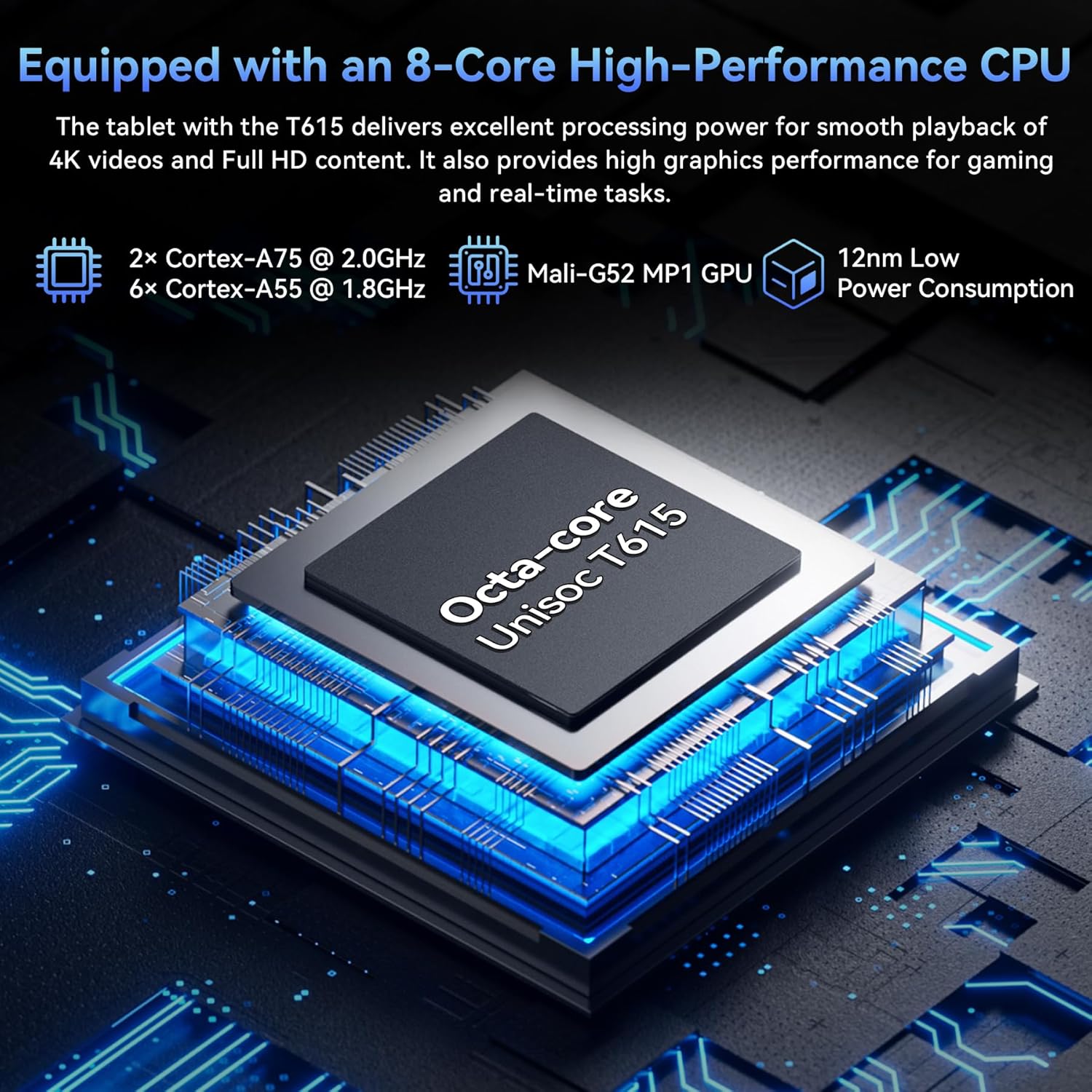
Image: The Octa-core Unisoc T615 processor.

Image: Large capacity storage and expansion capabilities.
Система камери 4.4
Capture stunning photos with the 13MP rear camera and 5MP front camera. The camera system is enhanced with AI album editing, APV codec support, and Google Lens integration.
- Google Lens: Identify objects, plants, and text in real-time, and optimize photos with scene recognition and night view.

Image: Dual high-resolution cameras.

Image: Google AI image editing capabilities.
4.5 Термін служби батареї
The tablet is equipped with an 8000mAh battery, providing extended usage times for various activities:
- До 10 годин відтворення відео.
- До 8 годин гри.
- До 40 годин відтворення музики.
- До 840 годин роботи в режимі очікування.

Image: 8000mAh battery performance.
4.6 Підключення
The TABWEE T90 supports fast and reliable wireless connections:
- 5G WiFi: Stream 4K videos and download content buffer-free with dual-band 5G WiFi (802.11a/b/g/n/ac).
- Bluetooth 5.0: Easily pair with wireless earbuds, speakers, and other Bluetooth-enabled devices for seamless audio and data transfer.

Image: High-speed 5G WiFi and Bluetooth 5.0 connectivity.
5. Технічне обслуговування
Proper maintenance ensures the longevity and optimal performance of your TABWEE T90 tablet.
5.1 Загальний догляд
- Прибирання: Використовуйте м’яку тканину без ворсу для очищення екрана та корпусу. Уникайте абразивних матеріалів або агресивних хімікатів.
- температура: Уникайте тривалого перебування планшета під екстремальними температурами (високими або низькими) або прямими сонячними променями.
- Вплив води: Планшет не є водонепроникним. Тримайте його подалі від рідин.
- Фізичний захист: Використовуйте захисний чохол, що постачається в комплекті, для захисту від падінь та подряпин.
5.2 Оновлення програмного забезпечення
Регулярно перевіряйте наявність та встановлюйте оновлення системи, щоб забезпечити наявність найновіших функцій, виправлень безпеки та покращень продуктивності на вашому планшеті. Перейдіть до Налаштування > Система > Оновлення системи щоб перевірити наявність оновлень.
5.3 Догляд за акумулятором
- Уникайте частого повного розряджання акумулятора.
- Do not leave the tablet plugged in for extended periods after it's fully charged.
- Використовуйте лише оригінальний зарядний пристрій або сертифікований сумісний зарядний пристрій.
6. Вирішення проблем
If you encounter issues with your TABWEE T90 tablet, try the following solutions before seeking professional support.
6.1 Поширені проблеми та рішення
| Випуск | Можливе рішення |
|---|---|
| Планшет не вмикається | Переконайтеся, що акумулятор заряджений. Підключіть зарядний пристрій і зачекайте кілька хвилин, перш ніж спробувати знову ввімкнути пристрій. Якщо пристрій не реагує, натисніть і утримуйте кнопку живлення протягом 10-15 секунд, щоб примусово перезавантажити пристрій. |
| Проблеми з підключенням Wi-Fi | Restart your Wi-Fi router. On the tablet, turn Wi-Fi off and then on again. Forget the network and reconnect. Ensure you are within range of the Wi-Fi signal. |
| Повільна продуктивність або зависання | Close unused applications. Clear cache for problematic apps (Settings > Apps > [App Name] > Storage > Clear cache). Restart the tablet. Ensure sufficient storage space is available. |
| Збої або невідповідності програм | Force stop the app (Settings > Apps > [App Name] > Force stop). Clear the app's cache and data. Uninstall and reinstall the app. Check for app updates in the Google Play Store. |
| Акумулятор швидко розряджається | Reduce screen brightness. Disable Wi-Fi/Bluetooth when not in use. Close background apps. Limit location services. Check battery usage in Settings to identify power-hungry apps. |
6.2 Скидання до заводських налаштувань
Якщо проблеми не зникають, скидання до заводських налаштувань може вирішити багато проблем, пов’язаних із програмним забезпеченням. УВАГА: A factory reset will erase all data on your tablet. Back up important data before proceeding.
- Перейти до Налаштування > Система > Параметри скидання > Стерти всі дані (скидання до заводських налаштувань).
- Підтвердіть своє рішення та дотримуйтесь інструкцій на екрані.
7. Технічні характеристики
| Особливість | Деталь |
|---|---|
| Назва моделі | T90-Android 16 |
| Операційна система | Android 16 |
| Розмір дисплея | 11 дюймів |
| Роздільна здатність екрана | 1920 x 1200 пікселів |
| Процесор | Octa-core Unisoc T615 (2 GHz) |
| ОЗУ | 24 ГБ (8 ГБ фізичної + 16 ГБ віртуальної) |
| Внутрішня пам'ять | 128 ГБ |
| Розширюване сховище | До 2 ТБ через карту microSD |
| Задня камера | 13 Мп |
| Фронтальна камера | 5 Мп |
| Ємність акумулятора | 8000 мАг |
| Бездротове підключення | 802.11a/b/g/n/ac (5G WiFi) |
| Bluetooth | Bluetooth 5.0 |
| Вага товару | 11.2 унції |
| Розміри продукту | 10.1 x 6.7 x 0.3 дюймів |
8. Гарантія та підтримка
Your TABWEE T90 tablet comes with a Гарантія 2 рік, providing peace of mind for any potential issues. TABWEE also offers 24/7 US/CA support to assist you with any questions or concerns.
For warranty claims, technical assistance, or general inquiries, please visit the official TABWEE website or contact their customer support directly through the channels provided on their webсайті або в упаковці вашого продукту.
Thank you for choosing TABWEE. We hope you enjoy your new tablet!
Ask a question about this manual
Ask about setup, troubleshooting, compatibility, parts, safety, or missing instructions. Manuals+ will review the question and use this page’s manual context to help answer it.