
1. Вступ
Thank you for choosing the WiMiUS P62 Pro 4K Projector. This manual provides essential information for setting up, operating, and maintaining your projector to ensure optimal performance and longevity. Please read this manual thoroughly before use and retain it for future reference.
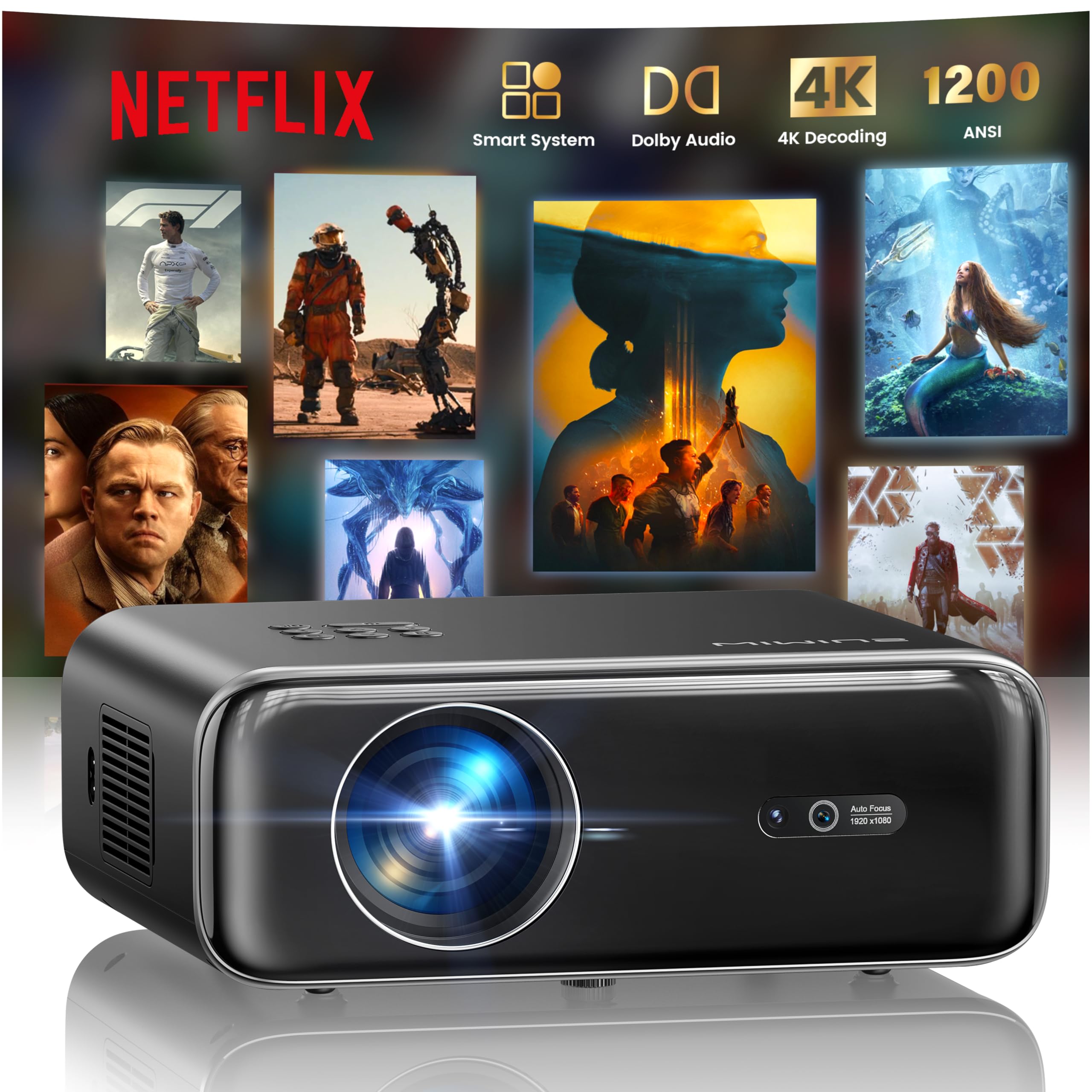
The WiMiUS P62 Pro 4K Projector, a compact and powerful device designed for home entertainment.
2. Що в коробці
Carefully unpack your WiMiUS P62 Pro projector and ensure all items are present:
- WiMiUS P62 Pro Projector (Netflix included)
- Пульт дистанційного керування
- Кришка об'єктива
- Шнур живлення
- Кабель HDMI
- Набір для чищення
- Короткий посібник

Contents of the WiMiUS P62 Pro package, including the projector, remote, and essential cables.
3. Продукт закінчивсяview і ключові характеристики
The WiMiUS P62 Pro is a versatile 4K-supported projector designed for a superior home cinema experience. Its key features include:
- Висока яскравість: 1400 ANSI lumens for clear images even in ambient light.
- Рідна роздільна здатність 1080P: Supports 4K Ultra HD input for crisp visuals.
- Smart OS with Official Apps: Pre-installed Netflix, YouTube, Prime Video, Plex, and access to over 20,000 apps.
- AI Intelligent Adjustment: Automatic focus, keystone correction, obstacle avoidance, and screen alignment.
- Dolby Audio: Integrated dual 36W speakers with Dolby Audio for immersive sound.
- Універсальний підключення: WiFi 6, Bluetooth 5.4 (bidirectional), HDMI (ARC & CEC), USB.
- Портативний дизайн: Compact dimensions (25.7 x 20 x 10.3 cm) and lightweight (1.8 kg) for easy transport.
- Захист очей: Utilizes diffuse reflection imaging technology to reduce eye strain.

The WiMiUS P62 Pro offers a revolutionary home cinema experience with integrated streaming apps like Netflix, YouTube, and Prime Video.

Experience exceptional audio quality with integrated Dolby Audio and powerful Hi-Fi speakers.
4. Налаштування
Виконайте такі кроки для початкового налаштування проектора:
- Розміщення: Position the projector on a stable, flat surface or mount it (ceiling or tripod). Ensure adequate ventilation around the device. The projector can be placed between 1 to 6 meters from the projection surface.
- Підключення живлення: Підключіть шнур живлення до проектора, а потім до розетки.
- Увімкнення: Натисніть кнопку живлення на проекторі або пульті дистанційного керування, щоб увімкнути його.
- Автоматичні налаштування: The projector features AI-powered auto-focus and auto-keystone correction. It will automatically adjust the image for clarity and shape. It also includes intelligent obstacle avoidance and automatic screen alignment.
- Manual Adjustments (if needed): If further adjustments are required, use the remote control to access settings for focus, keystone, and zoom (50%-100%).

The projector features intelligent screen adaptation 3.0, including auto-focus, auto-keystone correction, and obstacle avoidance.
5. Інструкція з експлуатації
5.1 Увімкнення/вимкнення живлення
- Щоб увімкнути: Натисніть кнопку живлення на проекторе або пульті дистанційного керування.
- Щоб вимкнути: Знову натисніть кнопку живлення. Підтвердіть вимкнення, якщо буде запропоновано.
5.2 Navigation and Source Selection
- Use the remote control's directional buttons and OK button to navigate the on-screen menu.
- Select your desired input source (HDMI 1, HDMI 2, USB, or Smart Apps) from the main menu.
5.3 Налаштування зображення та звуку
- Access the settings menu to adjust picture parameters such as brightness, contrast, color, and aspect ratio.
- Adjust sound volume and audio modes. The integrated Dolby Audio provides rich sound.

Enjoy an ultimate gaming experience with low latency and a 60Hz refresh rate.

Easily display your work or presentations on a larger screen.
6. Підключення
The WiMiUS P62 Pro offers multiple connectivity options:
- Порти HDMI (x2): Connect devices like laptops, gaming consoles, Blu-ray players. HDMI 2 supports ARC (Audio Return Channel) and CEC (Consumer Electronics Control) for simplified audio setup and control.
- USB-порти (x2): Play media directly from USB drives or connect external devices.
- WiFi 6: Connect to your home network for internet access and streaming. Supports screen mirroring from iOS, Android, and Windows 10 devices for seamless content sharing.
- Bluetooth 5.4 (двонаправлений): Connect external Bluetooth speakers or headphones for enhanced audio. The projector can also act as an independent Bluetooth speaker when connected to a phone.

The rear panel of the projector features multiple connectivity ports including HDMI and USB.

Synchronize and enjoy with multiple connectivity options for seamless entertainment.
7. Розумні функції
7.1 Integrated Streaming Applications
The projector comes with officially certified streaming applications pre-installed, providing direct access to a vast library of content:
- Netflix
- YouTube
- Prime Video
- Plex
- And more via the integrated App Store.

Access official integrated apps like Netflix and Plex directly from your projector.

Explore more applications through the integrated App Store.
7.2 AI-Powered Image Adjustment
The projector utilizes advanced AI algorithms for automatic image optimization:
- Автофокус: Automatically adjusts the image sharpness.
- Автоматична корекція трапецеїдальних спотворень: Виправляє спотворені зображення до ідеального прямокутника.
- Інтелектуальне уникнення перешкод: Detects and adjusts the projection to avoid objects in the path.
- Автоматичне вирівнювання екрана: Optimizes the image to fit the projection surface.

AI-optimized intelligent configuration ensures the best image quality wherever you are.
7.3 Web Перегляд
Navigate the internet directly on your projector using the integrated web browser. This allows you to access websites, news, and online content without needing an external computer.

Перегляньте web directly on your projector with the integrated navigation feature.
8. Технічне обслуговування
Правильне обслуговування забезпечує довговічність та продуктивність вашого проектора:
- Очищення лінз: Use the provided cleaning kit or a soft, lint-free cloth to gently clean the projector lens. Avoid abrasive materials or harsh chemicals.
- Вентиляція: Переконайтеся, що вентиляційні отвори проектора вільні та не засмічені, щоб запобігти перегріву. Не ставте проектор на м’які поверхні, які можуть блокувати потік повітря.
- Видалення пилу: Periodically clean the exterior of the projector with a soft, dry cloth to remove dust.
- Зберігання: Якщо проектор не використовується протягом тривалого часу, зберігайте його в прохолодному, сухому місці, в ідеалі в оригінальній упаковці або захисному футлярі.
9. Вирішення проблем
If you encounter issues with your WiMiUS P62 Pro projector, refer to the following common problems and solutions:
| проблема | Можлива причина | Рішення |
|---|---|---|
| Не відображається зображення | Кабель живлення відключено, неправильне джерело вхідного сигналу, кришка об'єктива надята. | Перевірте підключення живлення, виберіть правильне джерело вхідного сигналу, зніміть кришку об'єктива. |
| Зображення розмите | Проектор не в фокусі, рухався. | Allow auto-focus to engage or manually adjust focus using the remote. |
| Зображення спотворене (трапецієподібна форма) | Проектор не перпендикулярний до екрану. | Allow auto-keystone correction to engage or manually adjust keystone settings. |
| Ні звуку | Занадто низька гучність, зовнішній аудіопристрій не підключено, неправильний аудіовихід. | Increase volume, check external audio connections, ensure correct audio output is selected. |
| Не вдається підключитися до Wi-Fi/Bluetooth | Неправильний пароль, пристрій поза зоною досяжності, проблема з мережею. | Verify password, move devices closer, restart router/projector. |
Для отримання додаткової допомоги зверніться до контактної інформації в розділі «Гарантія та підтримка».
10. Технічні характеристики
Detailed technical specifications for the WiMiUS P62 Pro Projector:
- Бренд: WiMiUS
- модель: P62 Pro
- Яскравість: 1400 люменів ANSI (38000 люменів)
- Рідна роздільна здатність: 1920 x 1080P
- Максимальна роздільна здатність дисплея: 3840 x 2160 (4K Ultra HD Support)
- Коефіцієнт контрастності: 40000:1
- Тип дисплея: LCD або LED
- Технологія підключення: Bluetooth 5.4, HDMI, USB, Wi-Fi 6
- Рекомендоване використання: Home Cinema, Gaming, Live TV & Sports, Outdoor, Campінж
- Особливості: AI Auto Focus/Keystone, Obstacle Avoidance, Screen Alignment, Official Apps (Netflix, etc.), Dolby Audio, HDMI ARC/CEC
- Відстань проекції: Від 1 до 6 метрів
- Розмір зображення: від 40 до 300 дюймів
- Тип управління: Пульт дистанційного керування
- вага: 1.8 кілограма
- Розміри: 25.7 х 20 х 10.3 см
- Кодування відео: H.264, H.265

The projector boasts 1400 ANSI lumens and a 40000:1 contrast ratio for remarkable brilliance.

Насолоджуйтесь viewing without harmful blue light, reducing eye fatigue.
11. Гарантія та підтримка
The WiMiUS P62 Pro Projector comes with a 2-year warranty. For any questions or support needs regarding your projector, please refer to the service information provided in the Quick Start Guide or contact WiMiUS customer support directly. You can often find support contact details on the manufacturer's official webсайт або через вашу платформу для покупок.