
1. Вступ
Thank you for choosing the Riflewell 7.0 Cu Ft Large Fingerprint Safe Box. This manual provides essential information for the safe and efficient operation of your new security safe. Please read these instructions carefully before use and retain them for future reference.
This safe is designed to protect your valuables, including documents, cash, pistols, and jewelry, with advanced fingerprint and password locking mechanisms, dual alarm systems, and robust construction.
2. Що входить до комплекту
Після розпакування, будь ласка, перевірте наявність усіх наступних компонентів:
- 1 x Riflewell 7.0 Cu Ft Safe Box
- 4 x аварійні ключі
- 1 x USB Type-C Cable (for external power)
- 4 x Anti-slip Foot Pads
- 6 розпірні гвинти (для кріплення)
- 1 x Посібник користувача (цей документ)

3. Особливості продукту
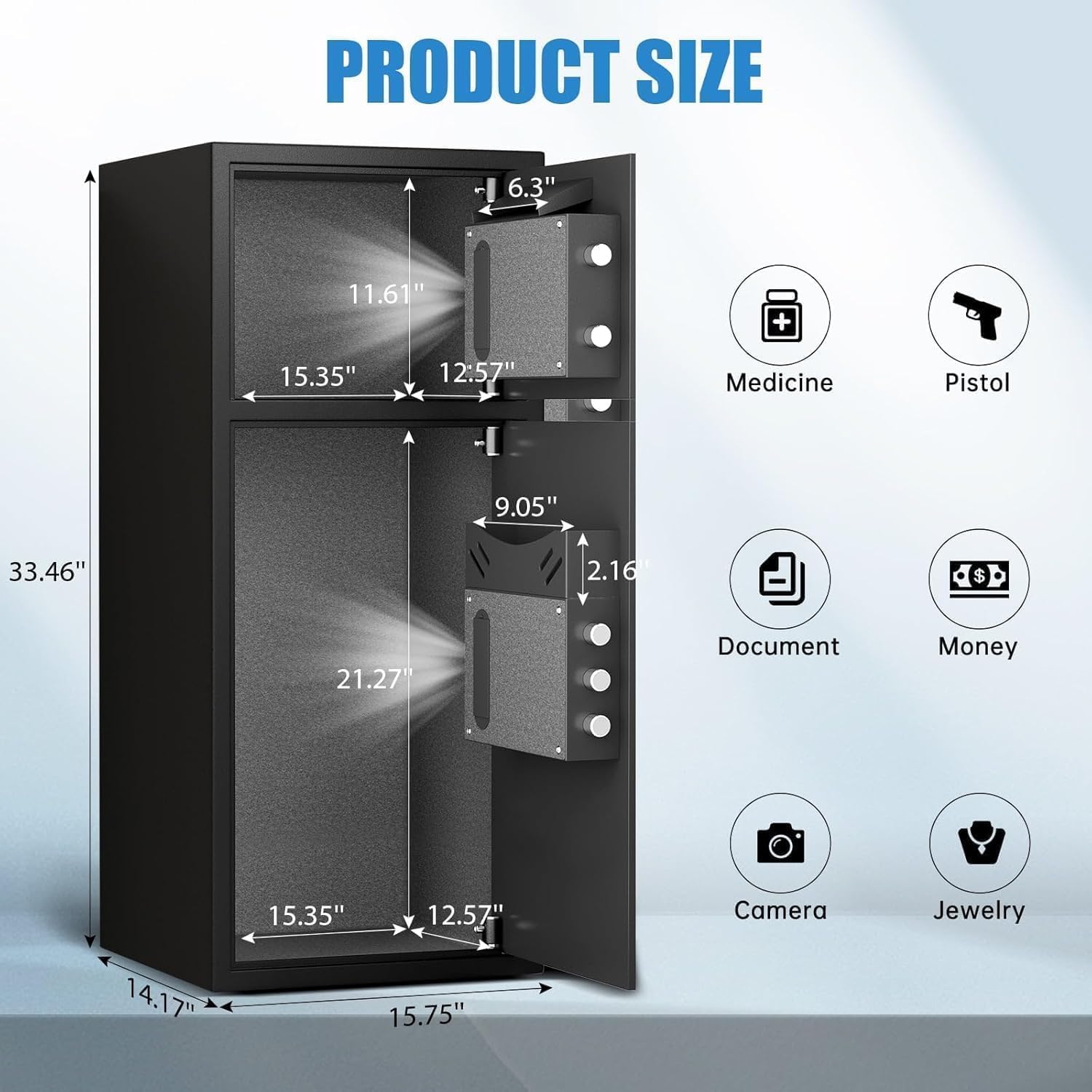
- Дуже велика ємність: External size 14.17"D x 15.75"W x 33.5"H, with a 7.0 cubic feet capacity. Features a double-door design for separate access.
- Покращена безпека: Equipped with a fingerprint and password lock system. Features 3D glowing digital buttons and a unique embedded fingerprint design (US appearance patent).
- Deposit Slot: A convenient front slot allows for easy deposit of money or coins without opening the main door.
- Внутрішня організація: Includes a metal storage box for smaller items and soft flannel lining to protect valuables from scratches. Internal LED lights illuminate the interior.
- Anti-Theft Construction: Made of reinforced low carbon alloy steel with micro-slit laser cutting precision. Features a pry-resistant thickened door and five solid live bolts.
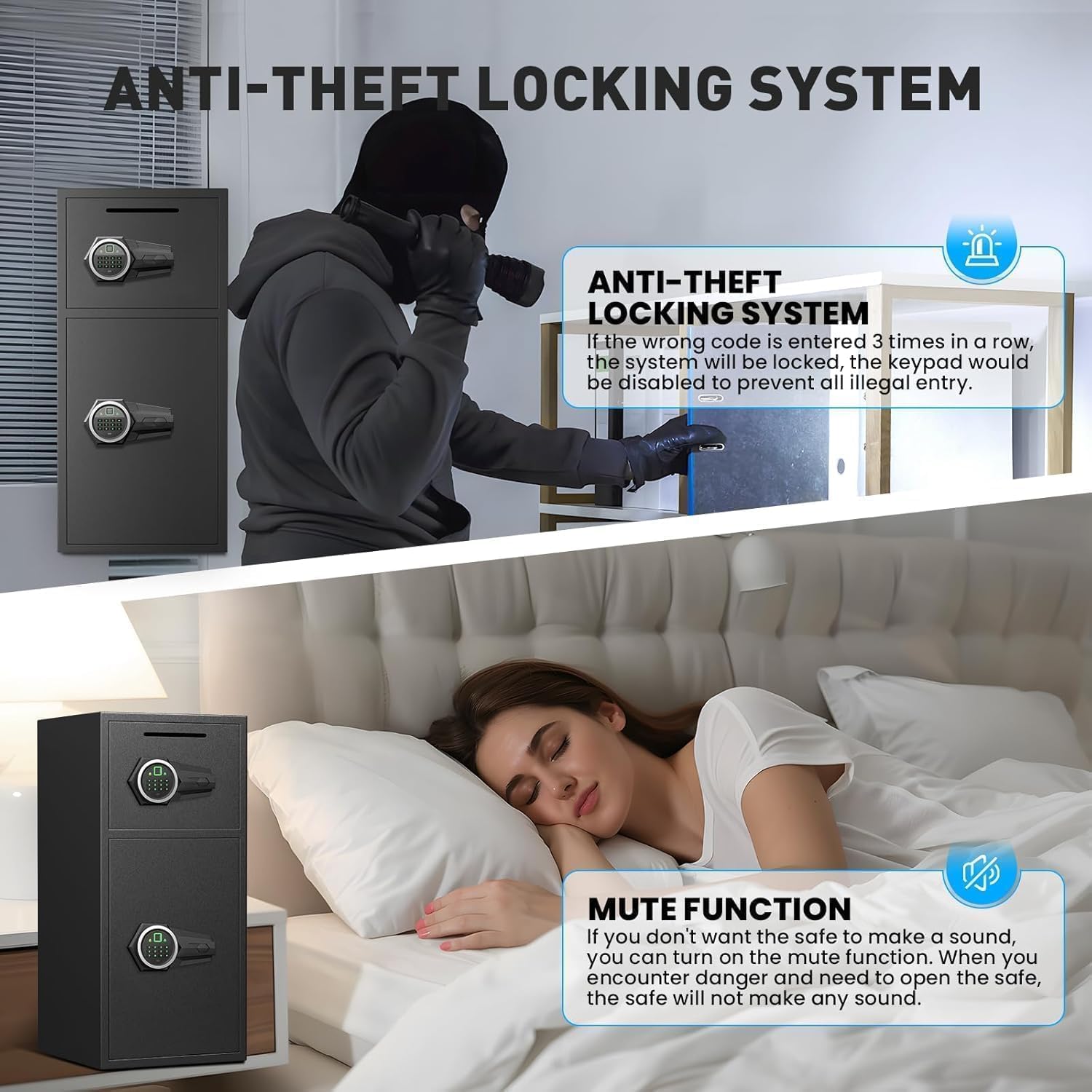
- Подвійна система сигналізації: Activates an alarm (up to 70 decibels) after three consecutive incorrect password attempts or violent vibrations. Includes a mute function for silent operation.
- Аварійне живлення: Universal emergency power jack (USB Type-C) ensures access even if internal batteries are depleted.


4. Налаштування
4.1 First Time Opening (Using Emergency Key)
Before initial use, you must open the safe using the emergency key to install batteries and set up your access methods.
- Знайдіть аварійний отвір для ключа, який зазвичай прихований за кришкою на панелі клавіатури.
- Insert an emergency key and turn it counter-clockwise to its limit.
- Поверніть ручку за годинниковою стрілкою, щоб відкрити двері.
4.2 Встановлення батареї
The electronic lock requires 4 AA alkaline batteries (not included). Do not use lithium or rechargeable batteries.
- Відкривши дверцята сейфа, знайдіть батарейний відсік на внутрішній стороні дверцят.
- Зніміть кришку акумулятора.
- Вставте 4 лужні батарейки типу АА, дотримуючись правильної полярності.
- Замініть кришку акумулятора.
4.3 Setting Up Fingerprint
You can program multiple fingerprints for convenient access.
- With the safe door open, short press the red 'SETTING BUTTON' located inside the door.
- Place your finger on the fingerprint collector. When you hear a short beep, remove your finger.
- Repeat placing and removing your finger four times until the safe confirms successful registration.
4.4 Setting Up Password
You can set a 3-8 digit user password.
- With the safe door open, short press the red 'SETTING BUTTON' located inside the door.
- Input your desired 3-8 digit user code on the keypad.
- Press '#' to confirm your password.
4.5 Монтаж сейфа
For added security, the safe can be mounted to a wall or floor using the provided expansion screws.
- Identify a suitable location for mounting. The safe has 4 pre-drilled holes on the back and 2 on the bottom.
- Позначте точки свердління на стіні або підлозі через попередньо просвердлені отвори.
- Просвердлити отвори в позначених місцях.
- Вирівняйте сейф з просвердленими отворами та закріпіть його за допомогою розпірних гвинтів.

5. Експлуатація сейфа
5.1 Opening with Fingerprint or Password
- To open with fingerprint: Place your registered finger on the fingerprint collector until the lock disengages.
- To open with password: Input your 3-8 digit user code and press '#'. The lock will disengage.
- Поверніть ручку за годинниковою стрілкою, щоб відкрити двері.
5.2 Відкриття аварійним ключем
The emergency key provides manual access in case of forgotten codes or battery failure.
- Знайдіть аварійну замкову щілину.
- Insert an emergency key and turn it counter-clockwise to its limit.
- Поверніть ручку за годинниковою стрілкою, щоб відкрити двері.
5.3 Opening with USB Cable (External Power)
If the internal batteries are dead and you don't have the emergency key, you can use a USB Type-C cable for temporary external power.
- Connect the USB Type-C cable to the port on the keypad panel and to an external power source (e.g., power bank).
- Once powered, use your registered fingerprint or password to open the safe as usual.
- Поверніть ручку за годинниковою стрілкою, щоб відкрити двері.
6. Функції безпеки
6.1 Функція подвійного сигналу тривоги
Сейф оснащений подвійною сигналізацією для запобігання несанкціонованому доступу:
- Сигналізація про неправильний пароль: If three consecutive incorrect passwords are entered, the alarm will sound for 20 seconds.
- Вібраційна сигналізація: In standby mode, press and hold "4" until you hear two beeps to activate the vibration alarm. If the safe is shaken or hit violently, the alarm will sound for 20 seconds.
The alarm can only be deactivated by removing the batteries.
6.2 Функція вимкнення звуку
The safe features an upgraded mute function, suitable for various scenarios where silent operation is preferred. Refer to the quick start guide for specific instructions on activating/deactivating the mute mode.
7. Технічне обслуговування
- Заміна батареї: Replace batteries promptly when the low battery indicator appears to ensure continuous functionality.
- Прибирання: Очистіть зовнішню частину сейфа м’якою губкоюamp тканиною. Уникайте абразивних засобів для чищення або розчинників, які можуть пошкодити покриття.
- Зберігання ключів: Store emergency keys in a secure location away from the safe, but easily accessible to you.
8. Вирішення проблем
- Safe not opening: Ensure batteries are correctly installed and charged. Try using the emergency key or external USB power. Verify the correct password or fingerprint is being used.
- Несподівано спрацьовує сигналізація: Check if the vibration alarm is activated. Ensure no unauthorized attempts have been made to open the safe. Deactivate by removing batteries.
- Клавіатура не реагує: Replace batteries. If using external power, ensure the USB cable is securely connected and the power source is active.
9. Технічні характеристики
| Особливість | Специфікація |
|---|---|
| Бренд | Гвинтівка |
| Розміри продукту | 14.17" Г x 15.75" Ш x 33.5" В |
| Тип замка | Electronic Combination Lock (Fingerprint & Password) |
| Ємність | 7 кубічних футів |
| матеріал | Reinforced Low Carbon Alloy Steel |
| Особливості | Alarm System, LED Light, Deposit Slot, Double Door, Soft Lining |
| Тип монтажу | Підлогове / настінне кріплення |
| Вага товару | 49.5 фунта |
| Номер моделі товару | KL-85W-shao |
10. Гарантія та підтримка
Riflewell is committed to customer satisfaction. If you encounter any problems with your safe, please contact us directly. We offer:
- Довічна гарантія
- 24-Hour Online Customer Service
- 90-Day Unconditional Returns
- Довічна служба зіставлення ключів
To find seller support on Amazon:
- Log in to your Amazon buyer's account.
- Знайдіть своє замовлення.
- Click "Get help" to contact the seller for product support.
