
1. Вступ
This manual provides detailed instructions for the Xmenha SK40 Single Mini Invisible Earbud. Please read this guide thoroughly before using the product to ensure proper operation and to maximize its lifespan. This earbud is designed for discreet audio and communication, featuring a compact size and wireless Bluetooth connectivity.
2. Продукт закінчивсяview
The Xmenha SK40 is a single, mini, invisible earbud designed for comfort and discreet use. It features Bluetooth 5.4 for stable connectivity and touch controls for easy operation.

Figure 1: Xmenha SK40 Single Mini Invisible Earbud and Charging Case.
Ключові особливості:
- Single Earbud Design: For hands-free convenience and situational awareness.
- Discreet & Invisible Fit: Ultra-small design for minimal visibility.
- Розширене з’єднання Bluetooth 5.4: Ensures stable and fast pairing.
- Комфорт протягом усього дня: Ergonomically shaped and lightweight for extended wear.
- Тривалий термін служби батареї: Up to 4 hours of playtime, extended with the charging case.
- Водостійкий: Підходить для різних видів діяльності.

Малюнок 2: Закінченоview of the Xmenha Mini Single Earbud and its charging case.
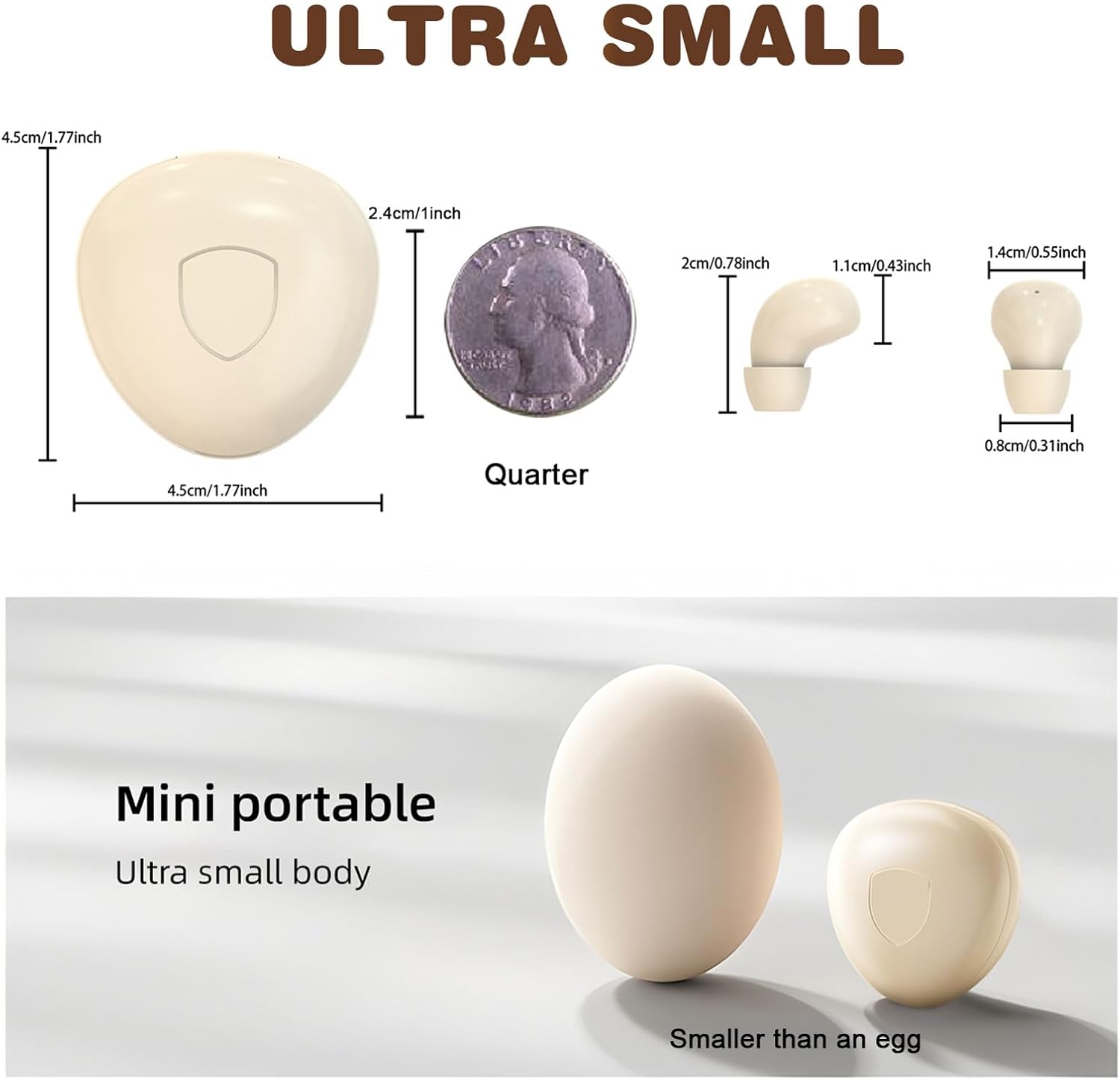
Figure 3: Size comparison of the earbud and charging case.
3. Вміст упаковки
Перевірте наявність усіх елементів в упаковці:
- 1 x Xmenha SK40 Single Mini Invisible Earbud
- 1 x зарядний футляр
- 1 x USB-кабель для зарядки
- 1 амбушюри
- 1 x Посібник користувача (цей документ)
4. Налаштування
4.1 Charging the Earbud and Case
Before first use, fully charge the earbud and its charging case. The charging case acts as a portable power bank for the earbud.
- Connect the USB charging cable to the charging port on the case and to a compatible USB power source.
- The indicator light on the case will show charging status. A full charge typically takes approximately 4 hours for the case.
- Place the earbud into the charging case. The earbud will automatically begin charging.
Ensure the charging contacts on both the earbud and the case are clean and dry for efficient charging.
4.2 Створення пари Bluetooth
The earbud is designed for quick and stable pairing with your device.
- Увімкнення: Take the earbud out of the charging case. It will automatically power on and enter pairing mode. You may hear an audible prompt.
- Активувати Bluetooth: На смартфоні, планшеті або іншому пристрої з підтримкою Bluetooth перейдіть до налаштувань Bluetooth і ввімкніть Bluetooth.
- Виберіть пристрій: Look for "SK40" (or similar name) in the list of available devices and select it to connect.
- Підтвердження: Once connected, you will hear a confirmation sound from the earbud. The earbud is now ready for use.
The earbud will automatically reconnect to the last paired device when taken out of the case, provided Bluetooth is active on the device.

Figure 4: Discreet fit of the earbud for work or daily use.

Figure 5: Comfortable wearing for various ear sizes.
5. Інструкція з експлуатації
5.1 Сенсорне керування
The Xmenha SK40 earbud features intuitive touch controls on its surface:
- Відтворення/пауза: Double-click the function key.
- Відповісти/відкласти дзвінок: Double-click the function key during an incoming or active call.
- Refuse Phone Call: Long press the function key for 1.5 seconds during an incoming call.
- Голосовий помічник: Press the function key four times.
- Наступна пісня: Triple press the function key.
- Language Conversion (Chinese/English): Five presses of the function key.

Рисунок 6: Функції сенсорного керування навушниками.
5.2 Audio and Call Quality
The earbud provides clear audio for listening to content and making calls. It is equipped with an HD microphone for clear communication.

Figure 7: High-definition call and immersive listening experience.
6. Технічне обслуговування
To ensure the longevity and optimal performance of your Xmenha SK40 earbud, follow these maintenance guidelines:
- Прибирання: Regularly wipe the earbud and charging case with a soft, dry, lint-free cloth. Avoid using abrasive materials or harsh chemicals.
- Контакти для зарядки: Periodically clean the charging contacts on both the earbud and the case with a dry cotton swab to ensure a good connection.
- Зберігання: When not in use, store the earbud in its charging case to protect it from dust and damage.
- Вплив води: While the earbud is water resistant, avoid prolonged submersion in water. Dry the earbud thoroughly if it gets wet before placing it back in the charging case.
7. Вирішення проблем
If you encounter issues with your Xmenha SK40 earbud, refer to the following common solutions:
| проблема | Рішення |
|---|---|
| Earbud does not power on. | Ensure the earbud is charged. Place it in the charging case and check the charging indicator. |
| Не вдається з’єднати пристрій. |
|
| Немає звуку або гучність низька. |
|
| Earbud not charging in case. |
|
8. Технічні характеристики
| Особливість | Деталь |
|---|---|
| Бренд | Xmenha |
| Номер моделі | SK40 |
| Технологія підключення | Бездротовий (Bluetooth) |
| Версія Bluetooth | 5.4 |
| Розташування вуха | Вухо |
| Спосіб контролю | Дотик |
| Battery Average Life (Earbud) | 4 години |
| Battery Charge Time (Case) | 4 години |
| Загальний час відтворення (з кейсом) | До 24+ годин |
| Вага товару | 0.64 унцій (приблизно 18 г) |
| Рівень водонепроникності | Водостійкий |
| Сумісні пристрої | Smartphones, Tablets, Laptops, Desktops, Gaming Consoles, Televisions |
| матеріал | пластик |
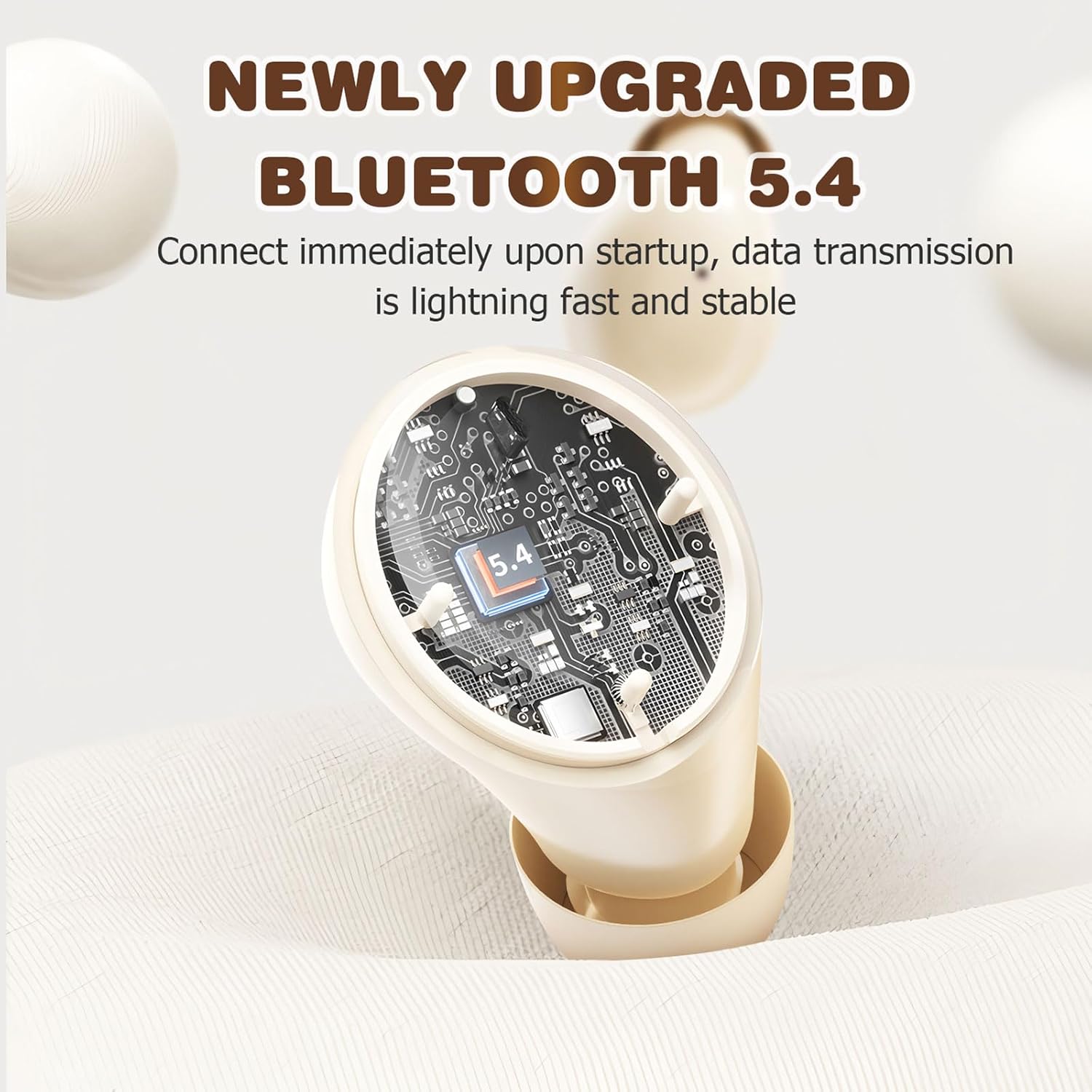
Figure 8: Bluetooth 5.4 Technology for stable connection.
9. Гарантія та підтримка
For warranty information or technical support, please refer to the retailer where the product was purchased or visit the official Xmenha store online. Keep your proof of purchase for any warranty claims.
Xmenha Store: https://www.amazon.com/stores/Xmenha/page/4E0E0BD2-8E21-4F83-81EB-7F717D07D829