
1. Вступ
The Machenike KG98 is a versatile mechanical gaming keyboard designed for various uses including work, gaming, and study. It features multi-device connectivity, hot-swappable switches, an ergonomic structure, and customizable RGB lighting. This manual provides detailed instructions for setup, operation, and maintenance to ensure optimal performance and user experience.
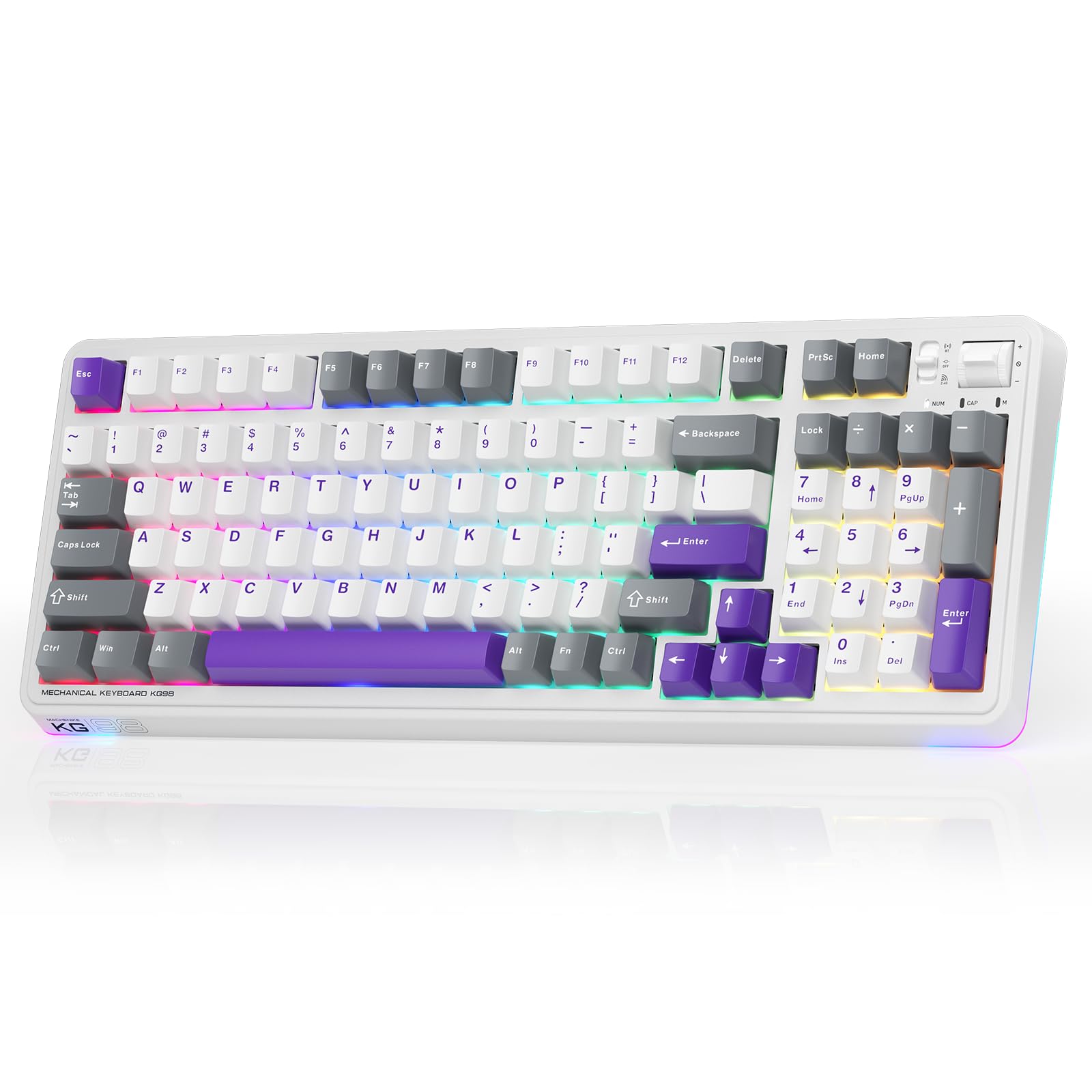
Figure 1: Machenike KG98 Mechanical Gaming Keyboard
2. Що в коробці
Будь ласка, перевірте наявність усіх предметів після розпакування:
- Machenike KG98 Mechanical Keyboard
- Додаткові 2 сірих лінійних перемикачі з попереднім змащенням
- Знімач ключів
- Кабель USB (тип A – тип C)
- Посібник користувача (цей документ)

Figure 2: Box Contents of the KG98 Keyboard
3. Налаштування
3.1 Режими підключення
The KG98 keyboard supports three connection modes: Wired (USB-C), 2.4G Wireless, and Bluetooth (BT5.0). A mode switch is located on the top-right side of the keyboard.
- Провідний режим: Connect the provided USB-C cable to the keyboard and your computer. The mode switch should be in the middle (USB) position.
- Бездротовий режим 2.4G: Locate the 2.4G USB dongle (usually stored magnetically on the keyboard's underside). Insert the dongle into your computer's USB port. Slide the mode switch to the bottom (2.4G) position. The keyboard will automatically connect.
- Режим Bluetooth: Slide the mode switch to the top (BT) position. On your device (computer, tablet, smartphone), search for Bluetooth devices and select 'Machenike KG98'. The keyboard's indicator light will flash blue during pairing.
3.2 Заряджання клавіатури
The keyboard is equipped with an 8000mAh battery. To charge, connect the USB-C cable to the keyboard and a power source (e.g., computer USB port, USB wall adapter). The indicator light will show charging status.

Figure 3: Connectivity and Multimedia Control Switches
Video 1: Machenike KG98 Mechanical Keyboard Overview (Seller Content)
This video demonstrates the unboxing, various features, and connectivity options of the Machenike KG98 Mechanical Keyboard, including switch removal and typing sound tests.
4. Інструкція з експлуатації
4.1 Комбінації функціональних клавіш
The KG98 keyboard utilizes the 'Fn' key for various secondary functions. Refer to the included user manual for a comprehensive list of Fn key combinations for both Windows and macOS, including multimedia controls, brightness adjustments, and system functions.
4.2 Керування RGB-підсвічуванням
The keyboard features 16.8 million customizable RGB backlighting and dual-sided RGB light strips. Use the following key combinations to adjust the lighting:
- Fn + Shift: Перемикайтеся між різними ефектами RGB-підсвічування.
- Fn + Enter: Change the solid color of the current lighting effect.
- Fn + стрілка вгору/вниз: Регулювання яскравості підсвічування (4 рівні).
- Fn + стрілка вліво/вправо: Adjust animation speed (4 levels).
- Fn + Page Up/Page Down: Change side light strip color.
- Fn + Home/End: Change side light strip mode/speed.
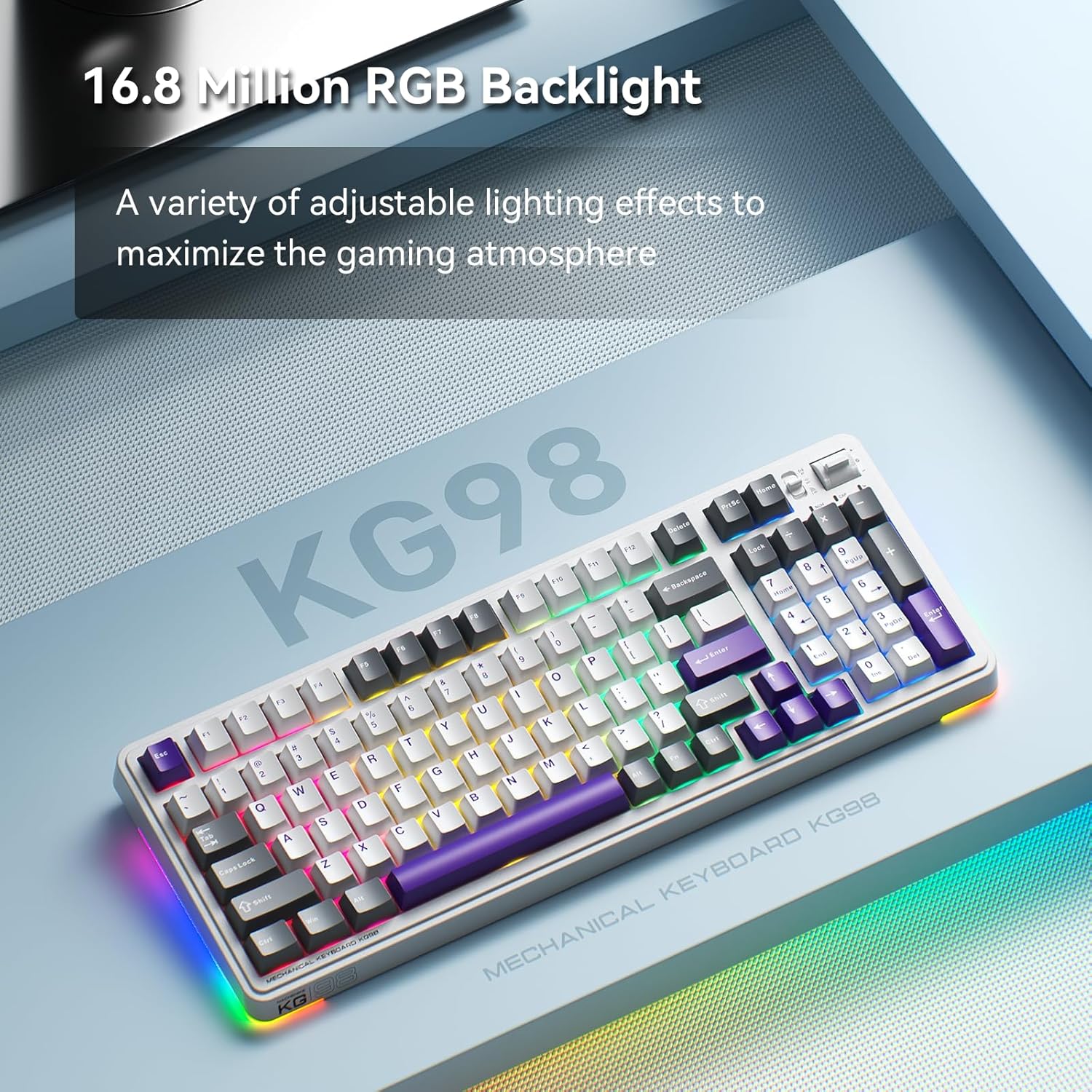
Рисунок 4: Налаштовуване RGB-підсвічування
4.3 Multimedia and Volume Controls
A multi-functional toggle switch is located on the top-right of the keyboard, allowing for quick adjustments:
- Обертати: Збільште або зменшіть гучність.
- Натисніть: Вимкнути/увімкнути звук.
- Натисніть і утримуйте: Перемикання режимів RGB-підсвічування.
5. Налаштування
5.1 Комутатори з можливістю гарячої заміни
The KG98 keyboard features hot-swappable sockets, allowing you to easily replace switches without soldering. This enables personalization of typing feel and sound. Use the included keycap puller and switch puller to remove and install switches. The keyboard supports both 3-pin and 5-pin switches.

Рисунок 5: Комутатори з можливістю гарячої заміни
5.2 Заміна ковпачка клавіш
The keyboard comes with durable PBT keycaps. You can replace these with aftermarket keycaps of your choice to further customize the keyboard's aesthetics. Use the keycap puller to safely remove keycaps.
5.3 Налаштування програмного забезпечення
Download the official Machenike software to unlock advanced customization options, including:
- Key remapping for individual keys.
- Macro recording and assignment.
- Detailed RGB lighting effects and color customization.
- Adjusting debounce time and sleep settings.
6. Технічні характеристики
| Номер моделі | KG98 |
| Розміри продукту | 16.61 см (Д) x 7.48 см (Ш) x 2.16 см (В) |
| Вага товару | 3.39 фунта |
| Технологія підключення | BT5.0 (Bluetooth), 2.4G Wireless, USB-C Wired |
| Опис клавіатури | Бездротова механічна клавіатура Gasket |
| Підсвічування клавіатури | RGB |
| Акумулятор | 1 літій-іонний акумулятор (у комплекті) |
| Особливість | Noise-canceling, Hot-swappable switches, Multi-functional switch |
| Сумісні пристрої | Ігрова консоль, ноутбук, ПК, смартфон, планшет |
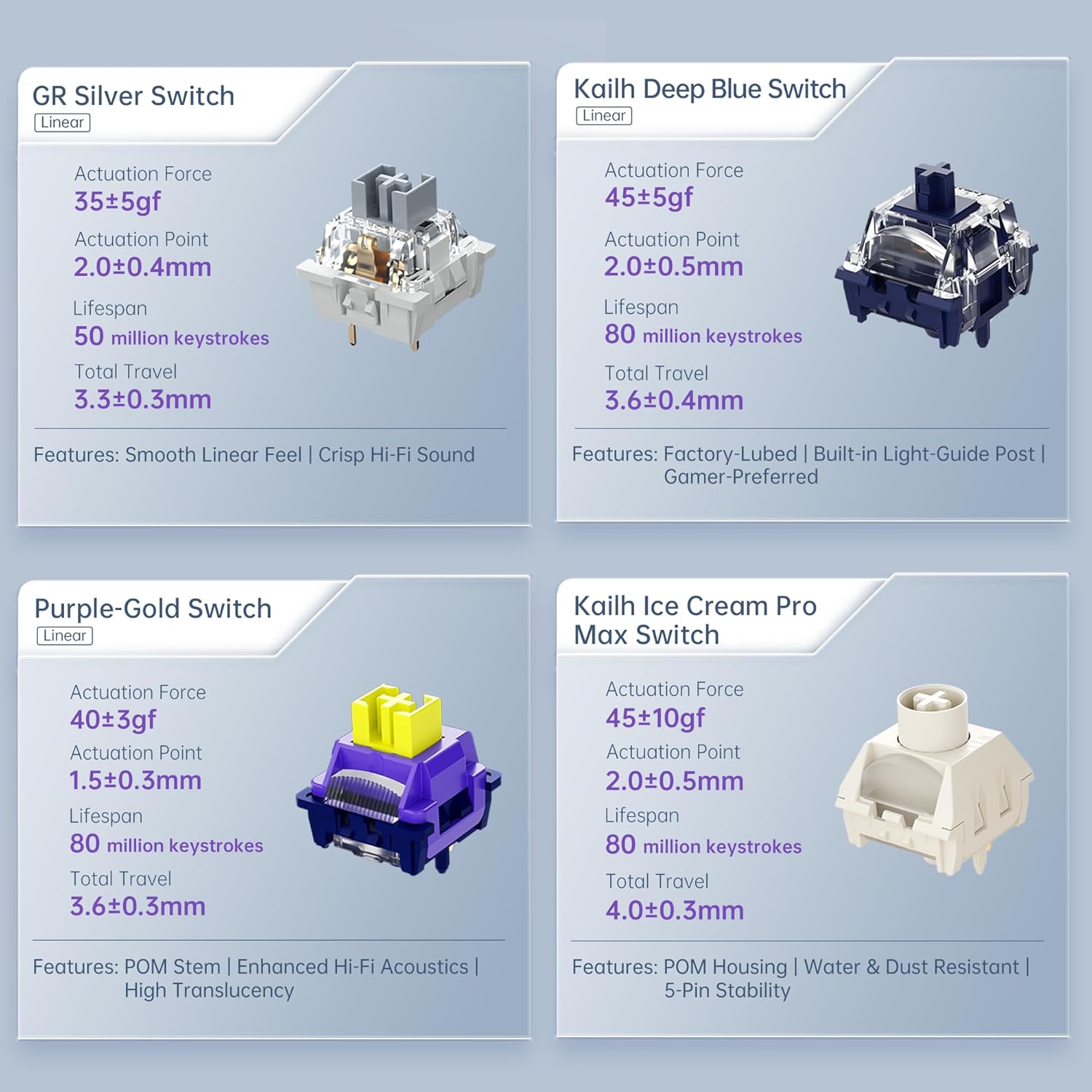
Figure 6: Premium 5-Layer Acoustic Filling Design
7. Технічне обслуговування
To ensure the longevity and optimal performance of your Machenike KG98 keyboard, follow these maintenance guidelines:
- Прибирання: Regularly clean the keyboard with a soft, dry cloth. For deeper cleaning, remove keycaps using the provided puller and use compressed air to clear debris from between switches.
- Уникайте рідин: Do not expose the keyboard to liquids. If spills occur, immediately disconnect the keyboard and allow it to dry completely before re-using.
- Зберігання: Зберігайте клавіатуру в прохолодному, сухому місці, подалі від прямих сонячних променів та екстремальних температур.
8. Вирішення проблем
If you encounter issues with your Machenike KG98 keyboard, try the following troubleshooting steps:
- Немає відповіді: Ensure the keyboard is properly connected in wired mode, or that the 2.4G dongle/Bluetooth is correctly paired and the mode switch is in the correct position. Check battery level.
- Проблеми з підключенням: For wireless modes, ensure the keyboard is within range of your device. Try re-pairing Bluetooth or re-inserting the 2.4G dongle.
- Світильники RGB не працюють: Check brightness settings (Fn + Up Arrow). Ensure the lighting mode is active (Fn + Shift).
- Ключі не реєструються: If individual keys are not working, try replacing the switch using the provided tools and extra switches.
- Проблеми з програмним забезпеченням: Ensure you have the latest version of the Machenike software installed. Restart your computer and the software.
- Заводські налаштування: If problems persist, you can perform a factory reset via the customization software.
9. Гарантія та підтримка
For warranty information, technical support, or service inquiries, please contact Machenike customer support through their official webсайт або контактну інформацію, надану під час покупки. Зберігайте підтвердження покупки для гарантійних претензій.