
вступ
This manual provides comprehensive instructions for the setup, operation, and maintenance of your V7 Dual Bay Docking Station USB 3.0. This device is designed to provide convenient access to 2.5-inch and 3.5-inch SATA hard disk drives (HDDs) and solid-state drives (SSDs), offering high-speed data transfer and a standalone cloning function.
Будь ласка, уважно прочитайте цей посібник перед використанням виробу, щоб забезпечити його належну роботу та запобігти пошкодженням.
Вміст упаковки

Image: The side of the V7 Dual Bay Docking Station packaging, detailing the included items.
Перевірте, чи всі перелічені нижче предмети присутні у вашій упаковці:
- 1x V7 Dual Bay Docking Station
- 1x USB 3.0 A to B Cable
- 1x адаптер живлення постійного струму 12 В/3 А
- 1x Посібник користувача (цей документ)
Продукт закінченийview
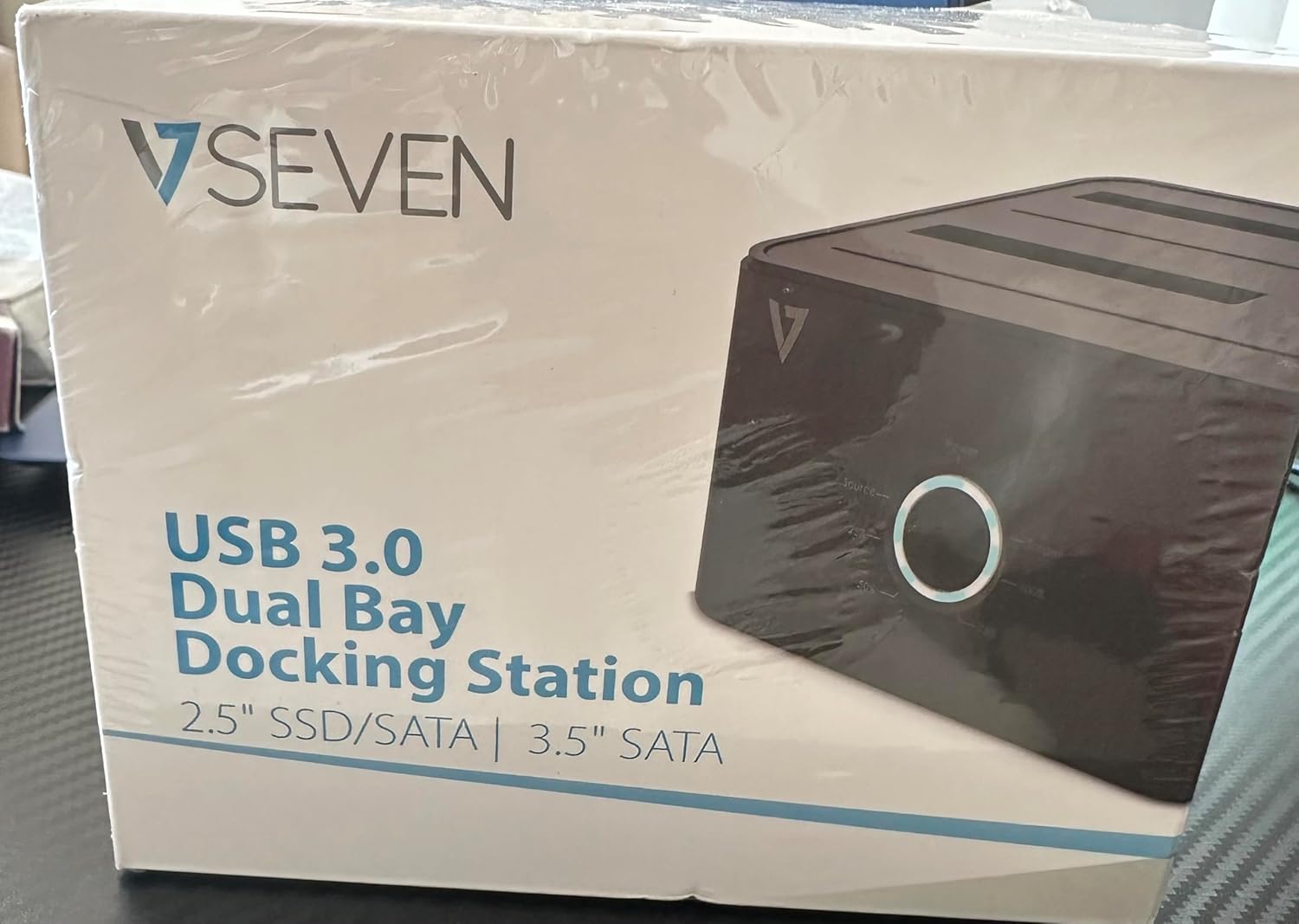
Image: The front of the V7 Dual Bay Docking Station packaging, displaying the product and its name.
The V7 Dual Bay Docking Station provides a versatile solution for managing your 2.5-inch and 3.5-inch SATA drives. Key features include:
- USB 3.0 Super-Speed Data Transfer: Achieves speeds up to 5 Gbps, significantly faster than USB 2.0.
- Dual Bay Design: Supports two SATA I/II/III HDDs or SSDs simultaneously.
- Standalone Clone Function: Allows direct cloning of one drive to another without requiring a computer.
- Світлодіодний дисплей: Provides status indication during operation, especially for cloning.
- Перероблені матеріали: Constructed with recycled materials, contributing to environmental sustainability.

Image: The back of the V7 Dual Bay Docking Station packaging, illustrating key features and benefits, including the use of recycled materials.
Порти та індикатори:
- USB-B Port (1x): Підключає док-станцію до комп'ютера.
- SATA Drive Bays (2x): For inserting 2.5-inch or 3.5-inch SATA HDDs/SSDs.
- DC Power Input (1x): Для підключення адаптера живлення 12 В/3 А.
- Power Button/LED: Контролює живлення та відображає робочий стан.
- Clone Button/LEDs: Initiates the cloning process and indicates progress.
Налаштування
- Підключіть живлення: Insert the DC 12V/3A power adapter into the "DC Power Input" port on the docking station, then plug the adapter into a wall outlet.
- Вставні диски:
- Gently slide your 2.5-inch or 3.5-inch SATA HDD/SSD into the drive bay(s) until it is securely seated. Ensure the SATA connector aligns correctly.
- For cloning, insert the source drive into Bay 1 (Source) and the target drive into Bay 2 (Target). The target drive must be equal to or larger in capacity than the source drive.
- Connect to Computer (for data transfer): If you intend to use the docking station for data transfer with a computer, connect one end of the USB 3.0 A to B cable to the USB-B port on the docking station and the other end to an available USB 3.0 port on your computer.
- Увімкнення: Press the power button on the docking station. The power LED should illuminate.
Інструкція з експлуатації
A. Data Transfer Mode (Connected to Computer)
- Ensure the docking station is powered on and connected to your computer via the USB 3.0 cable.
- Insert one or two SATA drives into the bays.
- Your operating system should detect the drives as external storage. You may need to initialize and format new drives through Disk Management (Windows) or Disk Utility (macOS) before use.
- You can now access, read, and write data to the inserted drives as you would with any external storage device.
- Always safely eject the drives from your operating system before powering off the docking station or removing the drives.
B. Standalone Clone Function (Without Computer)
The clone function allows you to duplicate a source drive to a target drive without a computer connection. The target drive must have a capacity equal to or greater than the source drive.
- Приготування:
- Ensure the docking station is disconnected from any computer.
- Вставте Джерело джерела (диск, з якого потрібно скопіювати) на Бухта 1.
- Вставте Цільовий диск (диск, на який потрібно скопіювати) Бухта 2.
- Warning: All data on the target drive will be erased during the cloning process. Back up any important data on the target drive before proceeding.
- Ініціювати клонування:
- Увімкніть док-станцію.
- Press and hold the "Clone" button for approximately 3-5 seconds until the clone progress LEDs begin to flash.
- Підтвердити клонування:
- Release the "Clone" button. The 25% progress LED should start blinking.
- Press the "Clone" button again briefly to confirm and start the cloning process.
- Моніторинг прогресу: The progress LEDs (25%, 50%, 75%, 100%) will illuminate sequentially to indicate the cloning status.
- Завершення: When the 100% LED remains solid, the cloning process is complete.
- Power Off and Remove: Power off the docking station before removing the drives.
Технічне обслуговування
- Тримайте док-станцію чистою та без пилу. Використовуйте м’яку суху тканину для очищення.
- Уникайте впливу на пристрій екстремальних температур, вологості або прямого сонячного світла.
- Не намагайтеся розбирати або ремонтувати пристрій самостійно. Це призведе до анулювання гарантії.
- Забезпечте належну вентиляцію навколо пристрою під час роботи.
Усунення несправностей
| проблема | Можлива причина | Рішення |
|---|---|---|
| Пристрій не вмикається. | Адаптер живлення не підключений або несправний. | Ensure the power adapter is securely connected to both the docking station and a working power outlet. Try a different outlet. |
| Drives not detected by computer. | USB cable not connected properly; drive not seated correctly; drive uninitialized/unformatted. | Check USB cable connection. Re-seat the drive(s). For new drives, initialize and format them via Disk Management (Windows) or Disk Utility (macOS). Try a different USB port on your computer. |
| Clone function not starting. | Incorrect drive placement; target drive too small; clone button not held long enough. | Ensure source drive is in Bay 1 and target drive in Bay 2. Verify target drive capacity is equal to or larger than source. Hold the clone button for 3-5 seconds until LEDs flash. |
| Низька швидкість передачі даних. | Connected to USB 2.0 port; faulty USB cable. | Ensure the docking station is connected to a USB 3.0 port on your computer. Try a different USB 3.0 cable. |
Технічні характеристики
- модель: 9UDBBS-BLK
- Апаратний інтерфейс: USB 3.0 (зворотно сумісний з USB 2.0)
- Швидкість передачі даних: Up to 5 Gbps (USB 3.0 Super-Speed)
- Сумісність дисків: 2.5" and 3.5" SATA I/II/III HDDs and SSDs
- Відсіки для дисків: 2
- Порти: 1x USB-B (Host), 2x SATA (Internal), 1x DC Power Input
- Споживана потужність: DC 12V/3A (12 Watts)
- UPC: 662919116557
- Виробник: Ingram Micro Inc
- матеріал: Made from Recycled Materials
Гарантія та підтримка
For warranty information and technical support, please refer to the official V7 webсайт або зверніться до продавця. Зберігайте чек про покупку для гарантійних випадків.
Щоб отримати додаткову допомогу, відвідайте: www.v7world.com/support (Вихampпосилання, фактичне посилання може відрізнятися)