
вступ
This manual provides comprehensive instructions for the Zintronic P3 PTZ IP WiFi Outdoor Camera, model IKPW330V1. This advanced surveillance camera features a 3MP sensor for crystal-clear Full HD video, Pan-Tilt-Zoom (PTZ) functionality for wide area coverage, automatic motion tracking, and efficient LED night vision for clear images in low-light conditions. It supports local recording to a microSD card (up to 128GB) and offers remote management via the intuitive CamHipro application. Key features include two-way audio communication, instant motion detection notifications, and live remote viewing from any location. This camera is an ideal solution for monitoring homes, offices, or businesses, combining advanced functions with ease of use.
Інформація про безпеку
- Ensure the power supply meets the camera's specifications (5W).
- Install the camera in a location where it is protected from extreme weather conditions, despite being rated for outdoor use.
- Avoid direct exposure to water or moisture during installation and operation.
- Do not attempt to disassemble or modify the camera. This may void the warranty and cause damage.
- Keep the camera away from strong magnetic fields or sources of interference.
- Використовуйте лише схвалені виробником аксесуари.
Вміст упаковки
Перевірте наявність усіх елементів в упаковці:
- Zintronic P3 PTZ IP WiFi Camera (IKPW330V1)
- WiFi антена
- Посібник користувача (цей документ)
Продукт закінченийview
The Zintronic P3 PTZ IP WiFi Camera is designed for outdoor surveillance, offering robust features in a compact, rotatable dome-shaped housing. Familiarize yourself with the camera's components:
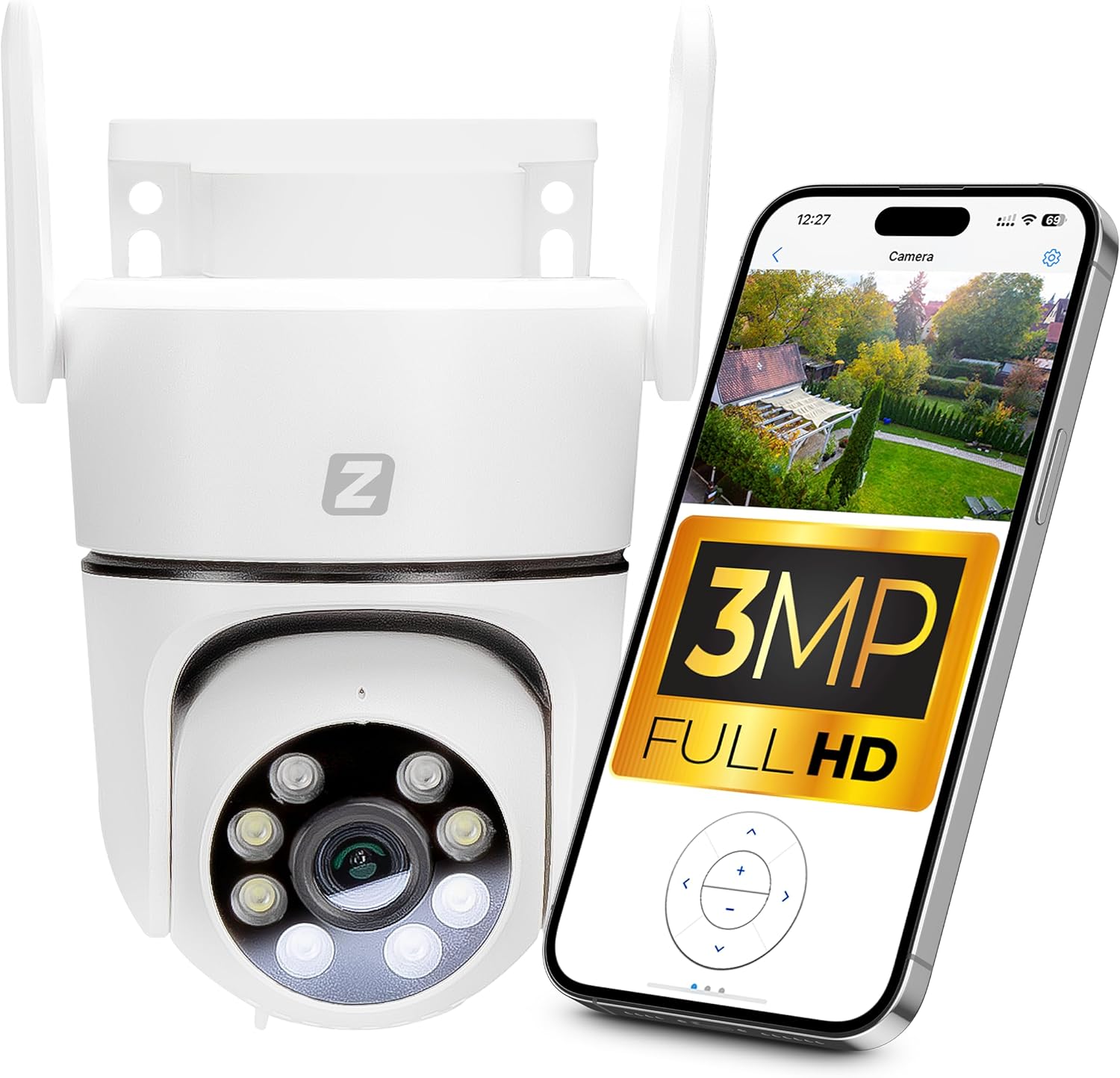
Figure 1: Zintronic P3 PTZ IP WiFi Camera with mobile app interface showing live feed.

Малюнок 2: Спереду view of the Zintronic P3 PTZ camera, highlighting the lens and LED illuminators.

Малюнок 3: Сторона view of the Zintronic P3 PTZ camera, showing the antenna and mounting bracket.

Малюнок 4: Задня частина view of the Zintronic P3 PTZ camera, showing the antenna connections.
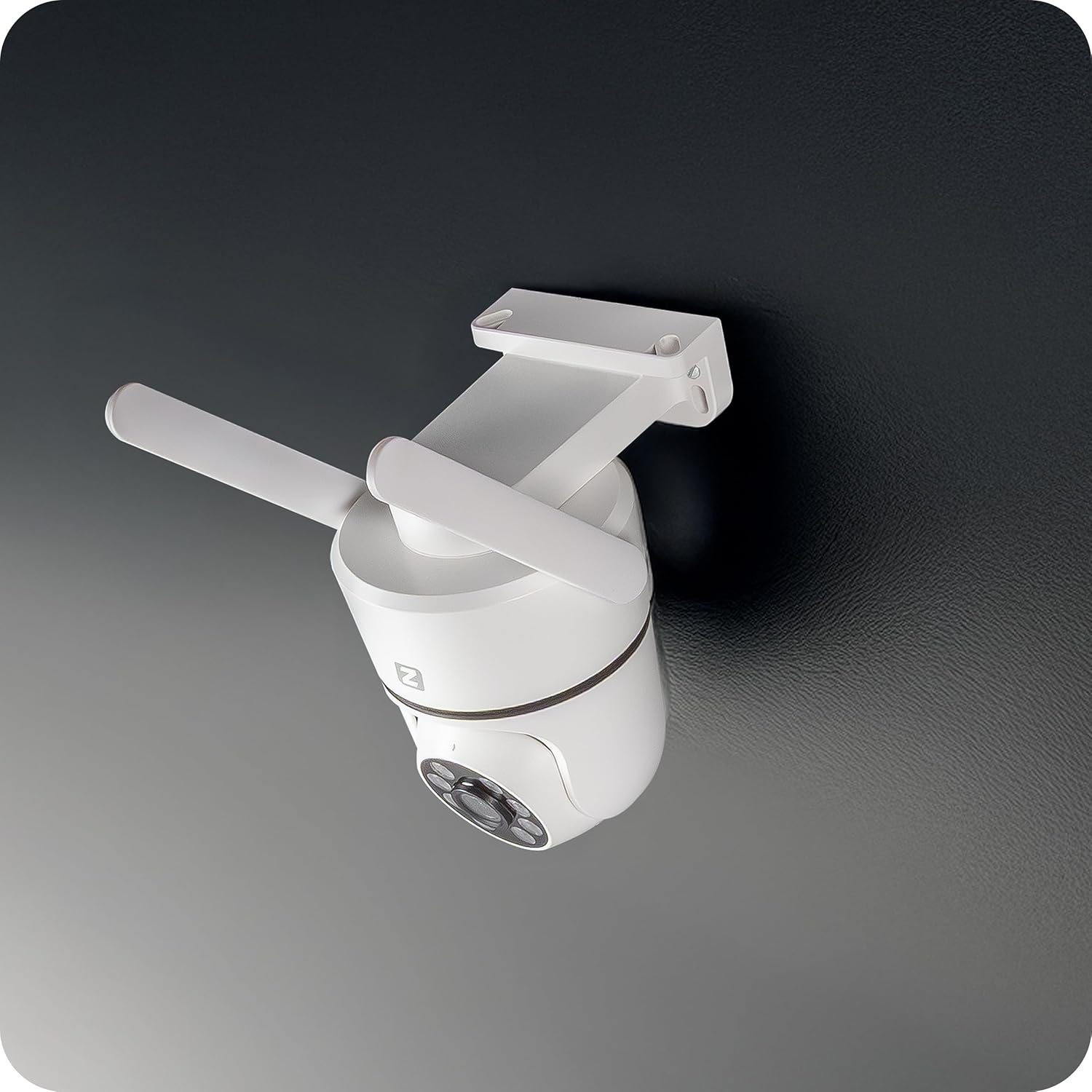
Рисунок 5: Кутовий view of the Zintronic P3 PTZ camera, showcasing its rotational capability.

Рисунок 6: Крупний план спереду view of the Zintronic P3 PTZ camera, detailing the lens and LED array.
Ключові компоненти:
- Об'єктив камери: Знімає відео footage.
- LED Illuminators: Provide illumination for night vision, including color night vision.
- Мікрофон: Для аудіовходу та двостороннього зв'язку.
- Доповідач: Для виведення звуку та двостороннього зв'язку.
- Антени WiFi: Для підключення до бездротової мережі.
- Монтажний кронштейн: Для встановлення на стіну або стелю.
- Слот для карт MicroSD: Для локального зберігання відео (до 128 ГБ).
- Порт живлення: Для підключення адаптера живлення.
Налаштування
1. Фізичне встановлення
- Виберіть місце розташування: Select a suitable outdoor location for optimal surveillance coverage, considering the camera's 89-degree viewing angle and 40-meter night vision range. Ensure the location has a stable Wi-Fi signal and access to a power source.
- Монтаж: The camera supports wall or ceiling mounting. Use the provided mounting bracket and hardware to securely attach the camera.
- Підключення WiFi антени: Screw the WiFi antenna(s) onto the designated ports on the camera.
- Увімкнення: Connect the power adapter to the camera's power port and plug it into an electrical outlet. The camera will initiate its self-test and rotation.

Figure 7: Ceiling mount example.

Figure 8: Wall mount example.
2. Встановлення програми та створення облікового запису
- Download CamHipro App: шукати "CamHipro" in your smartphone's app store (Google Play Store for Android or Apple App Store for iOS) and install it.
- Реєстрація облікового запису: Open the CamHipro app and follow the on-screen instructions to register a new account using your email address or phone number.
3. Підключення до мережі
- Додати пристрій: In the CamHipro app, tap the "+" icon to add a new device.
- Виберіть тип пристрою: Choose "IP Camera" or scan the QR code usually found on the camera or its packaging.
- Підключення до WiFi: Follow the app's prompts to connect the camera to your 2.4GHz Wi-Fi network. This typically involves entering your Wi-Fi password and allowing the app to generate a QR code for the camera to scan, or using an audio pairing method.
- Device Initialization: Once connected, the camera will be added to your account. You can then name the camera and begin live viewінж.
Інструкція з експлуатації
1. Жити View
Open the CamHipro app and select your camera from the device list to access the live video feed. You can view footage in real-time from your smartphone, tablet, or computer.
2. PTZ Control (Pan-Tilt-Zoom)
В прямому ефірі view screen, use the on-screen controls to pan (rotate horizontally 360°), tilt (rotate vertically), and digitally zoom the camera. The camera also features automatic motion tracking, where it can follow detected movement within its field of view.
3. Запис і відтворення
- Запис на карту MicroSD: Insert a microSD card (up to 128GB, not included) into the camera's slot for local storage of recordings. The camera will automatically record based on your settings (e.g., continuous, motion-triggered).
- Cloud Storage (Optional): Check the CamHipro app for available cloud storage options, which may require a subscription.
- Відтворення: Доступ до записаного footage through the "Playback" section in the CamHipro app. You can filter by date and time.
4. Налаштування виявлення руху
Configure motion detection sensitivity and areas within the app's settings. When motion is detected, the camera can send instant notifications to your smartphone and begin recording.
5. Двосторонній аудіозв'язок
Utilize the built-in microphone and speaker for two-way audio communication. Tap the microphone icon in the live view говорити через камеру та слухати аудіо з оточення камери.
6. Режими нічного бачення
The camera features advanced LED illuminators for night vision up to 40 meters. It can automatically switch to night mode in low light, providing clear, and in some configurations, color images at night.
Технічне обслуговування
- Прибирання: Gently wipe the camera lens and housing with a soft, dry cloth. Do not use harsh chemicals or abrasive cleaners.
- Оновлення прошивки: Regularly check the CamHipro app for firmware updates. Keeping the firmware updated ensures optimal performance and security.
- Стабільність мережі: Переконайтеся, що ваша мережа Wi-Fi стабільна та потужна для безперебійної роботи камери.
Усунення несправностей
- Камера офлайн: Check power connection and Wi-Fi signal strength. Restart the camera and your router. Ensure the camera is within Wi-Fi range.
- Не вдається підключитися до програми: Verify correct Wi-Fi password. Ensure your phone is connected to a 2.4GHz Wi-Fi network during setup. Try resetting the camera (refer to app instructions for reset procedure).
- Погана якість відео: Check network bandwidth. Ensure the lens is clean. Adjust camera placement for optimal lighting.
- Виявлення руху не працює: Verify motion detection settings in the app. Ensure the detection area is correctly configured.
- Без звуку: Check volume settings on your phone and in the app. Ensure the camera's microphone and speaker are not obstructed.
Технічні характеристики
| Особливість | Специфікація |
|---|---|
| Бренд | Zintronic |
| Назва моделі | P3 (IKPW330V1) |
| Ефективна роздільна здатність відео | 3MP (2304 x 1296 пікселів) |
| Колір | White (as pictured, note: product specification listed "Black") |
| Включені компоненти | Camera, WiFi Antenna |
| Технологія бездротового зв'язку | Wi-Fi |
| Тип житла | PTZ Rotary Camera (Dome Shape) |
| Viewкут нахилу | 89 градусів |
| Тип установки | Настінне або стельове кріплення |
| Діапазон нічного бачення | 40 метрів |
| Частота кадрів | 25 кадрів/с |
| матеріал | пластик |
| Споживана потужність | 5W |
| Розміри предмета (Д x Ш x В) | 22.4 х 11 х 12.8 см |
| Тип джерела світла | LED |
| Особливості | Motion sensor, Two-way audio, Night vision, PTZ rotation, Remote control |
| Потрібні батареї? | немає |
| Рекомендоване використання | Office monitoring, Home monitoring, Business monitoring, Outdoor surveillance, Property protection |
| Використання в приміщенні/на вулиці | Відкритий |
| Сумісні пристрої | Комп'ютер, смартфон, планшет |
| Джерело живлення | Блок живлення |
| Протокол підключення | ONVIF |
| Тип монтажу | Настінне кріплення |
Гарантія та підтримка
For warranty information and technical support, please refer to the documentation provided with your purchase or visit the official Zintronic website. You may also contact Zintronic customer service directly for assistance with your IKPW330V1 camera.