
вступ
This manual provides essential information for setting up, operating, maintaining, and troubleshooting your Lenovo IdeaCentre AIO 27IRH9 All-in-One Desktop. Please read these instructions carefully before using your device.
Що в коробці
Перевірте наявність усіх елементів в упаковці вашого продукту:
- Lenovo IdeaCentre AIO Desktop Unit
- Wireless EOS Keyboard
- Wireless EOS Mouse
- Адаптер живлення
- Посібник користувача (цей документ)
Налаштування
Follow these steps to set up your Lenovo IdeaCentre AIO desktop:
- Розпакуйте пристрій: Carefully remove the All-in-One desktop, keyboard, mouse, and power adapter from the packaging.
- Розташування робочого столу: Place the AIO unit on a stable, flat surface, ensuring adequate ventilation around the back and sides.
- Підключіть адаптер живлення: Plug the power adapter into the power-in port on the back of the AIO unit, then connect it to a power outlet.
- Підключення бездротової клавіатури та миші: The included keyboard and mouse are wireless. Ensure they have batteries installed (if not pre-installed) and are powered on. They should automatically connect to the AIO. If not, refer to their individual manuals for pairing instructions.
- Підключення периферійних пристроїв (необов'язково):
- USB пристрої: Connect USB devices (e.g., external hard drives, printers) to the available USB ports (USB-A, USB-C).
- Зовнішній дисплей: If using an external monitor, connect it to the HDMI-out port.
- Мережевий кабель: Для дротового підключення до Інтернету підключіть кабель Ethernet до порту RJ-45.
- Аудіопристрої: Підключіть навушники або зовнішні динаміки до комбінованого роз'єму для навушників/мікрофона.
- Початкове завантаження: Press the power button. The system will boot up, and you will be guided through the Windows 11 initial setup process. Follow the on-screen instructions to configure your operating system, network, and user accounts.

малюнок 1: Задня view of the IdeaCentre AIO, highlighting the power input, USB-A ports, Ethernet port, HDMI-in, HDMI-out, USB-C port, and headphone/microphone combo jack.

малюнок 2: Фронт view of the IdeaCentre AIO, showcasing the 27-inch display, wireless keyboard, and mouse.
Керування пристроєм
Your Lenovo IdeaCentre AIO is designed for efficient daily use. Here are key operational aspects:
- Windows 11 Домашня: The desktop comes pre-loaded with Windows 11 Home. Familiarize yourself with the operating system's interface, Start Menu, and settings.
- Особливості дисплея: The 27-inch Full HD IPS display offers a resolution of 1920x1080 pixels, 300 nits brightness, and a 100Hz refresh rate for smooth visuals. It features an anti-glare coating and hardware low blue light technology for eye comfort.
- Аудіосистема: Enjoy clear audio with the integrated 3Wx2 HARMAN speakers. The dual microphone setup ensures clear voice input for calls and recordings.
- Вбудована камера: The 5.0 MP camera is suitable for video conferencing and online communication.
- Підключення:
- Бездротовий: Built-in Wi-Fi 6 provides fast and reliable internet access. Bluetooth 5.2 allows for seamless connection with wireless peripherals.
- Провідний: Utilize the Ethernet port for stable wired network connections. Multiple USB ports (USB-A, USB-C) are available for various accessories.
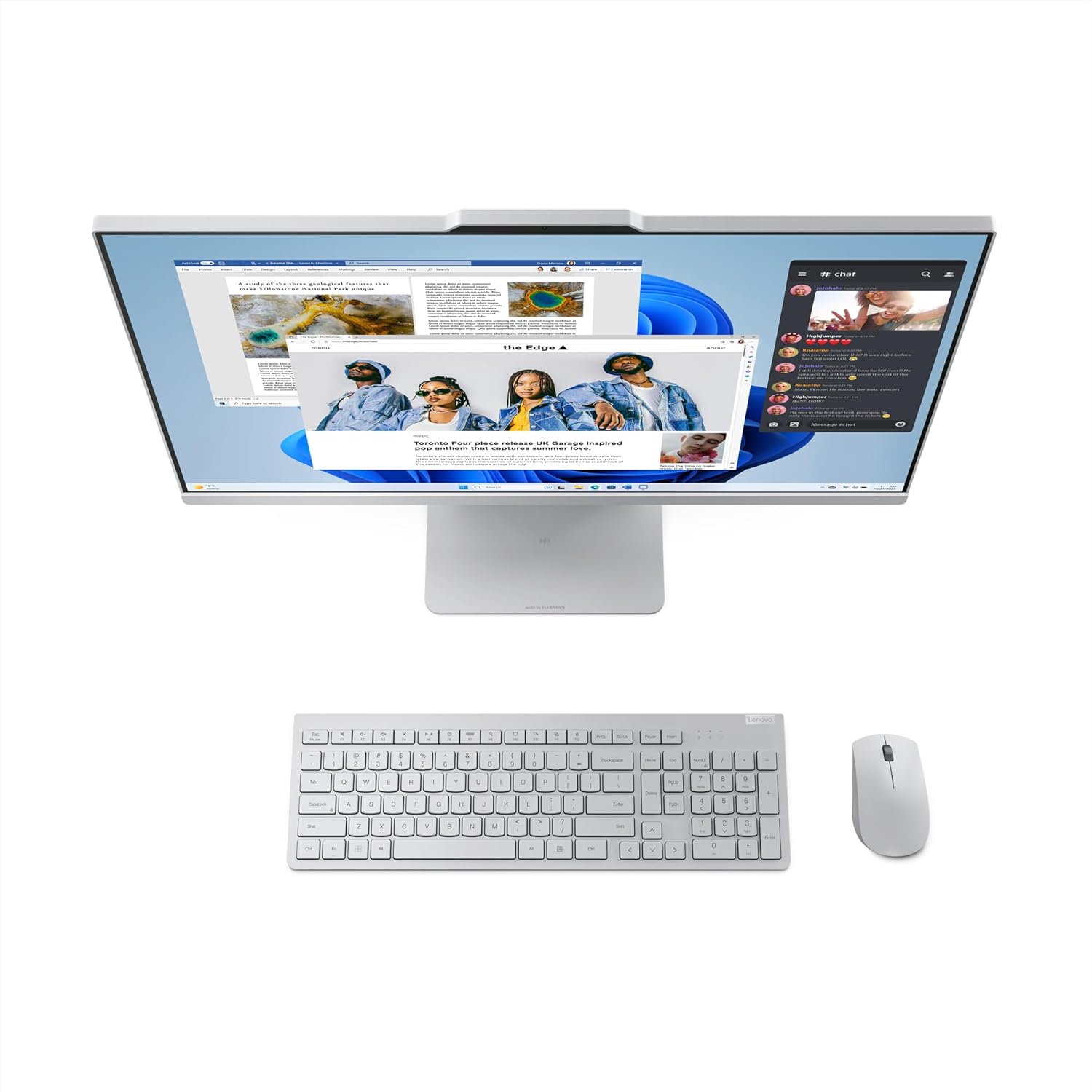
малюнок 3: Key features of the IdeaCentre AIO, including the 27" FHD IPS display, 99% sRGB, 100Hz refresh rate, 5MP camera, and Harman speakers.

малюнок 4: Сторона проfile of the IdeaCentre AIO, demonstrating the adjustable tilt feature for ergonomic viewінж.
Технічне обслуговування
Proper maintenance ensures the longevity and optimal performance of your IdeaCentre AIO desktop:
- Очищення екрану: Використовуйте м’яку тканину без ворсу, спеціально призначену для електроніки. Злегка протрітьampen the cloth with water or a screen cleaner solution (avoid harsh chemicals) and gently wipe the screen. Do not spray liquid directly onto the screen.
- Очищення шасі: Протріть зовнішні поверхні м’якою сухою тканиною. Для стійкого бруду злегкаamp cloth can be used, followed by a dry cloth. Ensure no liquid enters the vents or ports.
- Оновлення програмного забезпечення: Regularly check for and install operating system updates (Windows Update) and driver updates from the Lenovo support website. This ensures security, stability, and performance improvements.
- Вентиляція: Keep the ventilation openings on the back and sides of the AIO clear of obstructions to prevent overheating.
- Екологічна відповідальність: The base stand and hinge of this product utilize 65% post-consumer recycled plastic, and the system bag contains 30% ocean-bound plastic. The packaging uses FSC® certified paper. Please dispose of the product and its components responsibly at the end of its life cycle.
Усунення несправностей
If you encounter issues with your IdeaCentre AIO, refer to the following common troubleshooting steps:
- Немає живлення:
- Ensure the power adapter is securely connected to both the AIO and a working power outlet.
- Перевірте справність розетки, підключивши інший пристрій.
- Проблеми з дисплеєм (відсутність зображення/мерехтіння):
- Verify the AIO is powered on.
- If an external display is connected, ensure the correct input source is selected on the external monitor.
- Перезавантажте комп'ютер.
- Клавіатура або миша не реагують:
- Check the batteries in the wireless keyboard and mouse and replace them if necessary.
- Переконайтеся, що клавіатура та миша увімкнені.
- Try re-pairing the devices if they have a pairing button or process.
- Немає підключення до Інтернету:
- For Wi-Fi, ensure Wi-Fi is enabled in Windows settings and you are connected to the correct network.
- For wired connection, check the Ethernet cable connection and your router/modem status.
- Restart your router/modem and the AIO.
- Уповільнення системи:
- Закрийте непотрібні програми.
- Запустіть перевірку на віруси.
- Переконайтеся, що Windows та драйвери оновлені.
- Перевірте місце на диску та звільніть місце за потреби.
If these steps do not resolve the issue, please contact Lenovo Support for further assistance.
Технічні характеристики
| Особливість | Деталь |
|---|---|
| Назва моделі | IdeaCentre AIO |
| Номер моделі | 27IRH9 |
| Процесор | Intel Core i3-1315U (6 Cores, 8 Threads, 1.2GHz Base, 4.5GHz Max) |
| Операційна система | Windows 11 Home Single Language, English |
| Попередньо встановлене програмне забезпечення | Microsoft 365 Basic + Office Home 2024 |
| Пам'ять (RAM) | 8GB DDR5-5200 (Expandable up to 32GB, 2 SO-DIMM slots) |
| Зберігання | 512GB SSD M.2 2280 PCIe 4.0x4 NVMe |
| Графіка | Інтегрована графіка Intel UHD |
| Дисплей | 27-inch Full HD (1920x1080) IPS, 300 nits, Anti-Glare, 99% sRGB, 100Hz, 3-side borderless, Hardware Low Blue Light, Non-Touch |
| Камера | 5.0 Мп |
| Аудіо | 2x3W HARMAN Speakers, Dual Microphone |
| Бездротове підключення | Wi-Fi 6, Bluetooth 5.2 |
| Порти | 1x USB-C (10Gbps / USB 3.2 Gen 2, data transfer only), USB-A (10Gbps), USB-A (Hi-Speed USB), HDMI-in 1.4, HDMI-out 2.1 TMDS, Ethernet (RJ-45), 1x Headphone/Microphone Combo Jack (3.5mm) |
| Розміри (Ш x Г x В) | 61.1 х 19.2 х 47.3 сантиметрів |
| вага | 7.1 кілограма |
| Включені периферійні пристрої | Wireless EOS Keyboard, Wireless EOS Mouse |
Гарантія та підтримка
Your Lenovo IdeaCentre AIO 27IRH9 comes with a 1 Year Onsite Warranty. For warranty claims or technical assistance, please contact Lenovo Support.
Контактна інформація:
- Lenovo (India) Private Limited: RBD Icon, Level 2, Doddenakundi Village, Marathahalli Outer Ring Road, K. R. Puram Hobli, Bangalore 560037, Karnataka, India
- Manufacturer (Compal Information Technology): No. 58., FIRST AVENUE, A ZONE, KUNSHAN COMPREHENSIVE FREE TRADE ZONE KUNSHAN, JIANGSU CHINA
For the most up-to-date support information, drivers, and manuals, please visit the official Lenovo support webсайт.