
1. Вступ
This manual provides essential information for setting up, operating, maintaining, and troubleshooting your OnePlus Nord CE5 smartphone. Please read this guide thoroughly to ensure optimal performance and longevity of your device.
2. Що в коробці
Upon unboxing your OnePlus Nord CE5, verify that all the following items are included:
- Смартфон OnePlus Nord CE5
- Чохол для телефону
- Адаптер живлення
- Виштовхувач лотка для SIM-карти
- Захисна плівка для екрана (попередньо нанесена або в коробці)
- Кабель USB (тип C)

Image: Contents of the OnePlus Nord CE5 retail box.
3. Пристрій закінчивсяview
Familiarize yourself with the physical components of your OnePlus Nord CE5.
3.1 Спереду View

Зображення: спереду view of the OnePlus Nord CE5, highlighting the display and front camera.
The front of the device features the 6.77-inch AMOLED display and the 16 MP front-facing camera.
3.2 Задня частина View

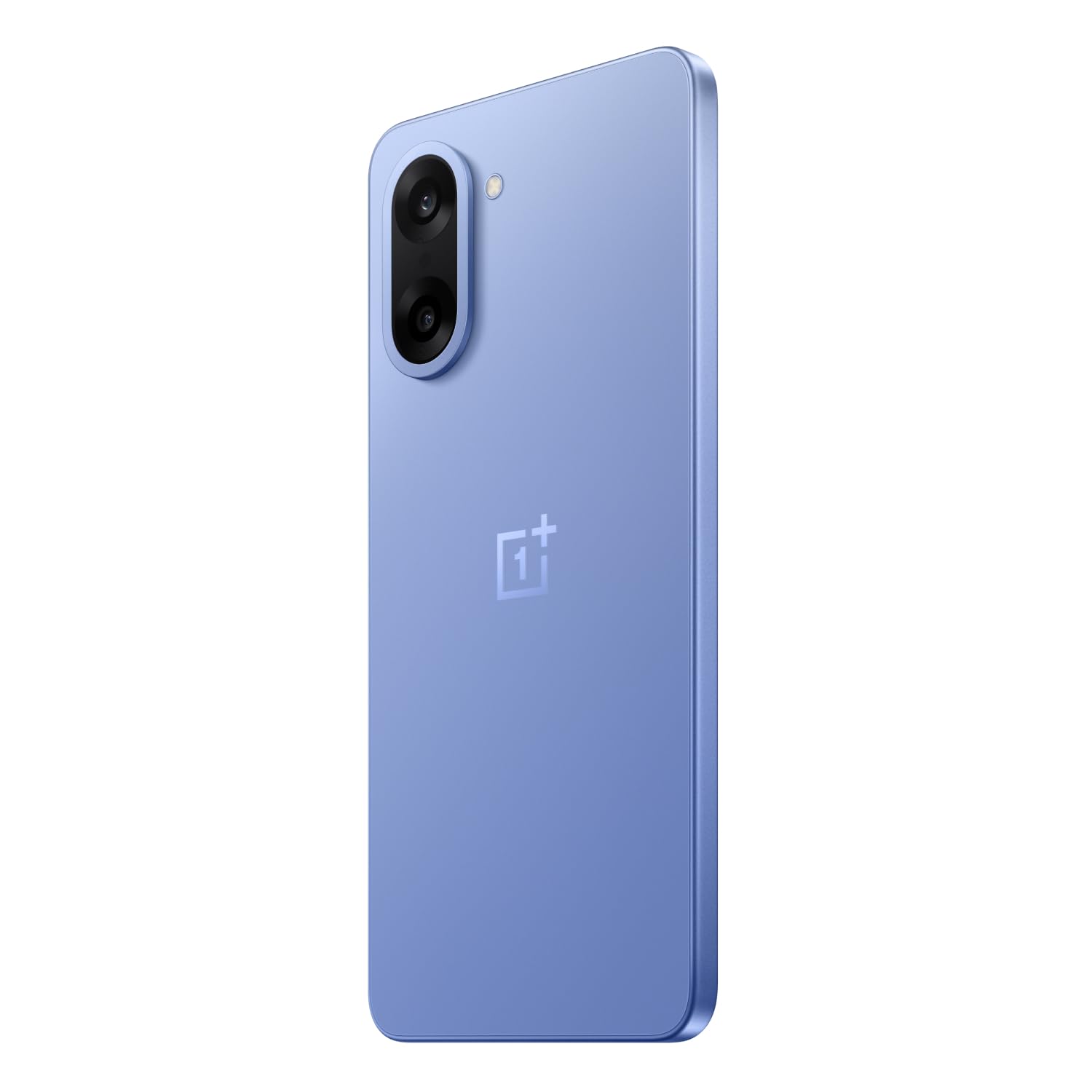
Зображення: Задня частина view of the OnePlus Nord CE5 in Nexus Blue, featuring the dual camera system and OnePlus branding.
The rear panel houses the 50 MP main camera with OIS and an 8 MP ultra-wide angle lens, along with the LED flash.
3.3 Сторона View
Зображення: Збоку view of the OnePlus Nord CE5, illustrating the placement of the power button and volume controls.
The side of the device includes the power button and volume control buttons. The SIM card tray is also located on one of the sides.
4. Налаштування
4.1 Встановлення SIM-карт
- Знайдіть лоток для SIM-картки на боковій стороні пристрою.
- Вставте інструмент для вилучення лотка SIM-картки в маленький отвір поруч із ним і міцно натисніть, доки лоток не вискочить.
- Place your Nano SIM cards into the designated slots on the tray. Ensure the gold contacts face downwards.
- Обережно вставте лоток для SIM-картки назад у пристрій, доки він не клацне на місці.
4.2 Початкове ввімкнення
Press and hold the power button located on the side of the device until the OnePlus logo appears. Follow the on-screen instructions to complete the initial setup, including language selection, Wi-Fi connection, and Google account setup.
4.3 Зарядка пристрою
Connect the USB Type-C cable to the charging port at the bottom of the phone and the other end to the provided power adapter. Plug the adapter into a power outlet. The device supports 80W SUPERVOOC fast charging.
5. Керування пристроєм
5.1 Дисплей та навігація
The OnePlus Nord CE5 features a 6.77-inch 120Hz AMOLED display with Ultra HDR. Navigate the OxygenOS 15 interface using touch gestures. The Aqua Touch feature allows for confident swiping even with wet or oily fingers.
5.2 Керування батареєю
Your device is equipped with a massive 7100mAh battery. To optimize battery life:
- Utilize the 80W SUPERVOOC charger for rapid charging.
- Enable Bypass Charging during extended gaming sessions to reduce battery stress and heat.
- За потреби налаштуйте яскравість екрана та частоту оновлення.
- Закрийте невикористовувані фонові програми.

Image: Illustration of the 7100mAh battery and 80W SUPERVOOC charging capability.

Image: Explanation of Bypass Charging, which directs power to the phone's system instead of the battery during use.
5.3 Використання камери
Пристрій оснащений універсальною системою камер:
- Задня камера: 50 MP Sony main sensor with Optical Image Stabilization (OIS) and an 8 MP ultra-wide angle lens. Supports 4K video recording at 60 FPS.
- Фронтальна камера: 16-мегапіксельний сенсор для селфі та відеодзвінків.
Open the Camera app to access various modes, including Photo, Video, Portrait, Night, and more. Tap on the screen to focus and use the zoom controls for magnification.

Зображення: Детальне view of the OnePlus Nord CE5's dual rear camera setup.

Image: The device's capability to record 4K video at 60 frames per second.
5.4 Продуктивність та ігри
The OnePlus Nord CE5 is powered by the MediaTek Dimensity 8350 Apex processor, offering high performance for demanding applications and gaming. The device supports gaming at up to 120 FPS for a smooth experience.

Image: The MediaTek Dimensity 8350 Apex processor, emphasizing its performance capabilities.

Image: Gaming experience on the OnePlus Nord CE5 at 120 frames per second.
5.5 Функції штучного інтелекту
The OnePlus Nord CE5 integrates various AI-powered features to enhance user experience:
- AI камера: Includes AI Eraser for removing unwanted objects, AI Perfect Shot for optimal photo capture, AI Reflection Remover, and AI Reframe for improved composition.
- AI Productivity: Features AI VoiceScribe for in-app call summaries and real-time translation, AI Translation for global communication, and AI Call Assistant for in-call translation and summaries.
- Google Близнюки: A personal AI assistant for writing, planning, learning, and more.

Image: Demonstration of AI Camera features, showing an object removed from a photo.
Image: AI VoiceScribe interface for call summaries and translation.
5.6 Multitasking with Open Canvas
The Open Canvas feature allows for enhanced split-screen multitasking, extending apps beyond the physical display. This includes flexible resizing, screencap for split-screen, drag-and-drop sharing, and refreshed floating windows.

Image: Open Canvas feature showing two applications running side-by-side on the display.
6. Технічне обслуговування
6.1 Оновлення програмного забезпечення
Регулярно перевіряйте наявність оновлень програмного забезпечення та встановлюйте їх, щоб забезпечити наявність найновіших функцій, виправлень безпеки та покращень продуктивності вашого пристрою. Перейдіть до Settings > About device > OxygenOS щоб перевірити наявність оновлень.
6.2 Очищення пристрою
Use a soft, lint-free cloth to clean the screen and body of your phone. Avoid using harsh chemicals or abrasive materials. For the charging port and speaker grilles, use a soft brush to gently remove dust.
6.3 Керування сховищем
Періодично переview your device's storage to free up space. Delete unnecessary files, uninstall unused apps, and clear cache data. You can check storage usage in Налаштування > Зберігання.
6.4 Система охолодження
The device features a 7041mm² VC cooling system to manage heat during intensive use. To ensure optimal cooling, avoid blocking the phone's vents (if any) and do not use the device in direct sunlight for extended periods.

Зображення: Внутрішнє view шоукasing the 7041mm² VC cooling system for heat dissipation.
7. Вирішення проблем
This section addresses common issues you might encounter with your OnePlus Nord CE5.
7.1 Пристрій не вмикається
- Переконайтеся, що акумулятор заряджений. Підключіть пристрій до зарядного пристрою та зачекайте кілька хвилин, перш ніж намагатися знову його ввімкнути.
- Натисніть і утримуйте кнопку живлення щонайменше 10-15 секунд, щоб примусово перезавантажити.
7.2 Збої або зависання програм
- Очистіть кеш і дані проблемної програми через Налаштування > Програми > [Назва програми] > Пам'ять > Очистити кеш/Очистити дані.
- Оновіть програму до останньої версії з Google Play Store.
- Перезапустіть пристрій.
7.3 Поганий час роботи від батареї
- Перевірте використання батареї в Налаштування > Акумулятор щоб визначити енергоємні програми.
- Зменште яскравість екрана та встановіть коротший час очікування.
- Вимикайте Wi-Fi, Bluetooth та GPS, коли вони не використовуються.
- Ensure background app refresh is limited for non-essential apps.
7.4 Проблеми з підключенням до мережі
- Увімкнення та вимкнення режиму польоту.
- Перезапустіть пристрій.
- Перевірте, чи правильно вставлено вашу SIM-картку.
- Скинути налаштування мережі через Settings > System settings > Reset phone > Reset Wi-Fi, mobile & Bluetooth.
8. Технічні характеристики
Key technical specifications for the OnePlus Nord CE5:
| Особливість | Специфікація |
|---|---|
| Бренд | OnePlus |
| Модель | Норд CE5 |
| Операційна система | Android 15, OxygenOS 15 |
| Процесор | MediaTek Dimensity 8350 Apex (3.35 GHz) |
| ОЗУ | 8 ГБ |
| Внутрішня пам'ять | 128 ГБ |
| Дисплей | 6.77 Inches AMOLED, 2392 x 1080 Pixels, 120Hz Refresh Rate |
| Задня камера | 50 MP (Main) + 8 MP (Ultra-wide), OIS, 4K 60 FPS Video |
| Фронтальна камера | 16 Мп |
| Ємність акумулятора | 7100 мАг |
| Зарядка | 80 Вт SUPERVOOC |
| Тип SIM-карти | Дві Nano SIM-карти |
| Підключення | 5G, Bluetooth, USB Type-C, Wi-Fi |
| Біометрична безпека | Розпізнавання відбитків пальців |
| Розміри | 16.4 х 7.6 х 0.8 сантиметрів |
| вага | 199 грамів |
| Водонепроникність | Водостійкий |
9. Гарантія та підтримка
9.1 Інформація про гарантію
Your OnePlus Nord CE5 comes with a 1 роки гарантії від виробника from the date of purchase. This warranty covers manufacturing defects. Additionally, OnePlus offers a Довічна гарантія на дисплей for industry-wide green line issues. Please retain your proof of purchase for warranty claims.

Image: Lifetime Display Warranty information.
9.2 Підтримка клієнтів
For technical assistance, service, or warranty inquiries, please contact OnePlus Customer Service:
- Контактний номер: 1800 102 8411
- WhatsApp: +91-9289606888
- Виробник: OPPO Mobiles India Private Limited, PLOT-NO.1, SECTOR ECOTECH-VII, GREATER, NOIDA, UTTAR PRADESH, India-201306