
вступ
The Xoopar 4-in-1 Multi USB Octopus Cable is a versatile charging solution designed for a wide range of electronic devices. This cable is constructed using recycled materials, specifically plastic collected from oceans, contributing to environmental sustainability. Its compact and durable design makes it an ideal accessory for charging on the go.
Опис відео: This video from Xoopar explains the process of using Ocean Bound Plastic in their products, highlighting the collection of plastic from oceans and its transformation into new recycled material for products like the Octopus Cable. It demonstrates Xoopar's commitment to environmental sustainability.
Продукт закінченийview
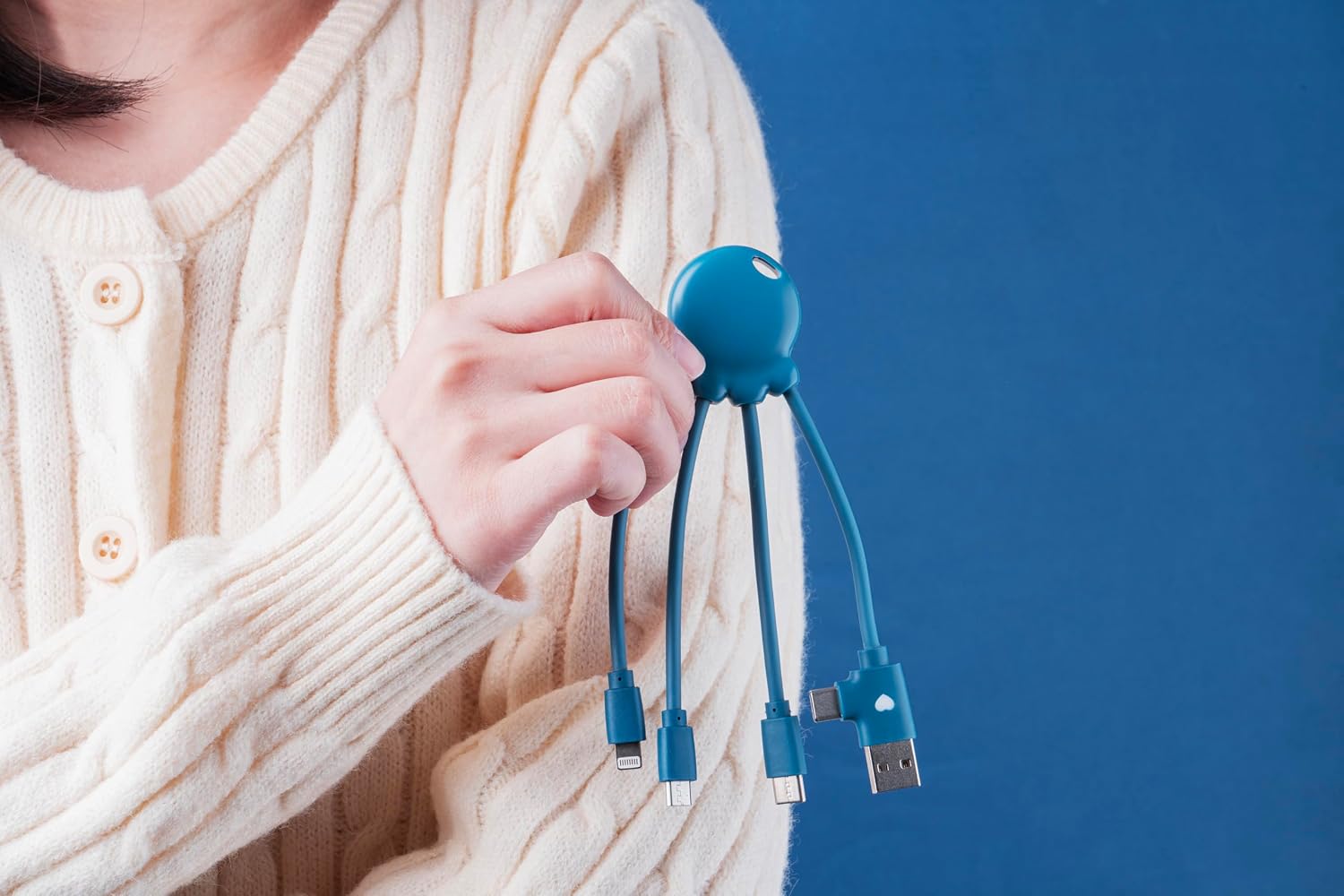
The Xoopar Octopus Cable features a central hub with four integrated connectors, providing broad compatibility for various devices. The cable is designed for convenience and durability.
- Вхідні роз'єми: USB-A, USB-C
- Вихідні роз'єми: USB-C, Lightning, Micro-USB
- матеріал: Made from Ocean Bound Plastic (OBP)

Опис зображення: This image displays the Xoopar 4-in-1 Multi USB Octopus Cable, highlighting its four distinct connectors: USB-A, USB-C, Micro-USB, and Lightning, extending from a central octopus-shaped hub. This visual aids in identifying each connector type.
Налаштування
No specific setup or software installation is required for the Xoopar Octopus Cable. It is a plug-and-play device. Simply connect the appropriate end to your power source and the other end to your device.
Інструкція з експлуатації
To charge a device, follow these steps:
- Визначте сполучники: Determine the correct output connector for your device. Use the Lightning connector for Apple devices (iPhone, iPad, iPod), the USB-C connector for newer Android devices and other compatible electronics, or the Micro-USB connector for older Android devices and accessories.
- Підключення до джерела живлення: Plug the USB-A or USB-C input connector of the Octopus Cable into a compatible power source. This can be a wall adapter, a power bank, a computer USB port, or a car charger.
- Підключення до пристрою: Plug the selected output connector into your device's charging port.
- Індикація зарядки: Your device should indicate that it is charging. The cable supports charging for a wide range of devices including smartphones, Bluetooth headphones, e-cigarettes, and other compatible electronics.
Опис зображення: This image illustrates the Xoopar 4-in-1 Multi USB Octopus Cable in use, connecting a smartphone to a laptop for charging. It demonstrates the cable's functionality across different devices and power sources, highlighting its versatility.
Технічне обслуговування
To ensure the longevity and optimal performance of your Xoopar Octopus Cable, follow these guidelines:
- Обережно поводьтеся: Уникайте надмірного згинання або скручування кабелю, особливо поблизу роз'ємів, щоб запобігти пошкодженню внутрішніх проводів.
- Правильне зберігання: Store the cable in a clean, dry place away from extreme temperatures, direct sunlight, and high humidity.
- Уникайте рідин: Do not expose the cable to water or other liquids. If it gets wet, ensure it is completely dry before use.
- Чисті роз'єми: If necessary, gently clean the metal contacts of the connectors with a dry, soft, lint-free cloth to remove dust or debris. Do not use abrasive cleaners.
Усунення несправностей
If you encounter issues with your Xoopar Octopus Cable, consider the following troubleshooting steps:
- Пристрій не заряджається:
- Перевірте підключення: Ensure all connectors are securely plugged into both the power source and the device.
- Перевірте сумісність: Confirm that you are using the correct connector type for your specific device.
- Джерело живлення тесту: Try a different USB port or power adapter to rule out issues with the power source itself.
- Огляньте кабель: Visually check the cable and its connectors for any signs of damage, such as frayed wires or bent pins. If damaged, discontinue use.
- Device Charging Port: Переконайтеся, що зарядний порт вашого пристрою чистий і не містить сміття.
- Повільна зарядка:
- Power Source Output: Ensure your power source provides sufficient current (e.g., 2.4A for faster charging).
- Фонові програми: Close unnecessary applications on your device that might be consuming power.
Технічні характеристики
| Бренд | xoopar |
| Модель | XP61040.OP.16 |
| Типи конекторів | Micro USB, USB Type B, USB Type C, Lightning |
| Сумісні пристрої | Headphone, Laptop, Power Bank, Smartphone, Speaker |
| Особливість | Легкий |
| Максимальний струм | 2.4 Amps |
| Максимальний об'ємtage | 5 вольт |
| Кількість шпильок | 4 |
| Використання в приміщенні/зовні | В приміщенні, на відкритому повітрі |
Гарантія та підтримка
The Xoopar Octopus Cable comes with a Гарантія 2 рік in Europe. For technical assistance, warranty claims, or any product-related inquiries, please contact Xoopar customer support. Refer to the official Xoopar website or the product packaging for the most up-to-date contact details and warranty terms.