
1. Вступ
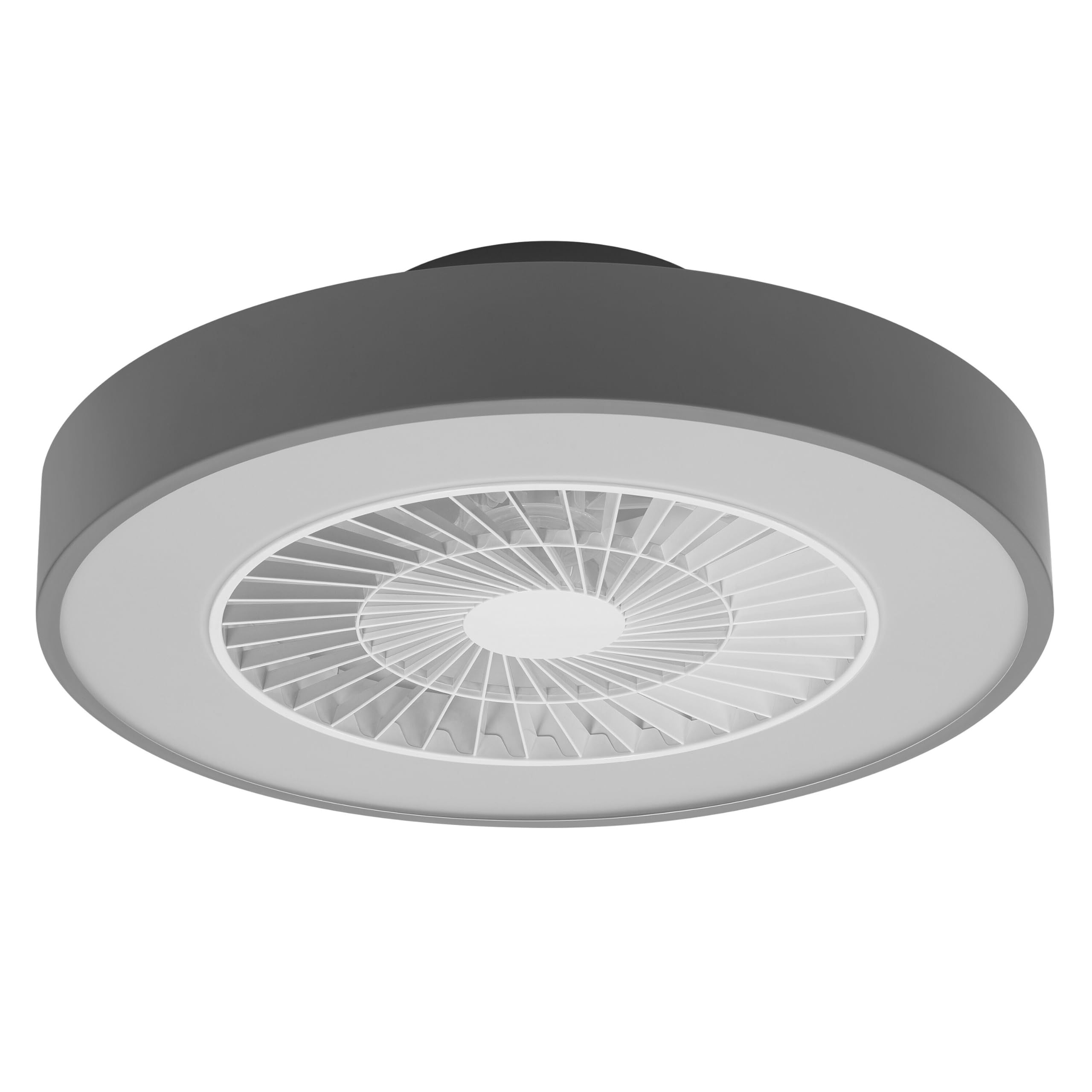
This manual provides detailed instructions for the installation, operation, and maintenance of your Osram SMART+ WiFi LED Ceiling Fan, Cylinder 550mm model. This innovative device combines an LED light fixture with an integrated fan, designed to provide both illumination and air circulation in various indoor environments.
The fan features adjustable speed settings, while the integrated LED light offers a customizable color temperature range from warm white (3000 K) to daylight white (6500 K) and is fully dimmable. Control options include a dedicated remote control, a smartphone application, and voice assistants for a seamless user experience.
2. Інформація про безпеку
Please read all safety instructions carefully before installation and use. Failure to follow these instructions may result in electric shock, fire, or personal injury.
- Усі електричні підключення має виконувати кваліфікований електрик.
- Always disconnect power at the circuit breaker before beginning any installation, maintenance, or cleaning procedures.
- Verify the suitability and structural integrity of the ceiling and wall before mounting the fan. If in doubt, consult a professional.
- Цей виріб призначений лише для використання в приміщенні.
- Ensure all components are securely fastened before restoring power.

3. Вміст упаковки
Carefully unpack the box and ensure all items are present and undamaged. If any parts are missing or damaged, contact customer support.
- 1x Osram SMART+ WiFi LED Ceiling Fan Cylinder 550mm
- 1x пульт дистанційного керування
- Mounting accessories (screws, dowels, bracket)
- Інструкція з експлуатації
4. Налаштування та встановлення
The Osram SMART+ WiFi LED Ceiling Fan is designed for simple assembly. Complete accessories are included for installation. The fan has dimensions of 60 x 60 cm, making it suitable for standard ceiling covers.
Кроки встановлення:
- Відключіть живлення: Before starting any work, ensure the main power supply to the installation area is switched off at the circuit breaker.
- Підготовка монтажу: Mark and drill holes for the mounting bracket on the ceiling. Ensure the holes are correctly spaced and sized for the provided dowels and screws.
- Fix the Support: Securely attach the mounting bracket to the ceiling using the provided dowels and screws.
- Підключіть кабелі: Connect the electrical cables according to the wiring diagram provided in the manual. Ensure all connections are tight and secure.
- Встановіть вентилятор: Attach the ceiling fan unit to the mounted bracket, ensuring it is securely locked in place.
- Відновлення живлення: Після завершення встановлення та надійного підключення всіх з'єднань відновіть живлення за допомогою автоматичного вимикача.


5. Інструкція з експлуатації
Your Osram SMART+ WiFi LED Ceiling Fan can be operated using the included remote control, the SMART+ app, or voice commands.
5.1. Операція дистанційного керування
The remote control allows for direct adjustment of fan speed, light brightness, and color temperature without needing a network connection.

- Кнопка живлення: Вмикає/вимикає вентилятор та світло.
- Кнопки швидкості вентилятора: Adjusts the fan speed (typically 3 levels).
- Увімкнення/вимкнення світла: Незалежно керує світлом.
- Регулювання яскравості: Dims or brightens the light.
- Регулювання температури кольору: Changes the light color from warm white to daylight white.
- Режим літо/зима: Switches between airflow directions for cooling (summer) or circulating warm air (winter).


6. Smart Features (WiFi, App, Voice Control)
The Osram SMART+ WiFi LED Ceiling Fan integrates seamlessly into your smart home ecosystem, offering advanced control options via WiFi.
6.1. SMART+ App Control
Control your fan and light settings from anywhere using the SMART+ app on your smartphone or tablet. The app allows for precise adjustments of fan speed, light brightness, and color temperature, as well as scheduling and scene creation.
- Завантажте додаток: шукати "SMART+ App" in the App Store (iOS 14.0 or higher) or Google Play Store (Android 8.0 or higher). You can also scan the QR code or visit l.ead.me/SmartPlusWifi.
- Сполучення: Follow the in-app instructions to pair your ceiling fan with the SMART+ app via your home WiFi network (2.4 GHz).
- особливості: Once paired, you can control individual fan and light functions, group multiple devices, create automated routines, and manage settings remotely.


6.2. Голосове керування
Integrate your Osram SMART+ Ceiling Fan with compatible voice assistants like Google Home and Amazon Alexa for hands-free control.
- налаштування: Link your SMART+ account with your preferred voice assistant app (e.g., Google Home, Amazon Alexa).
- Команди: Use simple voice commands to turn the fan or light on/off, adjust speed, brightness, or color temperature. For example, "Alexa, turn on the ceiling fan" or "Hey Google, set fan speed to medium."

7. Технічне обслуговування
Регулярне технічне обслуговування забезпечує оптимальну продуктивність та довговічність вашого стельового вентилятора.
- Прибирання: Before cleaning, ensure the power is disconnected. Wipe the fan and light surfaces with a soft, dry, or slightly damp тканина. Не використовуйте абразивні засоби чи розчинники.
- Огляд: Періодично перевіряйте всі монтажні гвинти та з'єднання, щоб переконатися, що вони міцно затягнуті.
- Джерело світла: The integrated LED light source is designed for a long lifespan (30,000 hours) and is not user-replaceable.
8. Вирішення проблем
If you encounter issues with your Osram SMART+ WiFi LED Ceiling Fan, refer to the following common problems and solutions:
| проблема | Можлива причина | Рішення |
|---|---|---|
| Fan/Light does not turn on | Немає живлення; нещільно прокладена проводка; низький заряд батареї пульта дистанційного керування. | Check circuit breaker; Verify electrical connections (consult electrician); Replace remote control batteries. |
| Пульт дистанційного керування не відповідає | Batteries depleted; Obstruction between remote and fan; Remote out of range. | Replace batteries; Ensure clear line of sight; Operate within closer range. |
| WiFi disconnection or app control issues | Weak WiFi signal; Router issues; Incorrect app pairing. | Ensure strong 2.4 GHz WiFi signal; Restart router; Re-pair device in SMART+ app. |
| Вентилятор шумить | Loose mounting; Obstruction in fan blades; Motor issue. | Check mounting screws; Ensure no obstructions; If noise persists, contact support. |
If the problem persists after attempting these solutions, please contact Osram customer support.
9. Технічні характеристики
| Особливість | Специфікація |
|---|---|
| Бренд | Osram |
| Назва моделі | SMART+ Wifi Ceiling Fan LED Cylinder 550mm + RC |
| Номер моделі | 4099854472800 |
| Колір | Сірий |
| Стиль | Циліндр |
| Розміри | 60 х 60 см |
| вага | 4000 грамів |
| матеріал | Акрилонітрилбутадієнстирол (АБС) |
| Джерело живлення | AC (змінний струм) |
| Споживана потужність | 78 Вт |
| томtage | 6 Volts (Note: This may refer to a control circuit voltage; the main power supply is AC.) |
| Тип світла | LED |
| Світловий вихід | 2500 люменів |
| Колірна температура | 3000 K (Warm White) to 6500 K (Daylight White) |
| Регулюється затемнення | так |
| Тривалість життя | 30,000 години |
| Рівні швидкості вентилятора | 3 |
| Тип двигуна | Безщітковий двигун |
| Спосіб контролю | Додаток, Дистанційне керування, Голос |
| Сумісність із Smart Home | Yes (via SMART+ App, Google Home, Amazon Alexa) |
| Мережевий протокол | WiFi (2.4 ГГц) |
| Бездротова робота | No (Refers to main power supply, not control via WiFi) |
| Клас енергоефективності | E |
| Тип установки | Самостійна установка |
| Середовище використання | закритий |
10. Гарантія та підтримка
Osram products are manufactured to high-quality standards. This product comes with a standard manufacturer's warranty. Please refer to the warranty card included in your package or visit the official Osram webсайт для отримання детальних гарантійних умов.
For technical support, troubleshooting assistance, or warranty claims, please contact Osram customer service through their official webсайт або контактну інформацію, надану в документації до вашого продукту.
Osram Official Webсайт: www.osram.com