
1. Вступ та опис продуктуview
This manual provides detailed instructions for the installation, operation, and maintenance of your WALI Vertical Dual Monitor Wall Mount, Model 012ARMV-49. This mount is designed to support two monitors in a stacked configuration, optimizing desk space and providing ergonomic viewкути.
The mount supports displays from 17 to 49 inches, with a maximum weight capacity of 44 lbs (20 kg) per arm. It is compatible with VESA 75x75mm and 100x100mm mounting patterns. Key features include flexible tilt, swivel, and height adjustments, along with 360-degree rotation for versatile screen positioning.
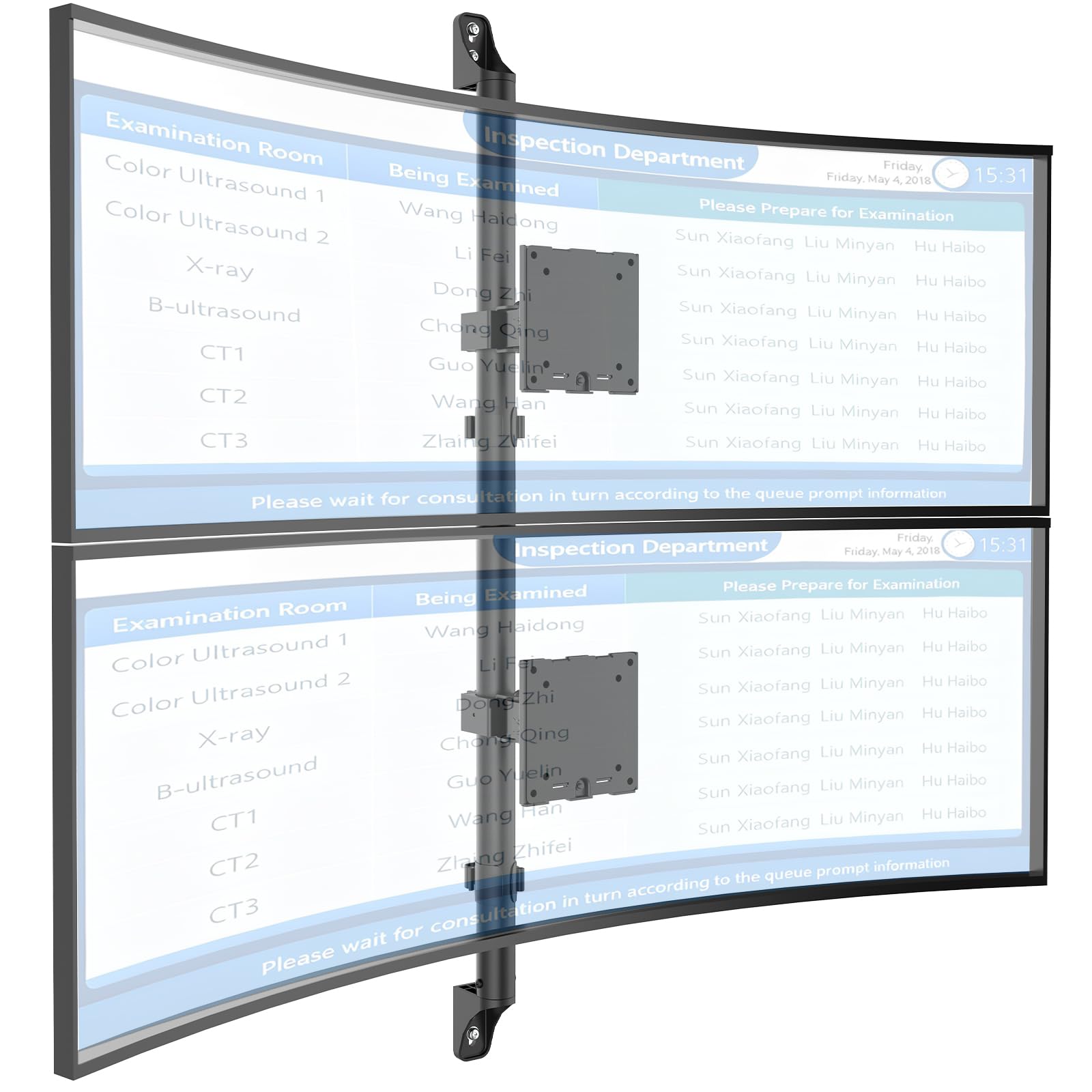
Figure 1: WALI Vertical Dual Monitor Wall Mount with two curved monitors.
2. Інформація про безпеку
Please read and understand all instructions before installation and use. Failure to do so may result in personal injury or property damage. Keep this manual for future reference.
- Вага: Do not exceed the maximum weight capacity of 44 lbs (20 kg) per monitor. Exceeding this limit can result in serious injury or product failure.
- Розмір монітора: Ensure your monitors are within the supported size range of 17-49 inches.
- Сумісність з VESA: Verify your monitor's VESA mounting pattern (75x75mm or 100x100mm) before installation.
- Тип стіни: This mount is designed for installation on concrete/brick walls or wooden studs. Do not install on drywall alone.
- Професійна установка: Якщо ви не впевнені щодо процесу встановлення або типу стіни, зверніться до кваліфікованого фахівця.
- Рухомі частини: Під час регулювання тримайте руки та пальці подалі від рухомих частин, щоб запобігти защемленню.
- діти: Keep small parts and packaging materials away from children, as they may pose a choking hazard.
3. Вміст упаковки
Verify that all components are present and undamaged. If any parts are missing or damaged, contact WALI customer support.
- 1 x WALI Vertical Dual Monitor Wall Mount (Black)
- Mounting Hardware Kit (includes screws, washers, wall anchors for masonry, and self-tapping screws for wood)
- Посібник користувача
4. Технічні характеристики
| Особливість | Специфікація |
|---|---|
| Тип монтажу | Настінне кріплення |
| Тип руху | Артикуляційний |
| Бренд | ВАЛІ |
| матеріал | Dual aerospace-grade aluminum mounting brackets, High-strength steel pole |
| Колір | чорний |
| Сумісні пристрої | Монітор, Телевізор |
| Максимальний кут нахилу | 20 градусів |
| Minimum Supported Screen Size | 17 дюймів |
| Maximum Supported Screen Size | 49 дюймів |
| Номер моделі | 012ARMV-49 |
| Сумісність VESA | 75х75 мм, 100х100 мм |
| Вага | 44 фунти (20 кг) на руку |
5. Налаштування та встановлення
Follow these steps carefully to install your WALI Vertical Dual Monitor Wall Mount.
5.1 Підготовка стіни
- Визначте тип стіни: This mount is suitable for wooden studs, solid concrete walls, and brick walls.
- Знайдіть стійки (для дерев'яних стін): Use a stud finder to locate the center of a wooden stud. Mark the drilling locations.
- Місця буріння Mark: Hold the wall plate against the wall at your desired height and mark the screw holes. Ensure it is level.

Figure 2: Wall compatibility for installation.
5.2 Attaching the Wall Plate
- Просвердліть пілотні отвори: Drill pilot holes at the marked locations. The size of the drill bit will depend on your wall type and the provided hardware.
- Безпечна настінна пластина: Attach the wall plate to the wall using the appropriate screws and anchors for your wall type. Ensure it is firmly secured.

Figure 3: Securing the wall mount plate.
5.3 Attaching VESA Plates to Monitors
- Remove Original Stand: Carefully remove the original stand from your monitors.
- Приєднайте пластину VESA: Align the VESA plate with the mounting holes on the back of your monitor. Use the provided screws to secure the plate. Ensure the plate is oriented correctly for vertical stacking.
5.4 Mounting Monitors to the Arm
- Slide Arm onto Wall Base: Carefully slide the monitor arm assembly onto the secured wall base.
- Attach Monitors: With assistance, carefully lift each monitor and slide its VESA plate onto the corresponding arm bracket. Ensure it clicks securely into place.
- Secure Monitors: Use the safety screws or clips to prevent accidental dislodgement of the monitors from the arms.

Figure 4: Monitor arm assembly and attachment points.
5.5 Організація кабелів
- Прокладка кабелів: Utilize the integrated cable management system to route monitor cables neatly along the arm and down the wall pole.
- Захищені кабелі: Use the provided clips or ties to secure the cables, preventing clutter and ensuring a clean setup.

Figure 5: Integrated cable management system.
6. Інструкції з експлуатації (регулювання)
The WALI Vertical Dual Monitor Wall Mount offers various adjustments for optimal viewкомфорту.
- Регулювання висоти: The monitors can be adjusted vertically along the main pole. Loosen the adjustment screws on the arm brackets, slide the monitors to the desired height, and then re-tighten the screws. The maximum height adjustment is 28.74 inches.
- Регулювання нахилу: Tilt the monitors up to +50 degrees or down to -20 degrees to reduce glare and find your preferred viewкут.
- Регулювання повороту: Swivel the monitors up to +/-90 degrees horizontally for collaborative work or to adjust the viewнапрямок.
- Обертання: Rotate the monitors 360 degrees to switch between landscape and portrait orientations.

Figure 6: Tilt, Swivel, and Rotation adjustments.

Figure 7: Full motion adjustment range and dimensions.
7. Технічне обслуговування
Регулярне технічне обслуговування забезпечує довговічність та безпечну роботу вашого кріплення для монітора.
- Прибирання: Протріть кріплення м’якою серветкоюamp тканиною. Уникайте абразивних засобів для чищення або розчинників.
- Перевірте герметичність: Періодично перевіряйте всі гвинти та з'єднання, щоб переконатися, що вони затягнуті та надійно закріплені. За потреби підтягніть.
- Огляньте на наявність пошкоджень: Regularly inspect the mount for any signs of wear, damage, or corrosion. Discontinue use and contact support if any issues are found.
8. Вирішення проблем
If you encounter issues with your WALI Vertical Dual Monitor Wall Mount, refer to the following common problems and solutions:
- Монітор провисає або не утримує положення:
- Ensure the monitor weight is within the 44 lbs (20 kg) per arm limit.
- Tighten the tension adjustment screws on the arm joints using the included tool.
- Гора відчуває себе нестабільною:
- Verify that the wall plate is securely fastened to the wall with appropriate anchors for your wall type.
- Check that all connections between the arm and the VESA plates are tight.
- Складність налаштування положення монітора:
- Loosen the tension adjustment screws slightly if the movement is too stiff.
- Ensure no cables are obstructing the movement of the arms.
9. Гарантія та підтримка
Your WALI Vertical Dual Monitor Wall Mount comes with a Гарантія 10 рік, покриваючи дефекти матеріалів і виготовлення за нормального використання.
For technical assistance, missing parts, or warranty claims, please contact WALI customer support. Our experienced and friendly US-based customer support team is available to assist you 7 days a week.
Контактна інформація: Refer to the WALI webсайт або упаковку продукту для отримання найактуальнішої контактної інформації.