
LD Systems LDS-DAVE15G4X
LD Systems DAVE 15 G4X PA System User Manual
Model: LDS-DAVE15G4X
1. Вступ
The LD Systems DAVE 15 G4X is a powered compact PA system designed for various live sound applications, including DJs, live bands, and solo entertainers. This system comprises a 15-inch subwoofer and two 8-inch satellites, delivering a total peak power of 2060 Watts. It features an integrated 6-channel mixer, versatile input options, Bluetooth connectivity, and advanced DSP technology for clear and powerful sound reproduction.
This manual provides essential information for the safe and efficient setup, operation, and maintenance of your DAVE 15 G4X PA system. Please read it thoroughly before initial use and keep it for future reference.
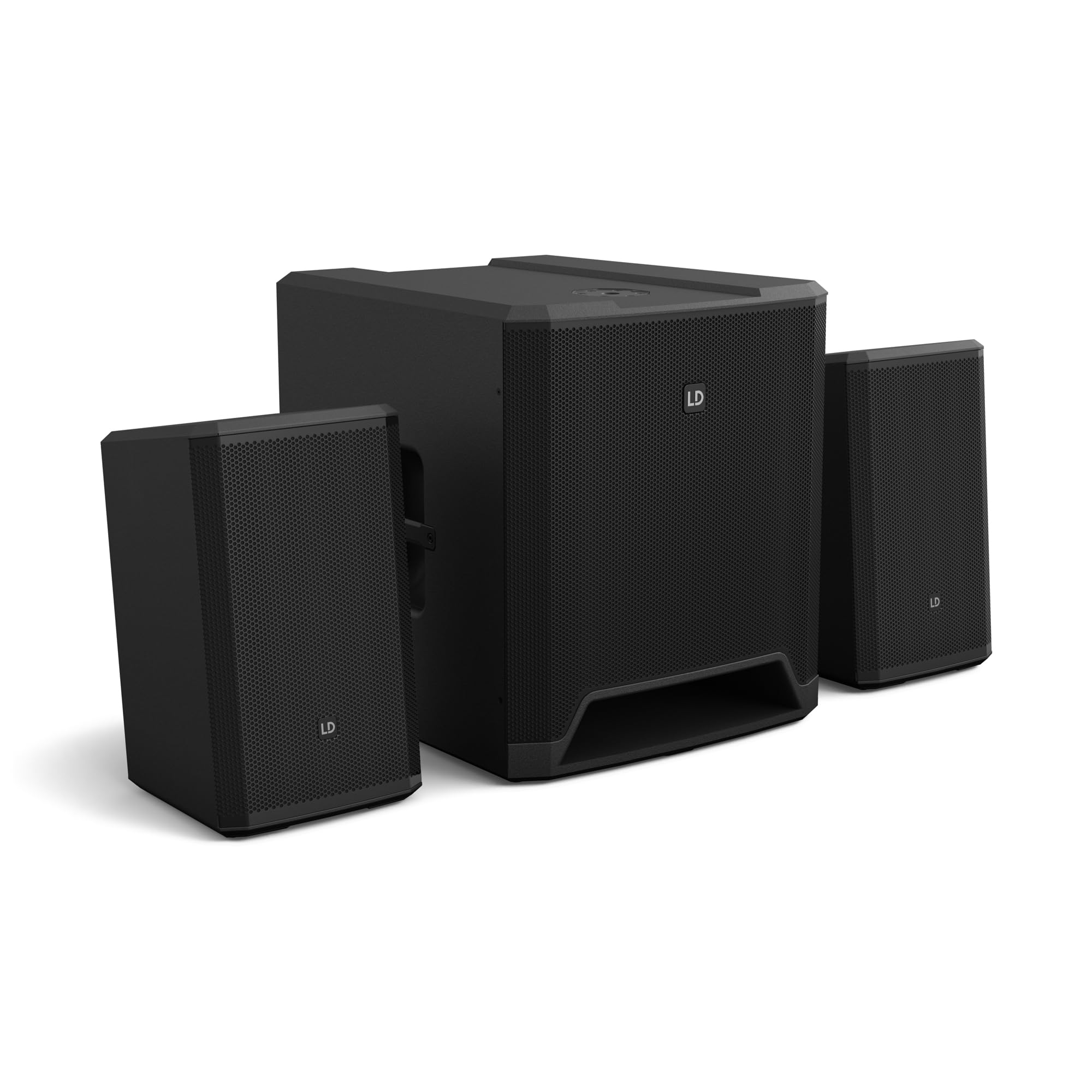
Малюнок 1: Закінченоview of the LD Systems DAVE 15 G4X PA System components.
2. Техніка безпеки
Завжди дотримуйтесь наступних запобіжних заходів, щоб запобігти ураженню електричним струмом, пожежі або травмам:
- Переконайтеся, що блок живлення обtage matches the rating on the unit.
- Не піддавайте пристрій впливу дощу або вологи.
- Не відкривайте casing; звертайтеся до кваліфікованого персоналу з усіма видами обслуговування.
- Розташуйте пристрій на стійкій рівній поверхні.
- Забезпечте належну вентиляцію навколо пристрою.
- Уникайте розміщення предметів на верхній частині пристрою.
- Від’єднайте живлення перед чищенням або переміщенням пристрою.
3. Налаштування
Proper setup is crucial for optimal performance and safety. Follow these steps to assemble your DAVE 15 G4X system:
3.1 Розпакування та розміщення
- Carefully unpack all components: one 15-inch subwoofer and two 8-inch satellite speakers.
- Place the subwoofer on a stable, flat surface.
- Position the satellite speakers. They can be placed on speaker stands (not included) or mounted on a T-stand above the subwoofer (accessories sold separately).

Малюнок 2: Впрample of a stereo setup with one satellite speaker mounted on a pole above the subwoofer. Speaker pole not included.

Малюнок 3: Впрample of a stereo setup with both satellite speakers on separate poles. Speaker poles not included.

Малюнок 4: Впрample of a cluster mode setup with both satellite speakers mounted on a T-stand above the subwoofer. Speaker pole not included.
3.2 Підключення динаміків
- Connect the two satellite speakers to the "SAT LEFT" and "SAT RIGHT" outputs on the rear panel of the subwoofer using appropriate speaker cables.
- Ensure secure connections.

Figure 5: Rear panel connections of the DAVE 15 G4X subwoofer, including power input, satellite outputs, and various audio inputs.
3.3 Підключення живлення
- Connect the supplied power cable to the "POWER INPUT" on the subwoofer's rear panel.
- Plug the other end into a suitable AC power outlet.
- Ensure the power switch is in the "OFF" position before connecting to power.
4. Експлуатація міксера
The DAVE 15 G4X features an integrated 6-channel mixer for connecting various audio sources. Familiarize yourself with the control panel:

Малюнок 6: Детально view of the DAVE 15 G4X mixer control panel, showing input controls, EQ, reverb, and mode selection.
4.1 Input Channels 1 & 2 (Mono)
- Input Type Selection: Use the "SELECT" button to toggle between Microphone (MIC), High-Impedance Instrument (HI-Z), or Line-level (LINE) input.
- Gain Control: Adjust the "HIGH" knob for input sensitivity.
- 2-смуговий еквалайзер: Use the "LOW" and "HIGH" knobs to adjust bass and treble frequencies for each channel.
- Реверберація: Select one of three reverb presets (SMALL, LARGE, PLATE) and adjust the "REVERB" knob for the desired effect level.
4.2 Input Channels 3 & 4 (Stereo Line)
- These inputs are designed for stereo line-level sources such as keyboards, synthesizers, or drum machines.
- Adjust the "INPUT 3/4" knob for the overall volume of these channels.
4.3 Input Channels 5 & 6 (Digital/Bluetooth)
- Вхід SPDIF: Connect a digital audio source via the SPDIF TOSLINK input on the rear panel.
- Парування Bluetooth: Press and hold the "HOLD TO LINK" button to activate Bluetooth pairing mode. шукати "LD Systems DAVE 15 G4X" on your device and connect.
- Вибір джерела: Use the "SOURCE" button to switch between SPDIF and Bluetooth inputs.
- Adjust the "INPUT 5/6" knob for the overall volume of these channels.
4.4 Головні елементи керування
- MAIN Volume: The large "MAIN" knob controls the overall output volume of the system.
- SUB Volume: Adjust the "SUB" knob to control the volume level of the subwoofer.
- ВИСОКА гучність: Adjust the "HIGH" knob to control the volume level of the satellite speakers.
- Попередні налаштування режиму: Use the "SELECT" button under "MODE" to choose between different setup presets (e.g., Stereo, Cluster Mode) for optimized sound dispersion.
5. Технічне обслуговування
Regular maintenance ensures the longevity and optimal performance of your DAVE 15 G4X PA system.
- Прибирання: Use a soft, dry cloth to wipe down the surfaces. For stubborn dirt, a slightly damp cloth can be used, followed by a dry cloth. Avoid abrasive cleaners or solvents, as they may damage the polyurea coating.
- Вентиляція: Ensure that all ventilation openings remain clear of dust and debris to prevent overheating.
- Зберігання: When not in use for extended periods, store the system in a dry, dust-free environment. Consider using protective covers or bags (accessories sold separately) to prevent damage.
- Управління кабелем: Регулярно перевіряйте всі кабелі на наявність ознак зносу або пошкоджень. Негайно замінюйте будь-які пошкоджені кабелі.
6. Вирішення проблем
If you encounter issues with your DAVE 15 G4X system, refer to the following common problems and solutions:
6.1 Немає виходу звуку
- Перевірте живлення: Ensure the system is powered on and the power cable is securely connected. Verify the "POWER" indicator light is illuminated.
- Рівні гучності: Confirm that the "MAIN," "SUB," and "HIGH" volume knobs are turned up. Check individual channel gain controls.
- Вибір входу: Ensure the correct input source is selected for the active channel (e.g., MIC, HI-Z, LINE, SPDIF, Bluetooth).
- Кабельні з'єднання: Verify all audio cables (input sources, satellite speakers) are correctly and securely connected.
- Пристрій-джерело: Check if your audio source device (microphone, instrument, media player) is functioning correctly and outputting sound.
6.2 Distorted or Unclear Sound
- Вхідне посилення: Reduce the input gain for the affected channel if the "SIGNAL" or "LIMIT" indicator lights are constantly red.
- Основний том: Lower the "MAIN" volume if the overall sound is distorted.
- Налаштування еквалайзера: Adjust the EQ (LOW, HIGH) settings on individual channels to improve clarity.
- Якість кабелю: Переконайтеся, що ви використовуєте високоякісні екрановані аудіокабелі.
6.3 Проблеми з підключенням Bluetooth
- Режим сполучення: Ensure the DAVE 15 G4X is in Bluetooth pairing mode (press and hold "HOLD TO LINK").
- Видимість пристрою: Переконайтеся, що на вашому пристрої-джерелі ввімкнено Bluetooth, і його можна знайти.
- Відстань: Keep your Bluetooth device within the effective range of the PA system.
- Перешкоди: Відійдіть від інших бездротових пристроїв, які можуть створювати перешкоди.
- Забути пристрій: If previously paired, try "forgetting" the DAVE 15 G4X on your device and re-pairing.
7. Технічні характеристики
Detailed technical specifications for the LD Systems DAVE 15 G4X PA System:
| Особливість | Специфікація |
|---|---|
| Назва моделі | LDS-DAVE15G4X |
| Тип динаміка | Powered 2.1 PA System |
| Розмір сабвуфера | 15 дюймів |
| Satellite Speaker Size | 2 x 8 дюйма |
| Пікова вихідна потужність | 2060 Вт |
| Канали мікшера | 6-Channel Integrated Mixer |
| Технологія підключення | Bluetooth, SPDIF TOSLINK, XLR, 1/4" Jack, RCA |
| Тип монтажу | Floor Standing (Subwoofer), Pole Mount (Satellites) |
| Розміри виробу (сабвуфер) | 20 см (Г) x 19 см (Ш) x 21 см (В) (приблизно) |
| Вага товару | 119 pounds (total system approximate) |
| Включені компоненти | LDDAVE15G4X (Subwoofer, 2 Satellites, Power Cable) |
| Технологія DSP | DynX DSP (Gen.2), FIR Filters |
| Матеріал корпусу | Durable Polyurea Coating |
8. Інформація про гарантію
Warranty terms and conditions for the LD Systems DAVE 15 G4X PA System are typically provided with your purchase documentation or can be found on the official LD Systems webсайт. Будь ласка, збережіть підтвердження покупки для будь-яких гарантійних претензій.
Щоб отримати детальну інформацію про гарантію, відвідайте веб-сторінку LD Systems official webсайт or contact your authorized dealer.
9. Підтримка клієнтів
Should you require technical assistance, service, or have questions regarding your LD Systems DAVE 15 G4X PA System, please contact LD Systems customer support or your local authorized dealer.
For further support and resources, please visit the LD Systems official webсайт.
Ask a question about this manual
Ask about setup, troubleshooting, compatibility, parts, safety, or missing instructions. Manuals+ will review the question and use this page’s manual context to help answer it.