
1. Вступ
Welcome to the RORSOU B8 Over-Ear Bluetooth Headphones. These headphones are designed to deliver a high-fidelity audio experience with deep bass, versatile connectivity, and exceptional comfort. This manual will guide you through the features and functions of your new headphones.
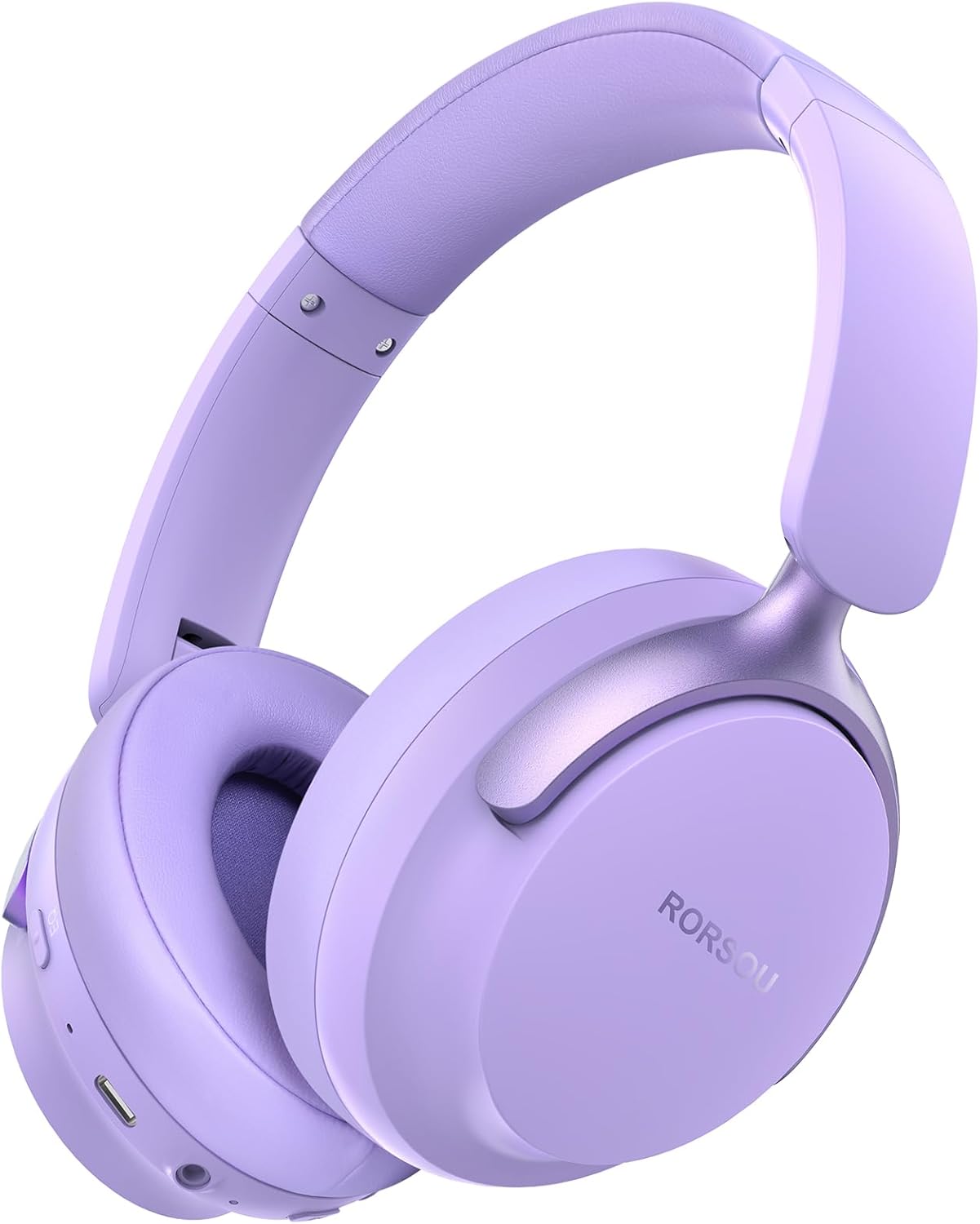
Figure 1: RORSOU B8 Over-Ear Bluetooth Headphones (Purple)
Ключові характеристики:
- Hi-Fi Stereo and Deep Bass Sound: Equipped with 40mm audio drivers and an advanced Bluetooth 5.4 chip for clear sound, full dynamic range, rich bass, and crisp mids.
- Strong Bluetooth 5.4 & Wired Connection: Offers faster, more stable data transmission, dual-device pairing, and a 3.5mm audio jack for wired use.
- Optimized Sound Quality with 6 EQ Modes: Allows switching between six preset EQ settings (Standard, Classical, Metal, Jazz, Rock, Bass) for different music styles. Features a built-in microphone for clear calls.
- All-day Comfort & Foldable Design: Ultra-soft protein leather earcups and an adjustable headband ensure comfort during extended use. The foldable and lightweight design enhances portability.
- Розширений час відтворення: 400mAh battery provides up to 50 hours of playtime. Can be used in wired mode when the battery is depleted.
2. Що в коробці
- RORSOU B8 Over-Ear Bluetooth Headphones
- Зарядний кабель USB-C
- Аудіокабель 3.5 мм
- Посібник користувача
- Сумка для перенесення
3. Налаштування
3.1 Заряджання навушників
Before first use, fully charge your RORSOU B8 headphones. Connect the provided USB-C charging cable to the charging port on the headphone and the other end to a USB power source (e.g., computer, wall adapter). The LED indicator will show charging status and turn off when fully charged. A full charge takes approximately 2 hours.
3.2 Увімкнення/вимкнення
- Щоб увімкнути: Press and hold the Power button for 3 seconds until the LED indicator lights up.
- Щоб вимкнути: Натисніть і утримуйте кнопку живлення протягом 3 секунд, доки світлодіодний індикатор не вимкнеться.
3.3 Створення пари Bluetooth
To connect your RORSOU B8 headphones to a Bluetooth-enabled device:
- Переконайтеся, що навушники вимкнено.
- Натисніть і утримуйте кнопку живлення приблизно 5 секунд, доки світлодіодний індикатор не почне блимати по черзі синім та червоним. Це вказує на режим сполучення.
- На вашому пристрої (смартфоні, планшеті, ПК) увімкніть Bluetooth та знайдіть доступні пристрої.
- Select "RORSOU B8" from the list of available devices.
- Після підключення світлодіодний індикатор на навушниках повільно блиматиме синім кольором або світитиметься постійно синім.
The headphones can be paired with two devices simultaneously and seamlessly switch between them.
3.4 Дротове підключення
For a wired connection, use the provided 3.5mm audio cable. Plug one end into the 3.5mm audio jack on the headphones and the other end into your audio source. This mode does not require battery power.
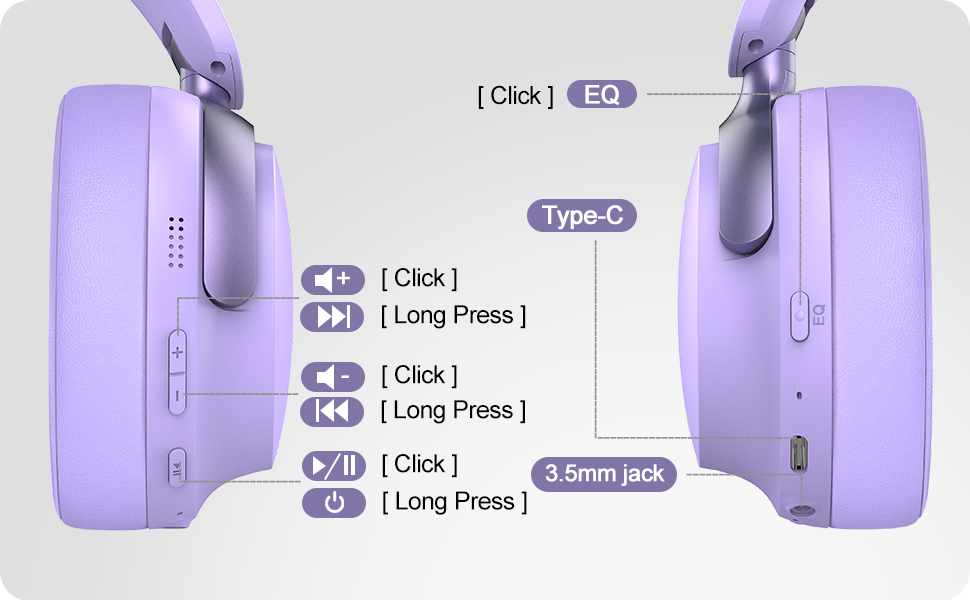
Figure 2: Bluetooth 5.4 Wireless vs. 3.5mm Wired Connection
4. Інструкція з експлуатації
4.1 Контроль надview
Figure 3: RORSOU B8 Headphone Controls
- Кнопка живлення: Натисніть і утримуйте, щоб увімкнути/вимкнути живлення.
- Збільшення гучності (+): Click to increase volume. Long press for next track.
- Зменшення гучності (-): Click to decrease volume. Long press for previous track.
- Багатофункціональна кнопка (Відтворення/Пауза): Click to play/pause music, answer/end calls. Long press to activate voice assistant.
- Кнопка EQ: Click to cycle through 6 preset EQ modes (Standard, Classical, Metal, Jazz, Rock, Bass).
4.2 режими еквалайзера
The RORSOU B8 headphones feature 6 distinct EQ modes to enhance your listening experience based on music genre:
- Стандартний
- Класичний
- метал
- Джаз
- Рок
- Бас
Press the EQ button to switch between these modes and find the optimal sound profile for your audio.
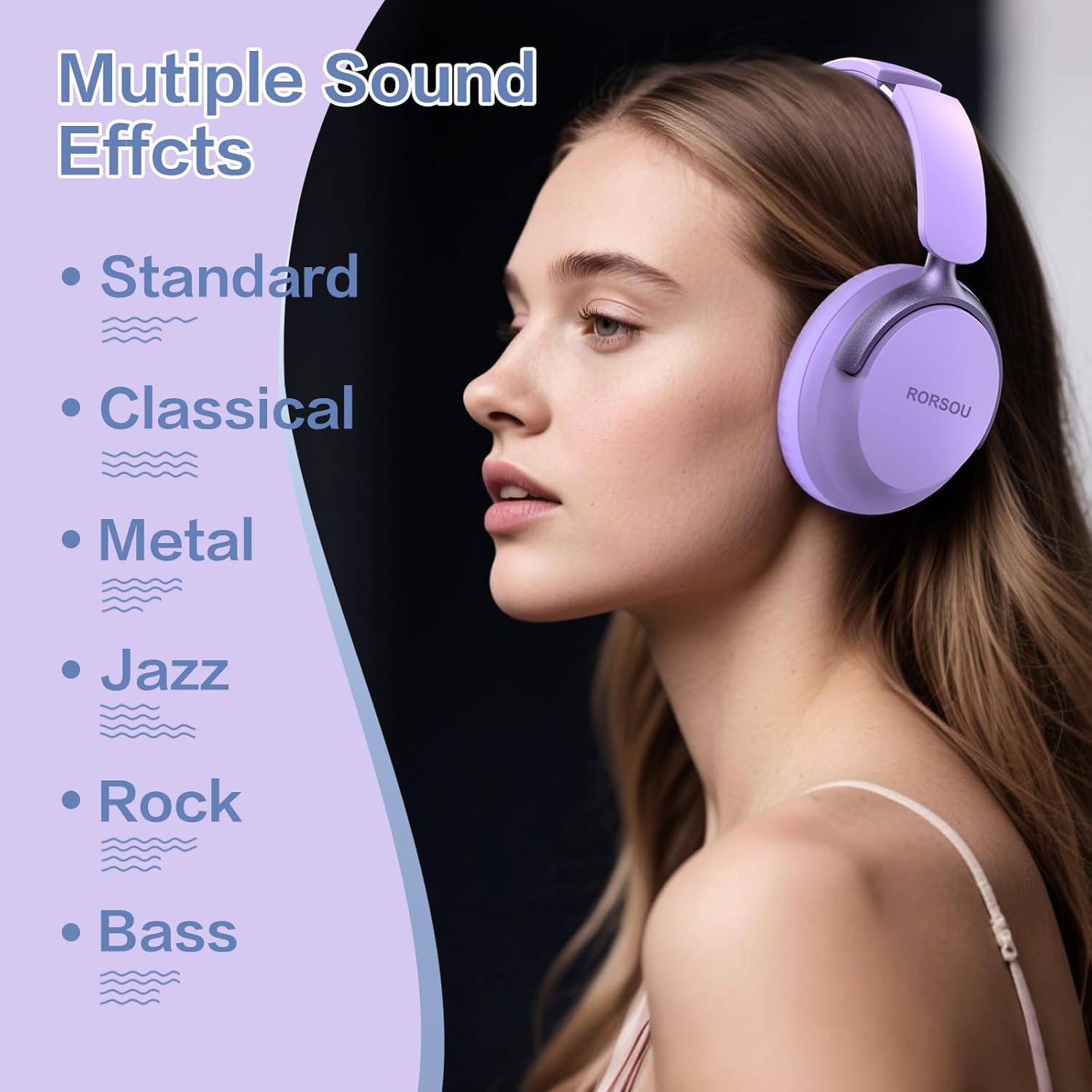
Figure 4: Multiple Sound Effects (EQ Modes)
5. Комфорт та портативність
The RORSOU B8 headphones are designed for extended wear and easy transport.
- Ultra-soft Protein Leather Earcups: Provides comfort for long listening sessions.
- Регульоване наголов'я: Забезпечує надійну та комфортну посадку для різних розмірів голови.
- Складний дизайн: Earcups swivel 90 degrees and the headphones fold compactly for easy storage in the included carrying pouch, ideal for travel.

Figure 5: Comfort and Foldable Design
6. Технічне обслуговування
To ensure the longevity and optimal performance of your RORSOU B8 headphones, follow these maintenance guidelines:
- Прибирання: Wipe the headphones with a soft, dry cloth. For earcups, use a slightly damp cloth with mild soap if necessary, then wipe dry immediately. Avoid harsh chemicals or abrasive materials.
- Зберігання: Коли навушники не використовуються, зберігайте їх у наданому чохлі для перенесення, щоб захистити їх від пилу та подряпин. Зберігайте у прохолодному, сухому місці.
- Уникайте екстремальних умов: Do not expose the headphones to extreme temperatures, humidity, or direct sunlight. They are not water-resistant.
- Догляд за кабелем: Handle the charging and audio cables gently. Avoid sharp bends or excessive pulling to prevent damage.
7. Вирішення проблем
If you encounter any issues with your RORSOU B8 headphones, refer to the following common solutions:
| проблема | Можлива причина | Рішення |
|---|---|---|
| Навушники не вмикаються | Низький заряд батареї | Повністю зарядіть навушники (приблизно 2 години). |
| Не вдається підключити пристрій через Bluetooth | Навушники не в режимі сполучення; Bluetooth пристрою вимкнено; перешкоди | Ensure headphones are in pairing mode (flashing blue/red). Turn off and on your device's Bluetooth. Move closer to the device. |
| Немає звуку або погана якість звуку | Volume too low; incorrect EQ mode; loose wired connection; device issue | Increase headphone/device volume. Cycle through EQ modes. Re-insert 3.5mm cable firmly. Test with another audio source. |
| Мікрофон не працює | Device settings; microphone blocked | Check device's audio input settings. Ensure microphone port is clear. |
| Headphones disconnect frequently | Out of range; interference; low battery | Stay within Bluetooth range (up to 10 meters). Avoid obstacles. Charge headphones. |
If the issue persists after trying these steps, please contact RORSOU customer service for further assistance.
8. Технічні характеристики
| Особливість | Деталь |
|---|---|
| Назва моделі | B8 |
| Бренд | РОРСОУ |
| Технологія підключення | Bluetooth 5.4, Wired, Wireless |
| Гніздо для навушників | 3.5 мм джек |
| Контроль шуму | Пасивне шумопоглинання |
| Розмір звукового драйвера | 40 міліметрів |
| Термін служби батареї | 50 години |
| Час зарядки | 2 години |
| Вага товару | 0.23 кілограма (8.1 унції) |
| матеріал | Полікарбонат (ПК) |
| Тип управління | Регулювання гучності, кнопка |
| Включені компоненти | User Manual, USB-C Charging Cable, 3.5mm Audio Cable, Carrying Pouch |
9. Гарантія та підтримка
RORSOU is dedicated to providing high-quality products with excellent after-sale service. Your RORSOU B8 headphones come with a 180-day Hassle-Free Limited Protection.
If you have any questions, concerns, or require technical support, please contact RORSOU customer service. We aim to respond to all inquiries within 24 hours.
For the most up-to-date support information, please visit the official RORSOU webсайт або зверніться до контактної інформації, наданої на упаковці вашого продукту.