
1. Вступ
The ATTACK SHARK X11SE is a high-performance wireless gaming mouse designed for precision and comfort. It features a lightweight design, advanced sensor technology, and versatile connectivity options to enhance your gaming and productivity experience.

Зображення: Оверview of the ATTACK SHARK X11SE's key features including PAW3311 sensor, 63g lightweight design, 22000 DPI, HUANO switches, tri-mode switch, BK52820 chip, TTC encoders, and 65 hours of battery life.
Ключові характеристики:
- PAW3311 Gaming Sensor: Equipped with the flagship PixArt PAW3311 sensor, offering up to 22,000 DPI with 6 adjustable levels, 400 IPS tracking speed, 35G acceleration, and a 1000Hz/1ms polling rate.
- Ultralight 63g Design: Weighing only 63 ± 3g, this mouse features a minimalist, full-casing design optimized for reduced weight without compromising build quality.
- Трирежимне підключення: Supports 2.4 GHz wireless, USB-C wired, and Bluetooth connections for versatile use across various devices.
- Durable Switches & Encoder: Features HUANO switches with a lifespan of 20 million clicks and an optimized TTC encoder for precise scroll wheel feedback.
- Ергономічний дизайн: Dimensions (128 x 64 x 40 mm) suitable for medium to large hands, accommodating palm, claw, and fingertip grip styles for extended comfort.
- Dual Driver Support: Сумісний з Web Driver and proprietary ATTACK SHARK driver for advanced customization of buttons, DPI, polling rate, and macros.
2. Налаштування
Вміст упаковки:
- ATTACK SHARK X11SE Wireless Gaming Mouse
- Кабель USB-C
- USB-приймач (2.4 ГГц)
- Рукоятна стрічка
- Посібник користувача
Зарядка миші:
Connect the mouse to your computer using the provided USB-C cable. The mouse has a 300mAh battery, providing up to 65 hours of uninterrupted use on a full charge (2-3 hours charging time).

Image: The ATTACK SHARK X11SE mouse illustrating its efficient battery management, offering up to 65 hours of use from a 300mAh battery, fully charged in 2-3 hours.
Режими підключення:
The X11SE mouse supports three connection modes: 2.4GHz Wireless, Bluetooth, and USB-C Wired.

Image: The ATTACK SHARK X11SE mouse highlighting its lightning-fast 2.4G wireless connection, wired mode via USB-C, and Bluetooth 5.2 capabilities.
- Бездротовий режим 2.4 ГГц:
- Знайдіть USB-приймач, який зазвичай зберігається у відсіку на нижній стороні миші.
- Підключіть USB-приймач у вільний USB-порт на комп’ютері.
- Увімкніть мишу за допомогою перемикача знизу. Виберіть режим 2.4G.
- Миша має підключитися автоматично.
- Режим Bluetooth:
- Увімкніть мишу та виберіть режим Bluetooth за допомогою перемикача знизу.
- Press and hold the Bluetooth toggle button (often located near the mode switch) for 3 seconds to enter pairing mode. The indicator light will flash.
- На комп’ютері або пристрої перейдіть до налаштувань Bluetooth та знайдіть нові пристрої.
- Select "ATTACK SHARK X11SE" from the list to pair.
- Дротовий режим USB-C:
- Connect the USB-C cable to the front port of the mouse and the other end to a USB port on your computer.
- Миша автоматично перейде в дротовий режим і почне заряджатися.
3. Операція
Функції кнопок:
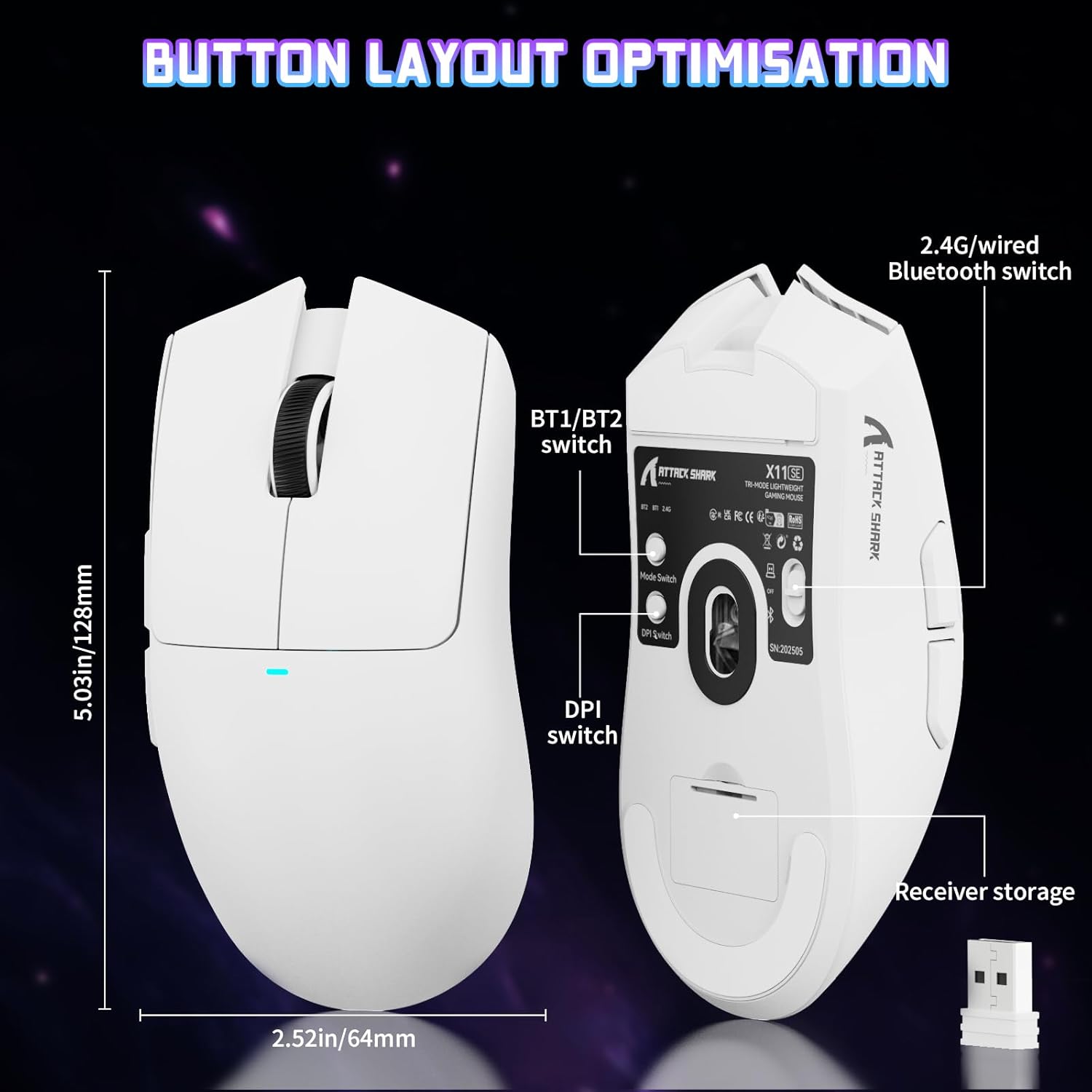
Image: The ATTACK SHARK X11SE mouse displaying its button layout, including the BT1/BT2 switch, DPI switch, and receiver storage, along with its dimensions (128mm length, 64mm width).
- Клацніть лівою кнопкою миші: Кнопка основної дії.
- Клацніть правою кнопкою миші: Кнопка додаткової дії, зазвичай для контекстних меню.
- Колесо прокрутки: Scrolls up/down. Can also be pressed for a middle-click function.
- Бічні кнопки (Вперед/Назад): Used for navigation in web браузери або дії в грі.
- Перемикач DPI: Located on the underside of the mouse, this button cycles through preset DPI levels.
- Перемикач режимів: Located on the underside, this switch allows you to select between 2.4G wireless, Bluetooth, and Off modes.
Регулювання DPI:
The X11SE features a PixArt PAW3311 sensor with up to 22,000 DPI. You can adjust the DPI sensitivity using the dedicated DPI switch on the bottom of the mouse. For more precise control and custom DPI levels, use the official software.
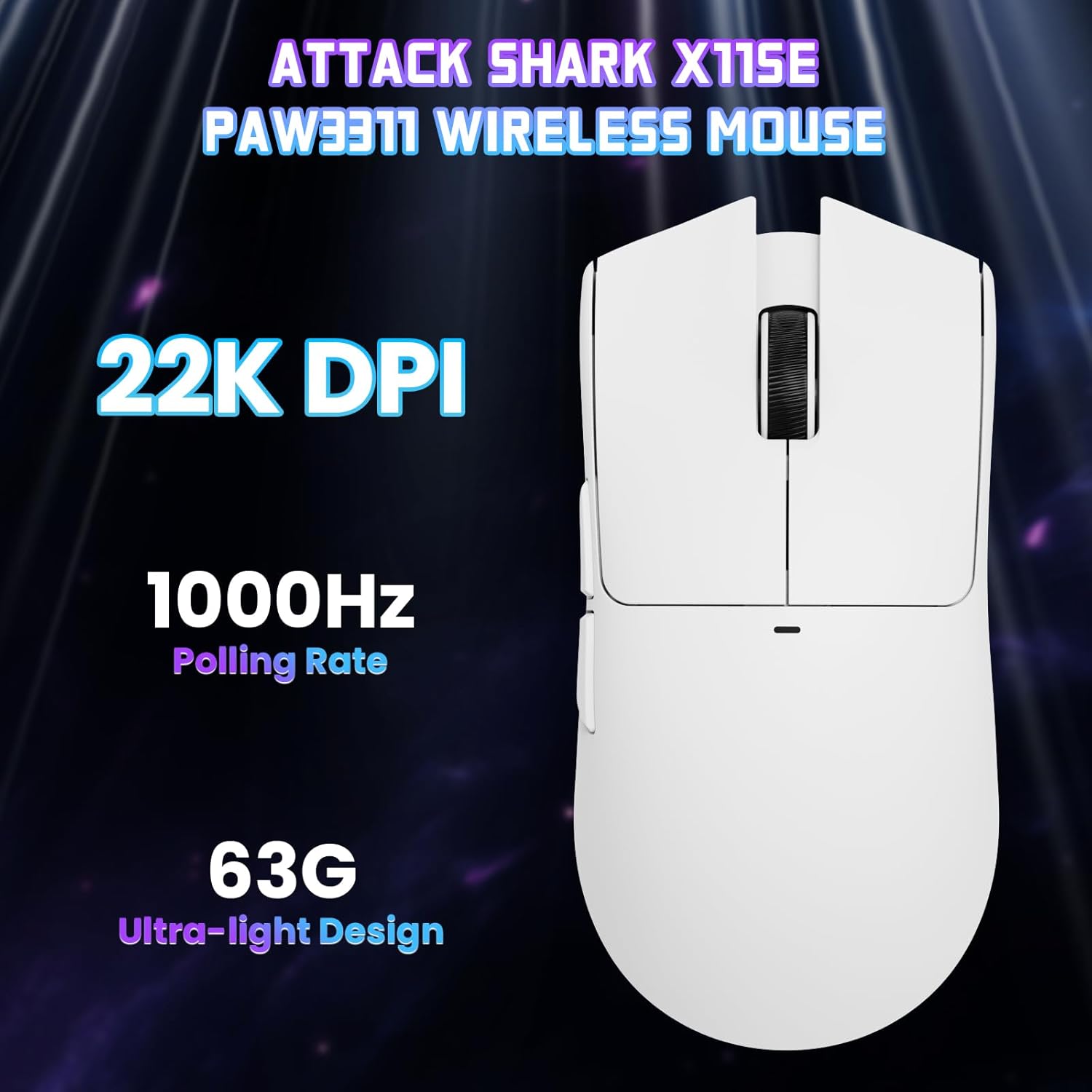
Зображення: Зверху вниз view of the ATTACK SHARK X11SE mouse, emphasizing its 22,000 DPI capability and 1000Hz polling rate for high-performance gaming.
4. Налаштування
The ATTACK SHARK X11SE mouse offers extensive customization options through its dedicated software. This allows you to personalize button assignments, DPI settings, polling rate, and create macros.
Встановлення драйвера:
The mouse supports two drivers:
- Web Водій: Доступ через http://szslxd-tech.com/#/
- ATTACK SHARK Proprietary Driver: Завантажити з https://attackshark.com/pages/dirver-download
Download and install the preferred driver software on your Windows, macOS, or Linux system.
Особливості програмного забезпечення:

Image: The ATTACK SHARK X11SE software interface, demonstrating options for mouse settings, DPI adjustments, parameter settings, macro editing, and personal profiles.
- Програмування кнопок: Reassign functions to any of the 5 buttons.
- Параметри DPI: Create custom DPI profiles and adjust sensitivity levels.
- Швидкість опитування: Adjust the polling rate for optimal responsiveness.
- Редактор макросів: Record and assign complex sequences of commands to a single button.
- Profile Управління: Save and switch between different profileдля різних ігор або програм.
5. Технічне обслуговування
Прибирання:
- Використовуйте м’яку, суху тканину для протирання поверхні миші.
- Для стійкого бруду злегкаampПротріть тканину водою або м’яким миючим розчином. Уникайте агресивних хімікатів.
- Clean the optical sensor area on the bottom of the mouse with a cotton swab to ensure accurate tracking.
Догляд за акумулятором:
- Уникайте частого повного розряджання акумулятора, щоб продовжити термін його служби.
- Зберігайте мишу в прохолодному, сухому місці, якщо вона не використовується протягом тривалого часу.
6. Вирішення проблем
Поширені проблеми та рішення:
- Миша не реагує:
- Переконайтеся, що миша заряджена.
- Check the mode switch on the bottom of the mouse to ensure it's in the correct mode (2.4G, BT, or Wired).
- Для режиму 2.4 ГГц переконайтеся, що USB-приймач надійно підключено. Спробуйте інший USB-порт.
- For Bluetooth mode, ensure Bluetooth is enabled on your device and the mouse is paired correctly. Try re-pairing.
- У дротовому режимі переконайтеся, що кабель USB-C правильно підключено.
- DPI не змінюється:
- Press the DPI switch on the bottom of the mouse.
- If using custom DPI settings, ensure the driver software is running and the correct profile є активним.
- Затримка або переривчасте з'єднання:
- Ensure the mouse is close to the USB receiver (for 2.4GHz) or your device (for Bluetooth).
- Уникайте перешкод від інших бездротових пристроїв.
- Переконайтеся, що акумулятор миші достатньо заряджений.
- Update mouse drivers if available.
7. Технічні характеристики
| Особливість | Специфікація |
|---|---|
| Бренд | АТАКА АКУЛИ |
| Назва моделі | X11SE |
| Колір | Білий |
| Технологія підключення | 2.4 GHz Wireless/USB-C Wired/Bluetooth |
| Особливості | 63g ultralight, BK52820 Chip, TTC Encoder, Dual Driver |
| Технологія виявлення руху | Optical (PixArt PAW3311) |
| Кількість кнопок | 5 |
| Орієнтація руки | Амбідекстр |
| Рекомендоване використання продукту | Комп'ютерні ігри |
| Сумісні пристрої | Desktop Computer, MAC |
| Операційна система | Windows, macOS, Linux |
| Кількість батарей | 1 літій-полімерний (у комплекті) |
| Джерело живлення | Працює від батареї |
| Maximum Mouse Sensitivity | 22000 DPI |
| Діапазон | 300 сантиметрів |
| Стиль | Ергономічний |
| матеріал | пластик |
| Країна походження | Китай |
| Включені компоненти | USB-C Cable, Manual, Grip Tape |
| UPC | 752010613663 |
8. Гарантія та підтримка
Інформація про гарантію:
The ATTACK SHARK X11SE Wireless Gaming Mouse comes with a six-month warranty from the date of purchase. Please retain your proof of purchase for warranty claims.
Driver Downloads:
For the latest drivers and software updates, please visit:
- Web Водій: http://szslxd-tech.com/#/
- ATTACK SHARK Driver: https://attackshark.com/pages/dirver-download
Related Product Video:
Video: An official seller video showcasing the ATTACK SHARK X11 Mouse, demonstrating its features and functionality. While specifically for the X11, it provides relevant insights into the X11SE's design and operation.