
1. Продукт закінчивсяview
The Uniden USB-C to RJ11 Power Cord is designed to provide a reliable power connection for your Uniden radar detector. This cable allows you to power your radar detector using a modern USB-C port, commonly found in newer vehicles, offering a clean and convenient alternative to traditional cigarette lighter adapters or complex hardwire installations.
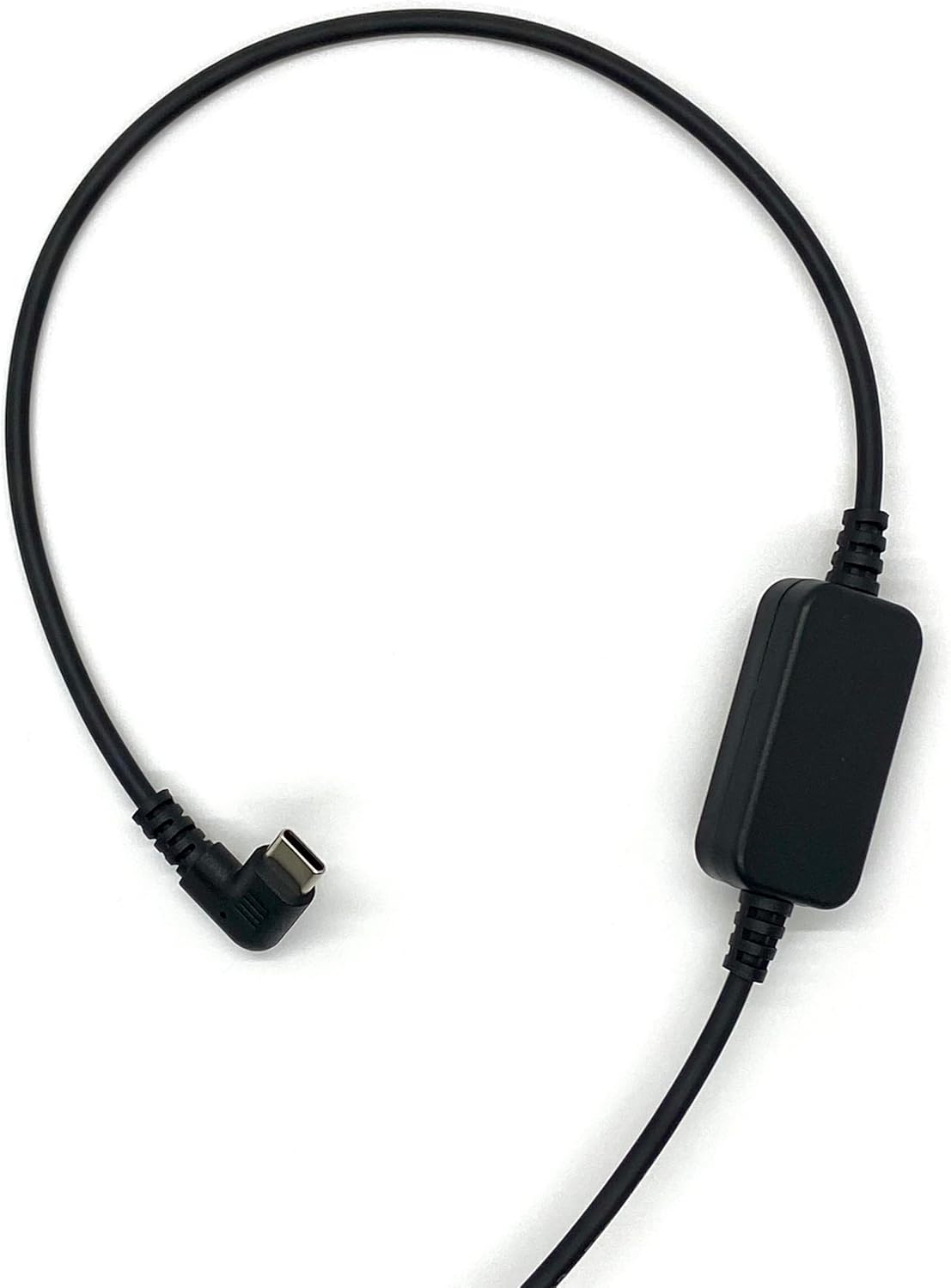
Figure 1: The Uniden USB-C to RJ11 Power Cord, showing its full length and both connectors.
Ключові характеристики:
- Сумісність з USB-C: Designed for newer vehicles equipped with USB-C power ports, eliminating the need for traditional power sources.
- Пряме підключення: Provides a direct and stable power connection to your radar detector.
- Чиста установка: The 6-foot cable length allows for flexible routing, helping to prevent tangles and offering a tidy setup without a hardwire kit.
- Міцна конструкція: Made with high-quality materials for enhanced durability and long-term reliability.
- Official Uniden Product: Ensures compatibility and quality, backed by a one-year warranty.
2. Інструкції з налаштування
Follow these steps to connect your Uniden USB-C to RJ11 Power Cord to your radar detector and vehicle.
- Визначте сполучники: Locate the USB-C connector and the RJ11 connector on the power cord. The USB-C connector is reversible and typically smaller, while the RJ11 connector resembles a telephone jack.
- Connect to Radar Detector: Insert the RJ11 end of the power cord into the power input port of your Uniden radar detector. Ensure it clicks securely into place.
- Підключення до електромережі автомобіля: Insert the USB-C end of the power cord into a compatible USB-C power outlet in your vehicle.
- Перевірити потужність: Once both ends are connected, your radar detector should power on, indicating a successful connection.

Рисунок 2: Детальний view of the USB-C connector (left) and the RJ11 connector (right) of the power cord.
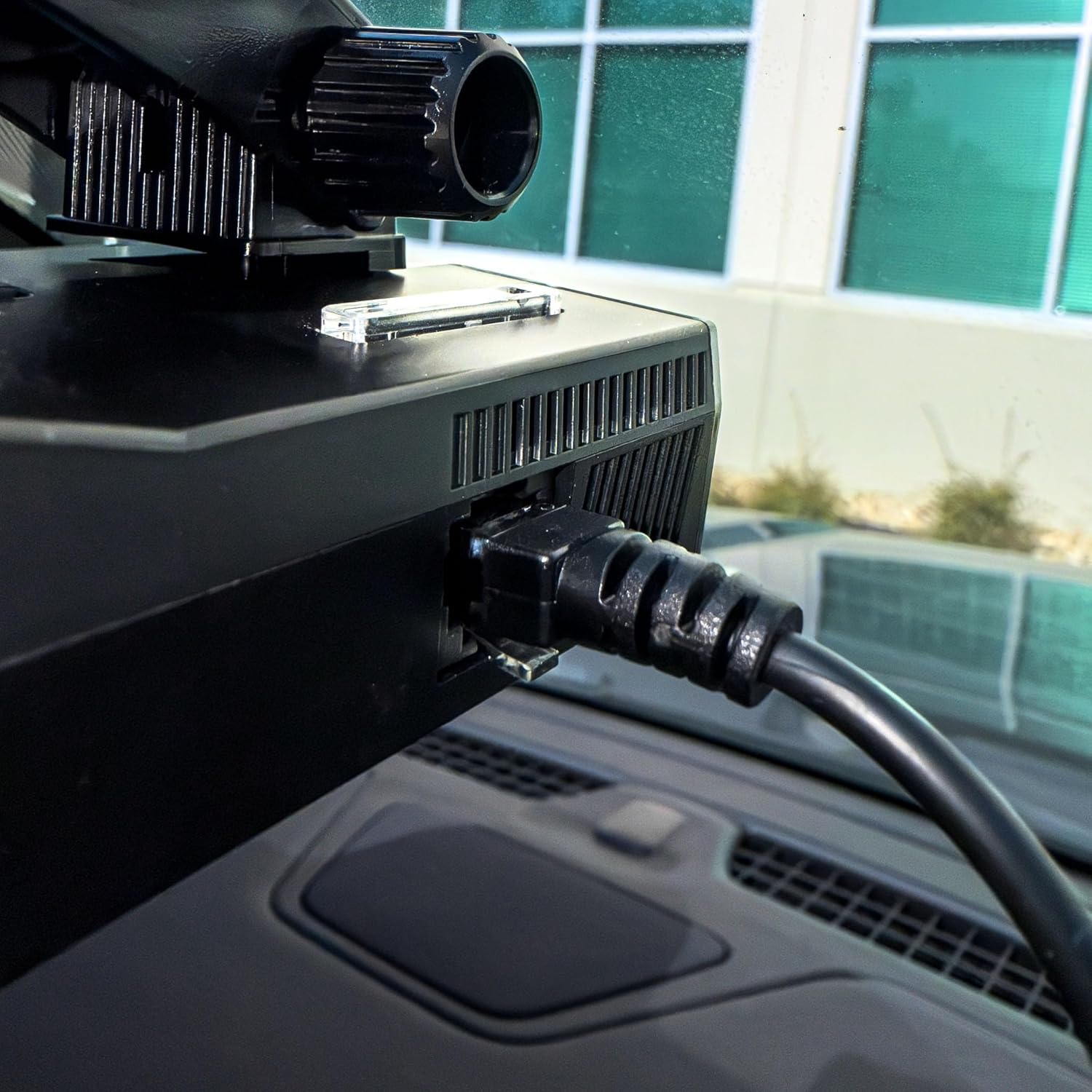
Figure 3: The RJ11 end of the power cord securely connected to the power input port of a Uniden radar detector.

Figure 4: The USB-C end of the power cord connected to a compatible USB-C power outlet in a vehicle.
3. Операція
The Uniden USB-C to RJ11 Power Cord functions as a dedicated power supply for your compatible Uniden radar detector. Once properly connected, it continuously delivers the necessary power for the detector to operate. There are no user-adjustable settings or controls on the power cord itself; its operation is automatic upon connection to a powered USB-C port.
4. Догляд і технічне обслуговування
To ensure the longevity and optimal performance of your Uniden USB-C to RJ11 Power Cord, please observe the following care and maintenance guidelines:
- Обережно поводьтеся: Уникайте надмірного згинання, скручування або натягування кабелю, особливо поблизу роз'ємів, щоб запобігти внутрішнім пошкодженням.
- Тримати в чистоті: Періодично протирайте кабель та роз'єми м'якою сухою тканиною, щоб видалити пил та сміття. Не використовуйте агресивні хімікати або абразивні засоби для чищення.
- Зберігайте належним чином: When not in use, coil the cable loosely to prevent kinks and tangles. Avoid storing it in extreme temperatures or direct sunlight.
- Уникайте впливу води: This product is designed for indoor vehicle use. Do not expose the cable or connectors to water or excessive moisture.
5. Вирішення проблем
If you encounter issues with your Uniden USB-C to RJ11 Power Cord, refer to the following troubleshooting steps:
| проблема | Можлива причина | Рішення |
|---|---|---|
| Radar detector does not power on. | Loose connection, vehicle USB-C port not active, or faulty cable/detector. | Ensure both the USB-C and RJ11 connectors are firmly seated. Check if the vehicle's USB-C port is active (e.g., by testing with another device). Test the radar detector with its original power cord if available. |
| Intermittent power to radar detector. | Loose connection, damaged cable, or unstable power from vehicle port. | Check all connections for tightness. Inspect the cable for visible damage (frays, cuts). Try a different USB-C port in the vehicle if available. |
| Cable does not fit into port. | Incorrect port or obstruction. | Verify you are using a USB-C port in the vehicle and an RJ11 port on the radar detector. Check for any debris in the ports. |
6. Технічні характеристики продукту
| Специфікація | Деталь |
|---|---|
| Бренд | Uniden |
| Модель | USBCRJ11-2M |
| Тип роз'єму (вхідний) | USB типу C |
| Тип роз'єму (вихід) | RJ11 |
| Тип кабелю | USB |
| Сумісні пристрої | Uniden Radar Detectors (R8w, R8, R7, R4w, R4, R3, DFR9, DFR8, DFR7 & Additional Models) |
| Особливість | Tangle Free, High Quality Materials |
| Стать з'єднувача | Від чоловіка до чоловіка |
| Максимальний об'ємtage | 12 вольт (постійний струм) |
| Рекомендоване використання | Powering radar detectors in vehicles |
| Колір | чорний |
| Вага товару | 0.07 кілограма |
| Довжина кабелю | 6.0 футів |
| UPC | 050633806449 |
7. Гарантія та підтримка
This Uniden USB-C to RJ11 Power Cord comes with a один рік гарантії з дати покупки. Ця гарантія поширюється на дефекти матеріалів і виготовлення за нормального використання.
For warranty claims, technical support, or additional product information, please visit the official Uniden website or contact Uniden customer service.
Ви можете знайти більше інформації та ресурсів підтримки, відвідавши Uniden Store on Amazon.