
1. Вступ
This manual provides essential information for setting up, operating, and maintaining your ASUS AiO V470 Series All-in-One PC. Please read this guide thoroughly before using your device to ensure proper function and longevity.

Image: ASUS V470 AiO PC showcasing its minimalist design and thoughtful functionality.
2. Що в коробці
Перевірте наявність усіх елементів в упаковці:
- ASUS AiO V470 All-in-One PC
- Бездротова клавіатура
- Бездротова миша
- Адаптер живлення
- Документація (Короткий посібник, Гарантійний талон)
3. Налаштування
3.1 Розпакування та розміщення
- Carefully remove the All-in-One PC and accessories from the packaging.
- Розмістіть ПК на стійкій, рівній поверхні з достатньою вентиляцією навколо пристрою.
- Ensure the area is free from direct sunlight, heat sources, and excessive dust.
3.2 Підключення периферійних пристроїв
- Підключення живлення: Connect the power adapter to the DC-in port on the back of the PC, then plug the power cord into a wall outlet.
- Бездротова клавіатура та миша: Insert batteries into the wireless keyboard and mouse. The devices are pre-paired; if not, follow the instructions provided with the peripherals for pairing.
- Зовнішні пристрої: Connect any external devices such as printers, external hard drives, or additional monitors to the appropriate ports.
4. Компоненти та порти
Familiarize yourself with the various ports and components of your ASUS AiO V470 PC.

Зображення: Детальне view of the I/O ports for connectivity.
4.1 Side I/O Ports
- Слот замка Kensington: For securing your device with a compatible lock.
- 3.5mm Combo Audio Jack: Для підключення навушників або гарнітури з мікрофоном.
- Порт USB 2.0 Type-A: Для підключення пристроїв, сумісних з USB 2.0.
4.2 Back I/O Ports
- DC-in Port: Для підключення адаптера живлення.
- Гігабітний порт Ethernet RJ45: Для дротового мережевого підключення.
- HDMI In 1.4 Port: For connecting external video sources to use the AiO as a monitor.
- HDMI Out 1.4 Port: Для підключення зовнішнього дисплея.
- Порт USB 3.2 Gen 1 Type-C: For high-speed data transfer and connecting compatible Type-C devices.
- 3x USB 3.2 Gen 1 Type-A Ports: For connecting high-speed USB 3.2 compatible devices.
5. Інструкція з експлуатації
5.1 Увімкнення/вимкнення
- Увімкнення: Press the power button located on the bottom right side of the display.
- Вимкнення живлення: In Windows, click Start > Power > Shut down. Alternatively, press and hold the power button for 4 seconds to force a shutdown (use only when necessary).
5.2 Функції дисплея
Your ASUS AiO V470 features a high-quality display designed for clarity and comfort.
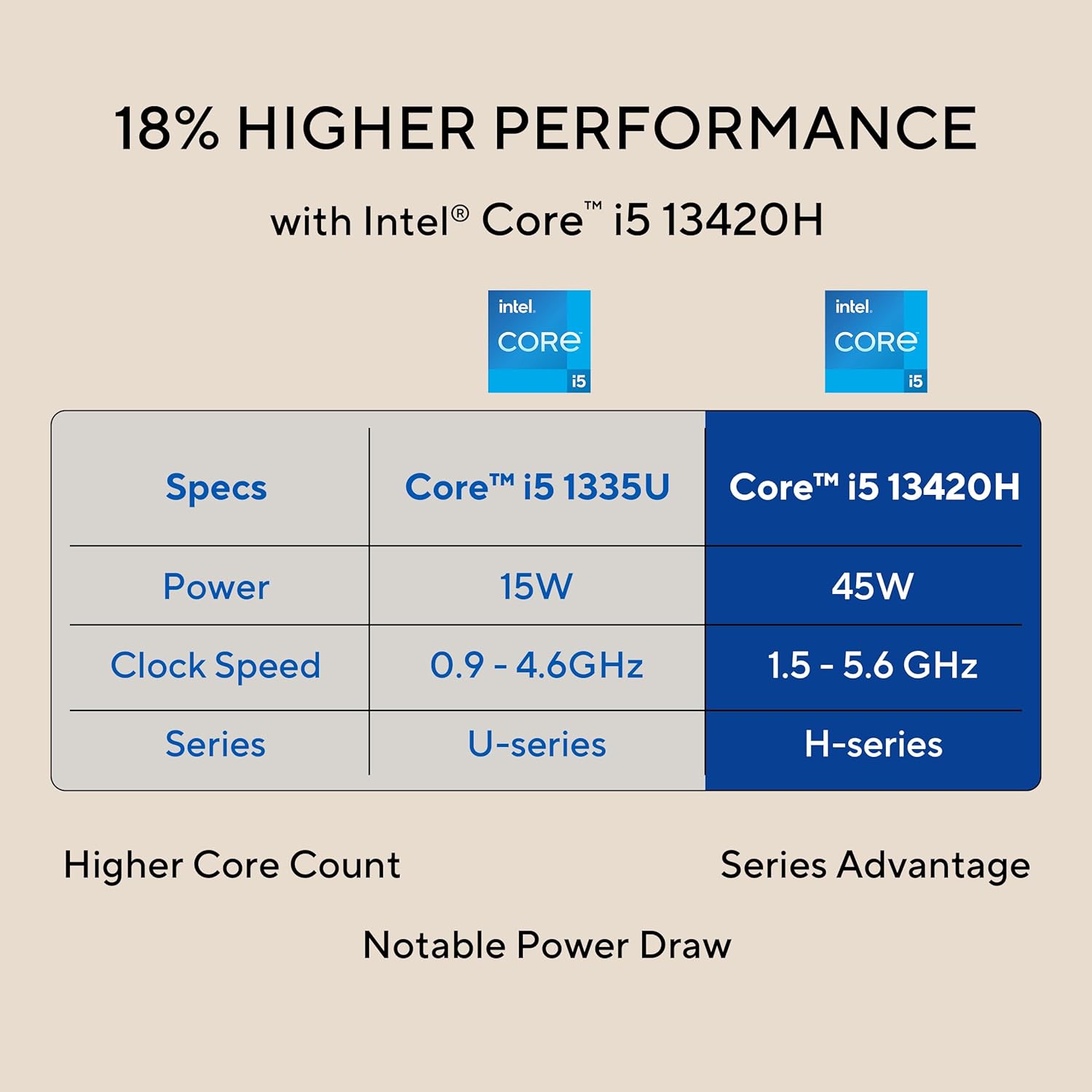
Image: The 27-inch FHD NanoEdge display with TÜV Rheinland-certified eye care.
- 27.0-inch FHD (1920 x 1080) Display: Provides clear and vibrant visuals.
- Anti-glare: Reduces reflections for comfortable viewінж.
- Частота оновлення 100 Гц: Offers smoother motion for an enhanced visual experience.
- TÜV Rheinland-certified Eye Care: Designed to reduce blue light emissions and flicker for eye comfort during extended use.
5.3 Функції камери та аудіо
The integrated camera and audio system enhance your communication and multimedia experience.

Image: Retractable camera for privacy and security features.
- Retractable 1080p HD Camera: Push to hide the camera for instant privacy.
- Шумозаглушення зі штучним інтелектом: Reduces background noise during video calls and recordings for clearer audio.
- 5W x 2 Speakers with Dolby Atmos: Delivers immersive and high-quality sound.

Image: Advanced and immersive sound experience with integrated speakers.
5.4 Підключення
Your AiO PC offers robust connectivity options.
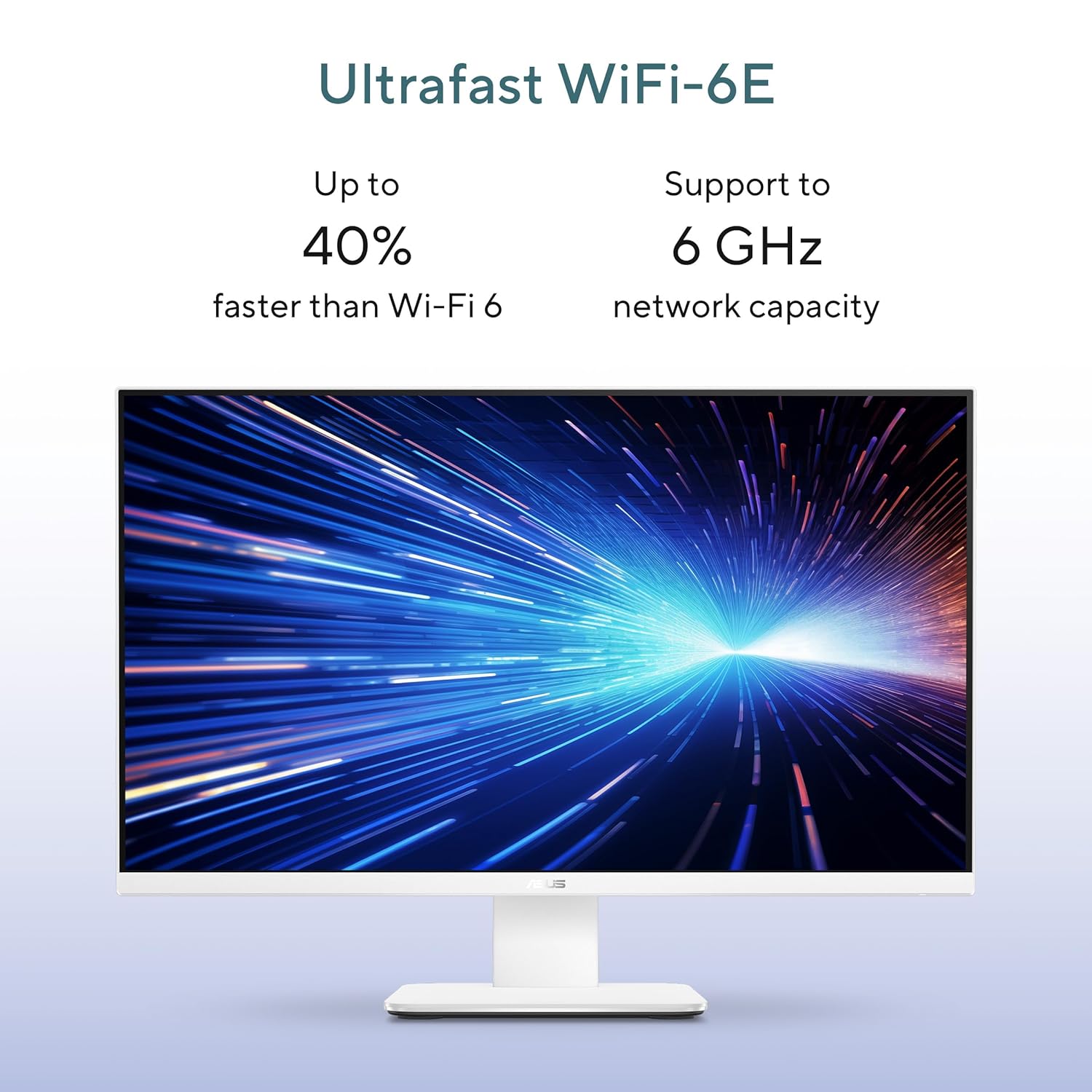
Image: Ultrafast Wi-Fi 6E for high-speed wireless connectivity.
- Wi-Fi 7: Для високошвидкісного бездротового доступу до Інтернету.
- Гігабітний Ethernet: Для стабільного та швидкого дротового мережевого з'єднання.
- Bluetooth: For connecting wireless peripherals like headphones and speakers.
6. Технічне обслуговування
Proper maintenance ensures the longevity and optimal performance of your ASUS AiO V470 PC.
- Очищення дисплея: Використовуйте м’яку тканину без ворсу, спеціально призначену для електроніки. Dampen the cloth slightly with water or a screen cleaner, then gently wipe the screen. Avoid harsh chemicals.
- Очищення шасі: Use a soft, dry cloth to wipe down the exterior. For stubborn marks, a slightly damp можна використовувати тканину, а потім суху.
- Вентиляція: Переконайтеся, що вентиляційні отвори не заблоковані, щоб запобігти перегріву. Регулярно перевіряйте наявність накопичення пилу та за потреби обережно очищуйте стисненим повітрям.
- Оновлення програмного забезпечення: Оновлюйте операційну систему та драйвери, щоб забезпечити безпеку та продуктивність.
- Резервне копіювання даних: Регулярно створюйте резервні копії важливих даних на зовнішній диск або хмарне сховище.
7. Вирішення проблем
У цьому розділі розглядаються поширені проблеми, з якими ви можете зіткнутися.
7.1 Немає живлення
- Переконайтеся, що адаптер живлення надійно підключений до ПК та розетки.
- Перевірте справність розетки, підключивши інший пристрій.
- Перевірте адаптер живлення на наявність видимих пошкоджень.
7.2 Проблеми з дисплеєм
- If the screen is blank, ensure the PC is powered on and not in sleep mode.
- If using an external video source via HDMI In, ensure the correct input is selected (refer to your PC's on-screen display settings).
- Adjust brightness settings in Windows.
7.3 Периферійний пристрій не відповідає
- For wireless keyboard/mouse, check battery levels and ensure they are within range.
- For wired devices, ensure they are properly connected to the correct USB ports.
- Спробуйте підключити периферійний пристрій до іншого USB-порту.
8. Технічні характеристики
Detailed technical specifications for your ASUS AiO V470 PC.

Image: Key performance specifications including processor, memory, and storage.
| Особливість | Специфікація |
|---|---|
| Процесор | Intel Core i5-13420H (2.1 GHz, up to 4.6 GHz, 8 cores, 12 threads, 12MB Cache) |
| Операційна система | Windows 11 Домашня |
| Дисплей | 27.0-inch FHD (1920 x 1080), 16:9, 300nits, 100Hz, Anti-glare, TÜV Rheinland-certified Eye Care |
| Графіка | Інтегрована графіка Intel UHD |
| Пам'ять | 16 ГБ оперативної пам'яті DDR5 |
| Зберігання | 1TB M.2 NVMe PCIe 4.0 SSD |
| Камера | Retractable 1080p HD Camera |
| Аудіо | 5W x 2 Speakers, AI Noise Cancellation, Dolby Atmos |
| Бездротове підключення | Wi-Fi 7, Bluetooth |
| Дротове підключення | Гігабітна Ethernet RJ45 |
| Порти введення/виведення | 1x USB 2.0 Type-A, 3x USB 3.2 Gen 1 Type-A, 1x USB 3.2 Gen 1 Type-C, 1x HDMI In 1.4, 1x HDMI Out 1.4, 1x 3.5mm Combo Audio Jack, 1x DC-in, 1x Kensington Lock Slot |
| Розміри (Ш x Г x В) | 61.3 х 1.7 х 44.7 см |
| вага | 9 кілограма |
| Включені периферійні пристрої | Wireless Keyboard, Wireless Mouse |
9. Гарантія та підтримка
Your ASUS AiO V470 PC comes with comprehensive warranty and support services.

Image: ASUS 4A Guarantee and support contact details.
9.1 Інформація про гарантію
This genuine ASUS AiO PC includes a 1-year Global Warranty і ан Onsite Domestic Warranty from ASUS. The warranty covers manufacturing defects and does not cover physical damage. To activate your warranty, please register your product on the official ASUS webсайт.
9.2 Підтримка клієнтів
For product-related queries or immediate assistance, please contact ASUS support:
- Безкоштовний номер: 1800-2090365 (Monday - Saturday, 09:00 AM - 06:00 PM)
- Електронна пошта: rc_india@asus.com
- Service Center Information: Відвідайте службу підтримки ASUS website for an extensive network of over 180 service centers across India: https://www.asus.com/in/support/Service-Center/India