
вступ
This manual provides essential information for the safe and efficient use of your Samsung QLED 4K Vision AI Smart TV, model QE50Q8FAAUXZT. Please read these instructions thoroughly before operating the device and retain them for future reference.
Вміст упаковки
Перевірте наявність усіх компонентів у коробці:
- 1x Samsung Smart TV 50'' Serie Q8F, QLED 4K
- 1x кабель живлення
- 1x Standard Remote Control
- 1x Solar-powered Remote Control
- 1x Посібник користувача (цей документ)
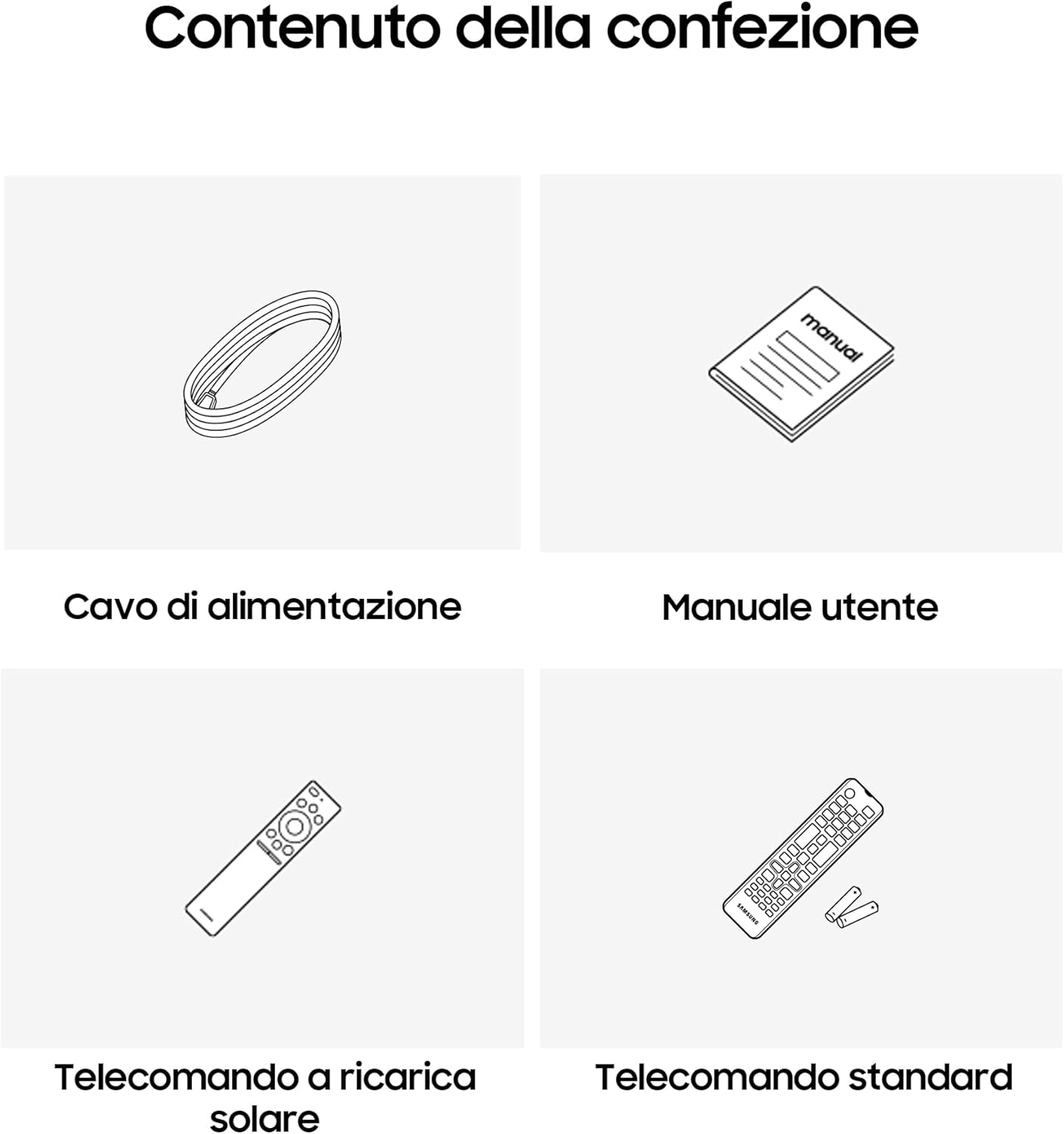
Image: Diagram showing the included items: power cable, user manual, solar-powered remote, and standard remote.
Налаштування
Розпакування та розміщення
Обережно вийміть телевізор з упаковки. Поставте телевізор на стійку, рівну поверхню або закріпіть його на стіні за допомогою сумісного кріплення VESA (продається окремо). Забезпечте належну вентиляцію навколо телевізора.
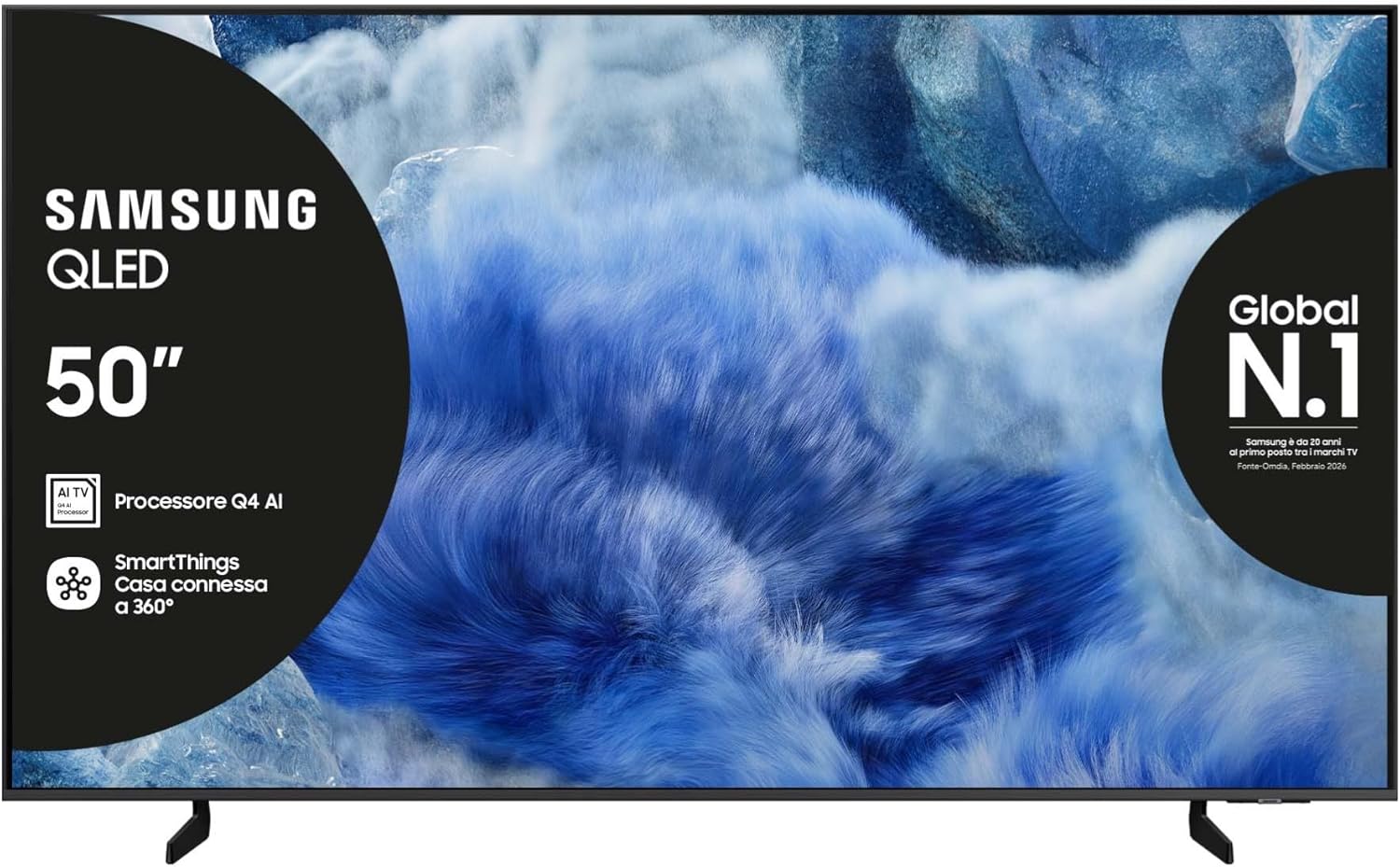
Зображення: спереду view of the Samsung QLED TV with its stand.

Зображення: Збоку view of the Samsung QLED TV, showcasing its Air Slim Design.
Підключення периферійних пристроїв
Підключіть зовнішні пристрої (наприклад, кабельну приставку, програвач Blu-ray, ігрову консоль) до відповідних портів на задній панелі телевізора.

Image: Rear panel connections of the TV, showing HDMI, USB, LAN, and antenna ports.
- HDMI: For high-definition audio and video devices. The TV features multiple HDMI ports, including HDMI 3 with eARC support.
- USB: Для підключення USB-накопичувачів.
- LAN: Для дротового підключення до Інтернету.
- ANT IN: Для підключення антени або кабелю.
Підключення живлення
Підключіть кабель живлення до входу живлення телевізора, а потім до розетки.
Майстер початкового налаштування
Після першого ввімкнення телевізор проведе вас через процес початкового налаштування, включаючи вибір мови, мережеве підключення та сканування каналів.
Керування телевізором
Функції дистанційного керування
Your TV comes with two remote controls. The solar-powered remote offers convenience and reduces battery waste. Familiarize yourself with the buttons for power, volume, channel, navigation, and smart features.

Image: The Samsung Vision AI Companion interface displayed on the TV screen, alongside a remote control, illustrating voice command capabilities.
Smart Hub and AI Features
Access the Smart Hub for applications, streaming services, and connected devices. The Q4 AI Processor enhances picture and sound quality through 4K Upscaling and AI Mode. Utilize Vision AI for personalized entertainment and real-time suggestions.

Зображення: Детальний view of the Samsung Q4 AI Processor chip, emphasizing its role in 4K upscaling and optimizing visual and audio experience.

Image: Icons representing Samsung Knox Security, SmartThings, Samsung Vision AI, and Endless Free Content, highlighting key features of the TV's ecosystem.
Налаштування зображення та звуку
Adjust picture modes (e.g., Standard, Dynamic, Movie) and sound settings (e.g., Standard, Adaptive Sound, OTS Lite) to suit your preferences. OTS Lite provides 3D surround sound, and Q-Symphony synchronizes TV speakers with a compatible soundbar.

Image: A vibrant image on the QLED screen, illustrating the 100% Color Volume with Quantum Dot technology for optimal viewінж.
Ігровий центр
Access the Gaming Hub to play games from various platforms directly on your TV, enhanced by Motion Xcelerator for smooth visuals.
Технічне обслуговування
Чистка телевізора
Gently wipe the screen and frame with a soft, dry, lint-free cloth. Do not use abrasive cleaners or solvents. For stubborn marks, lightly dampen тканину з водою.
Оновлення програмного забезпечення
Ensure your TV's software is up to date for optimal performance and security. Updates can be performed via the TV's settings menu or automatically when connected to the internet.
Усунення несправностей
Немає живлення
- Перевірте, чи кабель живлення надійно підключено як до телевізора, так і до розетки.
- Перевірте справність розетки, підключивши інший пристрій.
Немає зображення чи звуку
- Переконайтеся, що вибрано правильне джерело вхідного сигналу.
- Check all cable connections (HDMI, antenna, etc.) for looseness.
- Перезавантажте телевізор та всі підключені пристрої.
Пульт дистанційного керування не працює
- For the solar-powered remote, ensure it has sufficient light exposure to charge.
- For the standard remote, replace the batteries if necessary.
- Переконайтеся, що між пультом дистанційного керування та телевізором немає перешкод.
Проблеми з підключенням до мережі
- Перезавантажте маршрутизатор і модем.
- Перевірте пароль Wi-Fi, якщо підключаєтесь бездротовим способом.
- If using a wired connection, ensure the LAN cable is properly connected.
Технічні характеристики
| Особливість | Специфікація |
|---|---|
| Розмір екрана | 50 дюймів |
| Технологія дисплея | QLED |
| роздільна здатність | 4K (3840 x 2160) |
| Частота оновлення | 50 Гц |
| Процесор | Процесор штучного інтелекту Q4 |
| Підключення | Bluetooth, Ethernet, HDMI (multiple, including eARC), USB, Wi-Fi |
| Особливості | Built-in Speaker, Multi-voice Assistant, Browser, Parental Controls, Flat Panel |
| Співвідношення сторін | 16:9 |
| Розміри продукту (ШxГxВ) | 111.8 см x 23.9 см x 70.2 см (з підставкою) |

Image: Energy label for the Samsung QE50Q8FAAU, indicating an energy class of E and power consumption details. More details can be found at eprel.ec.europa.eu/qr/2204814.

Image: Detailed product information sheet, including supplier name, model identification, energy efficiency classes, power consumption, display technology, screen dimensions, and other technical data.
Гарантія та підтримка
Your Samsung TV is covered by a manufacturer's warranty. Please refer to the warranty card included in your package for specific terms and conditions. For technical support, service, or warranty claims, please contact Samsung Customer Service.
Контактна інформація:
- Постачальник: Samsung
- Адреса постачальника: Public Contact, Samsung PO Box 12987, Blackrock, Co Dublin Ireland
- Webсайт: www.samsung.com (general webсайт, конкретне посилання на підтримку може відрізнятися залежно від регіону)
- Електронна пошта: eprel@samsung.com (for EPREL related inquiries)
The product information sheet indicates a minimum availability of spare parts for 7 years and minimum support for product software for 7 years.


