
1. Вступ
Дякуємо за покупкуasing the Greadio CD-W16 Multifunction Portable CD Player. This device offers a comprehensive audio experience with multiple playback options including CD, cassette, FM radio, Bluetooth 5.1, USB, AUX, and TF/SD card. Designed for ease of use and portability, it features a rechargeable battery, remote control, and high-quality stereo sound. Please read this manual carefully to ensure proper operation and to fully enjoy all the features of your new audio system.
2. Інформація про безпеку
- Не піддавайте пристрій впливу дощу або вологи, щоб запобігти пожежі або ураженню електричним струмом.
- Не відкривайте casing. Звертайтеся до кваліфікованого персоналу для обслуговування.
- Уникайте розміщення пристрою поблизу джерел тепла або під прямими сонячними променями.
- Використовуйте лише зазначені адаптер живлення та кабелі.
- Зберігати в недоступному для дітей місці.
3. Вміст упаковки
- Greadio CD-W16 CD Radio Cassette Player x 1
- AUX кабель x 1
- Кабель типу C x 1
- Пульт дистанційного керування x 1
- Посібник користувача x 1
4. Продукт закінчивсяview
The Greadio CD-W16 is a versatile audio system designed for various listening preferences. It combines classic and modern features in a compact, portable design.
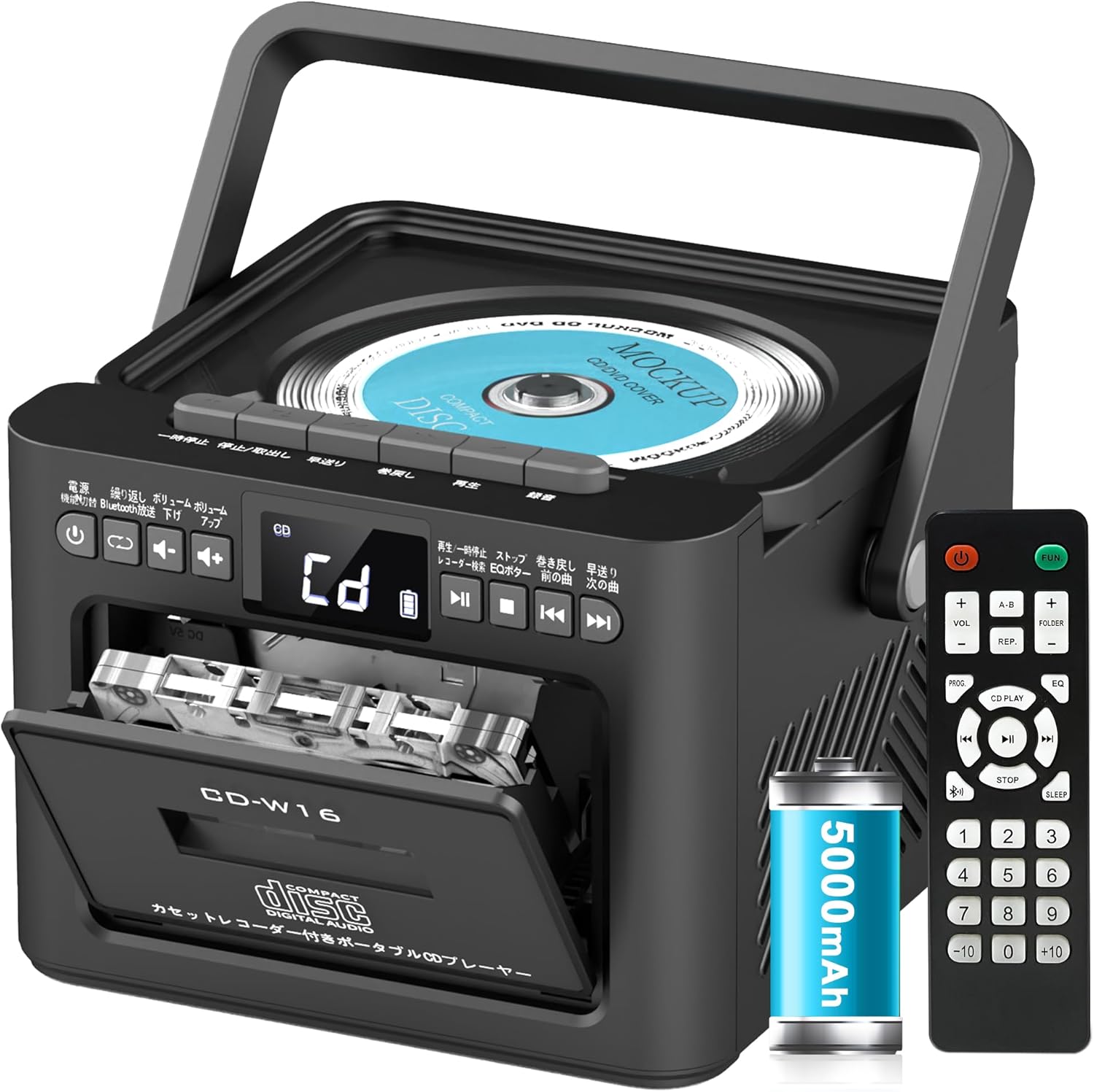
Ключові особливості:
- CD Player (CD, CD-R, CD-RW compatible)
- Cassette Player & Recorder
- FM-радіо (76-108 МГц)
- Bluetooth 5.1 (Transmitter & Receiver)
- Відтворення через USB
- Вхід AUX
- TF/SD Card Playback
- Акумуляторна батарея на 5000 XNUMX мАг
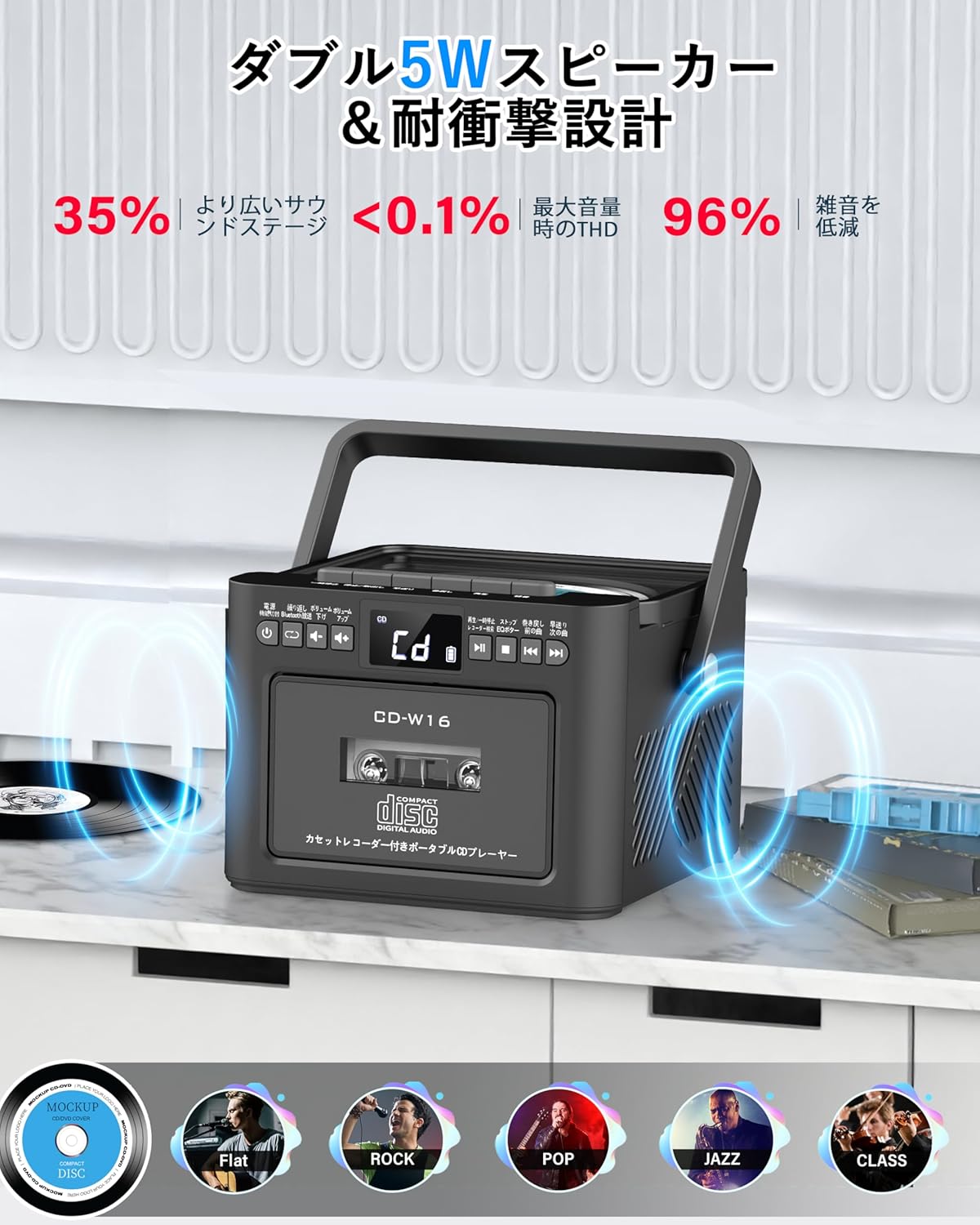
- Подвійні стереодинаміки потужністю 5 Вт
- Пульт дистанційного керування
- Таймер сну
- 5 Режими звуку еквалайзера

5. Налаштування
5.1. Зарядка батареї
The Greadio CD-W16 is equipped with a built-in 5000mAh rechargeable battery. To charge the device:
- Connect the provided Type-C cable to the charging port on the unit.
- Connect the other end of the Type-C cable to a 5V/2A USB power adapter (not included).
- The charging indicator will illuminate. A full charge takes approximately 3 hours and provides up to 16 hours of playback.

5.2. Увімкнення/вимкнення живлення
To power on or off the CD player:
- Натисніть і утримуйте Кнопка живлення on the unit or the remote control for 2 seconds.
- Або короткочасно натисніть кнопку Кнопка живлення on the remote control to toggle the CD player on/off.
6. Інструкція з експлуатації
6.1. General Controls (Remote Control)
The remote control provides convenient access to all functions. Refer to the video below for a demonstration of remote control operations.
- Увімкнення/вимкнення живлення: Коротко натисніть кнопку Кнопка живлення.
- Function Mode Selection: Коротко натисніть кнопку FUNC. кнопку to cycle through CD, Bluetooth, Radio, Cassette, AUX, USB, and TF/SD card modes.
- Регулювання гучності: Коротке натискання ГУЧНІСТЬ+ or VOL- кнопки.
- Навігація по доріжці: Коротке натискання NEXT (>>|) for the next track or PREV (|<<) для попереднього треку.
- Перемотування вперед/назад: Тривале натискання NEXT (>>|) for fast forward or PREV (|<<) for rewind.
- Прямий вибір треку: In CD mode, input 0-9 on the remote to quickly skip to the desired track.
- Режим еквалайзера: Коротко натисніть кнопку Кнопка EQ to cycle through NORMAL, ROCK, POP, JAZZ, and CLASS sound modes.
- Режим повторення: Коротко натисніть кнопку Кнопка REP to cycle through repeat options (ONE, FOLDER, ALL, SHUFFLE, OFF).
6.2. Відтворення компакт-диска
- Переконайтеся, що пристрій увімкнено.
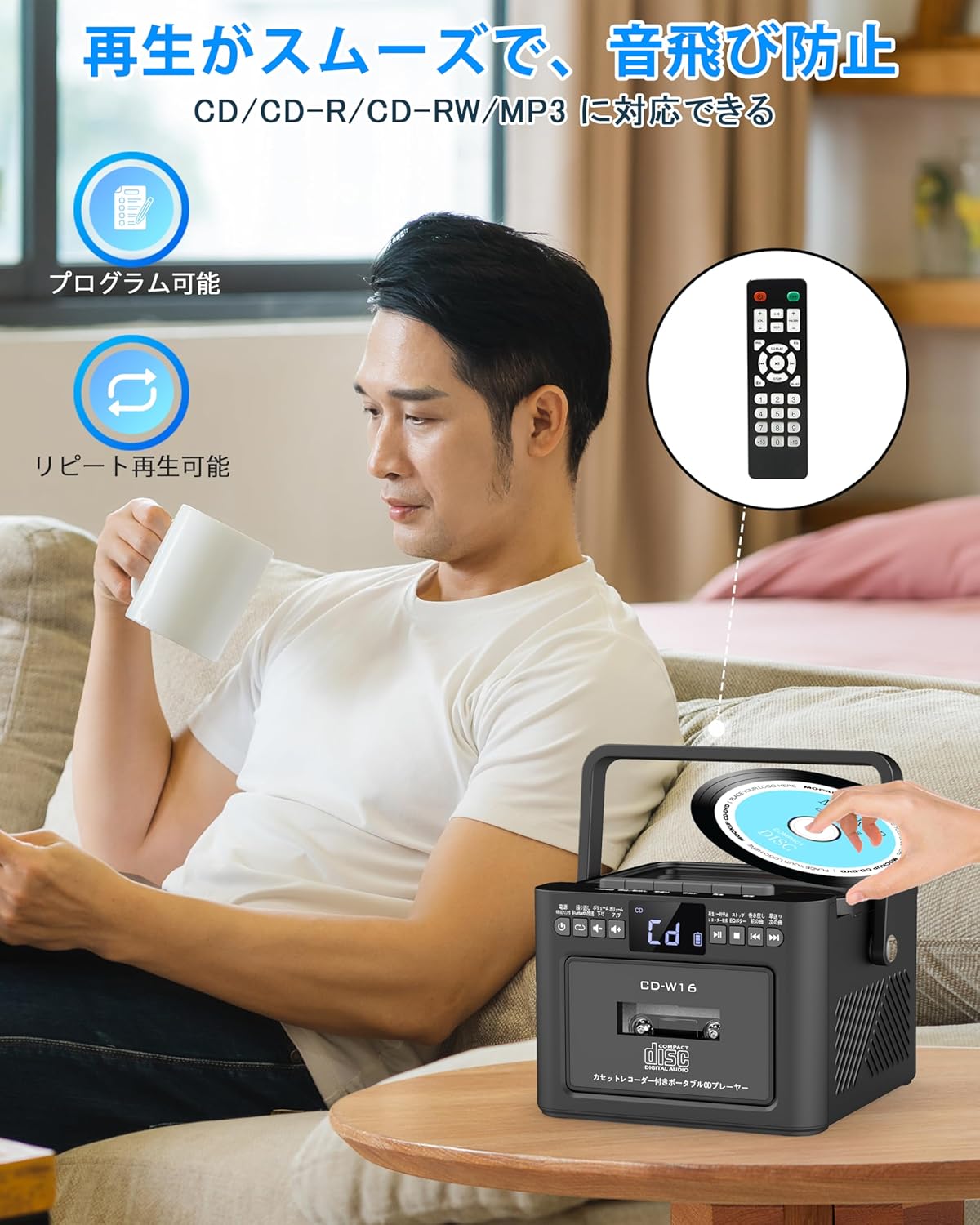
- Коротко натисніть кнопку FUNC. кнопку to select CD mode. The display will show "CD".
- Обережно підніміть кришку відсіку для компакт-дисків, щоб відкрити її.
- Place a CD (CD, CD-R, CD-RW compatible) onto the spindle with the label side facing up.
- Close the CD compartment lid. The CD will begin playing automatically.
- Використовуйте Відтворення/Пауза (||) button for temporary stop/resume.
- використання NEXT (>>|) і PREV (|<<) buttons for track navigation.
6.3. Cassette Playback & Recording
- Коротко натисніть кнопку FUNC. кнопку to select Tape mode. The display will show "TAPE".
- Натисніть STOP/EJ. button to open the cassette compartment.
- Insert a cassette tape into the compartment and close the lid.
- Натисніть Кнопка PLAY to start cassette playback.
- To fast forward or rewind, long press the FFWD or FREW кнопки відповідно.
- To stop playback, short press the STOP/EJ. button.
Запис на касету:
To record audio from other modes (CD, FM Radio, USB, AUX, TF/SD) onto a blank cassette:
- Insert a blank cassette into the cassette compartment.
- Select the desired source mode (e.g., CD, FM Radio).
- Одночасно натисніть ГРАТИ і REC (запис) buttons. Recording will begin.
- Натисніть STOP/EJ. button щоб зупинити запис.

6.4. Робота FM-радіо
- Коротко натисніть кнопку FUNC. кнопку to select FM Radio mode. The display will show the FM frequency.
- Розсуньте телескопічну антену для кращого прийому.
Auto Scan & Preset Stations:
- Тривале натискання кнопка СКАНУВАТИ to automatically scan and save available FM stations. The unit can store up to 30 preset stations.
- Коротко натисніть кнопку кнопка СКАНУВАТИ to recall preset stations (P01, P02, etc.).
Ручна настройка:
- Коротко натисніть кнопку NEXT (>>|) or PREV (|<<) buttons to manually tune to the desired frequency.

6.5. Робота Bluetooth
The Greadio CD-W16 supports Bluetooth 5.1 for both transmitting and receiving audio.
Режим передавача Bluetooth:
To transmit audio from the CD player to a Bluetooth speaker or headphones:
- Тривале натискання кнопка Bluetooth on the unit or remote to activate Bluetooth transmission mode. The display will show "BT".
- Ensure your Bluetooth receiving device (speaker, headphones) is in pairing mode.
- The CD-W16 will automatically search for nearby Bluetooth devices. Once found, it will connect.

Режим приймача Bluetooth:
To play audio from your smartphone or other Bluetooth device through the CD player's speakers:
- Коротко натисніть кнопку FUNC. кнопку to select Bluetooth mode. The display will show "BLUE".
- On your smartphone or Bluetooth device, enable Bluetooth and search for available devices.
- Select "CD-W16" from the list to connect.
- Once connected, you can play music from your device, and the audio will output through the CD-W16 speakers.
6.6. USB & TF/SD Card Playback
The unit supports playback from USB drives and TF/SD cards (up to 32GB, not included).
- Коротко натисніть кнопку FUNC. кнопку to select USB mode or TF/SD card mode. The display will show "USB" or "TF" respectively.
- Insert your USB drive into the USB port or your TF/SD card into the card slot.
- The unit will automatically detect and begin playing MP3 audio files.
- Використовуйте NEXT (>>|) і PREV (|<<) buttons for track navigation.

6.7. Вхід AUX
To play audio from an external device via AUX cable:
- Коротко натисніть кнопку FUNC. кнопку to select AUX mode. The display will show "LINE".
- Connect one end of the provided AUX cable to the AUX port on the CD-W16.
- Connect the other end to the audio output of your external device (e.g., smartphone, MP3 player).
- Play audio on your external device, and it will be output through the CD-W16 speakers.
6.8. Таймер сну
The sleep timer allows you to set a duration after which the unit will automatically power off.
- Коротко натисніть кнопку Кнопка SLEEP on the remote control. The display will show the current sleep timer setting (e.g., 10, 20, 30 minutes).
- Використовуйте NEXT (>>|) or PREV (|<<) buttons to adjust the sleep timer duration (10-120 minutes).
- Коротко натисніть кнопку Кнопка SLEEP ще раз, щоб підтвердити налаштування.

6.9. Режими звуку еквалайзера
Customize your audio experience with five different EQ sound modes.
- Коротко натисніть кнопку Кнопка EQ on the unit or remote control to cycle through the available modes: NORMAL, ROCK, POP, JAZZ, and CLASS.
7. Технічне обслуговування
7.1. прибирання
- Протріть пристрій м’якою сухою тканиною. Не використовуйте абразивні засоби для чищення або розчинники.
- Для лінз компакт-дисків використовуйте спеціальний засіб для чищення лінз компакт-дисків.
- Keep the cassette head clean to ensure optimal playback and recording quality.
7.2. Зберігання
- Зберігайте пристрій у прохолодному, сухому місці, подалі від прямих сонячних променів та екстремальних температур.
- Remove batteries from the remote control if not used for extended periods.
8. Вирішення проблем
| проблема | Можлива причина | Рішення |
|---|---|---|
| Немає живлення | Battery depleted or power cable not connected. | Charge the unit or ensure the power cable is securely connected. |
| Компакт-диск не відтворюється | CD inserted incorrectly, dirty, scratched, or incompatible format. | Reinsert CD correctly, clean the CD, try a different CD. Ensure it's CD/CD-R/CD-RW. |
| Касета не відтворюється/не записується | Cassette inserted incorrectly, tape damaged, or dirty head. | Reinsert cassette, try a different tape, clean the cassette head. |
| Поганий прийом FM-радіо | Антена не розгорнута або зона слабкого сигналу. | Повністю розкладіть телескопічну антену. Спробуйте змінити положення пристрою. |
| Bluetooth не підключається | Device not in pairing mode, too far, or already connected to another device. | Ensure both devices are in pairing mode and within range. Disconnect from other devices. |
| USB/TF/SD card not recognized | Card/drive not inserted correctly, incompatible format, or damaged. | Reinsert, ensure files are MP3 format, try a different card/drive. |
9. Технічні характеристики
- Бренд: Greadio
- модель: CD-W16
- Технологія підключення: AUX, Bluetooth, USB
- колір: чорний
- Тип динаміка: Стерео
- Джерело живлення: Працює від батареї
- Сумісні пристрої: Smartphones, Tablets, PCs
- Wattage: 5 W (Dual 5W speakers)
- Підтримувані аудіоформати: CD/CD-R/CD-RW
- Кількість спікерів: 2
- Режим аудіовиходу: Стерео
- Ємність батареї: 5000 мАг
- Час зарядки: прибл. 3 години
- Час відтворення: До 16 годин
- Діапазон частот FM: 76-108 МГц
10. Гарантія та підтримка
This product comes with a 1-year manufacturer's warranty. For any issues or support inquiries, please contact Greadio customer service.