
1. Вступ
Thank you for choosing the Codnida Cell 2T 4G LTE Solar Security Camera. This device provides reliable outdoor surveillance with its 4G LTE connectivity, solar power capabilities, and advanced features like 2K color night vision and intelligent motion detection. This manual will guide you through the setup, operation, and maintenance of your camera to ensure optimal performance.

Зображення 1.1: закінченоview of the Codnida Cell 2T 4G LTE Solar Security Camera.
2. Що в коробці
Будь ласка, перевірте наявність усіх компонентів, перш ніж продовжувати встановлення.
- 1 x Codnida Cell 2T Camera
- 1 x Сонячна панель
- 1 x SIM Card (with free trial data)
- 1 x Screw Kit for mounting
- 1 x Посібник користувача (цей документ)
- 1 x USB-кабель для зарядки

Image 2.1: All included components in the Codnida Cell 2T package.
3. Особливості продукту
- Підключення 4G LTE: Operates independently without Wi-Fi, ideal for remote locations. Includes a trial SIM card.
- Solar Powered & Long-Life Battery: Equipped with a high-efficiency solar panel and a built-in 10400mAh battery for continuous operation.
- 2K HD Resolution & Color Night Vision: Captures clear 2K video with three night vision modes (color, black & white, smart).
- 355° Pan/Tilt Rotation: Offers wide area coverage with remote control via the app.
- Intelligent PIR Motion Detection: Detects human movement and sends instant notifications. Customizable detection zones and sensitivity.
- Двостороннє аудіо: Вбудований мікрофон і динамік для зв'язку в режимі реального часу.
- Звукова та світлова сигналізація: Deters intruders with an audible alarm and flashing LED lights upon detection.
- IP65 Захист від атмосферних впливів: Designed for outdoor use, resistant to rain, humidity, and dust.
- Гнучке зберігання: Supports cloud storage and local Micro SD card storage up to 256GB.
4. Посібник із налаштування
4.1. Початкове заряджання
Before first use, fully charge the camera's internal battery using the provided USB cable and a 5V/2A power adapter (not included). The charging indicator light will turn solid blue when fully charged.
4.2. Встановлення SIM-картки та картки Micro SD
- Locate the SIM card and Micro SD card slot on the camera, usually protected by a rubber cover.
- Обережно відкрийте кришку.
- Insert the provided 4G SIM card into the SIM card slot with the gold contacts facing down and the notched corner aligned correctly. Push until it clicks into place.
- If using a Micro SD card for local storage (up to 256GB, not included), insert it into the Micro SD card slot with the gold contacts facing down.
- Ensure both cards are securely seated. Close the rubber cover firmly to maintain IP65 weather resistance.

Image 4.2: Illustration of SIM card insertion into the camera.
4.3. Підключення сонячної панелі
Connect the solar panel cable to the designated charging port on the camera. Ensure the connection is secure and the rubber seal is properly seated to prevent water ingress. Position the solar panel in an area that receives maximum direct sunlight throughout the day for optimal charging.
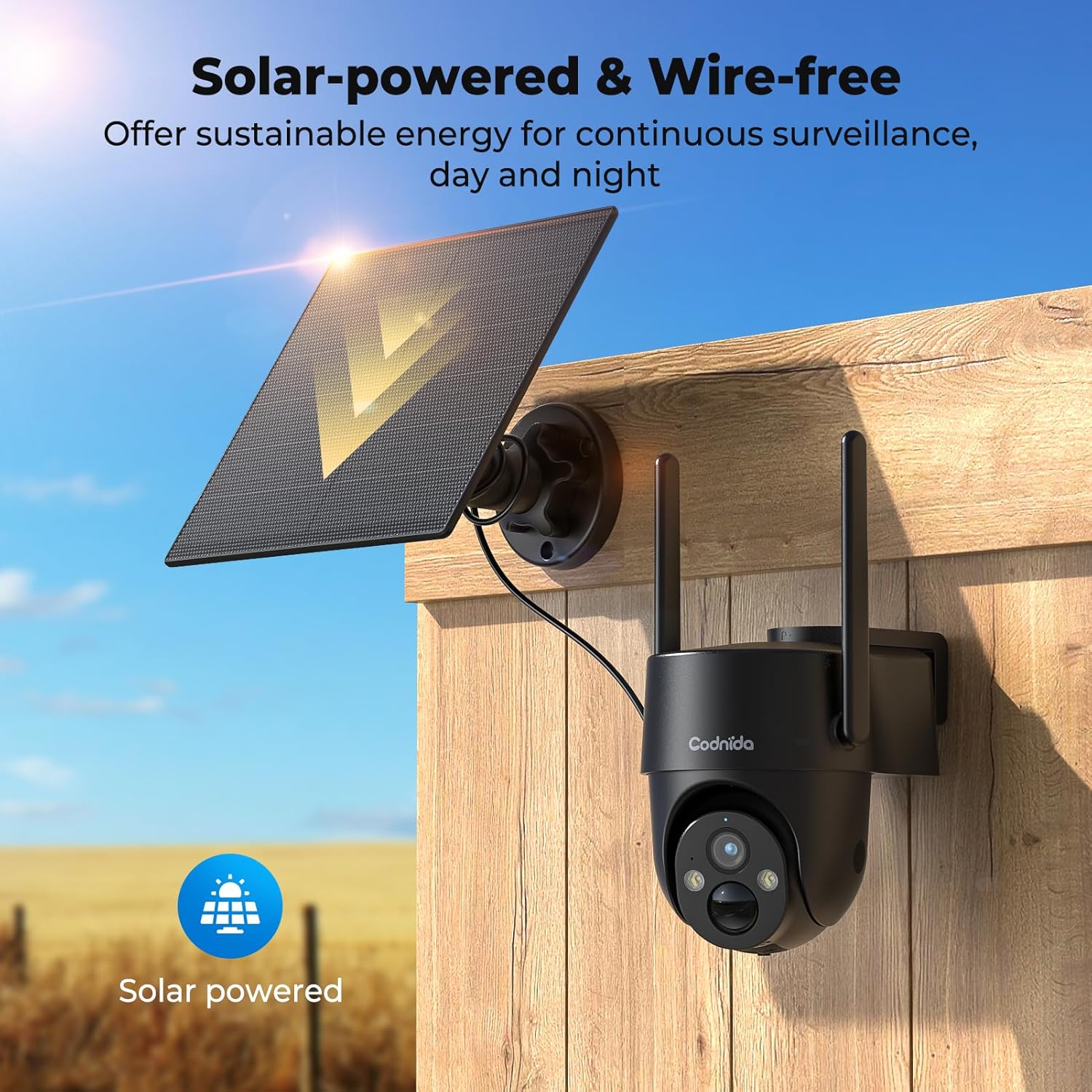
Image 4.3: The camera and solar panel installed, demonstrating wire-free operation.
4.4. Монтаж камери
- Choose a suitable outdoor location that provides the desired surveillance view and allows the solar panel to receive ampсонячне світло.
- Use the provided screw kit to securely mount the camera bracket to a wall or pole.
- Attach the camera to the mounted bracket. Adjust the angle for optimal coverage.
- Ensure the camera is within a good 4G signal range.
4.5. Встановлення та сполучення програм
- Завантажити CloudEdge додаток з магазину додатків вашого смартфона (iOS або Android).
- Зареєструйте новий обліковий запис або увійдіть, якщо у вас вже є обліковий запис.
- Turn on the camera by pressing the power button. The indicator light will flash.
- In the CloudEdge app, tap the "+" icon to add a new device.
- Select the appropriate camera model or scan the QR code on the camera if available.
- Follow the on-screen instructions to complete the pairing process. Ensure your phone's Bluetooth and location services are enabled during pairing.
5. Інструкція з експлуатації
5.1. Жити View
Open the CloudEdge app and select your camera from the device list to access the live video feed. You can view foo в режимі реального часуtage from your camera anytime, anywhere with 4G connectivity.
5.2. Керування панорамуванням/нахилом
З прямого ефіру view interface in the CloudEdge app, use the directional controls to remotely pan (horizontal) and tilt (vertical) the camera lens. The camera supports 355° PTZ rotation for comprehensive coverage.

Image 5.2: The camera's 360° pan/tilt capability for wide area surveillance.
5.3. Налаштування виявлення руху
The camera features PIR human motion detection. In the app settings, you can:
- Enable/Disable motion detection.
- Adjust sensitivity levels (low, medium, high).
- Set detection zones to focus on specific areas and reduce false alarms.
- Schedule detection times.
When motion is detected, the camera will record a clip and send a notification to your smartphone.

Image 5.3: The camera's PIR human motion detection accurately identifies people.
5.4. Режими нічного бачення
The camera offers three night vision modes, configurable in the app:
- Кольорове нічне бачення: Utilizes built-in spotlights to provide full-color images in low light.
- Чорно-біле нічне бачення: Використовує інфрачервоні (ІЧ) світлодіоди для отримання чіткого чорно-білого зображення в повній темряві.
- Розумне нічне бачення: Automatically switches between black & white and color night vision when motion is detected.

Image 5.4: Demonstrating the camera's 2K color night vision capability.
5.5. Двосторонній аудіозв'язок
Натисніть значок мікрофона в прямому ефірі view to speak through the camera's speaker. This allows for communication with visitors or to deter unwanted individuals.
5.6. Звукова та світлова сигналізація
When motion is detected at night, the camera can automatically activate a loud siren and flash its LED spotlights to warn off intruders. This feature can be configured in the app's alarm settings.

Image 5.6: The camera's sound and light alarm system deterring an intruder.
5.7. Управління зберіганням
Записані відео можна зберігати двома способами:
- Хмарне сховище: Subscribe to a CloudEdge cloud plan for secure online storage.
- Micro SD Card: If an SD card is installed, recordings will be saved locally. You can view and manage these recordings through the app.
6. Технічне обслуговування
- Прибирання: Періодично очищуйте об'єктив камери та сонячну панель м'якою губкоюamp тканиною для забезпечення чіткого зображення та ефективної сонячної зарядки. Не використовуйте агресивні хімікати.
- Догляд за акумулятором: While solar-powered, ensure the camera receives adequate sunlight. If the battery level drops significantly, consider temporarily charging it via USB. Avoid prolonged exposure to extreme temperatures.
- Оновлення прошивки: Check the CloudEdge app regularly for firmware updates. Keeping the firmware updated ensures optimal performance and access to new features.
- Дані SIM-картки: Monitor your SIM card data usage to ensure continuous connectivity, especially after the trial period.
7. Вирішення проблем
| проблема | Рішення |
|---|---|
| Камера не підключається до мережі 4G. |
|
| Battery not charging via solar panel. |
|
| Датчик руху не працює або занадто багато хибних тривог. |
|
| Cannot access live view. |
|
8. Технічні характеристики
| Особливість | Деталь |
|---|---|
| Модель | Cell 2T |
| Підключення | 4G LTE (Cellular) |
| Джерело живлення | Solar Powered, 10400mAh Rechargeable Battery |
| Роздільна здатність відео | 2K (1440p) |
| Ефективне вирішення проблеми | 3 Мп |
| Нічне бачення | Color Night Vision, Black & White IR Night Vision, Smart Mode (up to 10 meters) |
| Кут панорамування/нахилу | Панорамування 355°, нахил 90° |
| Виявлення руху | PIR Human Motion Detection |
| Аудіо | Двосторонній аудіозв'язок (вбудований мікрофон і динамік) |
| сигналізація | Звук і світловий сигнал |
| Стійкість до погодних умов | IP65 |
| Зберігання | Хмарне сховище, карта Micro SD (до 256 ГБ) |
| Спосіб контролю | Додаток CloudEdge |
| Розміри (Д x Ш x В) | 6 х 6 х 6 см |
| вага | 1.31 кг |
| матеріал | пластик |
| томtage | 5 вольт |
| Wattage | 4.5 Вт |
9. Гарантія та підтримка
Codnida products typically come with a standard manufacturer's warranty. Please refer to the warranty card included in your package or visit the official Codnida webсайт для отримання детальних гарантійних умов.
For technical support, troubleshooting assistance, or any product-related inquiries, please contact Codnida customer service through the contact information provided on the official website or within the CloudEdge app. When contacting support, please have your product model (Cell 2T) and purchase details ready.