
1. Вступ
This manual provides essential information for the safe and efficient use of your BOOX Go 7 ePaper Tablet. Please read it thoroughly before operating the device and retain it for future reference.

Figure 1.1: BOOX Go 7 ePaper Tablet
2. Інформація про безпеку
- Не піддавайте пристрій впливу екстремальних температур, прямих сонячних променів або високої вологості.
- Уникайте падіння та сильних ударів пристрою.
- Для заряджання використовуйте лише USB-кабель із комплекту постачання.
- Keep the device away from water and liquids, despite its water-repellent features.
- Не намагайтеся розбирати або ремонтувати пристрій самостійно. Зверніться до уповноваженого сервісного персоналу.
3. Вміст упаковки
Перевірте наявність усіх елементів в упаковці:
- BOOX Go 7 ePaper Tablet
- USB кабель
- Короткий посібник (може відрізнятися залежно від регіону)

Figure 3.1: BOOX Go 7 Package Contents
4. Пристрій закінчивсяview
4.1 Фізичні компоненти
Familiarize yourself with the main components of your BOOX Go 7 tablet:
- E Ink Screen: 7-inch monochrome display with 300 ppi resolution.
- Переднє світло: Adjustable illumination for reading in various lighting conditions.
- Кнопки перегортання сторінок: Ergonomically designed buttons for easy navigation.
- Порт USB-C: Для зарядки та передачі даних.
- Кнопка живлення: Located on the top edge.
- Вбудований мікрофон: Для аудіовходу.
- Вбудовані два динаміки: Для виведення звуку.

Figure 4.1: Page-Turn Buttons and Water-Repellent Protection
5. Налаштування
5.1 Початкове заряджання
Before first use, fully charge your BOOX Go 7 tablet. Connect the provided USB-C cable to the device and a compatible power adapter (not included) or a computer's USB port. The charging indicator will show the charging status.
5.2 Увімкнення/вимкнення живлення
- Щоб увімкнути: Press and hold the Power button until the BOOX logo appears.
- Щоб вимкнути: Press and hold the Power button, then select "Power Off" from the options on the screen.
- Для сну/пробудження: Коротко натисніть кнопку живлення.
5.3 Мережеве підключення (Wi-Fi)
- На головному екрані проведіть пальцем зверху вниз, щоб отримати доступ до панелі швидких налаштувань.
- Торкніться значка Wi-Fi, щоб увімкнути Wi-Fi.
- Натисніть і утримуйте значок Wi-Fi, щоб відкрити налаштування Wi-Fi.
- Виберіть потрібну мережу зі списку та введіть пароль, якщо буде запропоновано.
- Після підключення значок Wi-Fi означатиме успішне підключення.
6. Інструкція з експлуатації
6.1 Основна навігація
- Сенсорний екран: Tap, swipe, and pinch to navigate menus, open applications, and interact with content.
- Кнопки перегортання сторінок: Use the physical buttons on the side to turn pages in documents and books.
6.2 Reading Documents and Books
The BOOX Go 7 supports various document formats. Open your desired file from the library. Use the page-turn buttons or swipe gestures to navigate through pages. Adjust font size, contrast, and frontlight settings for optimal reading comfort.
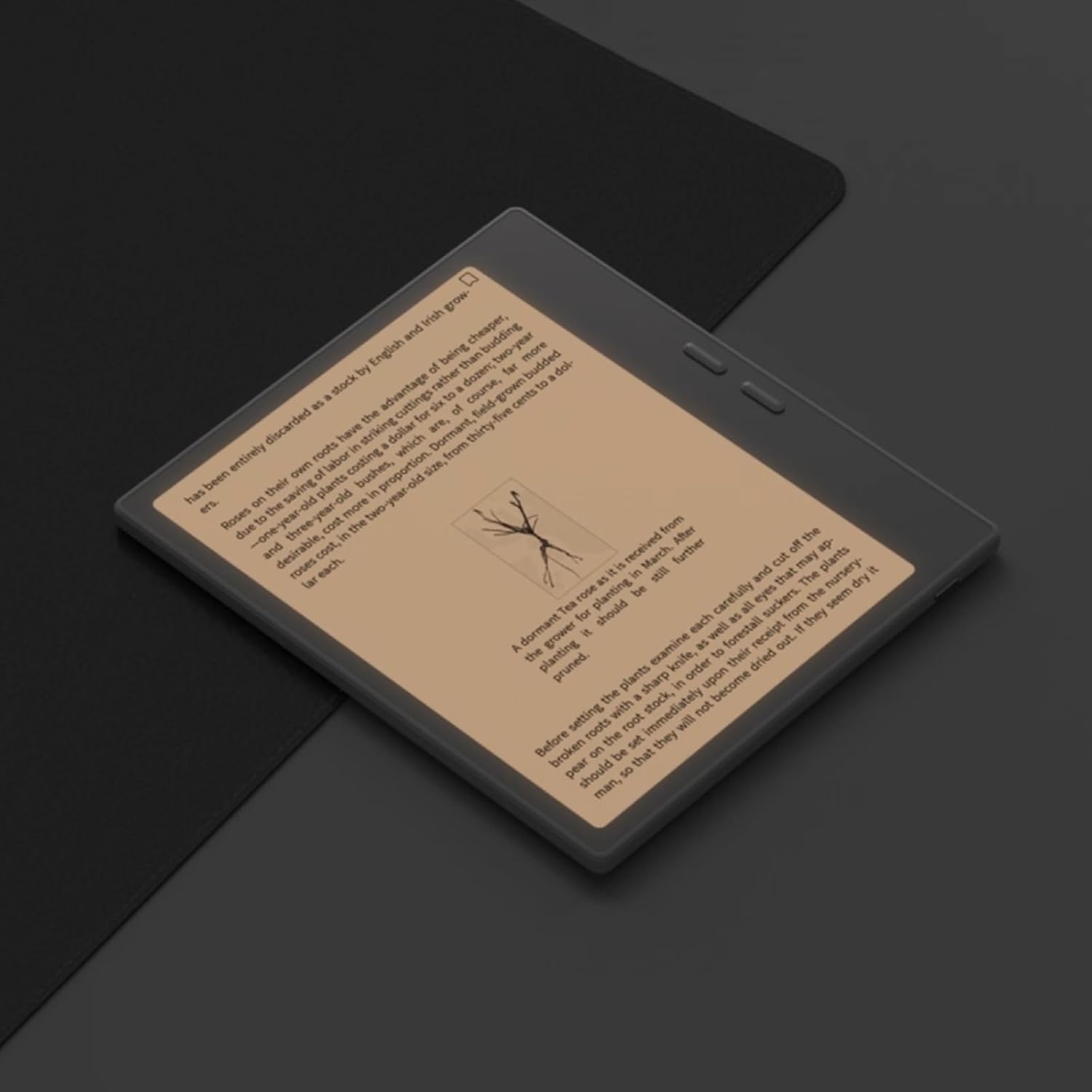
Figure 6.1: Reading with Frontlight
6.3 Using Android Applications
As an Android 13 device, the BOOX Go 7 allows installation of various applications from the Google Play Store. Navigate to the App Store, search for your desired application, and install it. Note that some applications may not be fully optimized for ePaper displays.

Figure 6.2: Various Android Applications on BOOX Go 7
6.4 Ведення нотаток та малювання
Utilize the stylus (if included or purchased separately) for note-taking, sketching, and annotating documents. The device offers various templates and tools for creative and organizational tasks.

Figure 6.3: Stylus Use for Note-Taking

Figure 6.4: Handwriting to Text Conversion
7. Технічне обслуговування
7.1 Очищення пристрою
Use a soft, lint-free cloth to gently wipe the screen and body of the device. Do not use harsh chemicals, abrasive cleaners, or excessive moisture.
7.2 Оновлення програмного забезпечення
Regularly check for and install software updates to ensure optimal performance and access to new features. Connect to Wi-Fi and navigate to Налаштування > Система > Оновлення системи щоб перевірити наявність оновлень.
8. Вирішення проблем
- Пристрій не включається: Переконайтеся, що пристрій заряджений. Підключіть його до джерела живлення та спробуйте ще раз.
- Екран не реагує: Perform a soft reset by holding the Power button for 10-15 seconds.
- Проблеми з підключенням Wi-Fi: Verify your Wi-Fi password and router settings. Try restarting your router and the device.
- Збої в роботі програм: Ensure applications are updated to their latest versions. Clear the app's cache or reinstall if issues persist.
9. Технічні характеристики
| Бренд | BOOX |
| Назва моделі | Іди 7 |
| Ємність зберігання | 64 ГБ |
| Розмір екрана | 7 дюймів |
| Максимальна роздільна здатність дисплея | 300 Pixels per inch |
| Операційна система | Android 13 |
| Колір | Нуар (чорний) |
| Розмір встановленої оперативної пам'яті | 4 ГБ |
| Особливості | USB OTG support, Expandable storage, Stylus support |
| Рік моделі | 2025 |
| Тип батареї | Літій-іонний |
| Вміст енергії батареї | 8.8 ват-годин |
| Марка процесора | Qualcomm |
| Опис процесора | Qualcomm Snapdragon |
| Камера | Без камери |
| Тип датчика | гіроскоп |
| Item Dimensions (LxWxT) | 15.6L x 0.6W x 13.7T centimeters |
| Метод введення | Touchscreen with stylus |
| Опис графічної карти | Інтегрований |
| Сумісні пристрої | Стилус |
| Тип дисплея | Електронне чорнило |
| Роздільна здатність екрана | 1280 x 800 пікселів |
| Співвідношення сторін | 16:10 |
| Апаратура для підключення до | USB |
| Бездротова технологія | Bluetooth, Wi-Fi (802.11ax) |
| Загальна кількість портів USB | 1 |

Figure 9.1: BOOX Go 7 Energy Label (Посилання EPREL)
10. Інформація про гарантію
The BOOX Go 7 ePaper Tablet comes with a 2 рік обмеженої гарантії. This warranty covers manufacturing defects under normal use. For specific terms and conditions, please refer to the warranty card included in your package or contact customer support.
The standard return policy allows for returns within 30 days of purchase for refund or replacement.
11. Підтримка
For technical assistance, troubleshooting, or warranty claims, please contact BOOX customer service. You can find support resources and submit inquiries through the official BOOX help center.
- Оновлення прошивки: BOOX commits to at least 3 years of firmware updates for each product.
- Хмарне сховище: 10 GB of free cloud storage is provided for each user.
- Час відгуку: Зазвичай відповіді на запити клієнтів надаються протягом 24 годин.
Для отримання додаткової інформації відвідайте BOOX Brand Store on Amazon.