
1. Вступ
The MiLESEEY S7 Pro is an advanced laser distance meter designed for precise and efficient measurements in various environments, particularly large outdoor projects. Featuring a digital viewfinder, P2P technology, and app connectivity, this tool offers enhanced accuracy and functionality for professional and DIY users. This manual provides detailed instructions for the safe and effective operation of your device.
2. Інформація про безпеку
Будь ласка, прочитайте та зрозумійте всі інструкції з безпеки перед використанням пристрою. Недотримання цих інструкцій може призвести до лазерного випромінювання, ураження електричним струмом, пожежі або серйозних травм.
- Лазерне випромінювання: This device emits Class 2 laser radiation. Do not stare into the laser beam or direct it at other people or animals.
- Захист очей: Always wear appropriate eye protection when operating the device, especially in bright conditions where the laser dot may be difficult to see.
- діти: Тримайте пристрій у недоступному для дітей місці.
- Середовище: Do not operate the device in explosive atmospheres or near flammable liquids or gases.
- Модифікації: Не намагайтеся модифікувати або розбирати пристрій. Ремонт повинен виконуватися лише уповноваженим сервісним персоналом.
- Безпека батареї: Use only the specified rechargeable AAA batteries. Ensure correct polarity when inserting batteries. Do not mix old and new batteries or different types of batteries.
3. Вміст упаковки
Перевірте наявність усіх предметів у вашій упаковці:
- 1x MiLESEEY S7 Pro Outdoor Laser Measure
- 1x футляр для транспортування
- 1x Ремінець на руку
- 1x Посібник користувача (цей документ)
- 3x Rechargeable AAA Battery
- USB-зарядний кабель 1x

Image: Contents of the MiLESEEY S7 Pro package, showing the device, case, strap, manual, and batteries.
4. Налаштування
4.1 Встановлення батареї
- Знайдіть кришку відсіку для батареї на задній панелі пристрою.
- Open the cover and insert the three rechargeable AAA batteries, ensuring correct polarity (+/-).
- Надійно закрийте кришку батарейного відсіку.
4.2 Зарядка пристрою
Connect the device to a USB power source using the provided USB charging cable. The battery indicator on the display will show charging status. Ensure the device is fully charged before first use for optimal performance.
4.3 Увімкнення/вимкнення
- Щоб увімкнути, натисніть і утримуйте потужність кнопка (
 ), доки дисплей не засвітиться.
 - Щоб вимкнути живлення, натисніть і утримуйте кнопку потужність button again. The device will also automatically power off after a period of inactivity to conserve battery.
5. Інструкція з експлуатації
5.1 Основні вимірювання
- Point the laser aperture towards the target.
- Натисніть ВИМІР кнопка () once to activate the laser.
- Натисніть ВИМІР button again to take a measurement. The result will be displayed on the screen.
5.2 Цифровий Viewшукач
The integrated 4X adjustable zoom digital camera with on-screen targeting crosshairs allows you to easily locate the laser spot and confidently measure outdoors, even in bright sunlight conditions.
- The viewfinder display shows a live image of the target area.
- Use the crosshairs to precisely align the laser with your desired measurement point.
- Adjust the zoom level as needed for better visibility of distant targets.

Image: The MiLESEEY S7 Pro's digital viewfinder displaying a target with crosshairs for accurate laser point location.

Image: A user aiming the MiLESEEY S7 Pro laser distance meter outdoors, utilizing the digital viewfinder for precise targeting.
5.3 P2P Technology (Point-to-Point)
The 360° high-accuracy tilt sensor and integrated smart base enable P2P technology, allowing you to capture accurate measurements between any two points from a single remote location. This is ideal for complex measurements where direct access to both points is difficult.
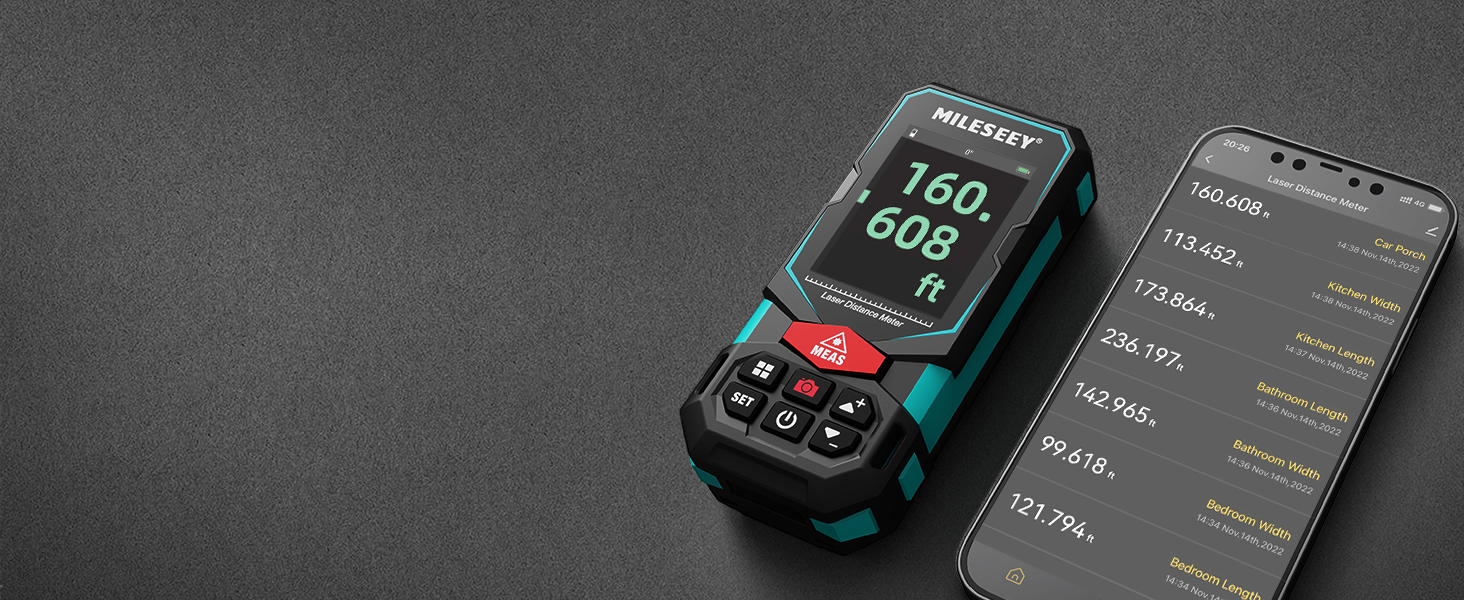
Image: An illustration of the P2P measurement capability, demonstrating how the device measures the distance between two points (P1 and P2) from a single vantage точка.
5.4 Підключення програми
The MiLESEEY S7 Pro connects to a dedicated app, allowing you to transfer measurement data directly to your smartphone or tablet. Within the app, you can:
- Enter dimensions onto on-site photographs.
- Draw projects and construct plans.
- Store up to 1,000 groups of data in the app's memory.
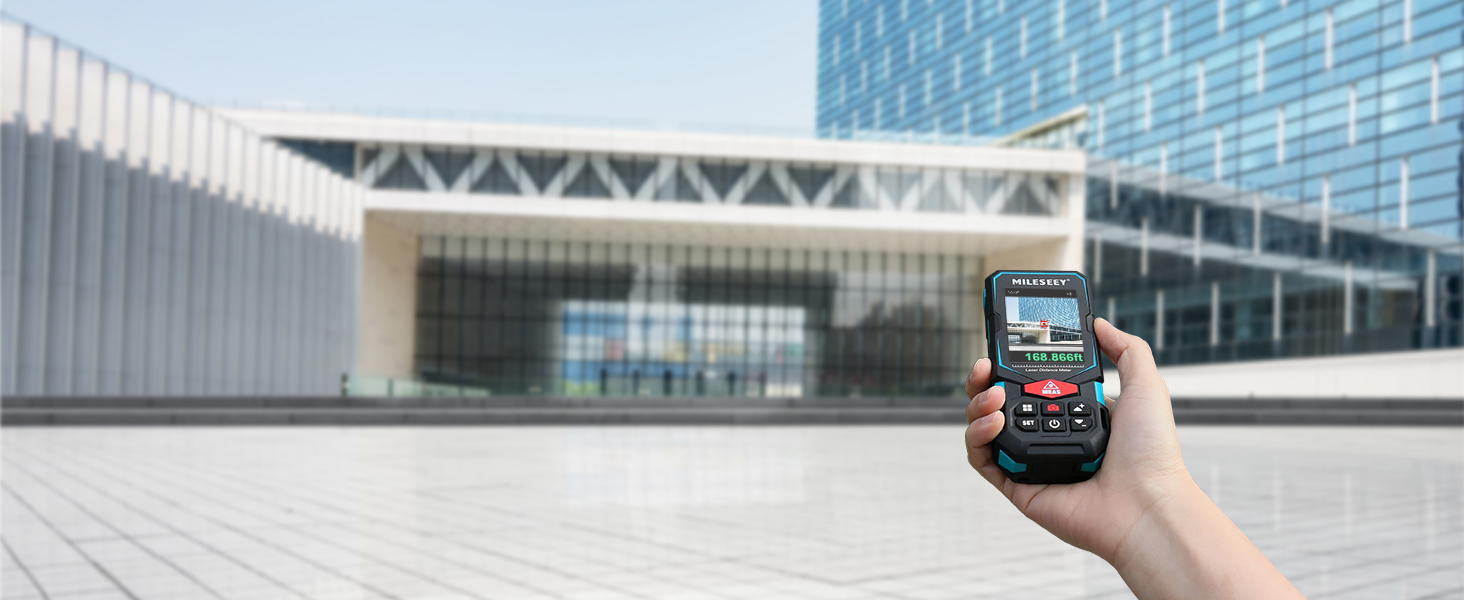
Image: The MiLESEEY S7 Pro connected to a smartphone, showing measurement data being displayed and managed within the companion application.
5.5 Режими вимірювання
The device offers a variety of measurement modes accessible through its intuitive user interface:
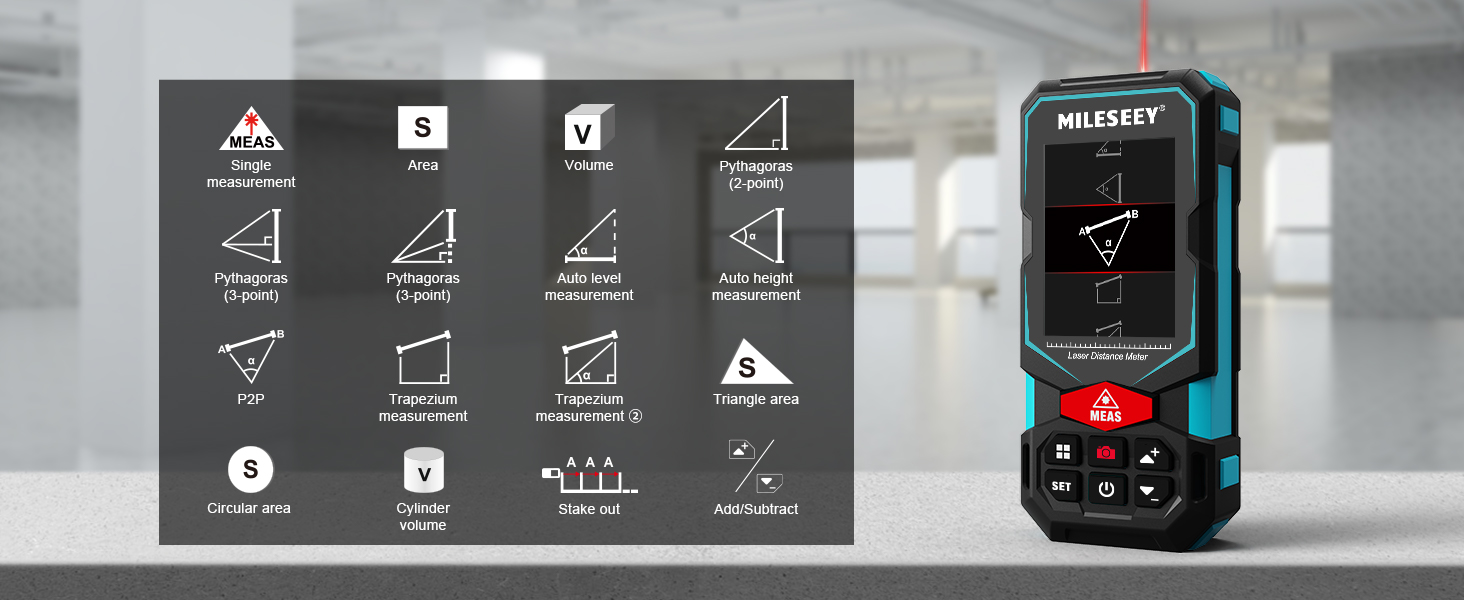
Image: A visual guide to the various measurement functions available on the MiLESEEY S7 Pro, including single measurement, area, volume, and advanced calculations.
- Одиночне вимірювання: Стандартне вимірювання відстані.
- Площа: Calculates the area of a surface.
- обсяг: Обчислює об'єм простору.
- Pythagoras (2-point & 3-point): Indirect measurement using the Pythagorean theorem.
- Auto Level Measurement: Measures horizontal distance automatically.
- Auto Height Measurement: Measures vertical height automatically.
- P2P: Point-to-point measurement (as described above).
- Trapezium Measurement: Calculates area of a trapezium.
- Triangle Area: Calculates the area of a triangle.
- Circular Area: Calculates the area of a circle.
- Об'єм циліндра: Calculates the volume of a cylinder.
- Розбивка: Helps mark out specific distances.
- Додати/Відняти: Allows for addition or subtraction of measurements.
5.6 Інтерфейс користувача та дисплей
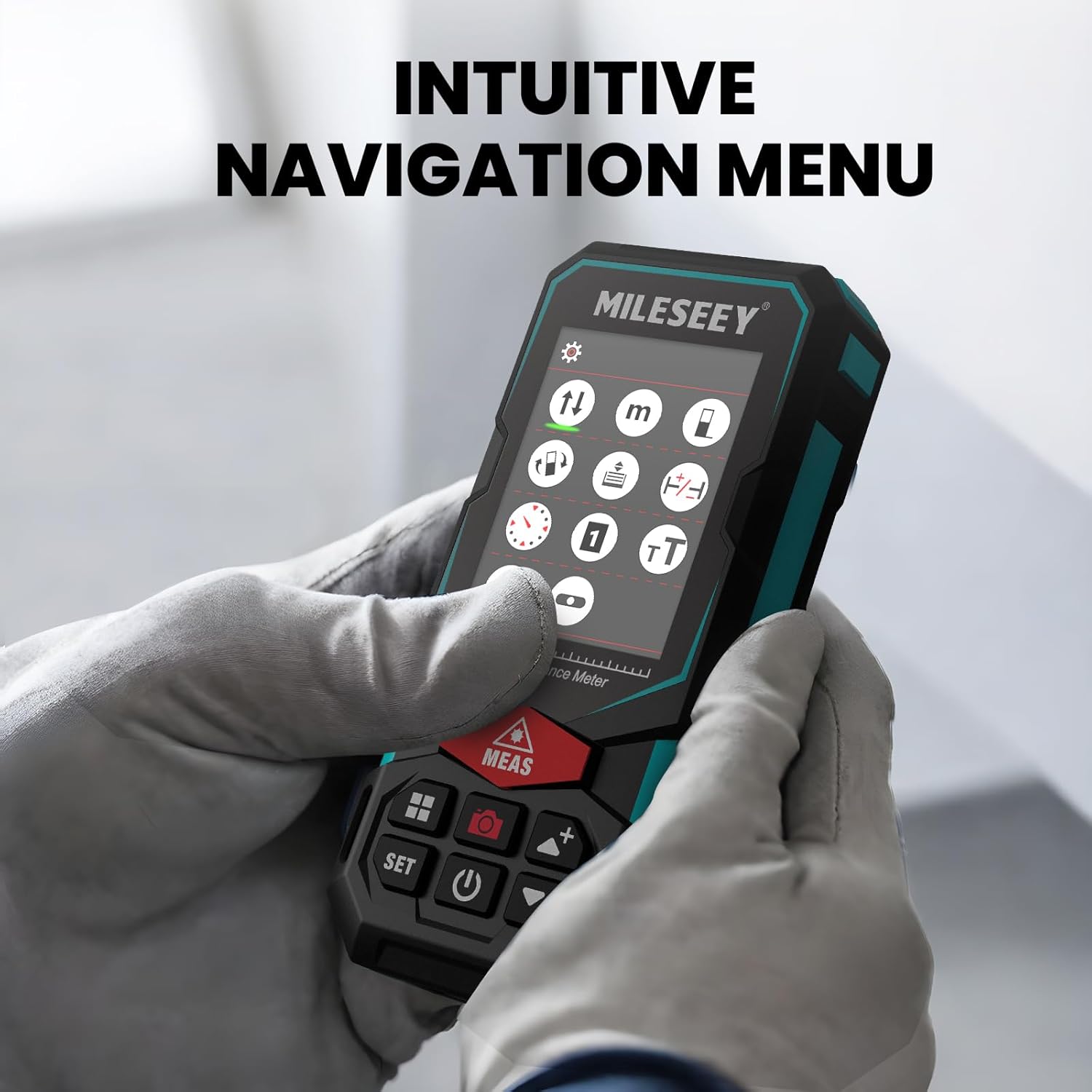
The S7 Pro features a humanized user interface with an intuitive navigation menu and a large 2.4" IPS backlit display. The rotation display keeps measurements aligned with the device, ensuring clear readability from any angle. You can easily switch between white text on a black screen and black text on a white screen for optimal visibility in varying light conditions.

Image: The MiLESEEY S7 Pro's display showcasing its intuitive navigation menu with various function icons.
Image: A user interacting with the MiLESEEY S7 Pro, highlighting the intuitive navigation menu on its screen.
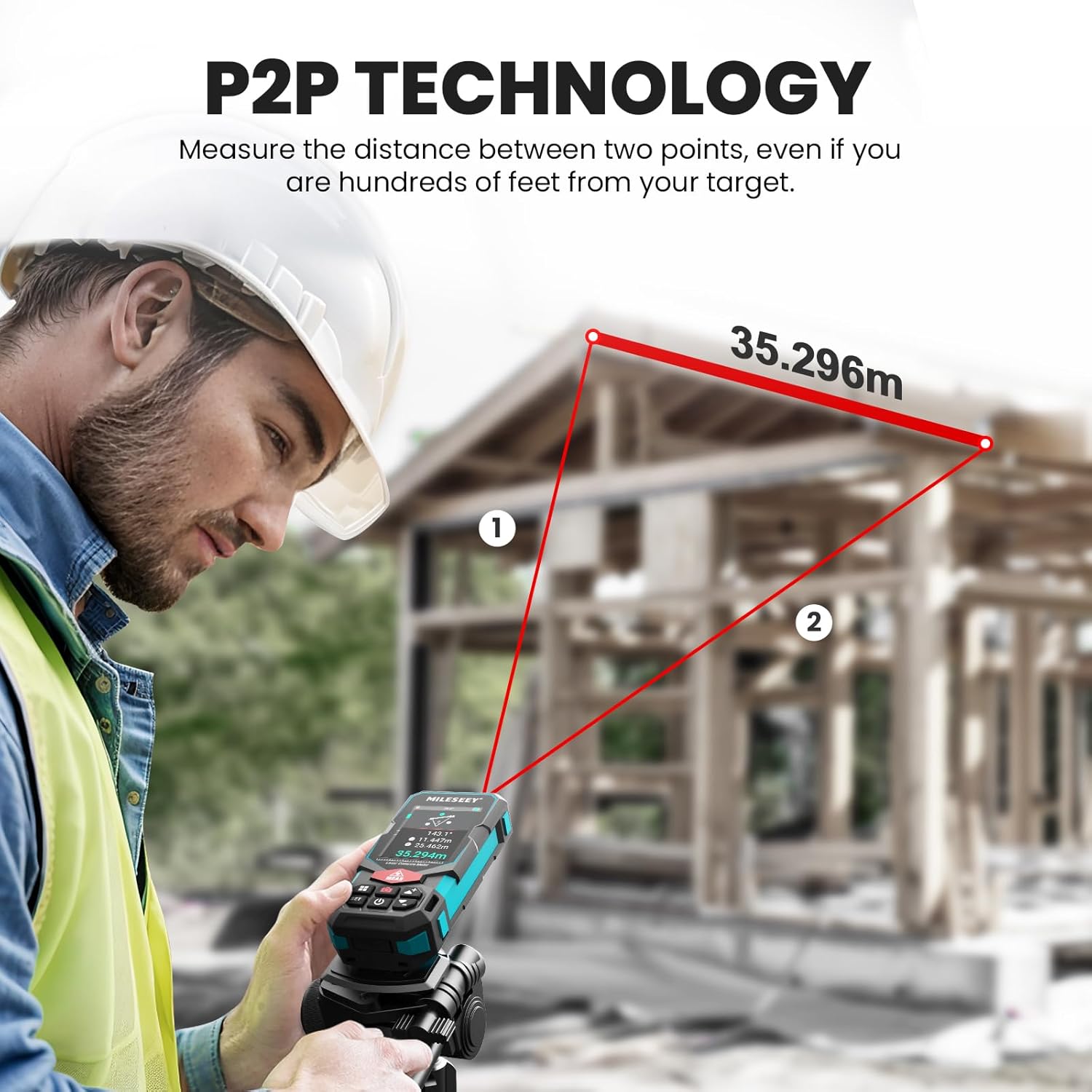
Image: The MiLESEEY S7 Pro's display demonstrating excellent visibility in both bright sunlight and low light environments.
6. Технічне обслуговування
Proper maintenance ensures the longevity and accuracy of your MiLESEEY S7 Pro.
- Прибирання: Використовуйте м'який, damp cloth to clean the device. Do not use harsh chemicals or abrasive cleaners. Clean the lens regularly with a soft, lint-free cloth.
- Зберігання: Зберігайте пристрій у футлярі для перенесення в прохолодному сухому місці, коли він не використовується. Уникайте екстремальних температур та прямих сонячних променів.
- Догляд за акумулятором: If the device will not be used for an extended period, remove the batteries to prevent leakage. Recharge batteries regularly to maintain their capacity.
- Захист IP65: The device features IP65 protection, making it resistant to dust and water splashes. However, it is not designed for submersion. Clean off any dust or dirt after use in harsh conditions.

Image: The MiLESEEY S7 Pro demonstrating its IP65 protection, shown covered in dust but still functional.

Image: The MiLESEEY S7 Pro, designed with IP65 protection, shown in a dusty environment, highlighting its durability.
7. Вирішення проблем
If you encounter issues with your MiLESEEY S7 Pro, refer to the following common problems and solutions:
| проблема | Можлива причина | Рішення |
|---|---|---|
| Пристрій не включається. | Низький заряд або розряджені батареї; неправильне встановлення батарей. | Charge the batteries or replace them. Ensure batteries are inserted with correct polarity. |
| Неточні вимірювання. | Laser beam obstructed; unstable surface; device not calibrated. | Ensure clear line of sight. Place device on a stable surface. Perform self-calibration if available (refer to device menu). |
| Проблеми з підключенням до програми. | Bluetooth not enabled; app not updated; device not paired. | Ensure Bluetooth is active on both devices. Update the app to the latest version. Follow app pairing instructions. |
| Display not clear in bright light. | Налаштування дисплея. | Switch display mode to black text on white screen for better contrast. |
8. Технічні характеристики
Key technical specifications for the MiLESEEY S7 Pro Laser Distance Meter:
- Бренд: МіЛЕСІ
- Номер моделі: MCLD-CA-MS-S7
- Діапазон вимірювання: Up to 330 ft (100 yards)
- Точність: Up to +/- 2mm (1/16")
- цифровий Viewшукач: 4X Adjustable Zoom Camera
- Підключення: App Connected (P2P Technology)
- Клас захисту: IP65 (Dust and water splash resistant)
- Дисплей: 2.4" IPS Backlit Display
- Акумулятори: 3x Rechargeable AAA Battery (Included)
- матеріал: Acrylonitrile Butadiene Styrene, Rubber
- Вага товару: 300 грамів
- Розміри продукту: 12 Д x 5 Ш x 2.5 В см
9. Гарантія та підтримка
The MiLESEEY S7 Pro Laser Distance Meter comes with a Гарантія 24 місяців from the date of purchase, covering manufacturing defects. For warranty claims, technical support, or any inquiries, please contact Mileseey Direct, the manufacturer's contact. Please retain your proof of purchase for warranty validation.