
1. Вступ
The Lemorele R1100 Wireless HDMI Transmission System provides a reliable solution for streaming high-definition audio and video wirelessly. This system supports 1080P Full HD transmission over distances up to 200 meters (656 feet) with low latency, making it suitable for various applications from home entertainment to professional presentations. It features a plug-and-play design for easy setup and supports connecting multiple receivers for expanded monitoring capabilities.
2. Вміст упаковки
Будь ласка, перевірте, чи всі перелічені нижче предмети входять до вашої упаковки:
- 1 x Бездротовий передавач HDMI (TX)
- 1 x Бездротовий HDMI-приймач (RX)
- 4 x External 5DB High Gain Wi-Fi Antennas
- 1 х посібник користувача
- 1 х холодний башмак
- 2 кабелі USB-C

3. Продукт закінчивсяview
The Lemorele R1100 system consists of a Transmitter (TX) and a Receiver (RX) unit, designed for robust wireless video and audio transmission. Both units are compact and feature multiple power options and connectivity ports.
3.1 Основні характеристики
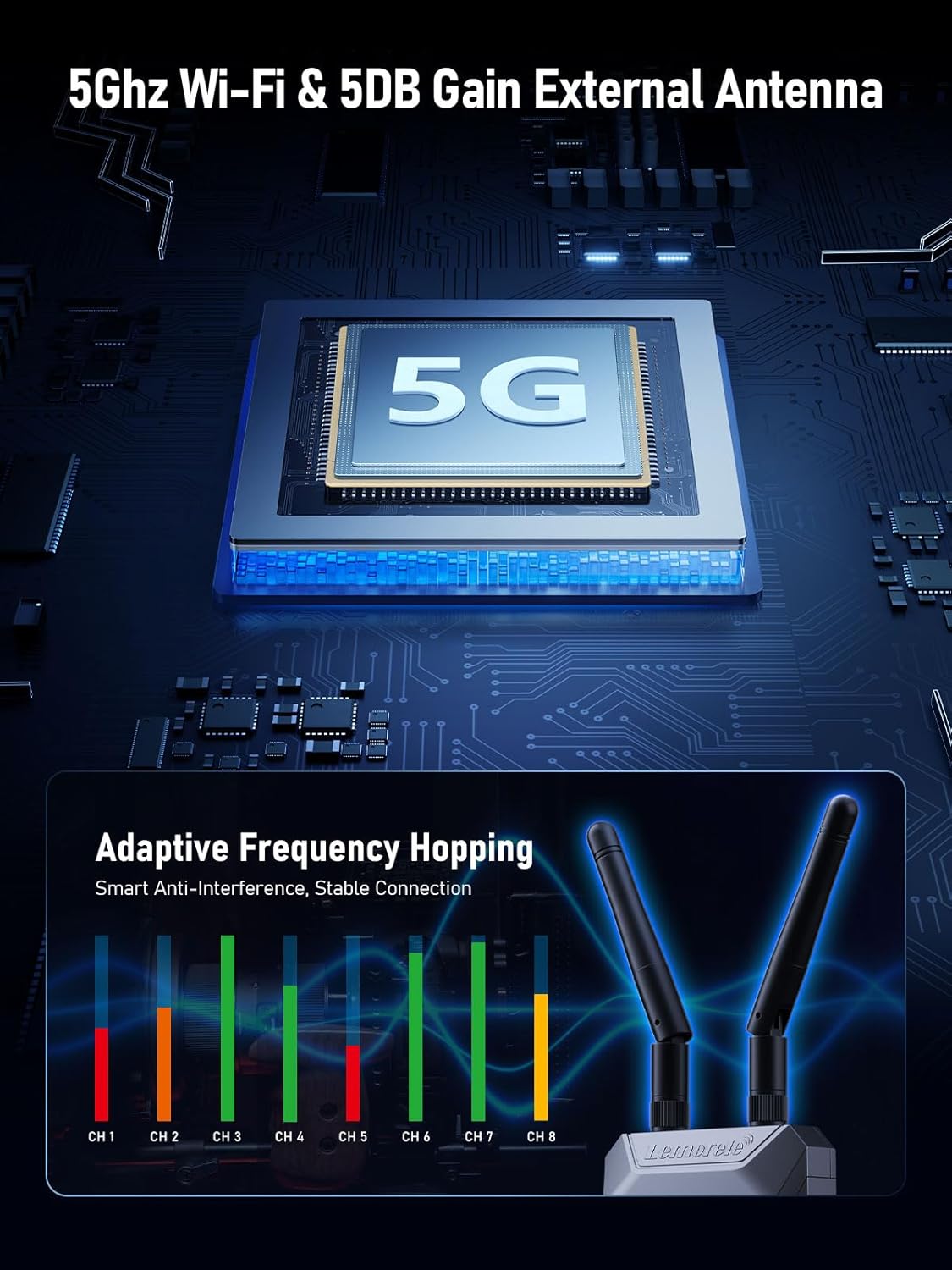
- Бездротова передача 5.8G: Utilizes 5GHz Wi-Fi for stable and interference-resistant connections.
- Розширений діапазон: Up to 656 feet (200 meters) transmission distance with low latency (less than 50ms).
- 1080P Full HD: Supports 1080P@60Hz refresh rate for clear video output.
- HDMI Loop-Out: The transmitter includes an HDMI output for local monitoring.
- Multi-Receiver Support: One transmitter can connect to up to four receivers (additional receivers sold separately).
- Моніторинг додатків: Monitor video feeds on Android and iOS devices using the TuTuPlay app.
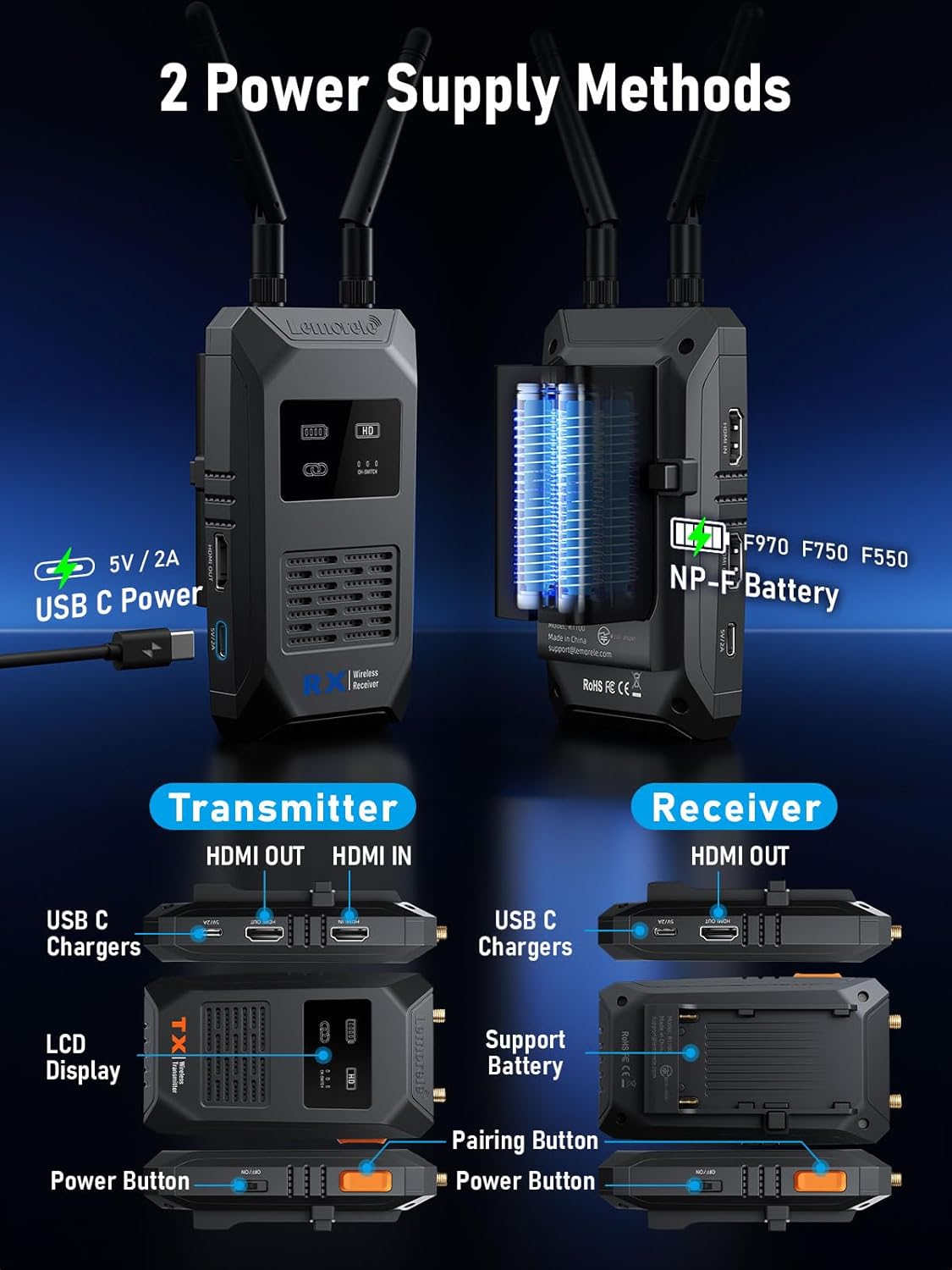
- Подвійне джерело живлення: Can be powered via USB-C (5V2A) or NP-F type batteries.

3.2 Компоненти та порти
Familiarize yourself with the ports and controls on both the Transmitter (TX) and Receiver (RX) units:

- Передавач (TX): Features HDMI Input (for source device), HDMI Output (for local monitoring), USB-C Power port, LCD Display, Power Button, and Pairing Button.
- Приймач (RX): Features HDMI Output (for display device), USB-C Power port, Power Button, Pairing Button, and a battery compartment for NP-F type batteries.
- Антени: Both TX and RX units utilize external 5DB high gain Wi-Fi antennas for enhanced signal strength.
4. Інструкції з налаштування
4.1 Power Supply (Important)
To ensure optimal performance and stable operation of the Wi-Fi module, it is crucial to use a Блок живлення 5V2A for both the Transmitter and Receiver units. Insufficient power can lead to various issues, including:
- Unsuccessful screen casting
- Connection lags or instability
- Sudden disconnections
- Display interface not showing SSD and password
The units can be powered via the provided USB-C cables connected to a 5V2A power adapter (not included) or by compatible NP-F type batteries (for the Receiver).
4.2 Initial Connection (Plug and Play)
The Lemorele R1100 system is designed for plug-and-play operation, requiring no complex wiring or software configuration for a single TX-RX setup.
- Підключення передавача (TX): Plug the Transmitter into the HDMI output port of your source device (e.g., camera, PC, TV-Box).
- Підключення приймача (RX): Connect the Receiver to the HDMI input port of your display device (e.g., TV, projector, monitor).
- Застосувати живлення: Connect the 5V2A USB-C power supply to both the TX and RX units.
- Очікування з'єднання: The system will automatically establish a connection within 5-10 seconds, and your source content will be displayed on the monitor.

4.3 Pairing Additional Receivers
If you have purchased additional receivers separately, they will need to be manually paired with the transmitter. Refer to the specific instructions provided with your additional receiver units for the pairing process.
5. Інструкція з експлуатації
5.1 Wireless Transmission Performance
The R1100 system provides robust wireless transmission with the following characteristics:
- Відстань передачі: Up to 200 meters (656 feet) for a single transmitter-receiver pair in an open environment.
- Низька затримка: Less than 50ms delay, ensuring near real-time video and audio synchronization.
- Роздільна здатність HD: Supports 1080P@60Hz refresh rate, delivering clear and smooth visuals.

5.2 Multi-Receiver Support
The R1100 system allows one transmitter to broadcast to multiple receivers simultaneously, expanding your monitoring options. The transmission distance varies with the number of connected receivers:
- 1 Transmitter + 1 Receiver: До 200 метрів (656 фути)
- 1 Transmitter + 2 Receivers: До 130 метрів
- 1 Transmitter + 3 or 4 Receivers: До 100 метрів
5.3 App Monitoring (TuTuPlay)
For additional monitoring flexibility, the Lemorele R1100 system supports the TuTuPlay app, available for Android and iOS devices. This app allows you to monitor the video feed directly on your smartphone or tablet.
5.4 Adaptive Frequency Hopping
The system incorporates Wi-Fi adaptive frequency hopping technology, utilizing a Realtek high-performance module. This feature ensures a stable connection and minimizes interference, even in environments with numerous wireless signals or large conference settings.

6. Технічне обслуговування
To ensure the longevity and optimal performance of your Lemorele R1100 system, follow these maintenance guidelines:
- Прибирання: Use a soft, dry cloth to clean the units. Avoid using liquid cleaners or solvents.
- Зберігання: Зберігайте пристрої в прохолодному, сухому місці, подалі від прямих сонячних променів та екстремальних температур.
- Антени: Handle the external antennas with care to prevent damage. Ensure they are securely attached during use.
- Джерело живлення: Always use the recommended 5V2A power supply to prevent damage from insufficient or excessive power.
7. Вирішення проблем
If you encounter issues with your Lemorele R1100 system, refer to the following common problems and solutions:
- No Signal/Unsuccessful Screen Casting:
- Ensure both TX and RX units are powered correctly with a 5V2A supply.
- Verify HDMI cables are securely connected to both source and display devices.
- Check that the input source on your display device is set to the correct HDMI port.
- Confirm that the TX and RX units are within the effective transmission range.
- Connection Lags/Sudden Disconnection:
- This is often caused by insufficient power. Ensure a stable 5V2A power supply is used for both units.
- Зменште відстань між пристроями TX та RX.
- Minimize obstructions (walls, large objects) between the units.
- Check for strong Wi-Fi interference from other devices in the vicinity.
- Display Interface Not Showing SSD/Password:
- This indicates a power issue. Confirm both units are receiving adequate 5V2A power.
- Restart both the TX and RX units.
- Аудіо не працює:
- Переконайтеся, що налаштування аудіовиходу на вашому джерелі сигналу правильні.
- Check the volume levels on your display device.
- Verify HDMI cable connections.
8. Технічні характеристики
| Особливість | Специфікація |
|---|---|
| Бренд | Леморель |
| Модель | 1100 рандів |
| роздільна здатність | 1080p (1080P@60Hz) |
| Частота передачі | 5.8G Wi-Fi |
| Transmission Distance (1TX to 1RX) | До 200 метрів (656 фути) |
| Затримка | Менше 50 мс |
| Технологія підключення | HDMI |
| Тип роз'єму | HDMI |
| Джерело живлення | USB-C (5V2A recommended), NP-F Battery (RX only) |
| Розміри продукту | 10 x 2 x 2.7 cm (approximate per unit) |
| Вага товару | 36.2 Grams (approximate per unit) |
9. Гарантія та підтримка
For warranty information, technical support, or any inquiries regarding your Lemorele R1100 Wireless HDMI Transmitter and Receiver, please refer to the contact information provided on the product packaging or visit the official Lemorele webсайт. Зберігайте чек про покупку для гарантійних претензій.