
1. Вступ
This manual provides essential information for setting up, operating, maintaining, and troubleshooting your GIGABYTE AORUS Elite 16 BWH gaming laptop. The AORUS Elite 16 BWH is designed for high-performance gaming and demanding applications, featuring an Intel Core Ultra 9 processor, NVIDIA GeForce RTX 5070 laptop GPU, a 16-inch WQXGA 165Hz display, and Windows 11 Pro.
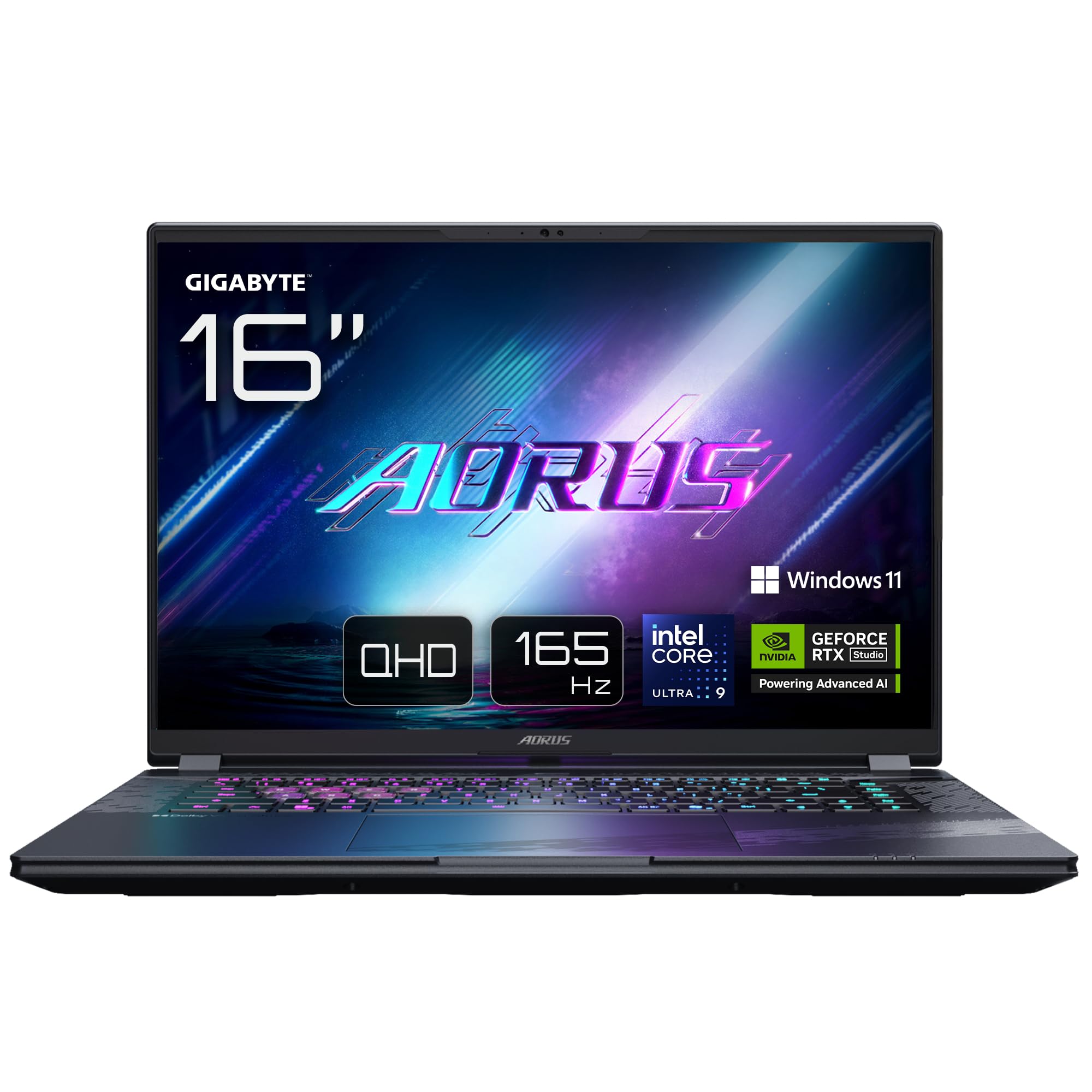
Image: The GIGABYTE AORUS Elite 16 BWH gaming laptop, showcasing its open display and keyboard.
2. Налаштування
2.1 Розпакування та початковий огляд
Обережно вийміть ноутбук та всі аксесуари з упаковки. Переконайтеся, що всі компоненти, перелічені в розділі «Комплектація», присутні та не пошкоджені.
- GIGABYTE AORUS ELITE 16 BWHC3FRC65SP Laptop
- Адаптер живлення та кабель
- Документація (цей посібник, гарантійний талон)
2.2 Підключення живлення
Connect the power adapter to the laptop's power input port and then plug the power cable into an electrical outlet. It is recommended to fully charge the battery before initial use.
2.3 Перше ввімкнення
Press the power button to turn on the laptop. Follow the on-screen instructions to complete the Windows 11 Pro setup process, including language selection, network connection, and user account creation.
2.4 Connecting Peripherals and Network
The laptop features various ports for connecting external devices and networks.
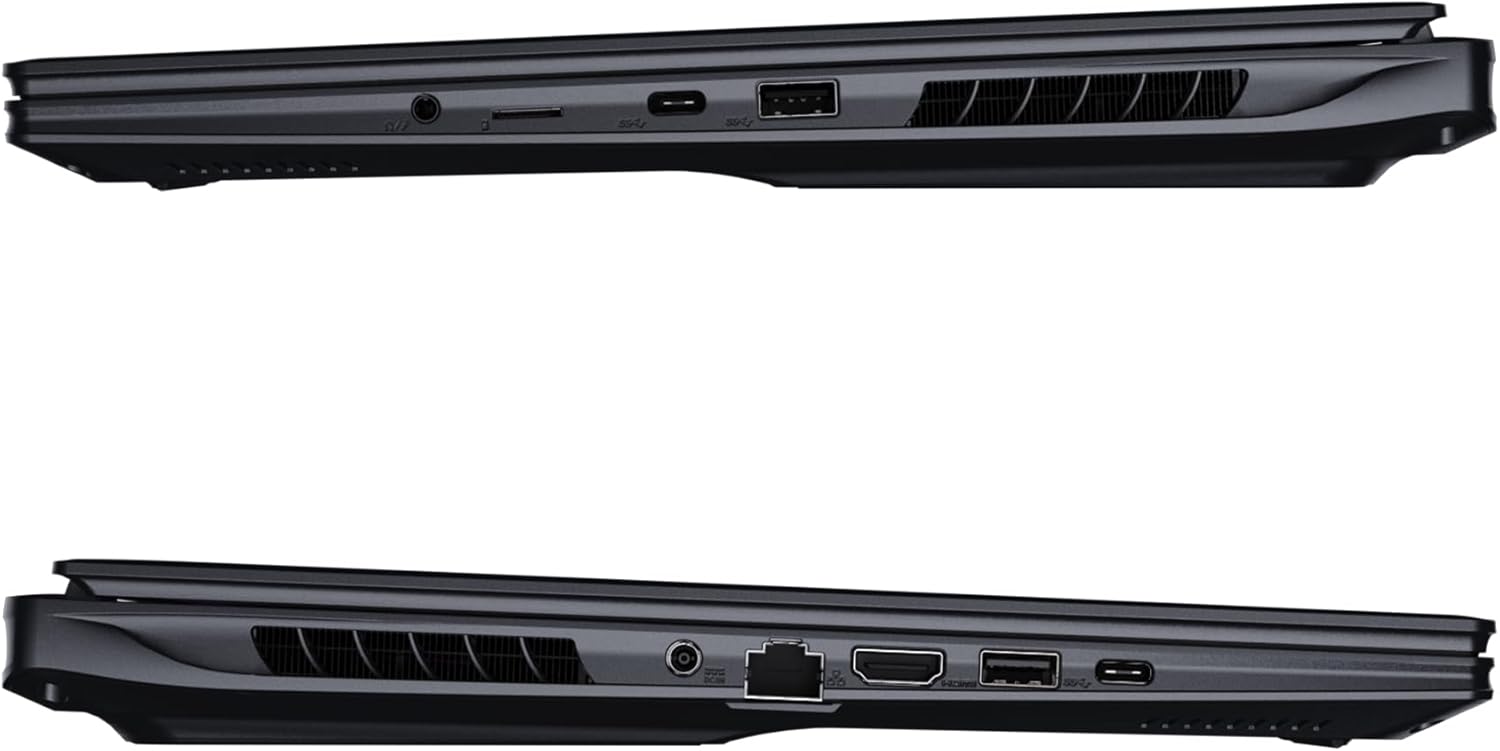
Зображення: Збоку view of the laptop illustrating the available ports for connectivity.
- Порти USB: Підключіть USB-пристрої, такі як миші, клавіатури або зовнішні накопичувачі.
- Порт HDMI: Connect to an external display or TV.
- Порт Thunderbolt 4: Для високошвидкісної передачі даних та виводу на дисплей.
- Порт Ethernet: Для дротового мережевого підключення.
- Роз'єм для навушників: Для виведення звуку на навушники або зовнішні динаміки.
- Wi-Fi 7: Connect to wireless networks via the integrated Wi-Fi 7 module.
- Bluetooth 5.4: Сполучення з пристроями з підтримкою Bluetooth.
3. Керування ноутбуком
3.1 Функції дисплея
Your AORUS Elite 16 BWH features a 16-inch WQXGA (2560x1600) IPS display with a 165Hz refresh rate and 16:10 aspect ratio, offering a wide viewing experience. It supports Dolby Vision for enhanced visual quality and is Pantone validated for color accuracy.

Image: The laptop's 16:10 aspect ratio display, highlighting its IPS panel and Pantone validation.
3.2 Клавіатура та сенсорна панель
The laptop is equipped with a backlit keyboard for comfortable typing in various lighting conditions and a responsive touchpad for navigation.
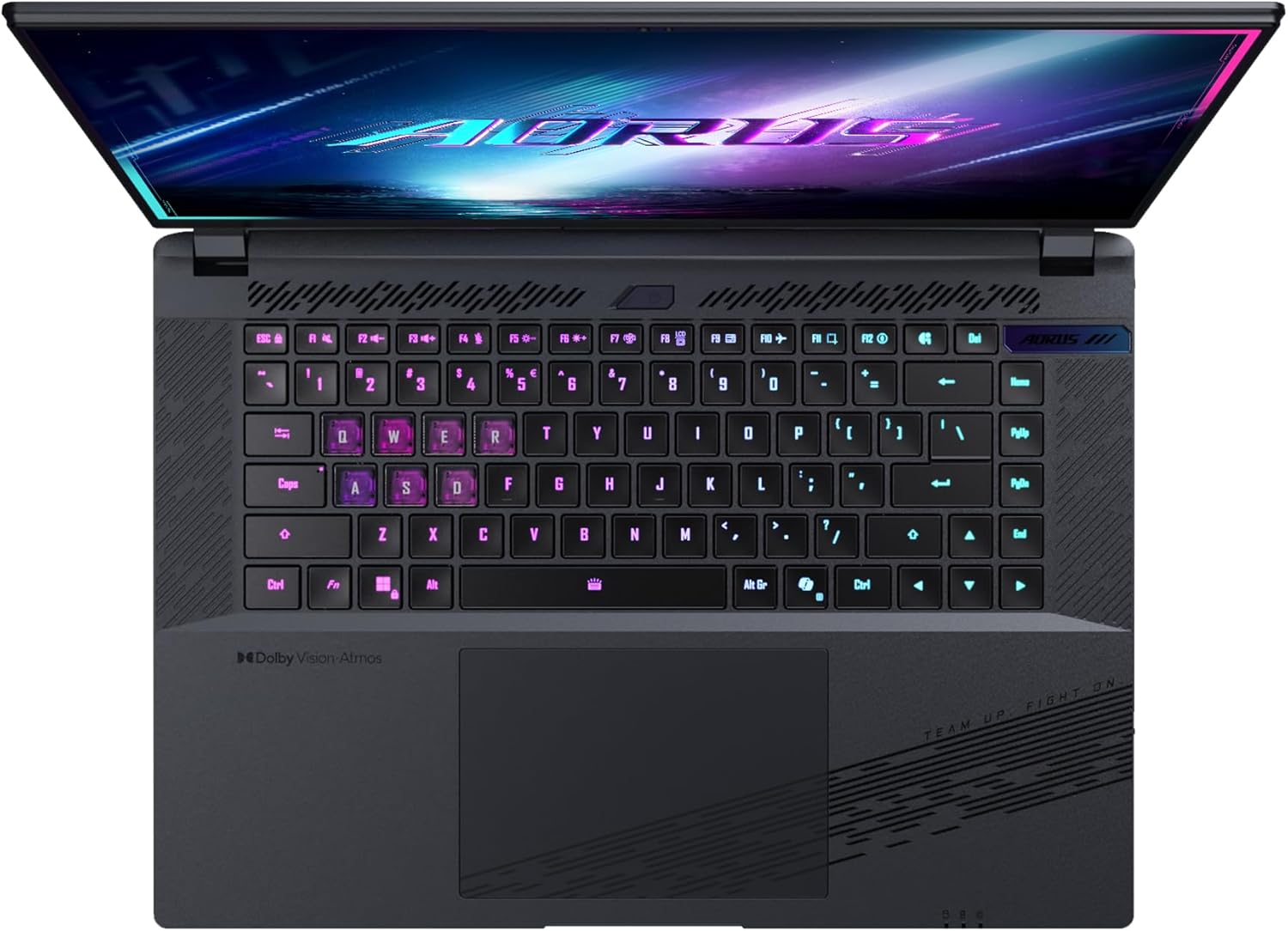
Зображення: Зверху вниз view клавіатури ноутбука, шоуasing its backlit keys.
The keyboard also features a dedicated Copilot Key for quick access to AI functionalities in Windows 11.

Image: Close-up of the keyboard, highlighting the Copilot Key for AI features.
3.3 Аудіосистема
Experience immersive audio with Dolby Atmos support and integrated 2W speakers. The laptop also includes a built-in microphone for communication.

Image: Visual representation of Dolby Atmos and Dolby Vision audio and visual enhancements.
3.4 Характеристики продуктивності
The AORUS Elite 16 BWH is powered by an Intel Core Ultra 9 processor with an integrated NPU for AI acceleration and an NVIDIA GeForce RTX 5070 laptop GPU, ensuring high performance for gaming and demanding tasks. It also features Advanced Optimus with DDS Technology for optimized graphics performance.

Зображення: Детальний view of the Intel Core Ultra 9 processor chip.
Зображення: Детальний view of the NVIDIA GeForce RTX 50 Series laptop GPU chip.
3.5 GiMATE AI Agent
Utilize GiMATE, your personal AI agent, to optimize performance, manage smart cooling, enhance privacy, control power settings, and improve audio and voice functionalities.

Image: GiMATE AI Agent interface showing various optimization features.
4. Технічне обслуговування
4.1 Система охолодження
The laptop features the WINDFORCE Infinity cooling system to maintain optimal temperatures during intensive use. Ensure the vents are clear of obstructions to allow proper airflow.

Image: Representation of the WINDFORCE Infinity cooling system.
4.2 Очищення
Використовуйте м’яку тканину без ворсу для очищення екрана та зовнішніх поверхонь. Для видалення стійких плям, dampen the cloth slightly with water or a screen-cleaning solution. Avoid harsh chemicals.
4.3 Догляд за акумулятором
To prolong battery life, avoid extreme temperatures and do not leave the laptop fully charged or fully discharged for extended periods.
4.4 Оновлення програмного забезпечення
Regularly update your Windows operating system, drivers, and GIGABYTE software to ensure optimal performance and security.
5. Вирішення проблем
5.1 Проблеми з живленням
- Ноутбук не вмикається: Переконайтеся, що адаптер живлення надійно підключений, а розетка справна. Перевірте рівень заряду акумулятора.
- Акумулятор не заряджається: Перевірте, чи не пошкоджено адаптер живлення та кабель. Спробуйте іншу розетку.
5.2 Проблеми з дисплеєм
- Немає дисплея: Connect an external monitor to check if the issue is with the laptop's screen. Ensure the laptop is powered on.
- Мерехтіння або спотворення зображення: Оновіть драйвери графіки. Перевірте підключення кабелів дисплея, якщо використовуєте зовнішній монітор.
5.3 Проблеми з підключенням
- Wi-Fi не підключається: Check if Wi-Fi is enabled in Windows settings. Restart your router and laptop.
- Пристрій Bluetooth не підключається: Ensure the device is in pairing mode and within range. Update Bluetooth drivers.
5.4 Загальні проблеми з продуктивністю
- Повільна продуктивність: Close unnecessary applications. Check for malware. Ensure sufficient free disk space.
- Перегрів: Ensure cooling vents are clear. Use the laptop on a hard, flat surface.
З питань складніших питань зверніться до служби підтримки GIGABYTE. webсайту або зв’яжіться зі службою підтримки клієнтів.
6. Технічні характеристики
| Особливість | Деталь |
|---|---|
| Бренд | GIGABYTE |
| Назва моделі | AORUS ELITE 16 BWHC3FRC65SP |
| Розмір екрана | 16 дюймів |
| Колір | Сірий |
| Розмір жорсткого диска | 2000 GB (2x 1TB SSD Gen4) |
| Модель процесора | Intel Core Ultra 9 275HX |
| Розмір встановленої оперативної пам'яті | 32 ГБ DDR5 |
| Операційна система | Windows 11 Pro |
| Особливість | Backlit Keyboard, Memory Card Slot |
| Опис графічної карти | Присвячений |
| Графічний співпроцесор | NVIDIA GeForce RTX 5070 |
| Технологія жорстких дисків | SSD |
| Вага товару | 2300 грамів |
| WebМожливість кулачка | Yes (Frontal) |
| Розмір оперативної пам'яті відеокарти | 8 ГБ GDDR6 |
| Максимальна підтримувана оперативна пам'ять | 64 ГБ |
| Вміст енергії батареї | 99 Watt-hours (Lithium-polymer, 4 cells) |
| Підключення | Bluetooth 5.4, Ethernet (10/1000 Mbit/s), HDMI (1 port), Thunderbolt 4 (1 port), USB 3.2 Gen 2 (2 ports), Wi-Fi 7 (802.11.be) |
| Швидкість процесора | 2.7 GHz (Max 5.4 GHz) |
| Кількість процесорів | 24 |
| Роздільна здатність екрана | 2560 x 1600 пікселів (WQXGA) |
| Тип дисплея | IPS LCD |
| Функції аудіо | Dolby Atmos, 2x 2W Integrated Speakers, Integrated Microphone |
7. Інформація про гарантію
Your GIGABYTE AORUS Elite 16 BWH laptop comes with a 2 рік обмеженої гарантії. This warranty covers manufacturing defects and hardware malfunctions under normal use. Please retain your proof of purchase for warranty claims. For detailed terms and conditions, refer to the warranty card included with your product or visit the official GIGABYTE webсайт.
8. Підтримка
For technical assistance, driver downloads, and further product information, please visit the official GIGABYTE support webсайт. Ви також можете знайти там розділ поширених запитань та форуми спільноти.
- Офіційний представник GIGABYTE Webсайт: www.gigabyte.com
- Обслуговування клієнтів: Refer to your regional GIGABYTE webмісцеву контактну інформацію.