
1. Вступ
Дякуємо за покупкуasing the THINKYA TH-A10 Portable CD Player. This device combines classic CD playback with modern connectivity options, including Bluetooth 5.1, USB, AUX, and optical output. Designed for high-fidelity audio, it features built-in stereo speakers, a rechargeable battery, and anti-skip protection for stable playback. Please read this manual thoroughly before use to ensure proper operation and to maximize your listening experience.

Image: The THINKYA TH-A10 Portable CD Player, highlighting its elegant wooden finish and compact form factor.
2. Продукт закінчивсяview
2.1 Компоненти та елементи керування
The TH-A10 CD player is designed with user-friendly controls and a robust build. It features a wooden cabinet for enhanced sound quality and reduced resonance.
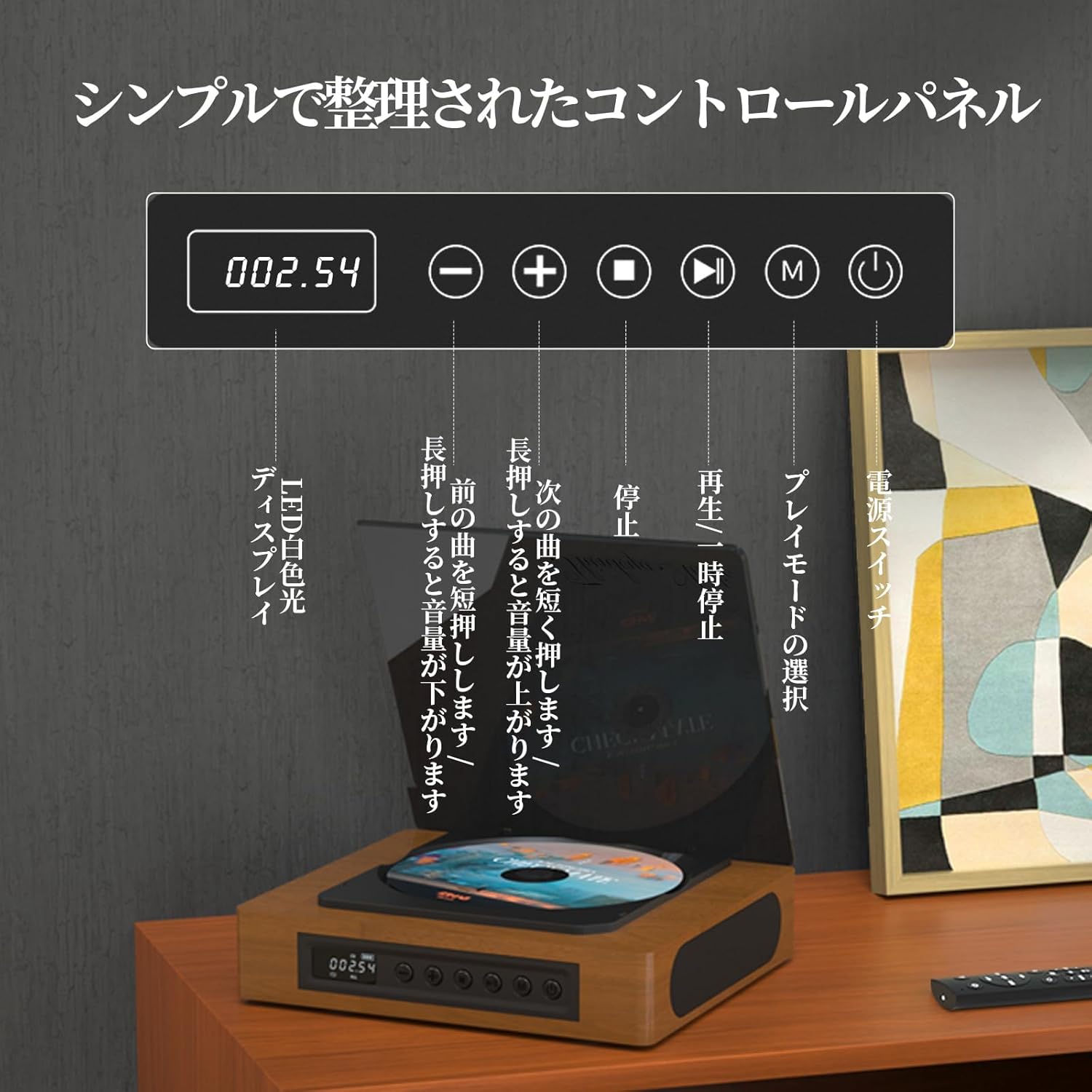
Image: The control panel and LED display of the TH-A10 CD Player. The LED display shows track number and time, while buttons control playback, volume, and mode selection.
Функції панелі керування:
- Світлодіодний дисплей: Shows current track, time, and mode.
- Вимикач живлення: Вмикає/вимикає пристрій.
- Кнопка відтворення/паузи: Запуск або призупинення відтворення.
- Кнопка «Попередній»/«Зменшення гучності»: Коротке натискання для попереднього треку, довге натискання для зменшення гучності.
- Кнопка «Далі»/«Збільшення гучності»: Коротке натискання для наступного треку, довге натискання для збільшення гучності.
- Кнопка зупинки: Зупинка відтворення.
- Кнопка режиму (M): Selects playback mode (CD, Bluetooth, USB, AUX, Optical).

Зображення: Детальне view of the LED display, indicating operational status and battery level.
2.2 Підключення задньої панелі
The rear panel provides various ports for external connections.

Image: The rear panel of the TH-A10, displaying the various input/output ports including USB, AUX, Type-C for charging, and Optical output.
Порти:
- Вхід постійного струму (тип C): For charging the internal battery or powering the device.
- Порт USB: Для відтворення аудіо files from a USB memory stick.
- AUX IN/OUT (3.5mm Jack): For connecting external audio devices or outputting audio to headphones/speakers.
- Optical Output (SPDIF): Для підключення до зовнішнього amplifier or DAC for high-fidelity audio.
3. Налаштування
3.1 Увімкнення та заряджання
- Connect the provided Type-C charging cable to the DC IN port on the rear of the player.
- Connect the other end of the cable to a USB power adapter (not included) or a powered USB port.
- The LED display will indicate charging status. A full charge provides approximately 6 hours of playback.
- Press the Power Switch to turn on the device.

Image: Charging options for the TH-A10, including wall adapter, car charger, and power bank, connected via the Type-C port.
3.2 Початкове розміщення
Place the CD player on a stable, flat surface. Ensure adequate ventilation around the unit.
4. Інструкція з експлуатації
4.1 Відтворення CD
- Обережно відкрийте пилозбірник.
- Place a CD (CD, CD-R, CD-RW) onto the spindle, label side up.
- Закрийте кришку від пилу.
- Press the 'M' (Mode) button until 'CD' mode is selected.
- Натисніть кнопку відтворення/паузи, щоб розпочати відтворення.
- Use the Previous/Next buttons to skip tracks. Long press for volume adjustment.
Примітка: This player does not support Blu-ray discs.

Image: Playback modes (sequential, repeat one, repeat all, random) and the ASP anti-shock function are shown, indicating versatile and stable audio experience.
4.2 Bluetooth Operation (Receive/Transmit)
The TH-A10 supports Bluetooth 5.1 for both receiving and transmitting audio.

Image: The TH-A10's Bluetooth functionality, demonstrating connections to various devices like smartphones, tablets (receiving), and Bluetooth speakers or headphones (transmitting).
4.2.1 Bluetooth Receive Mode:
- Press the 'M' (Mode) button until 'BT' mode is selected. The LED display will show 'BT' and flash, indicating pairing mode.
- На смартфоні або планшеті увімкніть Bluetooth і знайдіть доступні пристрої.
- Select 'TH-A10' from the list to pair. Once connected, the 'BT' indicator will stop flashing.
- You can now play audio from your device through the TH-A10's speakers.
4.2.2 Bluetooth Transmit Mode:
- Переконайтеся, що ваші Bluetooth-навушники або динамік перебувають у режимі сполучення.
- Press the 'M' (Mode) button until 'BT' mode is selected.
- The TH-A10 will automatically search for nearby Bluetooth receiving devices.
- Once connected, audio from the CD player (or other selected source) will be transmitted to your Bluetooth headphones/speaker.
4.3 Відтворення з USB
- Insert a USB memory stick containing MP3, WMA, or WAV audio fileдо USB-порту на задній панелі.
- Press the 'M' (Mode) button until 'USB' mode is selected.
- The player will automatically begin playing audio files з USB-накопичувача.
4.4 AUX Input/Output
4.4.1 AUX Input:
- Connect an external audio device (e.g., smartphone, MP3 player) to the AUX port using a 3.5mm audio cable.
- Press the 'M' (Mode) button until 'AUX' mode is selected.
- Play audio from your external device. The sound will be output through the TH-A10's speakers.
4.4.2 AUX Output (Headphones/External Speakers):
- Connect headphones or external speakers to the AUX port using a 3.5mm audio cable.
- Select your desired playback mode (CD, Bluetooth, USB).
- Audio will be routed to the connected headphones or external speakers.
4.5 Оптичний вихід
For the highest audio fidelity, use the optical output.
- Connect an optical cable (not included) from the SPDIF Optical Output port on the TH-A10 to an optical input on your amplifier або DAC.
- Select the optical input on your ampрятувальний пристрій/ЦАП.
- Play audio from the TH-A10 (CD, USB, or Bluetooth source).
4.6 Пульт дистанційного керування
Пульт дистанційного керування, що входить до комплекту, дозволяє зручно керувати пристроєм на відстані до 10 метрів.
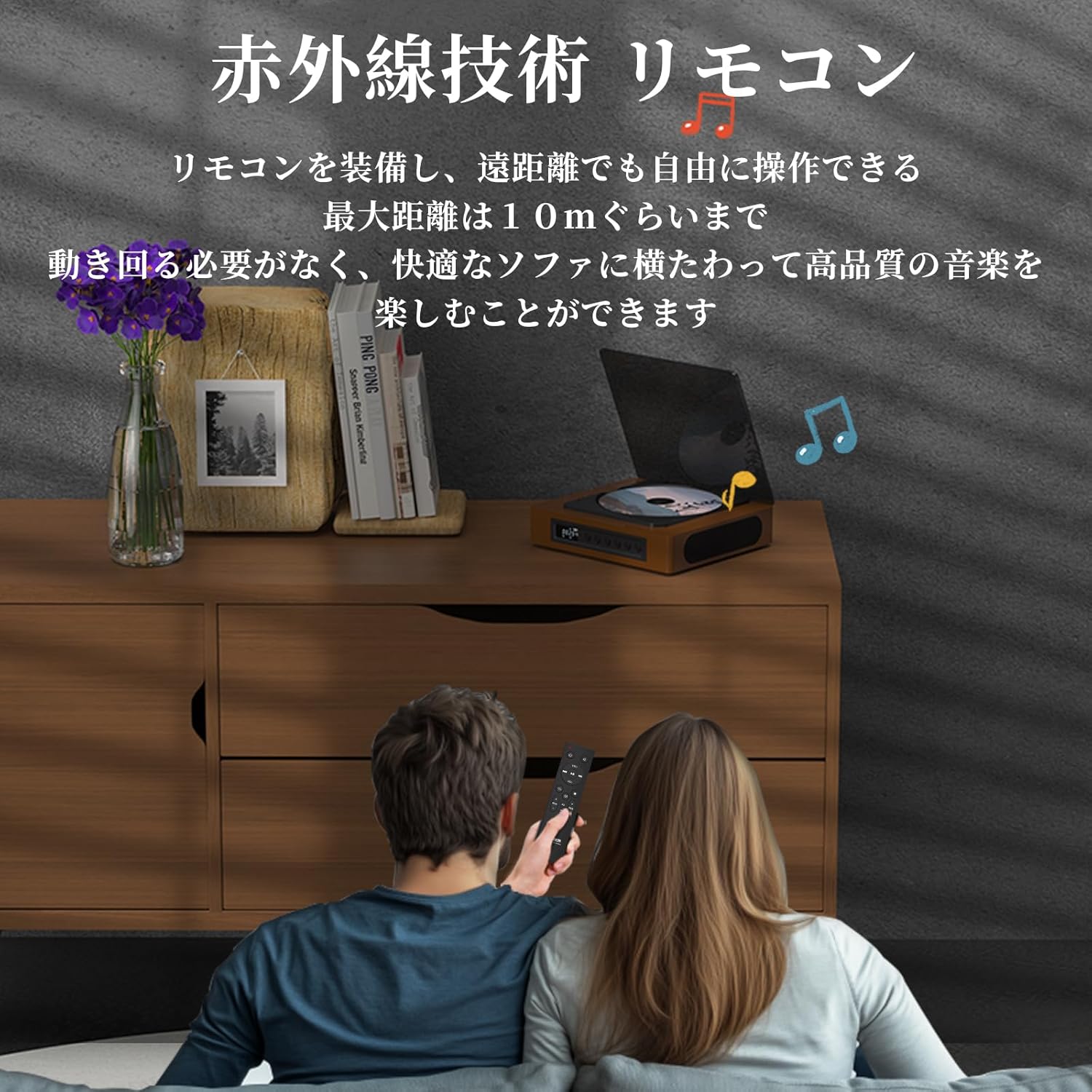
Image: A couple using the remote control for the TH-A10 CD Player, demonstrating its convenience for remote operation.
5. Технічне обслуговування
5.1 Очищення
- Протріть зовнішню частину пристрою м’якою сухою тканиною.
- For the CD lens, use a specialized CD lens cleaner. Do not touch the lens directly.
- Keep the transparent dust cover clean to prevent dust accumulation on the CD.

Image: The transparent dust cover of the TH-A10, designed to protect the CD mechanism from dust and moisture.
5.2 Зберігання
Якщо програвач не використовується протягом тривалого часу, зберігайте його в прохолодному, сухому місці, подалі від прямих сонячних променів та екстремальних температур.
6. Вирішення проблем
| проблема | Можлива причина | Рішення |
|---|---|---|
| Немає живлення | Розряджена батарея; кабель живлення не підключено. | Зарядіть акумулятор; переконайтеся, що кабель живлення надійно підключений. |
| Компакт-диск не відтворюється | CD inserted incorrectly; Disc is dirty or scratched; Incorrect mode selected; Blu-ray disc inserted. | Reinsert CD correctly; Clean or replace disc; Select 'CD' mode; Blu-ray discs are not supported. |
| Немає звуку з динаміків | Volume too low; Mute activated; External headphones/speakers connected to AUX out. | Increase volume; Check mute status; Disconnect external audio devices from AUX out if using internal speakers. |
| Помилка з’єднання Bluetooth | Device not in pairing mode; Out of range; Interference. | Ensure both devices are in pairing mode; Move devices closer; Restart Bluetooth on both devices. |
| Skipping during CD playback | Player is unstable; Disc is damaged; Excessive vibration. | Place player on a stable surface; Clean or replace disc; ASP anti-shock function is active for minor vibrations. |
7. Технічні характеристики
| Особливість | Деталь |
|---|---|
| Номер моделі | TH-A10 |
| Бренд | ТІНКЯ |
| Підключення | Bluetooth 5.1 (Receive/Transmit), USB, AUX (3.5mm), Optical (SPDIF), Type-C (Power) |
| Підтримувані формати дисків | CD, CD-R, CD-RW (Not compatible with Blu-ray discs) |
| Підтримувані аудіоформати | MP3, WMA, WAV, APE, FLAC (from USB) |
| Ємність акумулятора | 2600 мАг |
| Час відтворення (від батареї) | Приблизно 6-8 годин (залежно від використання) |
| Доповідачі | Built-in Stereo Speakers (2x50mm Neodymium Iron Boron Magnetic Units) |
| Anti-Shock Protection (ASP) | 60 секунд для CD, 120 секунд для MP3 |
| Розміри (Д x Ш x В) | 17.8 х 15.8 х 4.85 см |
| вага | 1.12 кг |
| Аксесуари в комплекті | CD Player, Audio Line, Type-C Charging Cable, Remote Control, Instruction Manual |
8. Гарантія та підтримка
8.1 Інформація про гарантію
This THINKYA TH-A10 CD Player comes with a Гарантія 1 рік from the date of purchase. This warranty covers defects in materials and workmanship under normal use. If the product fails due to a manufacturing defect within this period, we will provide a free replacement. Please retain your proof of purchase for warranty claims.
Примітка: Гарантія не поширюється на пошкодження, спричинені неправильним використанням, нещасним випадком, несанкціонованою модифікацією або нормальним зносом.
8.2 Підтримка клієнтів
For any questions, technical assistance, or warranty claims, please contact THINKYA customer support through the retailer where you purchased the product. Our team is dedicated to providing prompt and helpful service.