
THOMSON B210
Інструкція користувача Bluetooth-саундбара THOMSON B210
Модель: B210
1. Інформація про безпеку
Будь ласка, уважно прочитайте всі інструкції з техніки безпеки перед використанням цього виробу. Зберігайте цей посібник для подальшого використання.
- Не піддавайте саундбар впливу дощу, вологи або екстремальних температур.
- Не блокуйте вентиляційні отвори.
- Використовуйте лише насадки/аксесуари, зазначені виробником.
- Unplug the soundbar during lightning storms or when unused for long periods.
- Звертайтеся до кваліфікованого сервісного персоналу.
2. Вміст упаковки
Перевірте наявність усіх елементів в упаковці:
- THOMSON B210 Bluetooth Soundbar
- Пульт дистанційного керування
- Адаптер живлення
- Посібник користувача
- Аудіокабелі (наприклад, оптичний, AUX – конкретні кабелі можуть відрізнятися)
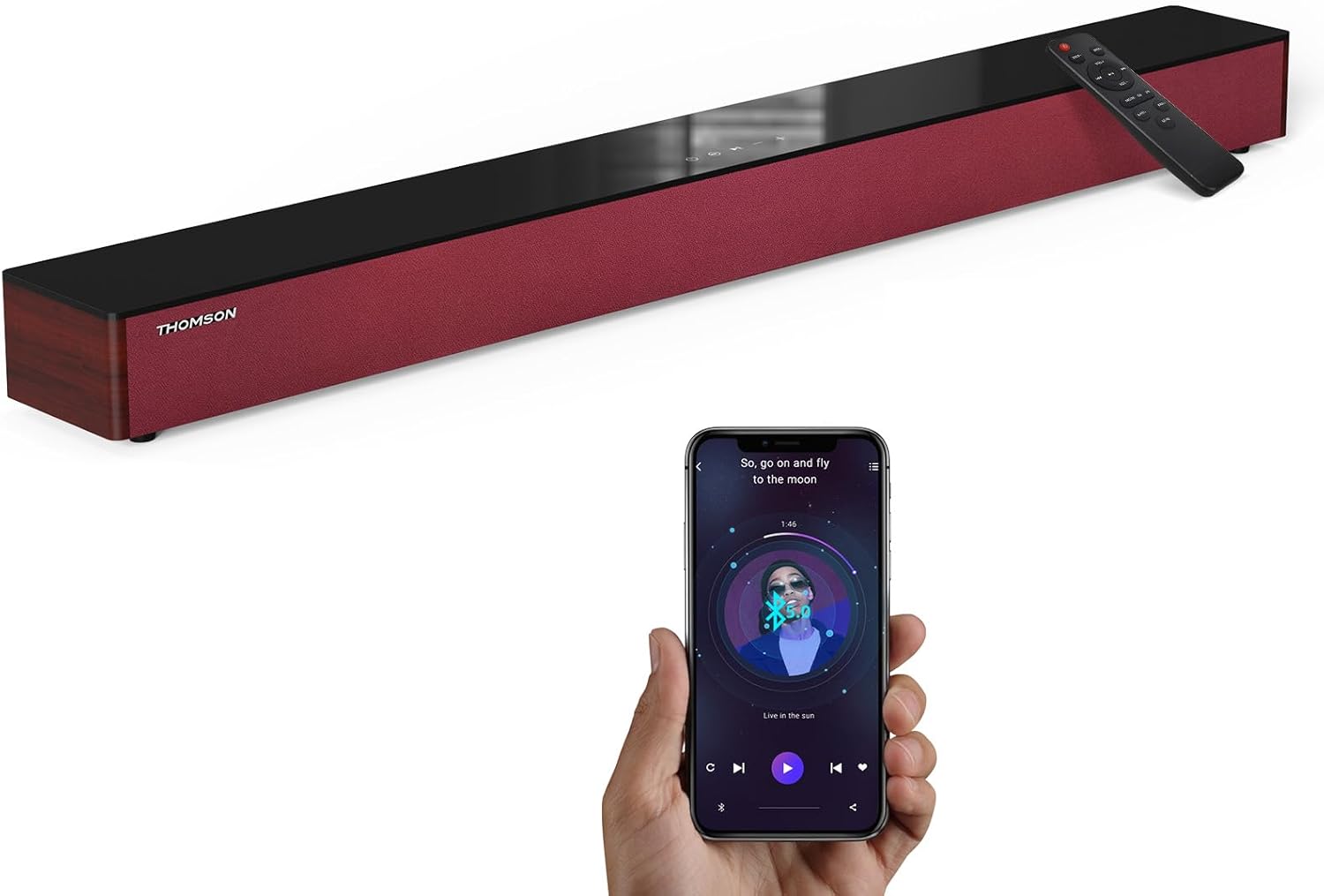
Image: The THOMSON B210 Soundbar, its remote control, and a smartphone demonstrating Bluetooth connectivity.
3. Продукт закінчивсяview
3.1 Передня та верхня панелі
The soundbar features intuitive controls on its top panel for easy access.
3.2 Підключення задньої панелі
The rear panel provides various input ports for connecting to different audio sources.

Зображення: Детальне view of the soundbar's rear connection ports, including AUX IN, COAXIAL, OPTICAL, HDMI ARC, USB, and DC IN.
3.3 Пульт дистанційного керування
The included remote control allows for convenient operation of all soundbar functions.

Image: A hand operating the soundbar with its remote control, demonstrating wireless command over the device.
4. Налаштування
4.1 Розміщення
Place the soundbar on a stable, flat surface directly in front of your television for optimal sound dispersion. Ensure there is adequate space around the soundbar for ventilation.
4.2 Підключення живлення
- Підключіть адаптер живлення до порту DC IN на задній панелі саундбара.
- Підключіть інший кінець адаптера живлення до настінної розетки.
5. Інструкція з експлуатації
5.1 Увімкнення/вимкнення живлення
Press the Power button on the soundbar's top panel or the remote control to turn the unit on or off.
5.2 Регулювання гучності
Використовуйте кнопки збільшення гучності (+) та зменшення гучності (-) на саундбарі або пульті дистанційного керування, щоб налаштувати рівень гучності.
5.3 Вибір входу
Press the 'MODE' button on the soundbar or remote control to cycle through available input sources: ARC, Optical, AUX, USB, and Bluetooth.
5.4 Режими еквалайзера
The soundbar offers three distinct equalizer modes to optimize audio for different content types:
- Музичний режим: Enhances musical clarity and bass.
- Режим фільму: Provides a more immersive cinematic experience.
- Режим новин: Optimizes dialogue for clear speech.
Press the corresponding EQ button on the remote control to select your desired mode.

Image: Visual representation of the soundbar's optimized audio modes for Music, Movie, and News content.
6. Зв'язки
The THOMSON B210 Soundbar supports multiple connection types for versatility.

Image: The soundbar demonstrating its compatibility with multiple devices such as projectors, PCs, game consoles, and smartphones.
6.1 Підключення HDMI ARC
For the best audio quality and control, connect your TV to the soundbar using an HDMI cable via the ARC port.
- Connect one end of an HDMI cable to the HDMI ARC port on your TV.
- Connect the other end to the HDMI ARC port on the soundbar.
- Select 'ARC' as the input source on the soundbar.
6.2 Оптичне з'єднання
Use an optical cable for a high-quality digital audio connection.
- Connect one end of an optical cable to the Optical OUT port on your TV or audio device.
- Connect the other end to the OPTICAL port on the soundbar.
- Select 'Optical' as the input source on the soundbar.
6.3 З'єднання AUX
For analog audio devices, use an AUX cable.
- Connect one end of a 3.5mm audio cable to the headphone jack or AUX OUT port on your device.
- Connect the other end to the AUX IN port on the soundbar.
- Select 'AUX' as the input source on the soundbar.
6.4 Підключення USB
Відтворити аудіо files безпосередньо з USB -накопичувача.
- Вставте USB-накопичувач у USB-порт на саундбарі.
- Select 'USB' as the input source on the soundbar.
- The soundbar will automatically begin playing compatible audio files.
6.5 Створення пари Bluetooth
Підключіть свій смартфон, планшет або інший пристрій із підтримкою Bluetooth бездротовим способом.
- Turn on the soundbar and select 'Bluetooth' mode using the 'MODE' button. The Bluetooth indicator will flash.
- Увімкніть Bluetooth на своєму пристрої та знайдіть доступні пристрої.
- Select 'THOMSON B210' from the list.
- Після сполучення індикатор Bluetooth перестане блимати та світитиметься постійно.

Image: A family enjoying entertainment with the soundbar, illustrating seamless Bluetooth connectivity from a smartphone.
7. Технічне обслуговування
Щоб забезпечити довговічність та оптимальну роботу вашої звукової панелі, дотримуйтесь цих інструкцій з обслуговування:
- Прибирання: Використовуйте м’яку суху тканину для очищення поверхні саундбара. Не використовуйте рідкі засоби для чищення або абразивні матеріали.
- Зберігання: Якщо саундбар зберігатиметься протягом тривалого часу, від’єднайте його від розетки та зберігайте в прохолодному сухому місці.
- Вентиляція: Переконайтеся, що вентиляційні отвори не засмічені, щоб запобігти перегріванню.
8. Вирішення проблем
If you encounter issues with your THOMSON B210 Soundbar, refer to the following common problems and solutions:
| проблема | Можлива причина | Рішення |
|---|---|---|
| Немає живлення | Кабель живлення не підключено; розетка неактивна | Переконайтеся, що кабель живлення надійно підключений; спробуйте іншу розетку |
| Ні звуку | Неправильне джерело вхідного сигналу; Занадто низька гучність; Увімкнено вимкнення звуку; Проблема з підключенням кабелю | Select correct input source; Increase volume; Deactivate mute; Check audio cable connections |
| Помилка з’єднання Bluetooth | Soundbar not in pairing mode; Device Bluetooth off; Device too far | Ensure soundbar is in Bluetooth mode (flashing indicator); Enable Bluetooth on device; Move device closer to soundbar |
| Пульт не працює | Розряджені батарейки; Перешкода між пультом дистанційного керування та саундбаром | Replace remote control batteries; Remove any obstructions; Ensure remote is pointed at the soundbar's sensor |
9. Технічні характеристики
Detailed technical specifications for the THOMSON B210 Soundbar:
- модель: B210
- Бренд: ТОМСОН
- Розміри продукту: 36.5 дюйма (Г) x 4.7 дюйма (Ш) x 2.9 дюйма (В) (92.7 см x 11.8 см x 7.3 см)
- Вага товару: 11 фунти (приблизно 5 кг)
- Максимальна вихідна потужність динаміка: 50 Вт
- Тип монтажу: Настільне кріплення
- Версія Bluetooth: 5.3
- Коефіцієнт сигнал-шум: 70 дБ
- Доповідачі: 4 Full Range Speakers, 2 Woofers (Advanced Bass Diaphragms)
- Вхідні з'єднання: ARC (HDMI), Optical, AUX, USB, Bluetooth

Image: Physical dimensions of the soundbar, showing length, width, and height in centimeters, along with a view із задніх портів.

Image: Internal component diagram of the soundbar, detailing its 4 high-performance drivers and 2 advanced bass diaphragms for enhanced audio.
10. Гарантія та підтримка
THOMSON products are manufactured to high-quality standards. For warranty information and technical support, please refer to the warranty card included with your product or visit the official THOMSON support webсайт.
For further assistance, please contact THOMSON customer service.
Ask a question about this manual
Ask about setup, troubleshooting, compatibility, parts, safety, or missing instructions. Manuals+ will review the question and use this page’s manual context to help answer it.