
1. Вступ
This manual provides detailed instructions for the installation, configuration, and operation of the Intelbras iNVD 5232 32-Channel IP Digital Video Recorder. Please read this manual thoroughly before using the device to ensure proper functionality and to prevent damage.
The Intelbras iNVD 5232 is designed for professional surveillance applications, offering advanced features for recording, monitoring, and managing IP camera feeds.
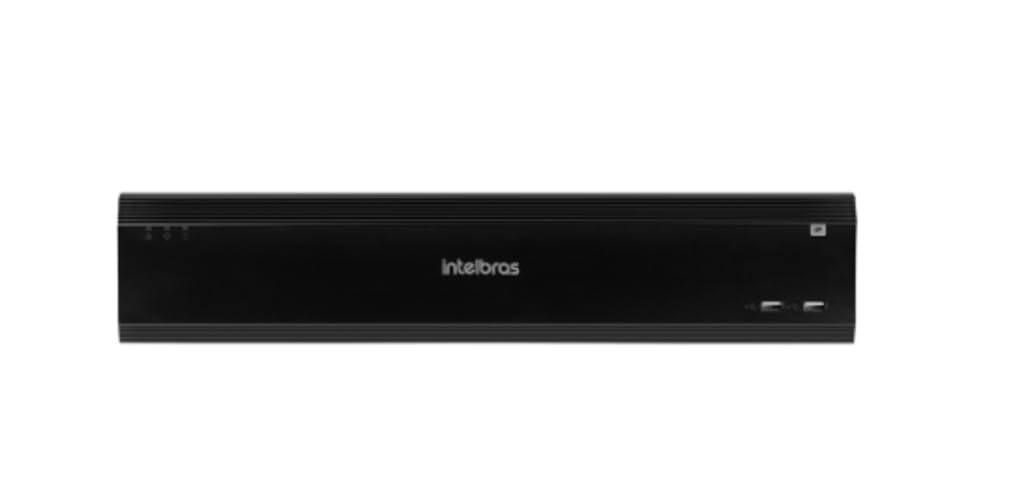
Figure 1: Intelbras iNVD 5232 Digital Video Recorder. This image shows the front panel of the iNVD 5232 unit, featuring a sleek black design with the Intelbras logo and USB ports.
2. Інформація про безпеку
Дотримуйтесь наступних запобіжних заходів, щоб запобігти травмам та пошкодженню пристрою:
- Переконайтеся, що блок живлення обtage відповідає вимогам пристрою.
- Не піддавайте пристрій впливу вологи, дощу або екстремальних температур.
- Уникайте розміщення пристрою під прямими сонячними променями або поблизу джерел тепла.
- Не відкривайте пристрій casing. Звертайтеся до кваліфікованого персоналу з усіх питань технічного обслуговування.
- Використовуйте лише аксесуари, зазначені виробником.
- Properly ground the device to prevent electrical shock.
3. Вміст упаковки
Перевірте наявність усіх елементів в упаковці:
- Intelbras iNVD 5232 Digital Video Recorder Unit
- Адаптер живлення
- USB миша
- Гвинти для встановлення жорсткого диска
- Короткий посібник
- CD-ROM (containing software and full manual)
4. Продукт закінчивсяview
4.1 Передня панель
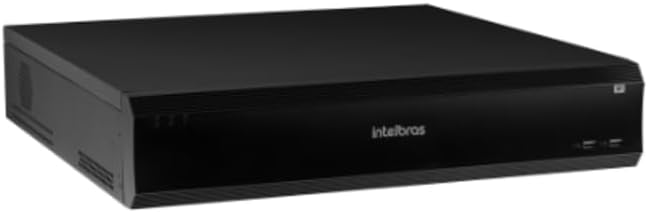
Figure 2: Front Panel of the iNVD 5232. This image displays the front of the DVR, showing LED indicators for power and status, along with two USB ports for peripheral connections.
- Світлодіод живлення: Вказує на стан живлення.
- Індикатор стану: Показує робочий стан системи.
- Порти USB: For connecting a mouse, USB drive, or other peripherals.
4.2 Задня панель

Figure 3: Rear Panel of the iNVD 5232. This image details the rear connections, including power input, network ports, video outputs (HDMI, VGA), audio inputs/outputs, and alarm terminals.
- Споживана потужність: Підключіть наданий адаптер живлення.
- Вихід HDMI: Connect to an HDMI-compatible monitor.
- Вихід VGA: Connect to a VGA-compatible monitor.
- Локальні порти: Connect to your network for IP camera communication and remote access.
- Аудіо вхід/вихід: Для підключення зовнішніх аудіопристроїв.
- Alarm In/Out: For connecting external alarm sensors and actuators.
- Порти USB: Додаткові USB-порти для периферійних пристроїв.
5. Налаштування
5.1 Встановлення обладнання
- Install Hard Drive (if not pre-installed): Відкрийте відеореєстратор casing, mount the hard drive using the provided screws, and connect the SATA power and data cables.
- Підключення монітора: Підключіть монітор до вихідного порту HDMI або VGA.
- Підключення миші: Підключіть USB-мишу до одного з USB-портів.
- Підключити мережу: Connect an Ethernet cable from the LAN port to your network router or switch.
- Підключіть живлення: Plug the power adapter into the DVR's power input and then into a power outlet. The device will power on automatically.
5.2 Початкова конфігурація
Upon first boot, the system will guide you through an initial setup wizard:
- Вибір мови: Виберіть бажану мову.
- Встановлення пароля: Створіть надійний пароль адміністратора.
- Налаштування мережі: Configure IP address, subnet mask, gateway, and DNS. DHCP is usually enabled by default.
- Дата і час: Встановіть правильну дату, час і часовий пояс.
- Ініціалізація жорсткого диска: Format the installed hard drive for recording.
- IP Camera Search and Add: The system will scan for available IP cameras on the network. Select and add your cameras.
6. Операційна
6.1 Живий View
After initial setup, the system will display the live view підключених камер. Ви можете перемикатися між режимами з однією камерою view, multi-camera grids, and sequence views using the on-screen controls or mouse.
6.2 Керування записами
- Розклад запису: Configure continuous, motion-detection, or alarm-triggered recording schedules for each camera.
- Ручний запис: Initiate recording manually from the live view інтерфейс.
- Відтворення: Доступ до записаного footage by date, time, and event type. Use the playback controls to navigate through recordings.
- Резервне копіювання: Export recorded video clips to a USB drive or network storage.
6.3 Віддалений доступ
The iNVD 5232 supports remote access via a web browser or dedicated mobile application. Ensure your network is configured for remote access (e.g., port forwarding or P2P cloud service activation).
- Web Браузер: Enter the DVR's IP address into a web браузер на комп’ютері, підключеному до тієї ж мережі.
- Мобільний додаток: Download the official Intelbras surveillance app from your device's app store. Scan the QR code on the DVR (if available) or manually enter the device ID for connection.
7. Технічне обслуговування
7.1 Очищення
Regularly clean the exterior of the DVR with a soft, dry cloth. Do not use liquid cleaners or aerosols. Ensure ventilation openings are free from dust and obstructions.
7.2 оновлень мікропрограми
Periodically check the Intelbras webсайт для оновлень мікропрограми. Оновлення мікропрограми можуть забезпечити нові функції, покращення продуктивності та безпеки. Уважно дотримуйтесь інструкцій, що надаються разом із пакетом оновлення мікропрограми.
7.3 Керування жорсткими дисками
Monitor the health of your hard drives through the system's HDD management menu. Replace failing drives promptly to avoid data loss. Configure automatic overwriting of old footage для забезпечення безперервного запису.
8. Вирішення проблем
| проблема | Можлива причина | Рішення |
|---|---|---|
| Немає живлення | Power cable disconnected; faulty power adapter; power outlet issue. | Check power connections; test power adapter; try a different outlet. |
| Немає відеовиходу | Monitor off/disconnected; incorrect video output settings; faulty cable. | Ensure monitor is on and connected; check video cable; try a different output port or cable. |
| Cannot connect IP cameras | Network issue; incorrect camera IP address/credentials; camera not powered. | Verify network connectivity; ensure cameras are powered and configured correctly; check camera credentials. |
| Немає запису | HDD not initialized/full; recording schedule not set; camera disconnected. | Initialize HDD; check recording schedule; verify camera connection and status. |
9. Технічні характеристики
| Особливість | опис |
|---|---|
| Модель | iNVD 5232 |
| Відео вхід | 32 IP-канали |
| Відеовихід | 1 HDMI, 1 VGA |
| Аудіо вхід/вихід | Specific ports (e.g., RCA) |
| Роздільна здатність запису | Up to 8MP (depending on camera) |
| Можливість відтворення | Multi-channel synchronous playback |
| Зберігання | Multiple SATA HDD bays (HDDs not included) |
| Мережевий інтерфейс | Гігабітний порт Ethernet |
| Інтерфейс USB | Порти USB 2.0/3.0 |
| Джерело живлення | 12 В постійного струму (адаптер у комплекті) |
| Робоча температура | 0°C до 50°C (32°F до 122°F) |
10. Гарантія та підтримка
For warranty information, please refer to the warranty card included with your product or visit the official Intelbras website. Technical support is available through Intelbras authorized service centers and online resources.
Офіційний користувач Intelbras Webсайт: www.intelbras.com.br
Будь ласка, підготуйте модель вашого продукту та серійний номер, коли звертаєтесь до служби підтримки.