
1. Вступ
Thank you for choosing the AIRMATE FB20187 Standing Fan. This fan is designed to provide efficient air circulation, adjustable lighting, and quiet operation for your home or office. Please read this manual thoroughly before use to ensure proper operation and maintenance.
2. Інформація про безпеку
- Завжди переконайтеся, що вентилятор встановлено на стійкій, рівній поверхні, щоб запобігти перекиданню.
- Не вставляйте пальці або будь-які предмети в решітку вентилятора під час його роботи.
- Тримайте вентилятор подалі від води або інших рідин. Не використовуйте його у вологих середовищах.
- Від’єднайте вентилятор від розетки перед чищенням або будь-яким технічним обслуговуванням.
- Не використовуйте вентилятор з пошкодженим шнуром або вилкою. Зверніться до служби підтримки клієнтів для отримання допомоги.
- Цей прилад не призначений для використання особами (включаючи дітей) з обмеженими фізичними, сенсорними чи розумовими здібностями, або з браком досвіду та знань, якщо вони не перебувають під наглядом або не отримали інструкції щодо використання приладу особою, відповідальною за їх безпеку.
- Слідкуйте за дітьми, щоб переконатися, що вони не граються з пристроєм.
3. Вміст упаковки
Перевірте наявність усіх компонентів в упаковці:
- Головка вентилятора в зборі
- Adjustable Stand Pole (multiple sections for height adjustment)
- База
- Адаптер живлення
- Пульт дистанційного керування
- Посібник користувача (цей документ)
4. Інструкція зі складання
The AIRMATE FB20187 fan is designed for quick and easy assembly. Follow these steps:
- Прикріпіть основу: Securely connect the base to the bottom of the adjustable stand pole. Ensure it clicks into place or is tightened with the provided fastener.
- Assemble the Stand Pole: Depending on your desired height (12" to 39"), connect the appropriate sections of the stand pole.
- Встановлення головки вентилятора: Attach the fan head assembly to the top of the assembled stand pole. Ensure it is firmly seated and locked.
- Підключіть живлення: Plug the power adapter into the fan and then into a suitable electrical outlet.
5. Інструкція з експлуатації
The AIRMATE FB20187 fan offers multiple control options and features for customized comfort.
5.1. Панель керування та пульт дистанційного керування
The fan can be operated using the digital touch display on the unit or the included remote control. The remote control features a magnetic backing for convenient storage on the fan itself.

5.2. Увімкнення/вимкнення живлення
- Press the Power button on the control panel or remote to turn the fan on or off.
5.3. Регулювання швидкості вентилятора
The fan offers 16 precision speed settings.
- Use the 'Fan Speed' buttons on the control panel or remote to increase or decrease the airflow.
- A 'Storm Mode' button may be available for maximum airflow with a single press.
5.4. Oscillation Settings
The fan supports both horizontal and vertical oscillation for wide area coverage.
- Горизонтальне коливання: Select from 60°, 90°, or 120° oscillation angles using the 'Oscillation' button on the control panel or remote.
- Вертикальні коливання: The fan head can be manually adjusted vertically up to 90°.

5.5. Функція світлодіодного індикатора
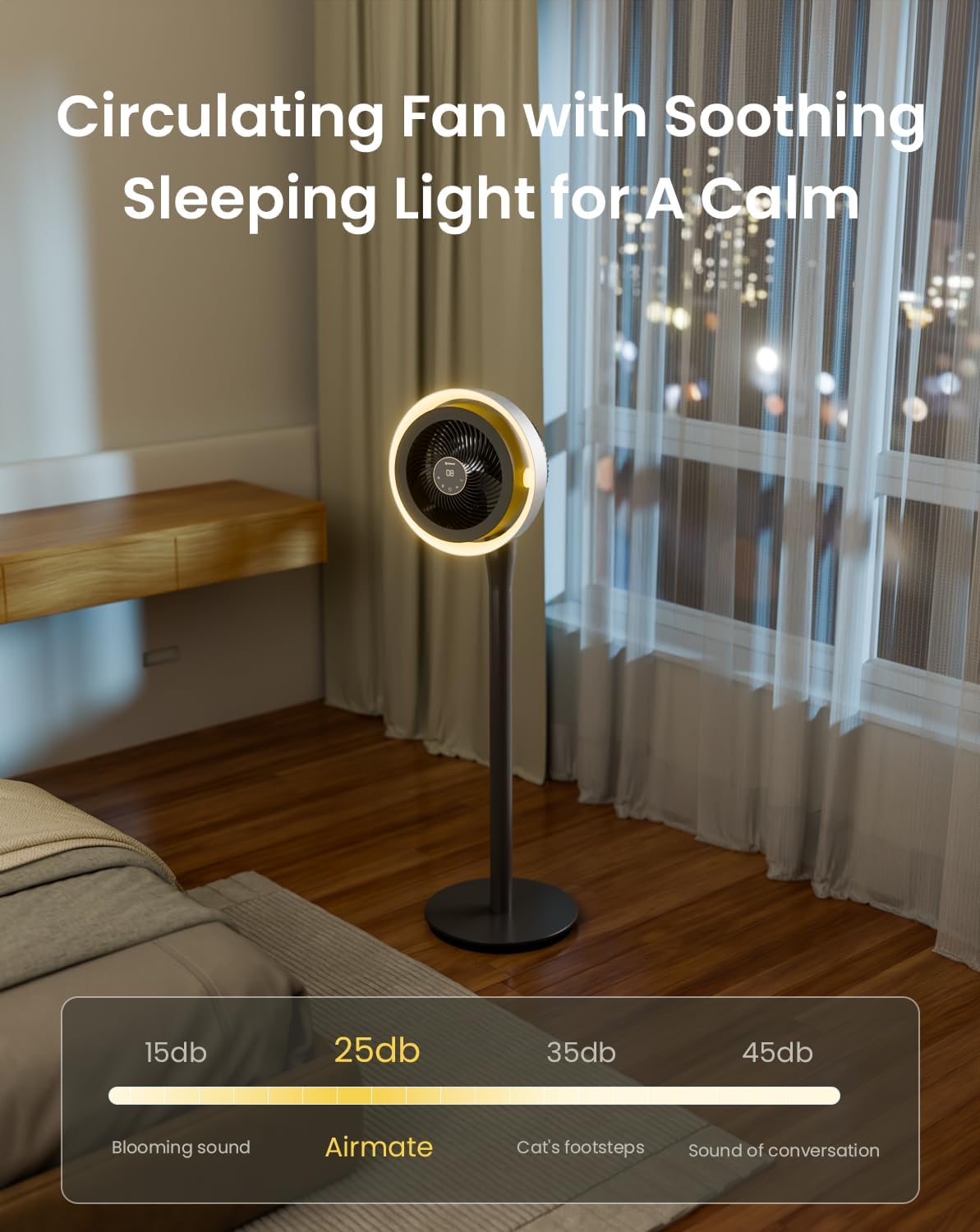
The integrated LED light offers three color temperature options and adjustable brightness.
- Press the 'Light' button on the control panel or remote to cycle through light colors: Warm, Neutral, and Cool White.
- Hold the 'Light' button to adjust the brightness level.

5.6. Функція таймера
Set the fan to operate for a specific duration using the 12-hour programmable timer.
- Press the 'Timer' button on the remote control to set the desired operating time. The fan will automatically turn off after the set period.
5.7. Режим без звуку
- The fan features a mute mode to silence button presses for undisturbed use, especially during sleep.
6. Технічне обслуговування
Regular cleaning and maintenance will ensure the longevity and optimal performance of your AIRMATE fan.
- Очищення зовнішньої частини: Протріть зовнішні поверхні вентилятора м’якою тканиноюamp тканина. Не використовуйте абразивні засоби чи розчинники.
- Cleaning the Fan Grille and Blades: Unplug the fan before attempting to clean the grille or blades. The fan head can be disassembled for easier access to the blades. Use a soft brush or vacuum cleaner to remove dust. Ensure all parts are dry before reassembly and use.
- Зберігання: Якщо вентилятор не використовується протягом тривалого часу, зберігайте його в прохолодному, сухому місці, бажано в оригінальній упаковці.
7. Вирішення проблем
Якщо у вас виникли будь-які проблеми з вентилятором, зверніться до наступних поширених проблем та способів їх вирішення:
| проблема | Можлива причина | Рішення |
|---|---|---|
| Вентилятор не включається | No power supply; Power button not pressed; Damaged power cord/adapter | Check power connection; Press power button; Inspect cord for damage, contact support if damaged. |
| Слабкий потік повітря | Low speed setting; Dust accumulation on blades/grille | Increase fan speed; Clean fan blades and grilles. |
| Oscillation not working correctly | Obstruction; Internal mechanism issue | Ensure no obstructions; If issue persists, contact customer support. |
| Пульт дистанційного керування не відповідає | Battery depleted; Obstruction between remote and fan; Remote out of range | Replace remote battery; Remove obstructions; Ensure remote is within operating range. |
| Світлодіодне освітлення не працює | Light function not activated; Internal issue | Press the light button; If issue persists, contact customer support. |
If the problem persists after attempting these solutions, please contact AIRMATE customer support for further assistance.
8. Технічні характеристики
| Особливість | Специфікація |
|---|---|
| Номер моделі | FB20187 |
| Бренд | МАТЕРИАЛ |
| Колір | Darkgrey |
| Дизайн електричного вентилятора | Підлоговий вентилятор |
| Джерело живлення | DC |
| Розміри продукту (Д x Ш x В) | 33 Г x 33 Ш x 121 В сантиметрів |
| Тип монтажу | Вільне стояння |
| Тип контролера | Remote Control, Touch |
| матеріал | ABS пластик |
| Кількість швидкостей | 16 |
| Рівень шуму | 25 децибели |
| Wattage | 20 Вт |
| Кількість лез | 3 |
| Потужність повітряного потоку | 1000 кубічних футів за хвилину |
| швидкість | 1700 об / хв |
| томtage | 120 вольт |
| Використання в приміщенні на відкритому повітрі | закритий |
| Довжина леза | 12 дюймів |
9. Гарантія та підтримка
AIRMATE products are manufactured to high-quality standards. For warranty information, product support, or to report any issues, please contact AIRMATE customer service. Keep your purchase receipt as proof of purchase for warranty claims.
Manufacturer Contact Information: Airmate Electrical(Shenzhen)Co.,Ltd. Huang Feng Ling Industrial Zone, Shiyan Town, Baoan District, China.