
1. Вступ
This manual provides essential information for setting up, operating, and maintaining your TCL 98Q7K 98-inch QLED 4K Google TV. This television features a stunning QLED 4K display with a 144 Hz panel for smooth motion, integrated Google TV for smart functionality, and advanced audio with Dolby Atmos. It also includes Google Assistant and Alexa compatibility for hands-free voice control, VisionHDR10+, and AiPQ™ processing for optimized picture quality.

2. Налаштування
2.1 Розпакування та початковий огляд
Carefully remove the television from its packaging. Inspect the TV and all included accessories for any signs of damage. Keep the packaging materials for future transport or service needs.
2.2 Встановлення підставки
If you plan to use the TV with its included stand, follow these steps:
- Покладіть телевізор екраном вниз на м’яку, рівну поверхню, щоб запобігти подряпинам.
- Вирівняйте компоненти підставки з позначеними отворами на нижній панелі телевізора.
- Secure the stand using the screws provided in the accessory kit. Ensure all screws are tightened firmly.

2.3 Настінне кріплення (додатково)
For wall mounting, a compatible VESA wall mount (not included) is required. Due to the size and weight of the 98-inch television, professional installation is highly recommended to ensure safety and proper mounting. Refer to the wall mount manufacturer's instructions for specific installation details.
2.4 Підключення периферійних пристроїв
Connect your external devices such as Blu-ray players, gaming consoles, sound systems, and cable/satellite boxes to the appropriate ports on the TV. The TCL 98Q7K features 4 HDMI ports and 2 USB ports for versatile connectivity.
3. Інструкція з експлуатації
3.1 Увімкнення/вимкнення живлення
Connect the power cord to the TV and a power outlet. Press the power button on the remote control or on the TV itself to turn the television on or off.
3.2 Початкове налаштування за допомогою Google TV
Upon first power-on, the TV will guide you through the initial setup process for Google TV. This includes selecting your language, connecting to a Wi-Fi network, signing in with your Google account, and configuring basic settings. Follow the on-screen prompts.

3.3 Функції дистанційного керування
The included remote control allows you to navigate the TV's interface, adjust volume, change channels, and access smart features. It supports voice control via Google Assistant and Alexa. Insert the provided batteries into the remote control before use.
3.4 Smart Features and Voice Control
- Google TV: Access a wide range of streaming apps, movies, and shows.
- Google Асистент та Alexa: Use voice commands for hands-free control of your TV, search for content, get information, and control smart home devices.
- Вбудований Chromecast: Транслюйте контент із сумісних мобільних пристроїв безпосередньо на телевізор.
3.5 Ігрові функції
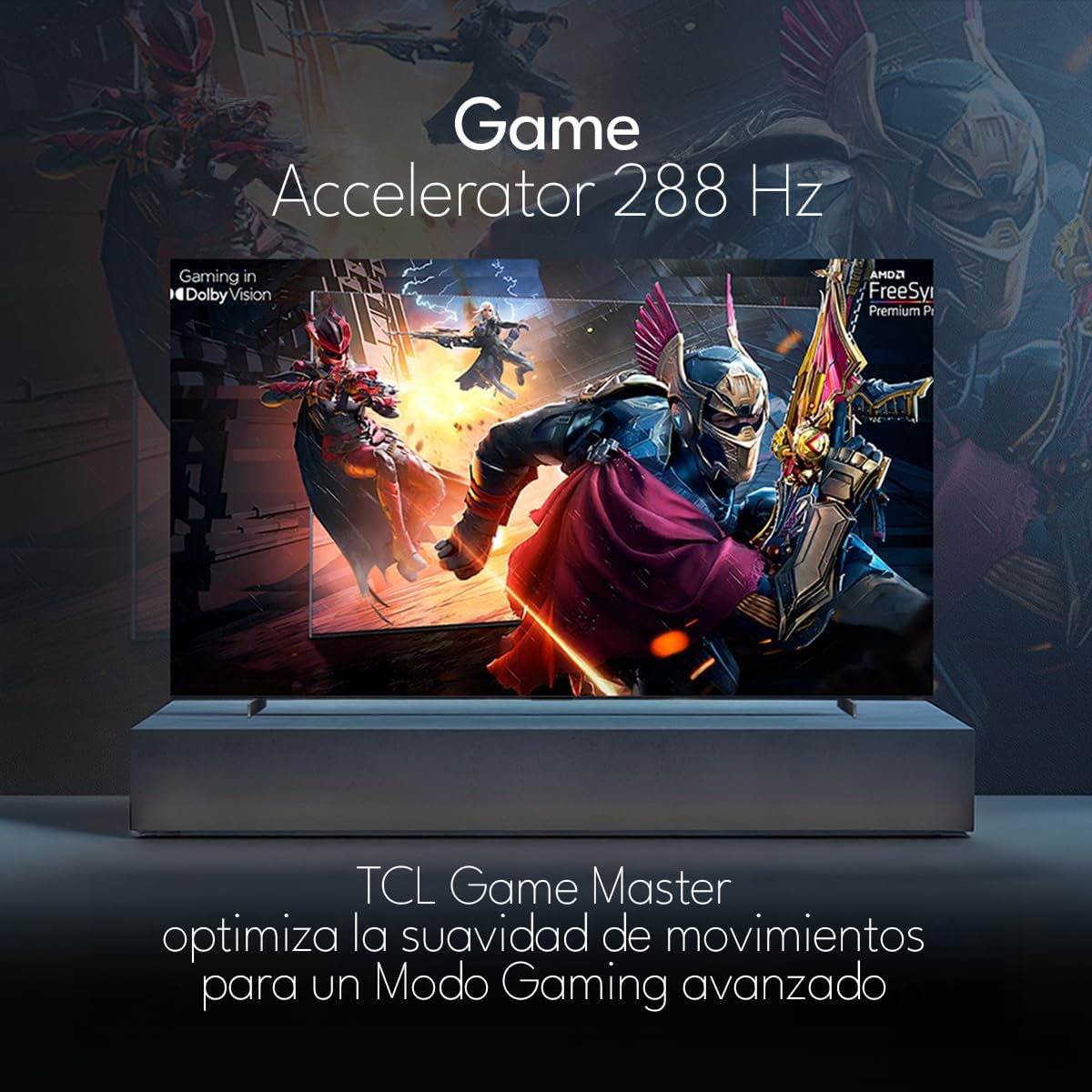
The TCL 98Q7K features a 144 Hz panel and Game Accelerator technology for an enhanced gaming experience with reduced latency and smoother motion.

3.6 Аудіофункції
Experience immersive sound with Dolby Atmos and the integrated ONKYO Hi-Fi System 2.1 Channels, providing clear vocals and deep bass.

3.7 продукт закінченоview відео
4. Технічне обслуговування
4.1 Очищення екрана
Щоб очистити екран, обережно протріть його м’якою тканиною без ворсу. Для стійких плям злегка протрітьampПротріть тканину водою або спеціалізованим засобом для чищення екранів. Уникайте використання агресивних хімікатів, абразивних матеріалів або прямого розпилення рідин на екран.
4.2 Очищення корпусу телевізора
Wipe the TV body with a soft, dry cloth. Do not use liquid cleaners directly on the TV body.
4.3 Оновлення програмного забезпечення
Your TCL Google TV may receive automatic software updates. To manually check for updates, navigate to the settings menu, then select System > About > System update. Ensure your TV is connected to the internet for updates.
5. Вирішення проблем
Якщо у вас виникли проблеми з телевізором, зверніться до наступних поширених рішень:
- Немає живлення:
Переконайтеся, що шнур живлення надійно підключено як до телевізора, так і до справної електричної розетки. Спробуйте підключити інший пристрій до тієї ж розетки, щоб переконатися, що він має живлення. - Немає зображення чи звуку:
Verify that the correct input source is selected (e.g., HDMI 1, AV). Check all cable connections between the TV and external devices. Ensure the volume is not muted or set to minimum. - Пульт дистанційного керування не працює:
Замініть батарейки в пульті дистанційного керування. Переконайтеся, що між пультом дистанційного керування та ІЧ-датчиком телевізора немає перешкод. - Проблеми з мережевим підключенням:
Check your Wi-Fi router and ensure it is powered on and functioning correctly. Restart the TV and your router. In the TV settings, verify the Wi-Fi connection status. - Проблеми з якістю зображення (наприклад, розмиття, спотворення):
Check the resolution settings of your input source. Ensure the cables are not damaged. Adjust picture settings (brightness, contrast, sharpness) in the TV menu.
For persistent issues, consult the full electronic manual available through the TV's help menu or contact TCL customer support.
6. Технічні характеристики
| Особливість | Специфікація |
|---|---|
| Розмір екрана | 98 дюймів |
| Технологія дисплея | QLED |
| роздільна здатність | 4K (3840 x 2160) |
| Частота оновлення | 144 Гц |
| Підтримка формату HDR | Dolby Vision, HDR10, HDR10+, HLG |
| Пікова яскравість | 450 НІТ |
| Звукова система | Dolby Atmos, Dolby Digital, ONKYO Hi-Fi System 2.1 Channels |
| Операційна система | Google TV |
| Голосове керування | Google Асистент, Alexa |
| Підключення | Wi-Fi, Ethernet, 4x HDMI, 2x USB |
| Розміри (з підставкою) | 217.8 х 128.5 х 42 см |
| Розміри (без підставки) | 0.06prof. x 2.18an. x 1.25alt. Meters (approx. 6 cm depth) |
| Рік моделі | 2025 |
| Включені компоненти | Інструкція, пульт дистанційного керування, батарейки |
7. Гарантія та підтримка
7.1 Гарантія на виріб
The TCL 98Q7K television comes with a 2 рік обмеженої гарантії з дати покупки. Ця гарантія поширюється на виробничі дефекти та несправності за умов нормального використання. Будь ласка, збережіть чек про покупку для пред'явлення претензій по гарантії.
7.2 Підтримка клієнтів
For technical assistance, troubleshooting beyond this manual, or warranty inquiries, please contact TCL customer support. Refer to the contact information provided in the separate warranty card or visit the official TCL webсайт для вашого регіону.