
1. Вступ
The Amazon Basics 3-Axis Smartphone Gimbal Stabilizer (AB-M01) is designed to provide smooth, stable footage for smartphone videography. This manual provides essential information for setting up, operating, and maintaining your gimbal to achieve professional-quality videos and photos.
2. Що в коробці
Перевірте наявність усіх компонентів у вашій упаковці:
- Gimbal стабілізатор
- Штатив
- Зарядний кабель USB-C
- Посібник користувача
- Сумка для зберігання

Image: All items included in the Amazon Basics 3-Axis Smartphone Gimbal Stabilizer package.
3. Продукт закінчивсяview та елементи керування
Familiarize yourself with the main parts and control buttons of your gimbal:

Image: Labeled diagram of the gimbal's controls and components.
- Button/Power Button: Used to switch gimbal modes, toggle horizontal/vertical shooting, and display remaining power.
- Рокер: Controls the gimbal's movement for precise adjustments.
- Ключ запуску: Activates features like lock follow, gimbal return, inception mode, lock mode, and mad dog mode.
- Кнопка живлення заповнюючого світла: Controls the integrated fill light's brightness and modes.
- Кнопка камери: Initiates photo capture or video recording, and switches between front and rear cameras.
4. Налаштування та перше використання
4.1 Розкладання карданного кріплення
The gimbal features a foldable design for portability. Gently unfold the gimbal until it locks into its operational position.

Image: The gimbal in its folded and unfolded states, highlighting its compact design.
4.2 Кріплення та балансування смартфона
- Розширити термін служби телефонуamp та надійно розмістіть свій смартфон по центру.
- Переконайтеся, що телефон збалансований. Якщо телефон нахиляється вбік, відрегулюйте його положення в межахamp until it remains level when the gimbal is off. Proper balancing is crucial for optimal performance and battery life.
4.3 Увімкнення/вимкнення
Press and hold the Power Button for a few seconds to turn the gimbal on or off. The indicator lights will illuminate or extinguish accordingly.
4.4 Встановлення програми
For full functionality, download and install the "Gimbal Show" app on your smartphone. Scan the QR code provided in the product packaging or search for it in your device's app store. Connect the gimbal to the app via Bluetooth.

Image: QR code for downloading the Gimbal Show App and a preview функцій програми.
5. Режими роботи
The gimbal offers multiple operational modes to suit various shooting scenarios:

Image: Visual representation of the gimbal's 3-axis operational modes.
- Semi-Follow Mode (Pan Follow): The gimbal follows your pan movements while keeping the tilt and roll axes locked.
- All-Follow Mode (Pan + Tilt Follow): The gimbal follows both your pan and tilt movements, providing dynamic tracking.
- Full Lock Mode (Three-Axis Lock Mode): All three axes are locked, keeping the camera fixed on a single point regardless of gimbal movement.
- POV Mode (Three-Axis Following/FPV Mode): The gimbal follows all three axes, allowing for immersive first-person view постріли.
5.1 Горизонтальне та вертикальне перемикання
Double-press the M Key (Mode Button) to quickly switch between horizontal and vertical shooting orientations, ideal for different social media platforms.
5.2 Творчі режими
Utilize the "Gimbal Show" app to unlock creative shooting modes such as slow motion, hyper-lapse, panorama, and Inception Mode for dynamic visual effects.

Image: Multiple shooting modes available through the companion app.
6. Функції відстеження за допомогою штучного інтелекту
The gimbal incorporates advanced AI for intelligent subject tracking:

Image: Smart AI Tracking features for face and body focus.
- AI Smart Tracking: Automatically locks onto and follows your chosen subject or face, keeping them centered in the frame.
- Управління жестами: Use specific hand gestures to initiate recording or other functions without touching the gimbal or phone.
- Hitchcock Zoom Effect: Create dramatic zoom-in effects while maintaining focus on your subject, available through the app.
7. Adjustable Fill Light
Enhance your shots in various lighting conditions with the built-in adjustable fill light:
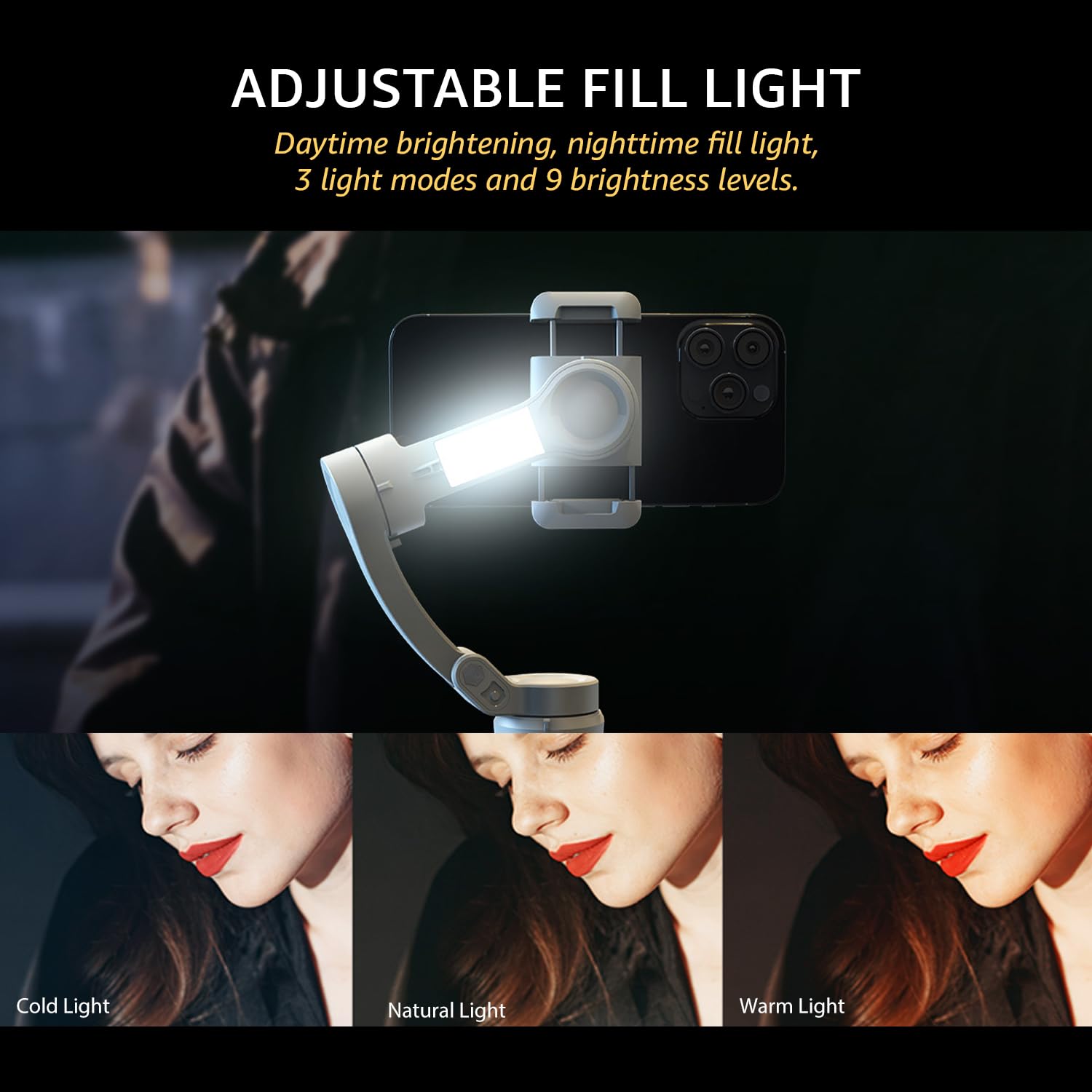
Image: The adjustable fill light with different color temperatures.
- The fill light offers 3 light modes (Cold, Natural, Warm) and 9 brightness levels.
- Press the Fill Light Power Button to cycle through modes and adjust brightness.
8. Акумулятор та заряджання
The gimbal is equipped with a high-capacity battery for extended use:
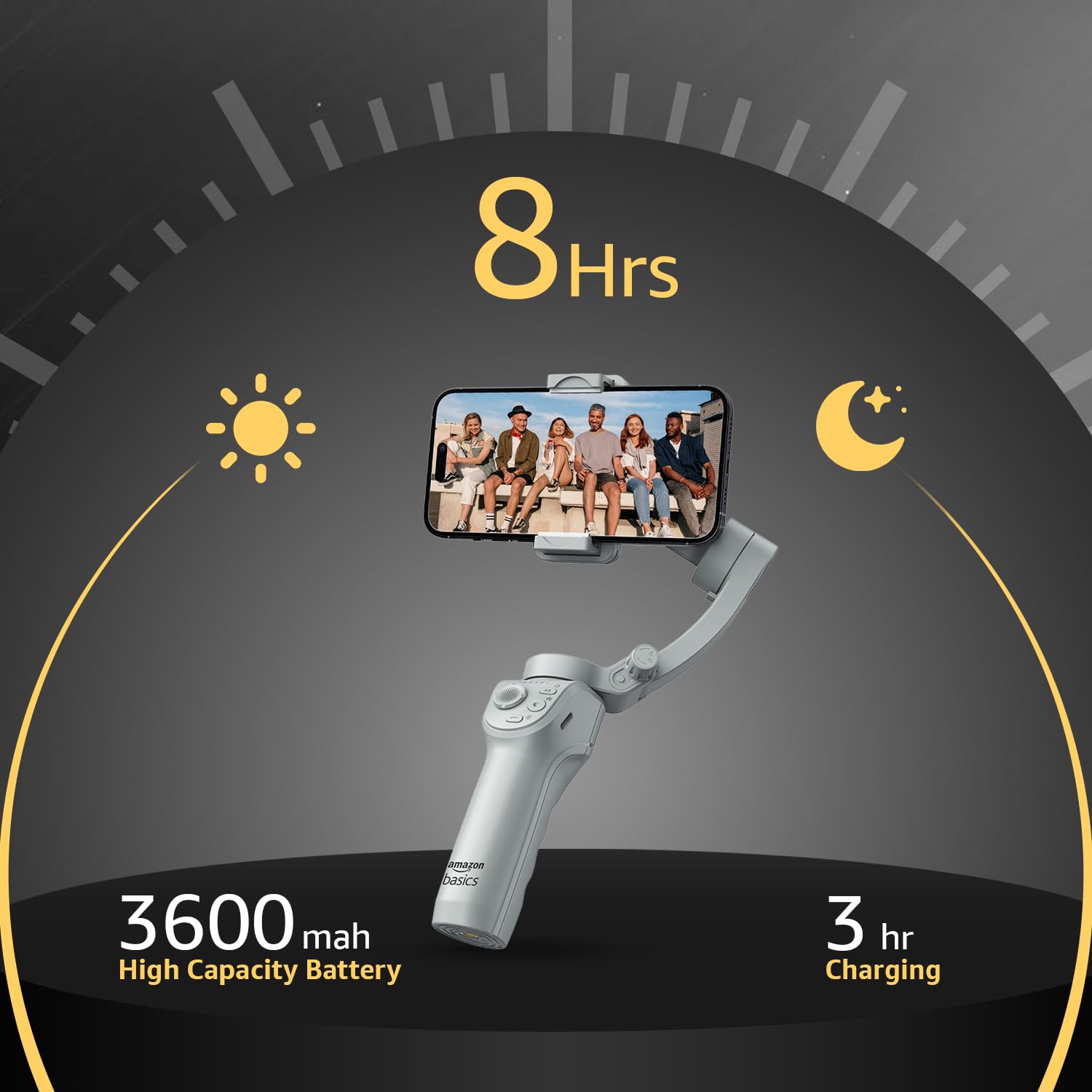
Зображення: Деталі часу роботи від акумулятора та заряджання.
- Термін служби батареї: До 8 годин безперервної роботи на повному заряді.
- Зарядка: Use the provided USB-C cable to charge the gimbal. A full charge typically takes approximately 3 hours.
- The battery indicator lights on the gimbal will show the current charge level.
9. Технічне обслуговування
Щоб забезпечити довговічність та оптимальну роботу вашого підвісу, дотримуйтесь цих інструкцій з технічного обслуговування:
- Прибирання: Використовуйте м’яку суху тканину для очищення стабілізатора. Уникайте використання рідких засобів для чищення або розчинників.
- Зберігання: Коли стабілізатор не використовується, складіть його та зберігайте у наданому чохлі для зберігання, щоб захистити від пилу та пошкоджень. Зберігайте у прохолодному, сухому місці.
- Догляд за акумулятором: Для тривалого зберігання заряджайте акумулятор приблизно до 50-60% кожні три місяці, щоб запобігти глибокому розряду.
- Уникайте впливу: Захищайте стабілізатор від падінь або сильних ударів, які можуть пошкодити двигуни та внутрішні компоненти.
10. Вирішення проблем
If you encounter issues with your gimbal, refer to the following common problems and solutions:
| проблема | Можлива причина | Рішення |
|---|---|---|
| Підвіс не вмикається | Низький заряд батареї; кнопка живлення натиснута неправильно | Повністю зарядіть стабілізатор; натисніть і утримуйте кнопку живлення протягом 3 секунд. |
| Нестабільна їжаtage/vibration | Smartphone not balanced; Gimbal not calibrated | Перебалансуйте смартфон у clamp; Perform a gimbal calibration via the "Gimbal Show" app. |
| App not connecting to gimbal | Bluetooth off; App permissions; Gimbal not discoverable | Ensure Bluetooth is enabled on your phone; Grant necessary permissions to the app; Restart both gimbal and phone. |
| Відстеження ШІ не працює | Poor lighting; Subject too far/close; App issue | Ensure adequate lighting; Maintain optimal distance from subject; Restart the app and gimbal. |
11. Технічні характеристики
| Особливість | Деталь |
|---|---|
| Номер моделі | АВ-М01 |
| Розміри виробу (у складеному вигляді) | 166 мм x 105.2 мм x 45.9 мм |
| Tripod Dimensions (folded) | 94.7 мм x 32.3 мм x 32.3 мм |
| Вага товару | 388 г |
| Термін служби батареї | До 8 годин |
| Час зарядки | Приблизно 3 години (через USB-C) |
| Особливість | AI Face & Body Tracking, Adjustable Fill Light |
| Сумісні пристрої | Смартфони (iPhone, Android) |
| матеріал | Алюміній |
12. Офіційне відео продукту
Відео: Оверview of the Amazon Basics 3-Axis Smartphone Gimbal Stabilizer, demonstrating its folding design, 3-axis stability, multiple shooting modes, AI intelligent tracking for faces and objects, inception auto shooting, and the beauty fill light feature. This video highlights the gimbal's ease of use and advanced capabilities for mobile photography and videography.
13. Гарантія та підтримка
For warranty information and customer support, please refer to the warranty card included in your product packaging or visit the official Amazon Basics support page. Keep your purchase receipt for warranty claims.


