
TABWEE T80
TABWEE T80 10-inch Android Tablet User Manual
Модель: T80
1. Вступ
Thank you for choosing the TABWEE T80 10-inch Android Tablet. This manual provides essential information for setting up, operating, and maintaining your device. Please read it thoroughly before use to ensure optimal performance and safety.
The TABWEE T80 is a versatile Wi-Fi tablet featuring the latest Android 15 operating system with integrated AI capabilities. It boasts a vibrant 10.5-inch Incell IPS display, ample storage with 12GB RAM and 64GB ROM (expandable up to 2TB), and a long-lasting 6000mAh battery. With GMS certification, dual-band Wi-Fi, Bluetooth 5.0, and GPS, it is designed for both productivity and entertainment.
2. Інформація про безпеку
- Не піддавайте пристрій впливу екстремальних температур, прямих сонячних променів або високої вологості.
- Уникайте падіння планшета та сильних ударів.
- Використовуйте лише зарядний пристрій та аксесуари, що входять у комплект.
- Не намагайтеся самостійно розібрати або відремонтувати пристрій. Зверніться по допомогу до служби підтримки клієнтів.
- Keep the tablet away from children and pets to prevent damage or injury.
3. Вміст упаковки
Будь ласка, перевірте упаковку на наявність наступних предметів:
- TABWEE T80 Tablet
- Адаптер змінного струму
- USB-кабель Type-C
- Посібник користувача
4. Продукт закінчивсяview
Familiarize yourself with the components of your TABWEE T80 tablet.

Рисунок 4.1: Передня та задня частини view of the TABWEE T80 tablet, highlighting its sleek design and rear camera module.
Фізичні компоненти:
- 10.5-inch Incell IPS Display: High-definition screen for vivid visuals.
- Фронтальна камера (2 МП): Located on the top bezel for video calls and selfies.
- Задня камера (5 МП): Розташований на задній панелі для зйомки фото та відео.
- Кнопка живлення: On the side, used to turn the tablet on/off or wake/sleep the screen.
- Кнопки гучності: On the side, to adjust audio volume.
- Порт USB Type-C: Для зарядки та передачі даних.
- Гніздо для навушників 3.5 мм: Для підключення дротових навушників або зовнішніх динаміків.
- Слот для карт MicroSD: For storage expansion up to 2TB.
- Подвійні динаміки: Located on the bottom edge for enhanced audio experience.
5. Налаштування
5.1 Початкове заряджання
Before first use, fully charge your tablet. Connect the USB Type-C cable to the tablet's charging port and the AC adapter to a power outlet. The battery indicator on the screen will show charging status.
5.2 Увімкнення/вимкнення живлення
- Щоб увімкнути: Press and hold the Power button until the TABWEE logo appears.
- Щоб вимкнути: Натисніть і утримуйте кнопку живлення, доки не з’явиться меню параметрів живлення, потім виберіть «Вимкнути живлення».
- Для сну/пробудження: Коротко натисніть кнопку живлення.
5.3 Підключення Wi-Fi
Щоб підключитися до Інтернету:
- Перейти до Налаштування > Мережа та Інтернет > Wi-Fi.
- Увімкніть Wi-Fi. Планшет скануватиме доступні мережі.
- Виберіть потрібну мережу зі списку.
- Введіть пароль, якщо буде запропоновано, а потім натисніть Підключитися.
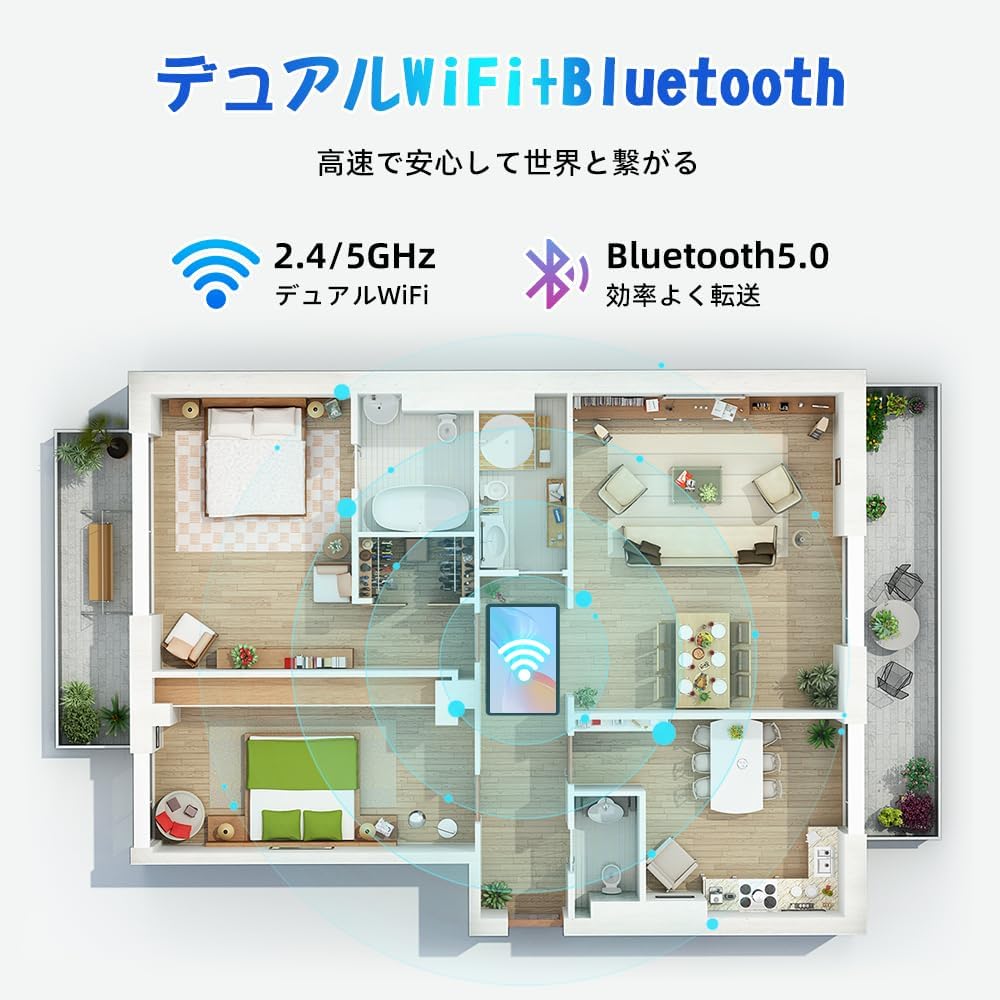
Figure 5.1: Diagram illustrating the tablet's dual-band 2.4G/5G Wi-Fi and Bluetooth 5.0 connectivity, ensuring fast and reliable connections throughout your home or office.
5.4 Налаштування облікового запису Google
As a GMS certified device, you can access Google Play Store and other Google services. During initial setup, you will be prompted to sign in with your Google account or create a new one. This is essential for downloading apps and syncing data.
5.5 Встановлення карти MicroSD
Щоб розширити сховище до 2 ТБ:
- Знайдіть слот для карти MicroSD на бічній панелі планшета.
- Insert the MicroSD card into the slot with the gold contacts facing down until it clicks into place.
- You may be prompted to format the card for use with the tablet.

Figure 5.2: Visual representation of the tablet's 12GB RAM and 64GB ROM, with support for up to 2TB MicroSD card expansion, allowing for vast storage of photos, videos, and music.
6. Інструкція з експлуатації
6.1 Функції Android 15
Your tablet runs on Android 15, offering an intuitive and enhanced user experience with improved security, customization, and AI capabilities.

Малюнок 6.1: Закінченоview of Android 15 features, including enhanced security and privacy, expanded customization options, improved AI functions, and new gesture controls for a smoother operation.
6.2 Дисплей та Viewрежими роботи
The 10.5-inch Incell IPS display provides vibrant colors and wide viewing angles. Optimize your viewing experience and reduce eye strain with various display modes:

Figure 6.2: The 10.5-inch Incell IPS display offers a 1280x800 resolution and a 16:10 aspect ratio for a wide and efficient viewнабутий досвід.

Figure 6.3: The tablet supports 1080P Full HD content, providing an immersive visual experience for movies and dramas from platforms like YouTube, Prime Video, Hulu, and HBO.

Рисунок 6.4: Візуальний прикладamples of different screen modes: Night mode for reduced blue light, Dark mode for eye comfort in low light, and Reader mode for a black-and-white paper-like display.
- Нічний режим: Reduces blue light emissions for comfortable viewing in low light conditions. Access via Quick Settings or Display settings.
- Темний режим: Changes the system UI and supported apps to a dark theme, reducing eye strain and saving battery on OLED screens. Access via Display settings.
- Режим читання: Optimizes the display for reading, often by converting to grayscale and adjusting contrast. Access via Display settings or specific reading apps.
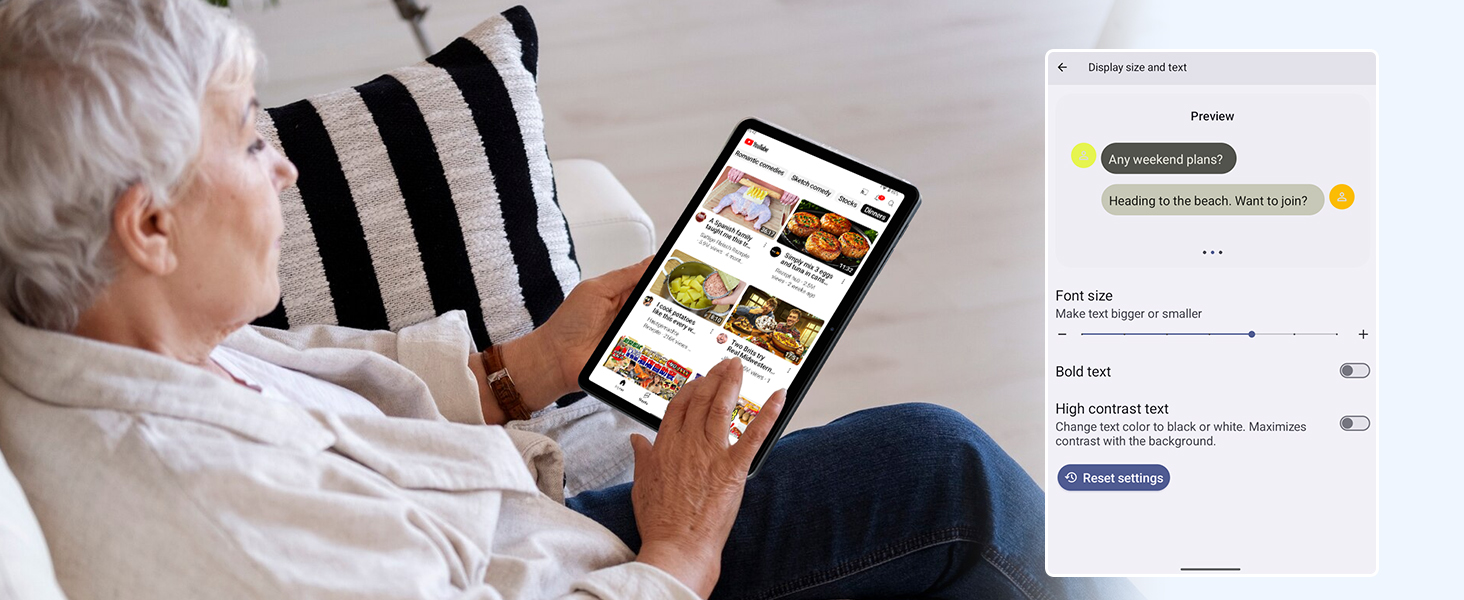
Figure 6.5: Screenshot showing display settings for adjusting text size and bold text, allowing users to customize readability.
6.3 Продуктивність
The TABWEE T80 is powered by a Unisoc T310 processor, ensuring smooth operation for daily tasks and multimedia consumption.
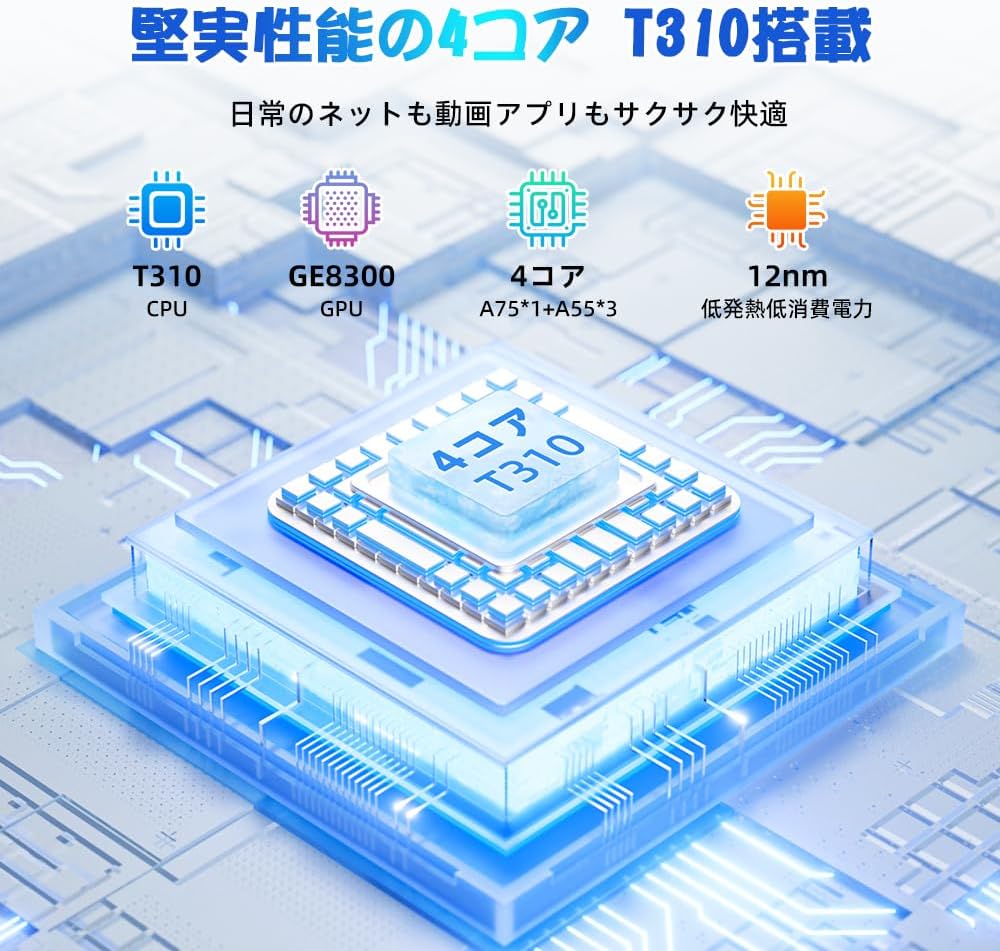
Figure 6.6: Diagram illustrating the T310 quad-core CPU architecture, featuring A75 and A55 cores, designed for efficient performance and low power consumption.

Figure 6.7: Comparison showing the Unisoc T310 processor's improved speed (up to 2.0 GHz) and lower power consumption compared to previous generation products.
6.4 Multitasking and Split Screen
For enhanced productivity, the tablet supports split-screen mode, allowing you to run two applications side-by-side.

Figure 6.8: Demonstration of the split-screen feature, allowing users to comfortably multitask by viewing two applications simultaneously, such as reading an e-book while checking messages.
- To activate split screen: Open an app, then swipe up slightly from the bottom and hold to reveal recent apps. Drag one app to the top or bottom of the screen, then select another app for the remaining space.
6.5 AI Features (Gemini AI)
Leverage the power of Gemini AI for enhanced productivity and convenience.

Figure 6.9: Visuals demonstrating Gemini AI 2.0 capabilities, including AI text-to-image generation, AI voice response, AI smart control, AI real-time conversation, and AI full-screen smart assistance.
Gemini AI can assist with real-time translation, smart text suggestions, and optimizing performance based on your usage habits. Explore AI-enhanced multi-tasking for learning, office work, and entertainment.
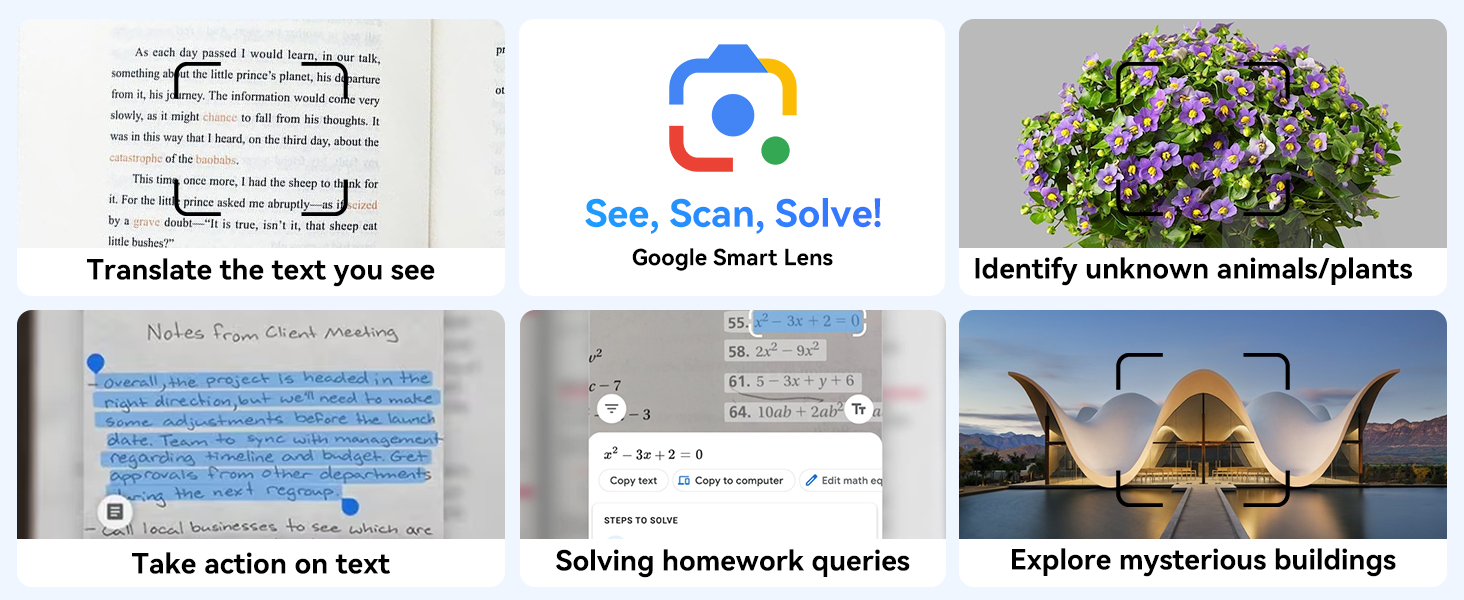
Малюнок 6.10: Впрamples of Google Smart Lens functions: translating text, identifying unknown objects/plants, taking action on text, solving homework queries, and exploring mysterious buildings.
6.6 Parental Controls (Kids Mode)
The tablet includes parental control features to ensure a safe environment for children.

Figure 6.11: Icons representing parental control features: usage time limits, break time settings, app usage restrictions, and content restrictions, all designed to protect children.
You can set time limits, restrict app access, and filter content. Navigate to Налаштування > Цифровий добробут і батьківський контроль to configure these features.
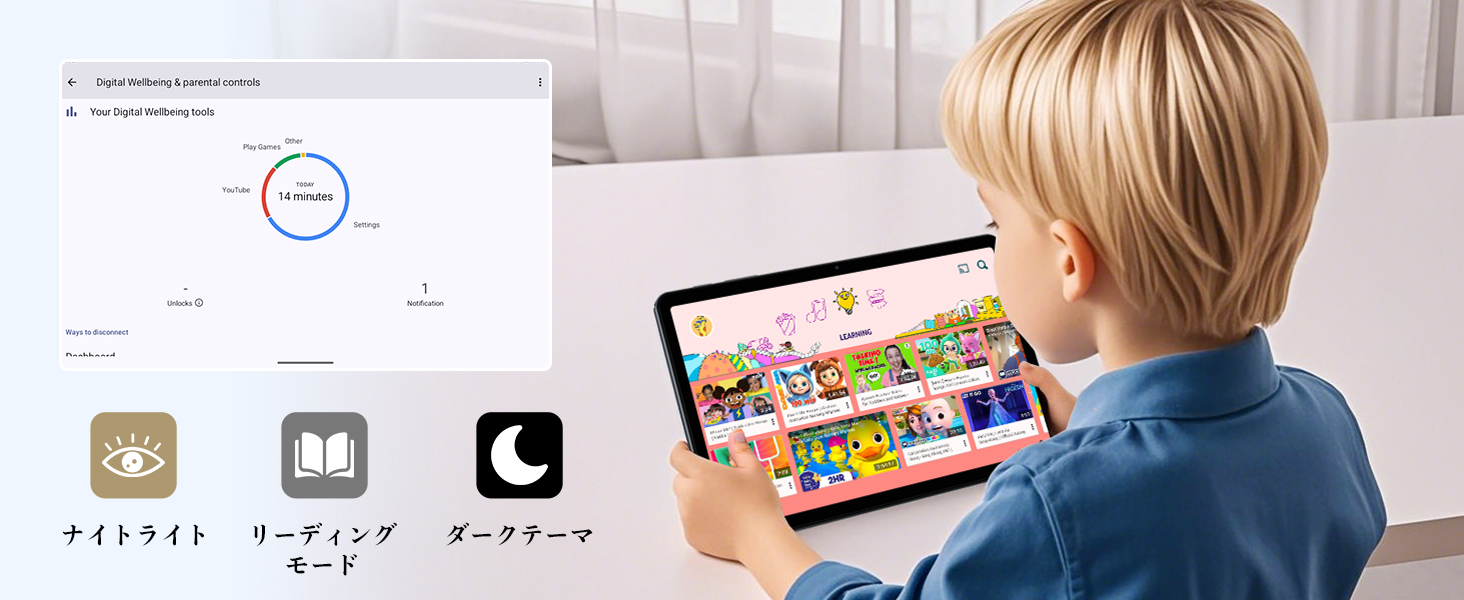
Figure 6.12: Screenshot of the Digital Wellbeing and parental controls interface, showing usage statistics and options for managing screen time and app access for children.
6.7 Бездротова проекція
Mirror your tablet's screen to a compatible TV or monitor wirelessly.
- Ensure your TV/monitor supports wireless display (e.g., Miracast, Chromecast built-in).
- На планшеті перейдіть до Налаштування > Підключені пристрої > Параметри підключення > акторський склад.
- Select your display device from the list to begin mirroring.
6.8 Використання камери
Планшет оснащений 2-мегапіксельною фронтальною камерою та 5-мегапіксельною задньою камерою.

Figure 6.13: Illustration of the tablet's 2-megapixel front camera and 5-megapixel rear camera, capable of autofocus for clear photos and video calls.
Open the Camera app to take photos or record videos. Tap the shutter button to capture an image or the record button to start/stop video recording. You can switch between front and rear cameras using the camera switch icon.
6.9 Аудіо
The tablet features dual speakers for an immersive audio experience and a 3.5mm headphone jack for private listening.

Figure 6.14: Diagram showing the location of the two powerful speakers on the TABWEE T80, providing a deep and immersive audio experience.
Adjust volume using the physical volume buttons on the side of the tablet or through the on-screen volume slider.
6.10 GPS-навігація
The integrated GPS system allows for accurate location tracking and navigation. Use pre-installed map applications or download your preferred navigation app from the Google Play Store.
7. Технічне обслуговування
7.1 Очищення
Use a soft, lint-free cloth to clean the screen and body of the tablet. Do not use abrasive cleaners or solvents, as they may damage the surface.
7.2 Оновлення програмного забезпечення
Regularly check for system updates to ensure your tablet has the latest features and security patches. Go to Налаштування > система > Оновлення системи.
7.3 Догляд за акумулятором
Щоб продовжити термін служби акумулятора:
- Уникайте частого повного розряджання акумулятора.
- Не залишайте планшет заряджатися на тривалий час після того, як він повністю зарядився.
- Store the tablet in a cool, dry place when not in use for long periods.

Figure 7.1: Battery life estimates for the 6000mAh battery: 5 hours of web browsing, 4 hours of video playback, 4 hours of gaming, 21 hours of music, and 648 hours of standby time, supported by AI power-saving algorithms.
8. Вирішення проблем
| проблема | Можлива причина | Рішення |
|---|---|---|
| Планшет не вмикається. | Низький заряд батареї; збій системи. | Заряджайте планшет щонайменше 30 хвилин. Натисніть і утримуйте кнопку живлення протягом 10-15 секунд, щоб примусово перезавантажити його. |
| Неможливо підключитися до Wi-Fi. | Incorrect password; router issue; out of range. | Verify Wi-Fi password. Restart your router. Move closer to the Wi-Fi router. |
| Програми працюють повільно або зависають. | Too many apps running; low storage. | Close background apps. Clear app cache. Free up storage space. |
| Екран не реагує. | Тимчасовий збій програмного забезпечення. | Примусово перезавантажте планшет, утримуючи кнопку живлення. |
9. Технічні характеристики
| Особливість | Деталь |
|---|---|
| Бренд | TABWEE |
| Назва моделі | T80 Tablet Tabwee |
| Операційна система | Android 15 (сертифіковано GMS) |
| Розмір дисплея | 10.5 inches Incell IPS |
| Роздільна здатність дисплея | 1280x800 пікселів |
| Марка процесора | Унісоц |
| Швидкість ЦП | 2 ГГц |
| GPU Brand | ARM Mali-G57 |
| ОЗУ | 12GB (4GB+8GB expansion) |
| Внутрішня пам'ять | 64 ГБ |
| Розширюване сховище | До 2 ТБ через карту MicroSD |
| Ємність акумулятора | Літій-іонний полімерний акумулятор ємністю 10 000 мАг |
| Фронтальна камера | 2 Мп |
| Задня камера | 5 Мп |
| Підключення | 2.4G/5G Wi-Fi (802.11ac), Bluetooth 5.0, GPS |
| Порти | USB Type-C, роз'єм для навушників 3.5 мм |
| Розміри | 32.79 х 19.9 х 4.1 см |
| вага | 910 г |
10. Гарантія та підтримка
Your TABWEE T80 tablet comes with a 2-річна гарантія виробника.
If you encounter any issues with your product, please contact us via email. We strive to respond promptly to ensure your satisfaction.
Як зв’язатися зі службою підтримки:
- Through your Amazon account: Go to Історія замовлень > Select the relevant order > Click Зв'язатися з продавцем.
- Through the product page: On the product page, click on the seller's name (TABWEE Official Store) below the "Add to Cart" button, then click "Ask a question" on the top right.
Support hours: 9:00 AM - 6:00 PM (excluding holidays). We will reply as soon as possible.

Figure 10.1: Image representing customer support availability for assistance.
Ask a question about this manual
Ask about setup, troubleshooting, compatibility, parts, safety, or missing instructions. Manuals+ will review the question and use this page’s manual context to help answer it.