вступ
This manual provides detailed instructions for the setup, operation, and maintenance of your Lotus Smartwatch 50050/4. Please read this manual thoroughly before using your device to ensure proper functionality and to maximize its features.
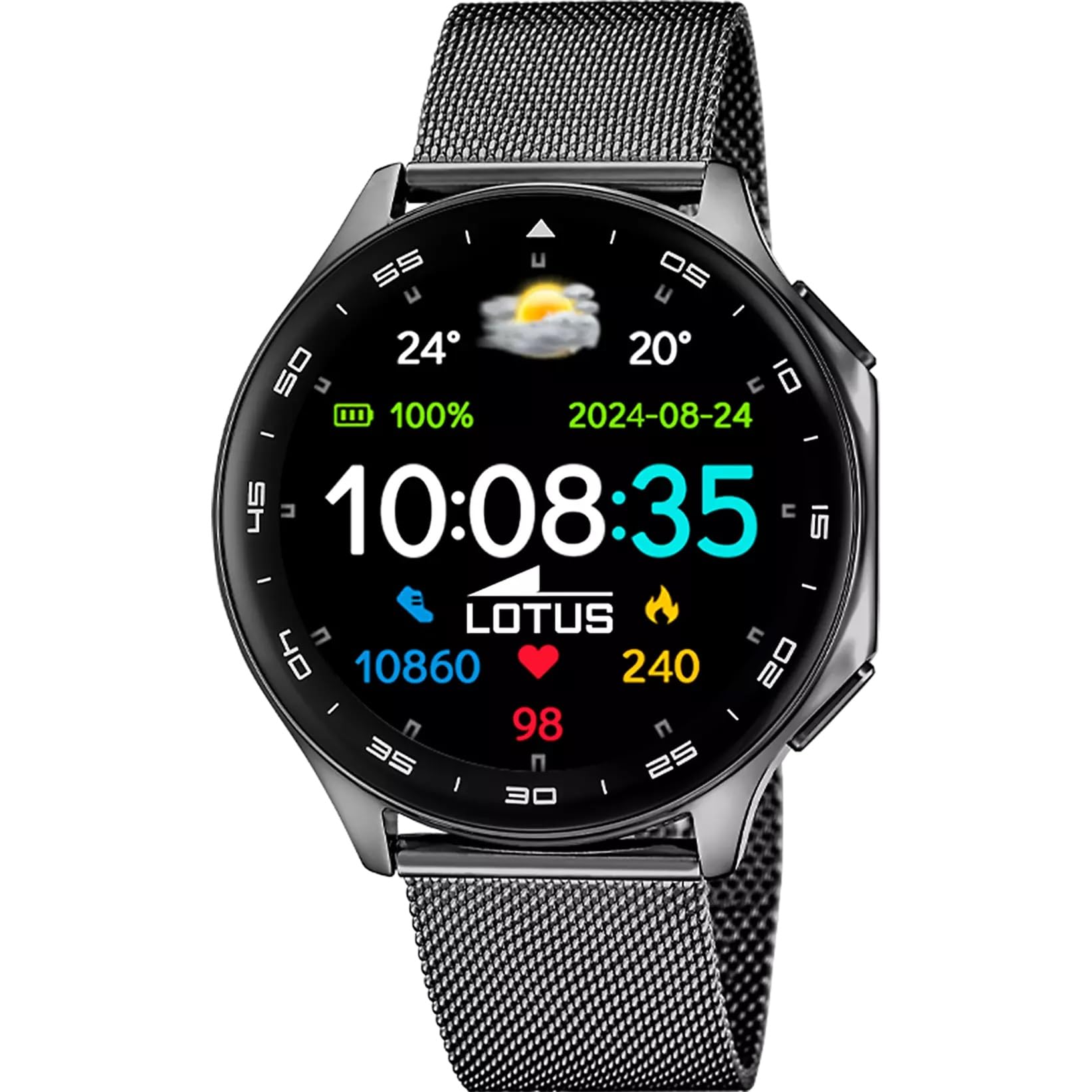
The Lotus Smartwatch 50050/4 is an outdoor sports watch designed for active lifestyles. It features a durable zinc alloy case, a black Milanese steel mesh strap, and a digital display. The watch offers a range of functions including sports tracking, health monitoring, and smart notifications.
Що в коробці
- Lotus Smartwatch 50050/4
- Зарядний кабель
- Посібник користувача (цей документ)
- Додатковий ремінець
Налаштування
1. Заряджання смарт-годинника
Before initial use, fully charge your smartwatch. Connect the charging cable to the charging port on the back of the watch and plug the other end into a USB power adapter (not included) or a computer's USB port. The watch display will indicate charging status.
Примітка: Use a standard 5V/1A USB charger. Overcharging or using incompatible chargers may damage the device.
2. Увімкнення/вимкнення живлення
- Щоб увімкнути: Press and hold the side button for a few seconds until the Lotus logo appears.
- Щоб вимкнути: Натисніть і утримуйте бічну кнопку, потім виберіть на екрані «Вимкнути».
3. Встановлення та сполучення програм
To unlock the full potential of your smartwatch, download the official Lotus Smartwatch application on your smartphone. The app is compatible with Android devices.
- шукати the "Lotus Smartwatch" app in your smartphone's app store (Google Play Store for Android).
- Встановіть програму.
- Відкрийте програму та дотримуйтеся вказівок на екрані, щоб створити обліковий запис або увійти.
- Увімкніть Bluetooth на своєму смартфоні.
- In the app, navigate to the device pairing section and select your Lotus Smartwatch 50050/4 from the list of available devices.
- Підтвердьте запит на сполучення як на смартфоні, так і на смарт-годиннику.
Once paired, the watch will synchronize time, date, and other settings with your smartphone.
Інструкція з експлуатації
Основна навігація
- Сенсорний екран: Swipe left, right, up, or down to navigate through menus and functions. Tap to select an item.
- Бічна кнопка: Press to return to the previous screen or to the watch face. Press and hold for power options.
Ключові функції
- Спортивні режими: Access various sports modes (e.g., running, walking, cycling) to track your activity, including steps, calories burned, and distance.
- Моніторинг здоров'я:
- ЧСС: Слідкуйте за своїм серцевим ритмом у режимі реального часу.
- Кисень крові: Виміряйте рівень кисню в крові.
- Відстеження сну: Analyze your sleep patterns (deep sleep, light sleep, awake time).
- Дихальні вправи: Керовані дихальні вправи для розслаблення.
- Сповіщення: Receive notifications for incoming calls, SMS messages, and app alerts directly on your watch. You can reject calls from the watch.
- Керування музикою: Керуйте відтворенням музики на підключеному смартфоні (відтворення, пауза, перемикання треків).
- Погода: View поточні погодні умови та прогнози.
- Будильники та таймери: Set alarms, use the stopwatch, or set a countdown timer.
- Пульт дистанційного керування камерою: Використовуйте свій годинник як пульт дистанційного керування затвором для камери смартфона.
- Video Calculator: Access a video calculator function.
- AI Voice Calculator: Utilize an AI voice-activated calculator.
- Пошук телефону: Знайдіть підключений смартфон, змусивши його дзвонити.
- Ліхтарик: Activate the screen as a flashlight.
- Dial Customization: Change the watch face (dial) through the watch settings or the companion app.
- Оновлення мікропрограми: Update the watch's software via the companion app to ensure optimal performance and access new features.
- Language, Time, and Date: Adjust these settings through the watch or the companion app.
Технічне обслуговування
Очищення та догляд
- Протріть екран та корпус годинника м’якою, сухою тканиною без ворсу.
- Для стійких плям трохи dampпромийте тканину водою. Не використовуйте агресивні хімікати або абразивні матеріали.
- Перед заряджанням переконайтеся, що зарядні контакти чисті та сухі.
Водостійкість (IP65)
The Lotus Smartwatch 50050/4 has an IP65 rating, meaning it is protected against dust ingress and low-pressure water jets from any direction. This rating indicates resistance to splashes and light rain. It is not suitable for swimming, showering, or submersion in water. Exposure to high-pressure water or prolonged submersion may cause damage.
Заміна ремінця
The watch comes with an additional strap. To replace the strap, locate the quick-release pins on the underside of the strap where it connects to the watch case. Slide the pin to detach the strap, then align the new strap and slide the pin back into place to secure it.
Усунення несправностей
Годинник не вмикається
- Переконайтеся, що годинник повністю заряджений. Підключіть його до зарядного пристрою щонайменше на 30 хвилин.
- Спробуйте натиснути та утримувати бічну кнопку протягом 10-15 секунд, щоб примусово перезапустити пристрій.
Не вдається з'єднати пристрій зі смартфоном
- Переконайтеся, що Bluetooth увімкнено на вашому смартфоні.
- Ensure the watch is within range of your smartphone (typically 10 meters).
- Перезавантажте і смартфон, і смарт-годинник.
- Очистіть кеш Bluetooth на вашому смартфоні (якщо є) та спробуйте знову підключитися.
- Ensure the Lotus Smartwatch app is updated to the latest version.
Неточні дані про здоров'я
- Переконайтеся, що годинник щільно прилягає до зап'ястя, але не надто туго.
- Тримайте датчик на задній панелі годинника чистим та без сміття.
- Фактори навколишнього середовища та індивідуальна фізіологія можуть впливати на точність датчика.
Скидання до заводських налаштувань
If you experience persistent issues, a factory reset may resolve them. This will erase all data on the watch and restore it to its original settings. Consult the watch's settings menu or the companion app for the factory reset option.
Технічні характеристики
| Номер моделі | 50050/4 |
| Бренд | Лотос |
| Розмір дисплея | 46.7 мм |
| Форма | Круглий |
| Матеріал корпусу | Цинковий сплав |
| Матеріал ремінця | Milanese Steel Mesh |
| Водонепроникність | IP65 (Splash and dust resistant) |
| Підключення | Bluetooth |
| Сумісна ОС | Android (for companion app) |
| GPS | немає |
| Особливості | Advanced sport and health functions |
Гарантія та підтримка
The Lotus Smartwatch 50050/4 comes with a Гарантія 3 рік from the date of purchase. This warranty covers manufacturing defects. It does not cover damage caused by misuse, accidents, unauthorized modifications, or failure to follow the instructions in this manual, including water damage beyond the specified IP65 rating.
For warranty claims or technical support, please contact your authorized Lotus retailer or visit the official Lotus webсайт з інформацією про обслуговування клієнтів.
Політика повернення: If purchased from Amazon, the product is subject to a 30-day return policy for refund or replacement, as per Amazon's terms.
Зображення продукту