
1. Вступ
Цей посібник містить важливу інформацію щодо налаштування, експлуатації, обслуговування та усунення несправностей вашого ViewSonic IFP55G1 55-inch 4K UHD ViewBoard Interactive Display. Please read this manual thoroughly before using the product to ensure proper and safe operation.
The ViewSonic IFP55G1 is a 55-inch 4K Ultra HD (3840x2160p) interactive display designed for educational and business environments. It features multi-point touch recognition, an OPS slot for external PCs, 10W dual speakers, and versatile connectivity options including HDMI, VGA, USB Hub, and USB-C inputs. Its OS-free design allows flexibility with various computing solutions.
Ключові характеристики:
- Ultra HD Resolution: 55 Inch 4K Ultra HD (3840x2160p) interactive display for crisp visuals.
- Advanced Multi-Touch: Allows multiple users to write and interact simultaneously with fingers and passive pens.
- Гнучке підключення: Equipped with a powerful quad-core processor and versatile ports including HDMI, VGA, RJ45, and USB.
- OS-Free Design: Provides enhanced security and flexibility to integrate with your preferred operating system via external PC or OPS device.
- Write-Away Technology: Enables instant writing with the stylus without extended setup.
2. Що в коробці
Verify that all items listed below are included in your package. If any items are missing or damaged, please contact your dealer immediately.
- ViewSonic IFP55G1 Interactive Display
- 3m USB 2.0 touch cable x 1
- Touch pen (Passive pen) x 2 (VB-PEN-002)
- 3-метровий кабель живлення
- HDMI 2.0 cable 3m x 1
- Короткий посібник + заява про відповідність
- Адаптер RS232
- Screw (wall mount 4)
- Пластина камери
- Remote control with AAA battery (Optional)
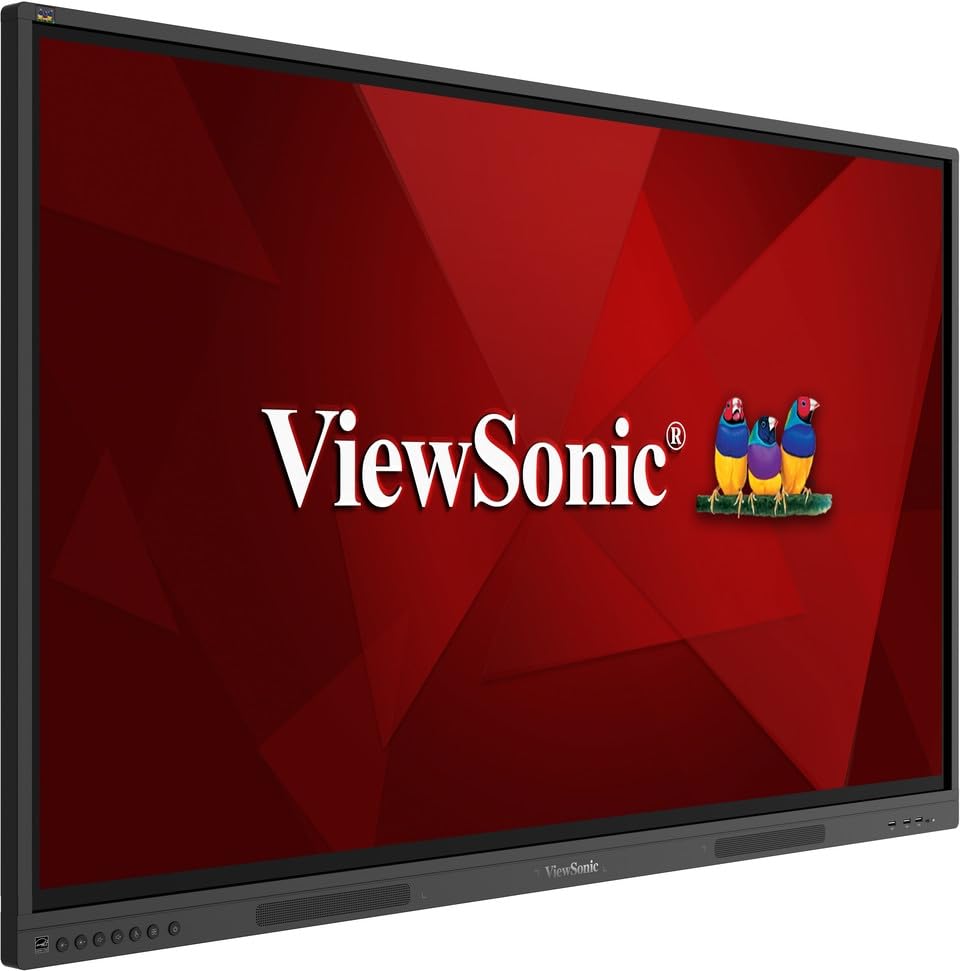
зображення: ViewSonic IFP55G1 55-inch ViewBoard Interactive Display, front view.
3. Інструкції з налаштування
3.1 Монтаж дисплея
The IFP55G1 can be wall-mounted or installed on a compatible mobile cart (sold separately). Ensure the mounting solution supports the display's weight (approximately 59.3 lbs / 26.9 kg) and dimensions (3.37 x 49.7 x 30.3 inches).
- For wall mounting, use the provided wall mount screws and ensure the wall structure is robust enough.
- Follow the instructions provided with your specific wall mount or mobile cart.
3.2 Підключення периферійних пристроїв
The display offers various ports for connecting external devices. Refer to the image below for port locations.

Зображення: Збоку view з ViewSonic IFP55G1 interactive display showing various input ports including HDMI, VGA, and USB.
- Підключення живлення: Connect the 3m power cable to the display and a grounded power outlet.
- Відео вхід: Connect your external PC or media player to the display using an HDMI 2.0 cable (provided), VGA cable, or USB-C cable. The display has 3 HDMI ports, 1 VGA port, and USB-C connectivity.
- Сенсорні функції: For interactive touch features with an external PC, connect the 3m USB 2.0 touch cable from the display's USB-B (Touch) port to a USB-A port on your PC.
- Слот OPS: If using an optional ViewSonic Slot-in PC (OPS device), insert it into the dedicated OPS slot on the rear of the display. This provides an integrated computing solution.
- Мережа: Connect an Ethernet cable to the RJ45 port for wired network access.
- USB пристрої: Use the available USB-A ports to connect USB drives, keyboards, mice, or other peripherals.

Зображення: The ViewSonic IFP55G1 display demonstrating connectivity with various external devices, including laptops and mini PCs, highlighting its 'Bring Your Own Devices' capability.
4. Інструкція з експлуатації
4.1 Увімкнення/вимкнення
- Увімкнення: Press the power button located on the display's front or side panel, or use the remote control. The display will power on and show the input source.
- Вимкнення живлення: Press the power button again. A confirmation message may appear; select 'Power Off'. For complete power disconnection, unplug the power cable.
4.2 Вибір джерела вхідного сигналу
Use the 'Source' button on the display or remote control to cycle through available input sources (HDMI 1, HDMI 2, HDMI 3, VGA, USB-C, OPS).
4.3 Using Touch Functionality
Once the USB touch cable is connected to your external PC, the display will function as a multi-touch input device. You can use your fingers or the provided passive pens for interaction.
- Finger Touch: Use gestures similar to a tablet or smartphone for navigation, zooming, and drawing.
- Passive Pens: The two included passive pens (VB-PEN-002) allow for precise writing and drawing on the screen. The display's Write-Away technology enables instant use of the pens.

Image: A group of individuals collaborating around a ViewSonic IFP55G1 interactive display in a modern meeting room, demonstrating its multi-touch capabilities for instantaneous collaboration.
4.4 Керування звуком
The display features integrated 10W dual speakers. Adjust volume using the remote control or the buttons on the display panel.
5. Технічне обслуговування
5.1 Очищення дисплея
- екран: Обережно протріть екран м’якою тканиною без ворсу. Для стійких плям злегка протрітьampen the cloth with water or a non-abrasive, ammonia-free screen cleaner. Do not spray cleaner directly onto the screen.
- Casing: Протріть casinм’якою сухою тканиною. Уникайте використання агресивних хімікатів або абразивних матеріалів.
5.2 Загальний догляд
- Уникайте розміщення важких предметів на дисплеї.
- Do not block ventilation openings on the rear of the display.
- Тримайте дисплей подалі від прямих сонячних променів, джерел тепла та надмірної вологи.
6. Вирішення проблем
Якщо у вас виникли проблеми з вашим ViewSonic IFP55G1, refer to the following common problems and solutions.
6.1 No Display / Black Screen
- Ensure the power cable is securely connected to both the display and a working power outlet.
- Verify that the display is powered on (power indicator light should be active).
- Check that the video cable (HDMI, VGA, USB-C) is securely connected to both the display and the source device (PC, OPS).
- Select the correct input source using the 'Source' button on the display or remote control.
- Ensure the source device (PC, OPS) is powered on and outputting a video signal.
6.2 Touch Functionality Not Working
- Confirm the USB touch cable is securely connected from the display's USB-B (Touch) port to a USB-A port on your external PC.
- Ensure your external PC's operating system has the necessary drivers installed for touch input.
- Restart both the display and the connected PC.
6.3 Немає звуку
- Check the volume level on the display and the connected source device.
- Ensure the audio output from your source device is routed correctly to the display (e.g., via HDMI).
- If using an external audio system, ensure it is properly connected and powered on.
7. Технічні характеристики
Нижче наведено технічні характеристики для ViewSonic IFP55G1 interactive display.
| Особливість | Специфікація |
|---|---|
| Бренд | ViewСоник |
| Назва моделі | IFP55G1 |
| Розмір екрана | 55 дюймів |
| Максимальна роздільна здатність дисплея | 3840x2160 Pixels (4K UHD) |
| Рідна роздільна здатність | 3840 х 2160 |
| Тип дисплея | ЖК |
| Співвідношення сторін | 16:9 |
| Вхід через людський інтерфейс | Сенсорний екран |
| Технологія підключення | Ethernet, HDMI, USB Type C, VGA |
| Total Number of HDMI Ports | 3 |
| Загальна кількість портів USB | 9 |
| Інтерфейс відеовиходу | DisplayPort |
| Аудіовихід | Integrated 10W Dual Speakers |
| Розміри виробу (ДхШхВ) | 3.37 x 49.7 x 30.3 дюймів |
| Вага товару | 59.3 фунта |
| Колір | чорний |
| Особливості | All-in-one USB port, Anti Glare Display, Light Sensor, Speakers, Touchscreen |
| Сумісні пристрої | Настільний комп'ютер, ноутбук |
| UPC | 766907024654 |
8. Гарантія та підтримка
8.1 Інформація про гарантію
The ViewSonic IFP55G1 interactive display comes with an industry-leading 3 рік обмеженої гарантії on parts, labor, and backlight. Onsite warranty service may also be available. Please refer to the warranty card included in your package or visit the official ViewСоник website for detailed terms and conditions, and information on optional warranty extensions.
8.2 Підтримка клієнтів
Щоб отримати технічну допомогу, запити щодо продукту або претензії по гарантії, будь ласка, зверніться ViewSonic's award-winning customer service team. Contact information can be found on the official ViewСоник webсайті або в короткому посібнику користувача, що постачається з вашим продуктом.