
вступ
Дякуємо за покупкуasing the EBTOOLS Portable AM FM SW Shortwave Radio. This device offers versatile listening options, including AM, FM, and Shortwave radio bands, Bluetooth connectivity, and playback from USB drives or storage cards. Designed for portability and clear sound, this radio is suitable for home, outdoor, and travel use. This manual provides detailed instructions for setup, operation, maintenance, and troubleshooting to ensure optimal performance and longevity of your radio.
Інформація про безпеку
- Не піддавайте радіоприймач впливу дощу, вологи або екстремальних температур.
- Уникайте розбирання пристрою. Довірте всі послуги кваліфікованому персоналу.
- Тримайте радіо подалі від сильних магнітних полів.
- Use only the provided charging cable or a compatible Type-C cable for charging.
- Не блокуйте вентиляційні отвори.
Вміст упаковки
Будь ласка, перевірте упаковку на наявність наступних предметів:
- 1 x Portable Radio (Model MK-178BT)
- 1 х посібник користувача
- 1 х шнурок
- 1 x зарядний кабель (Type-C)

Image: The EBTOOLS Portable Radio shown with its included lanyard and Type-C charging cable.
Продукт закінченийview
Familiarize yourself with the various parts and controls of your radio.
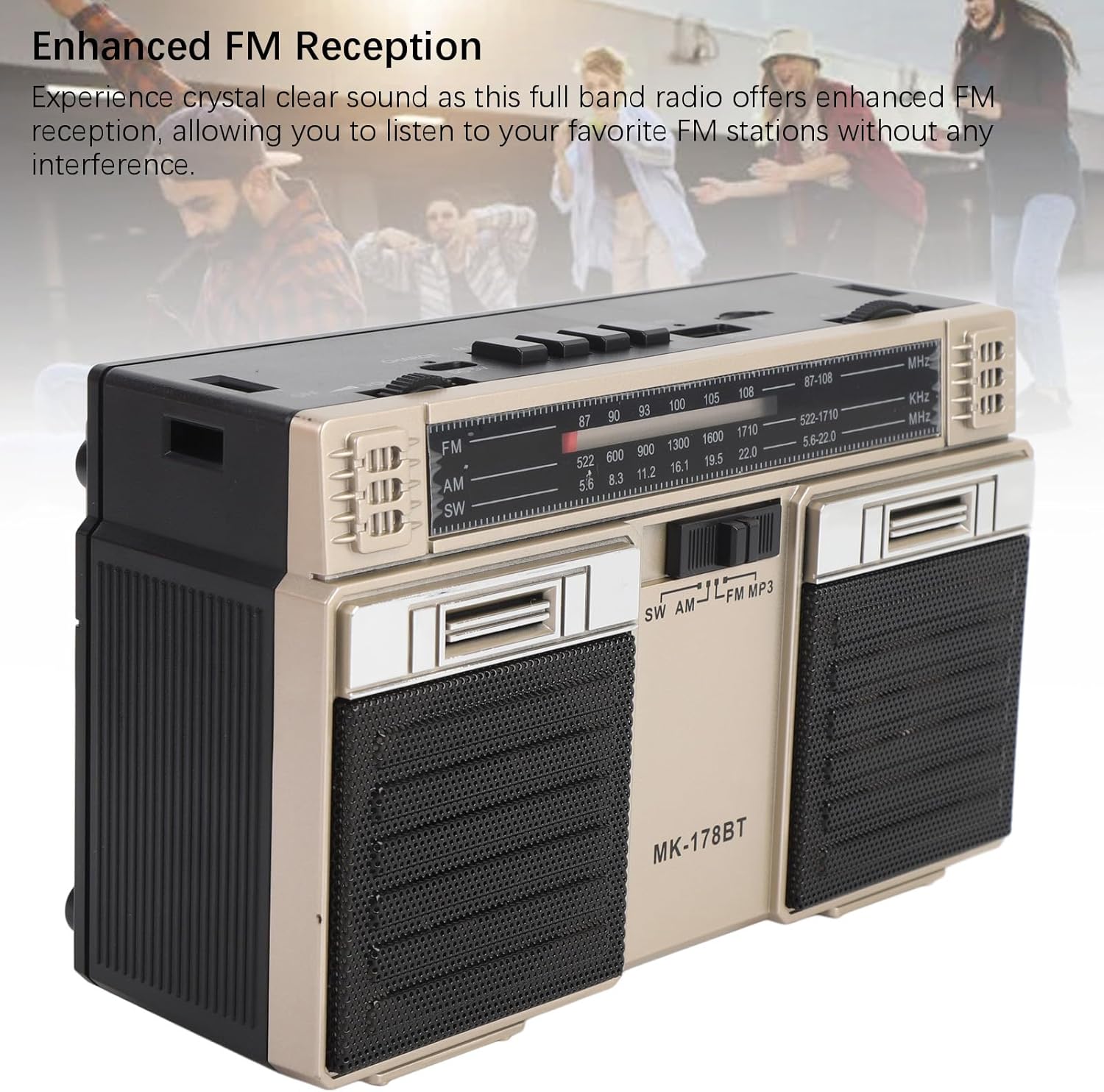
Зображення: спереду view of the radio, highlighting the dual speakers and the frequency display panel.
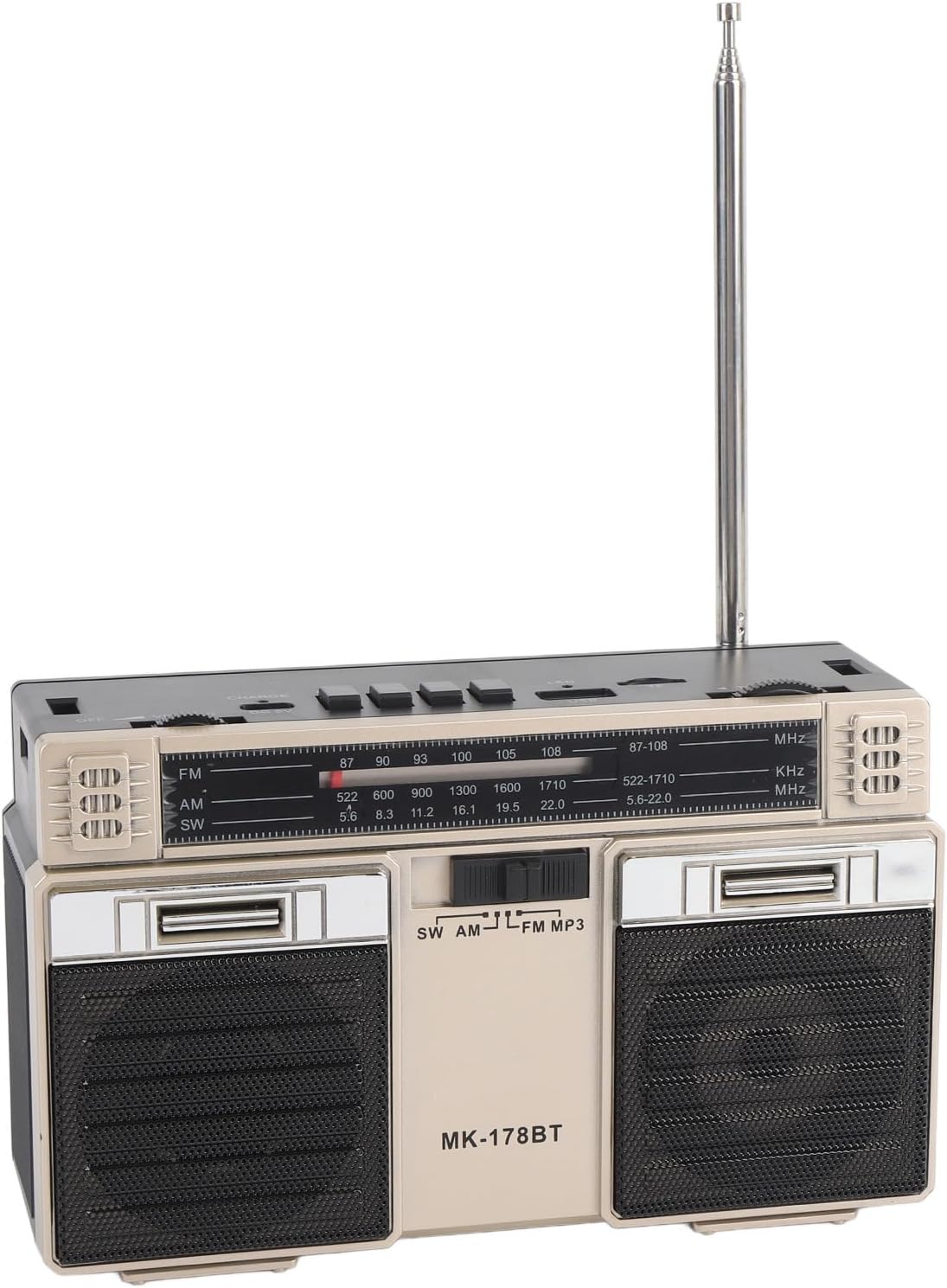
Зображення: Верх view of the radio, detailing the power switch, volume knob, mode/playback controls, charging port, LED indicator, USB port, and TF card slot.

Зображення: Крупний план view of the tuning knob, USB port, and TF (Micro SD) card slot, located on the top panel of the radio.
Ключові елементи керування:
- Перемикач ВИМК/УВІМК: Located on the top left, controls power.
- Регулятор гучності: Регулює рівень вихідного аудіо.
- CHARGE (DC 5V) Port: Порт Type-C для зарядки акумулятора.
- M/* Button: Mode selection / Bluetooth pairing.
- ◀◀ / ►► Buttons: Previous/Next track in media modes, or fine-tuning in radio modes.
- ►█ Button: Play/Pause for media playback.
- Світлодіодний індикатор: Shows charging status or mode.
- Слот TF: For Micro SD (storage) cards.
- USB слот: For USB drives.
- Ручка налаштування: Налаштовує радіочастоту.
- Антена: Розширюється для покращення радіоприйому.
Налаштування
1. Зарядка батареї
- Connect the provided Type-C charging cable to the CHARGE (DC 5V) порт на радіо.
- Підключіть інший кінець кабелю до стандартного USB-адаптера живлення (не входить до комплекту) або USB-порту комп’ютера.
- The LED indicator will illuminate during charging. It will change color or turn off once fully charged.
- Повний заряд забезпечує до 18 годин роботи акумулятора.
2. Увімкнення/вимкнення живлення
- Щоб увімкнути радіо, посуньте ВИМК/УВІМК перемикач у положення «УВІМК.».
- To power off, slide the switch back to the 'OFF' position.
Інструкція з експлуатації
1. Вибір режиму
Натисніть M/* button repeatedly to cycle through the available modes: FM, AM, SW, Bluetooth, USB, and TF Card (if inserted).
2. Radio Operation (FM/AM/SW)
- Розкладіть телескопічну антену для оптимального прийому, особливо для діапазонів FM та SW.
- Select the desired radio band (FM, AM, or SW) using the M/* кнопку.
- Повільно поверніть ТЮНІНГ knob to scan for stations. The frequency will be displayed on the front panel.
- Відрегулюйте ОБ'ЄМ встановіть потрібний рівень прослуховування.
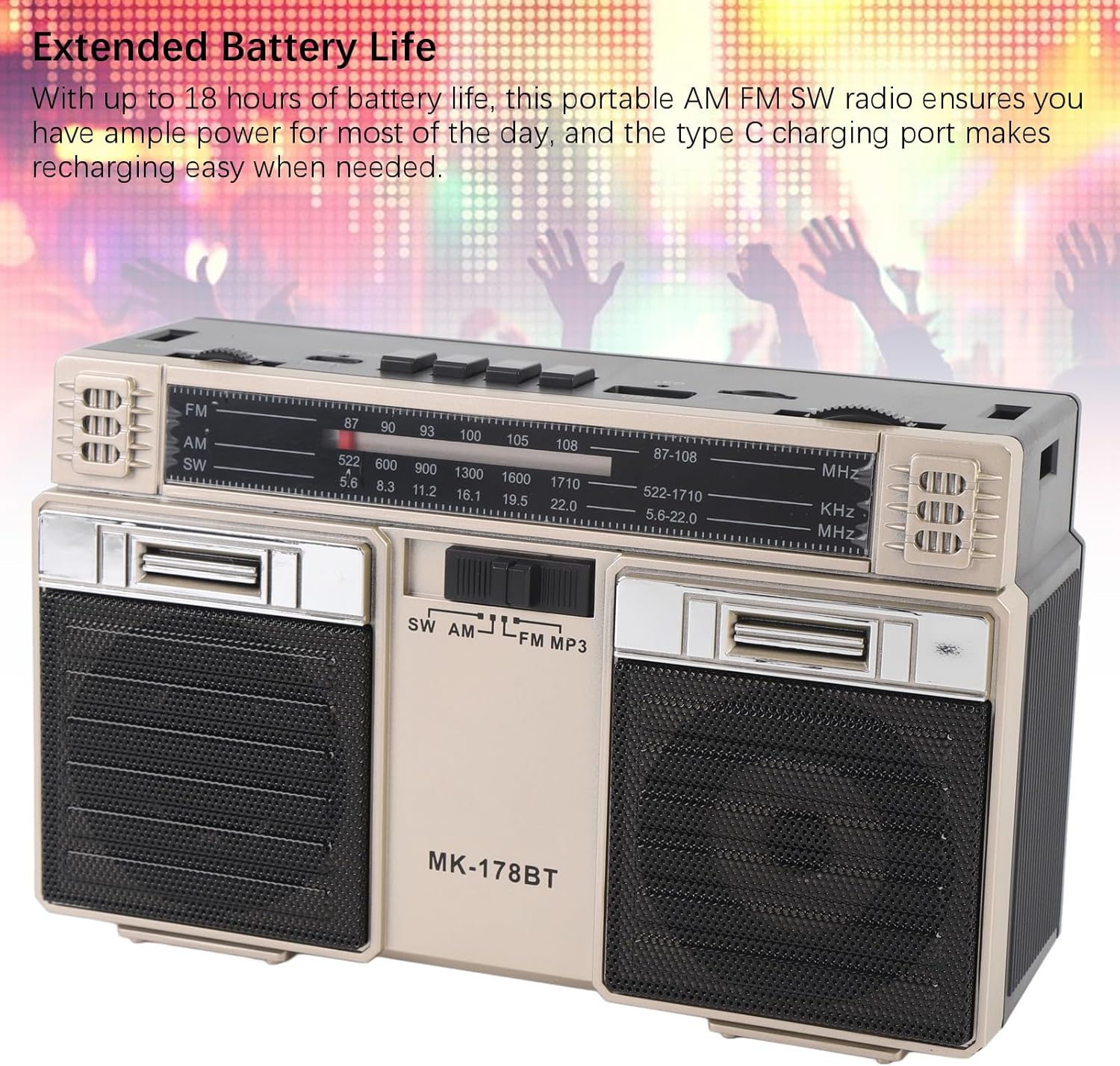
Image: The radio with its telescopic antenna fully extended, demonstrating optimal setup for radio reception.
3. Робота Bluetooth
- Натисніть M/* button until the radio enters Bluetooth mode (an audible prompt or indicator may confirm this).
- На пристрої з підтримкою Bluetooth (наприклад, смартфоні, планшеті) знайдіть доступні пристрої Bluetooth.
- Select "MK-178BT" (or similar name) from the list to pair.
- Once paired, you can stream audio from your device to the radio. Use the ►█, ◀◀, і ►► кнопки для керування відтворенням.
4. USB/Storage Card Playback
- Вставте USB-накопичувач у USB-слот or a Micro SD (TF) card into the TF слот.
- The radio should automatically switch to USB or TF card mode. If not, press the M/* кнопку, щоб вибрати правильний режим.
- The radio will begin playing audio fileз вставленого пристрою зберігання даних.
- Використовуйте ►█ кнопка для відтворення/паузи, а також ◀◀ / ►► кнопки для пропуску треків.
Технічне обслуговування
1. прибирання
- Протріть зовнішню частину радіоприймача м’якою сухою тканиною.
- Не використовуйте абразивні засоби для чищення, розчинники або сильні хімічні речовини.
2. Догляд за акумулятором
- Перед першим використанням повністю зарядіть акумулятор.
- Уникайте частої повної розрядки акумулятора, щоб продовжити термін його служби.
- If storing the radio for an extended period, charge it to about 50% every few months.
3. Зберігання
- Зберігайте радіоприймач у прохолодному, сухому місці, подалі від прямих сонячних променів та екстремальних температур.
- Тримайте його подалі від пилу та вологи.
Усунення несправностей
| проблема | Можлива причина | Рішення |
|---|---|---|
| Радіо не вмикається. | Батарея розряджена. Вимикач живлення вимкнено. | Charge the battery. Ensure the power switch is in the 'ON' position. |
| Поганий прийом радіо. | Антена не висунута. Зона слабкого сигналу. Перешкоди. | Fully extend the telescopic antenna. Try repositioning the radio. Move away from electronic devices causing interference. |
| Bluetooth не підключається. | Radio not in Bluetooth mode. Device not discoverable. Already paired with another device. | Ensure radio is in Bluetooth mode. Make sure your device's Bluetooth is on and discoverable. Disconnect from other devices. |
| USB/TF-карта не відтворюється. | Incorrect mode selected. Incompatible file format. Corrupted storage device. | Прес M/* to select USB/TF mode. Ensure audio files are in a compatible format (e.g., MP3). Try a different USB drive or TF card. |
| Немає звуку або гучність низька. | Volume too low. Mute activated (if applicable). | Збільшити ОБ'ЄМ knob. Check if the connected Bluetooth device's volume is also up. |
Технічні характеристики
- Номер моделі: MK-178BT (Internal SKU: EBTOOLSshukg7o0ny-12)
- матеріал: ABS
- Діапазон частот FM: від 87 до 108 МГц
- Діапазон частот AM: 522 до 1710 КГц
- Діапазон частот SW: від 5.6 до 22 МГц
- Storage Card/Small Memory Card Support: Maximum 32GB (not included)
- Вбудована батарея: Літій-полімерний на 1200 мАг
- Джерело живлення: Живлення від батареї (зарядка через Type-C)
- Технологія підключення: Bluetooth
- Розміри продукту: 7.48 x 4.72 x 3.14 дюйми (19 x 12 x 8 см)
- Вага товару: 1.35 фунта (0.61 кг)
- Особливості: Portable, Bluetooth, Rechargeable
Гарантія та підтримка
For warranty information or technical support, please refer to the purchase platform or contact EBTOOLS customer service directly. Keep your purchase receipt as proof of purchase.