
1. Вступ
This manual provides essential information for setting up, operating, and maintaining your Hisense 65E7Q PRO 65-inch QLED 4K 144Hz Smart TV. Please read these instructions carefully before using your television to ensure proper functionality and safety. Keep this manual for future reference.
2. Що в коробці
Перевірте, чи всі наступні компоненти входять до вашої упаковки:
- телебачення
- Кабель живлення
- Пульт дистанційного керування
- Посібник користувача
3. Налаштування
3.1 Фізичне встановлення
Carefully unpack the television. You can install the TV on its included stand or mount it on a wall (wall mount sold separately). Ensure the TV is placed on a stable, level surface or securely mounted according to the wall mount instructions.

Фронт view of the Hisense TV with its stand, illustrating the display and bezel design.

Сторона проfile of the Hisense TV, showing its slim design.
3.2 Підключення живлення
Connect the power cable to the TV's power input and then to a wall outlet. Do not plug in the TV until all other connections are made.
3.3 Майстер початкового налаштування
Upon first power-on, the TV will guide you through an initial setup process. This includes language selection, network connection (Wi-Fi or Ethernet), channel scanning, and acceptance of terms and conditions for smart features.
4. Інструкція з експлуатації
4.1 Функції дистанційного керування
The included remote control allows you to navigate the TV's menus, adjust settings, and access smart features. Familiarize yourself with the button layout for optimal use.
The Hisense TV remote control, highlighting dedicated buttons for popular streaming services and voice control.
4.2 Smart TV Interface (VIDAA U8)
Your Hisense TV features the VIDAA U8 operating system, providing access to a wide range of internet applications such as Netflix, Prime Video, Disney+, YouTube, and more. Navigate using the remote control's directional pad and OK button.

Screenshot of the Hisense VIDAA U8 Smart TV interface, showing various applications and content recommendations, along with icons for Apple HomeKit, AirPlay, Alexa Built-in, and VIDAA Voice.
4.3 Голосове керування
The TV supports voice control through Alexa Built-in and VIDAA Voice. Use the dedicated voice button on your remote to issue commands for searching content, controlling playback, and managing smart home devices.
5. Ключові характеристики
Технологія дисплея 5.1 QLED
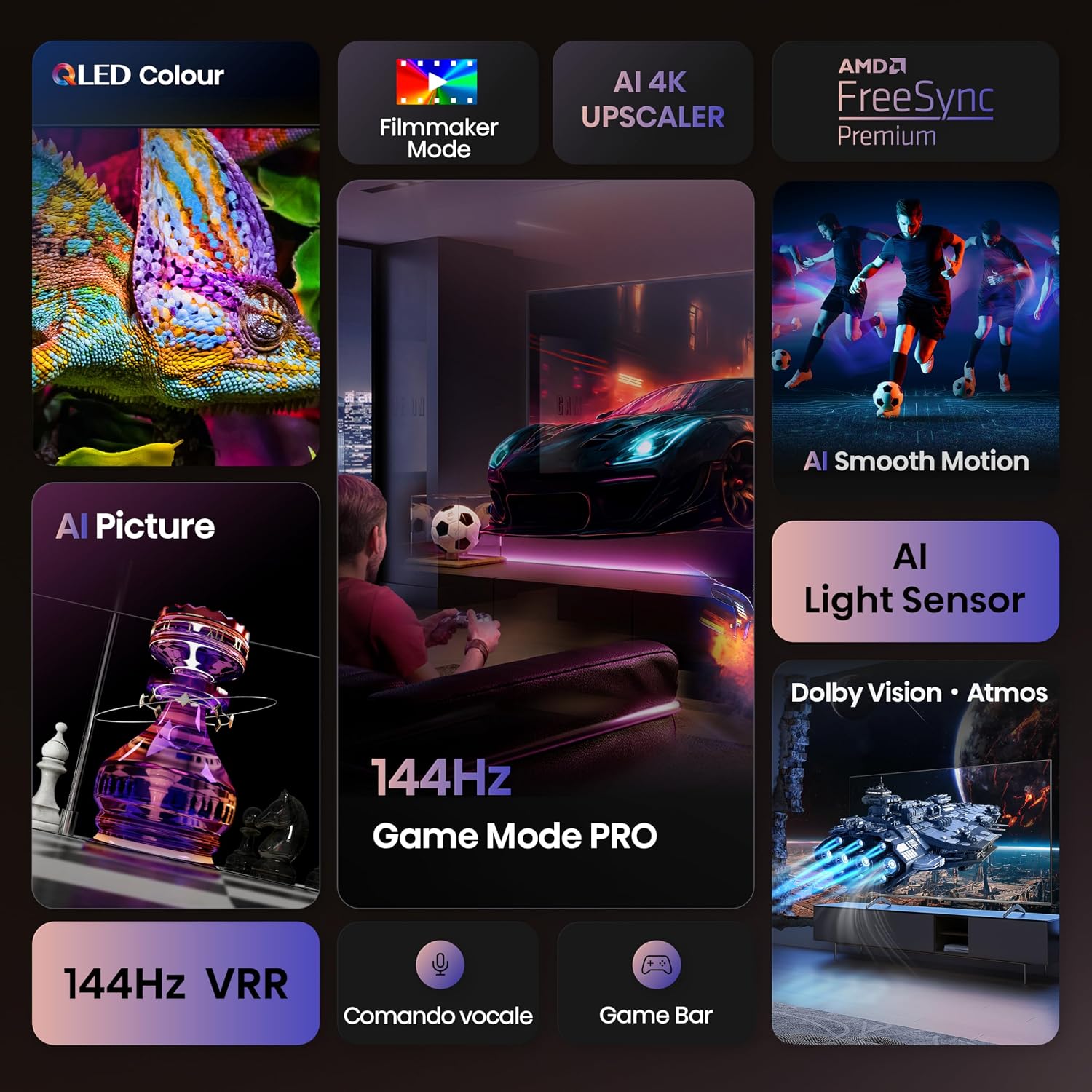
Experience over a billion shades of color with the QLED display technology, delivering vibrant and lifelike images with enhanced brightness and contrast.

Close-up image of a chameleon on the Hisense QLED display, demonstrating the vibrant and rich color reproduction.
5.2 144Hz Game Mode PRO
Designed for gamers, the 144Hz Game Mode PRO offers a native 144Hz Variable Refresh Rate (VRR), ensuring ultra-smooth gameplay with minimal input lag and screen tearing. This feature is ideal for high-performance gaming consoles and PCs.

Image depicting a person playing a racing video game on the Hisense TV, emphasizing the 144Hz Game Mode PRO for smooth gaming.
5.3 Dolby Vision IQ, HDR 10+ Adaptive & Dolby Atmos
Enjoy a cinematic experience with support for Dolby Vision IQ and HDR 10+ Adaptive, which optimize picture quality based on content and ambient light. Dolby Atmos provides immersive, multi-dimensional audio that flows around you.

Image showing a spaceship scene on the Hisense TV, illustrating the immersive visual and audio experience with Dolby Vision IQ and Dolby Atmos.
5.4 Підвищення роздільної здатності 4K за допомогою штучного інтелекту
The AI 4K Upscaler intelligently analyzes and enhances lower-resolution content to near 4K quality, ensuring a sharp and detailed viewing experience regardless of the source.

Diagram illustrating the AI 4K Upscaler technology, showing how lower-resolution images are enhanced to near 4K quality, with a tiger's eye as an example.
5.5 AI Smooth Motion
AI Smooth Motion technology reduces motion blur and judder in fast-moving scenes, providing a clearer and more fluid picture, especially beneficial for sports and action movies.

Image of soccer players in motion on the Hisense TV, demonstrating the AI Smooth Motion feature for clear, blur-free fast-paced scenes.
6. Підключення
The Hisense 65E7Q PRO offers a variety of connectivity options for your devices:
- Порти HDMI 2.1: 4 ports for connecting gaming consoles, Blu-ray players, and other high-definition devices.
- Порти USB: 2 ports for connecting USB flash drives for media playback.
- Ethernet (LAN): Для стабільного дротового інтернет-з’єднання.
- Wi-Fi: Вбудований бездротовий модуль для доступу до Інтернету.
- Bluetooth: For connecting wireless headphones, soundbars, and other compatible devices.
- Цифровий аудіовихід: Для підключення до зовнішніх звукових систем.
- AV вхід: Для підключення старіших пристроїв.
- Роз'єм для навушників: Для приватного прослуховування.
- CI Card Slot: Для модулів умовного доступу.
- ANT (Antenna) Inputs: For DVB-T2/S2 broadcast systems.

Детальний view of the Hisense TV's rear panel, showing various input and output ports including USB, CI Card Slot, HDMI 2.1, Ethernet, Digital Audio Out, AV Input, and Headphone jack.
7. Технічне обслуговування
7.1 Очищення телевізора
Щоб очистити екран, обережно протріть його м’якою тканиною без ворсу. Для стійких плям злегка протрітьampen the cloth with water or a screen-cleaning solution. Avoid using harsh chemicals or abrasive materials. Clean the TV body with a soft, dry cloth.
7.2 Оновлення програмного забезпечення
Your TV may receive software updates to improve performance and add new features. Ensure your TV is connected to the internet and check for updates periodically through the settings menu. It is recommended to allow automatic updates.
8. Вирішення проблем
Якщо у вас виникли проблеми з телевізором, зверніться до наступних поширених рішень:
- Немає живлення: Переконайтеся, що кабель живлення надійно підключено як до телевізора, так і до розетки. Спробуйте підключити інший пристрій до тієї ж розетки, щоб переконатися, що він працює.
- Немає зображення/звуку: Перевірте, чи вибрано правильне джерело вхідного сигналу. Переконайтеся, що всі кабелі HDMI або інші вхідні кабелі надійно підключені.
- Пульт дистанційного керування не працює: Замініть батарейки. Переконайтеся, що між пультом дистанційного керування та ІЧ-датчиком телевізора немає перешкод.
- Проблеми з мережевим підключенням: For Wi-Fi, check your router and ensure the TV is within range. For Ethernet, ensure the cable is connected and your router is functioning. Try restarting both the TV and your router.
- Погана якість зображення: Налаштуйте параметри зображення (яскравість, контрастність, різкість, колір). Переконайтеся, що джерело вхідного сигналу забезпечує високоякісний сигнал.
For more detailed troubleshooting, consult the full user manual PDF or contact Hisense customer support.
9. Технічні характеристики
| Особливість | Специфікація |
|---|---|
| Бренд | Hisense |
| Назва моделі | Hisense 65E7Q PRO |
| Номер моделі | 65E7Q ПРОФЕСІЙНИЙ |
| Розмір екрана | 65 дюймів |
| Технологія екрану | QLED |
| роздільна здатність | 4 тис. (3840x2160) |
| Частота оновлення | 144 Гц |
| Maximum Display Brightness | 1000 NIT Coating |
| Supported HDR Format | Dolby Vision |
| Image Quality Enhancement Technology | QLED Colour, Dolby Vision, Smooth Motion AI |
| Integrated Surround Sound Format | Dolby Atmos |
| Максимальна вихідна потужність динаміка | 20 Вт |
| Кількість аудіоканалів | 5.1 |
| Операційні системи | ВІДАА У |
| Загальна кількість портів HDMI | 4 |
| Загальна кількість портів USB | 2 |
| Технологія підключення | Bluetooth, Ethernet, HDMI, USB, Wi-Fi |
| Стандарт кріплення VESA | 400 х 400 мм |
| Вага товару | 15.2 кілограма |
| Розміри продукту (ДxШxВ) | 30 дюйма x 145.3 дюймів x 89.7 дюйми заввишки |
| Країна походження | Китай |
Енергетична інформація

The EU Energy Label for the Hisense 65E7Q PRO TV.
Інформація про товар

Page 1 of the Hisense 65E7Q PRO product information sheet.

Page 2 of the Hisense 65E7Q PRO product information sheet.
Для отримання додаткової інформації відвідайте офіційну базу даних EPREL: https://eprel.ec.europa.eu/qr/2171187
10. Гарантія та підтримка
10.1 Гарантія на виріб
The Hisense 65E7Q PRO TV comes with a 2-річна обмежена гарантія виробника. Please retain your proof of purchase for warranty claims. The warranty covers manufacturing defects under normal use. For specific terms and conditions, refer to the warranty documentation included with your product.
10.2 Додаткові ресурси
For a comprehensive guide and further assistance, you can download the official User Manual in PDF format:
- Завантажити посібник користувача (PDF)
- Download Data Transparency Declaration (PDF)
- Завантажити інформацію з безпеки (PDF)
Note: No official product videos with 'Seller' creator type and m3u8 format were found in the provided data to embed.