
1. Вступ
Thank you for choosing the OREiN OL17006 Bathroom Exhaust Fan with Light. This product is designed to enhance air quality and illumination in your bathroom, laundry room, or similar indoor spaces. It features a humidity sensor, adjustable airflow (CFM), a multi-color temperature LED light, and a nightlight function. Please read this manual thoroughly before installation and operation to ensure safe and efficient use.
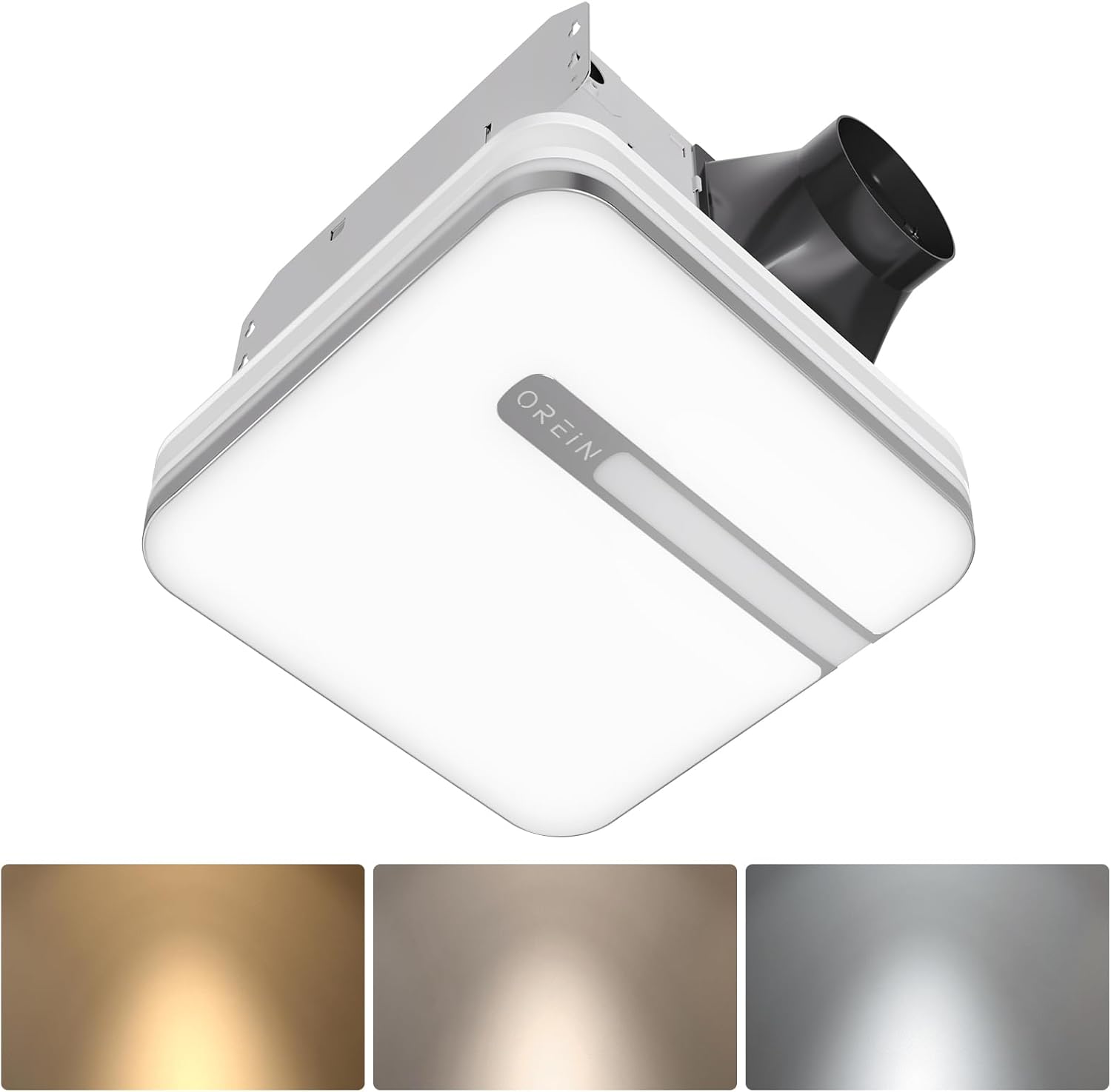
Image 1.1: The OREiN OL17006 Bathroom Exhaust Fan with Light, showcasinйого елегантний дизайн та вбудоване освітлення.
2. Інформація про безпеку
Always follow basic safety precautions when installing, operating, and maintaining this product to reduce the risk of fire, electric shock, or injury to persons.
- Прочитайте всі інструкції: Familiarize yourself with the product and its functions before use.
- Електрична безпека: Disconnect power at the service panel before wiring or servicing the unit. Ensure all wiring complies with local electrical codes and standards.
- Кваліфікований персонал: Монтаж та підключення електропроводки повинен виконувати кваліфікований електрик.
- Заземлення: Цей пристрій має бути належним чином заземлений.
- Вентиляція: Do not use this fan in kitchens or areas where it may be exposed to grease.
- оформлення: Дотримуйтесь належної відстані від горючих матеріалів.
- Пошкодження: Do not operate any fan with a damaged cord or plug, or if the fan motor is dropped or damaged in any manner.
3. Вміст упаковки
Перед початком встановлення перевірте наявність усіх компонентів:
- OREiN OL17006 Витяжний вентилятор для ванної кімнати з освітленням
- Fast Bracket for Installation
- Посібник користувача (цей документ)
- Mounting Hardware (Screws, wire nuts, etc.)
4. Технічні характеристики
| Особливість | Специфікація |
|---|---|
| Бренд | OREiN |
| Назва моделі | OL17006 |
| Потужність повітряного потоку | 80 / 110 Cubic Feet Per Minute (CFM) selectable |
| Рівень шуму | 0.8 / 1.0 Sones |
| Wattage | 30 Вт (вентилятор) |
| томtage | 120 вольт |
| Світловий вихід | 1500 люменів |
| Колірна температура | 3000K (Soft White), 4000K (Bright White), 5000K (Daylight) selectable |
| нічник | 2200 тис |
| Особливості | Humidity Sensor, Adjustable Color Temperature, LED Light |
| Діаметр воздуховода | 4 дюймів |
| Розміри житла | 9.25 см x 9.75 см x 7.1 см |
| Install Size | 10.24 дюйми x 9.37 дюйми (260 x 238 мм) |
| Light Cover Size | 13 дюймів x 13 дюйма |
| Тип кімнати | Bathroom, Laundry Room |
5. Налаштування та встановлення
The OREiN OL17006 fan is designed for easy installation in new construction or retrofit applications. It fits 10.24" x 9.37" ceiling constructions with a 4-inch duct.
5.1 Етапи перед інсталяцією
- Відключення живлення: Ensure power is turned OFF at the circuit breaker before starting any installation work.
- Вибір місця розташування: Choose a suitable location in the ceiling, ensuring adequate space for the fan housing and ductwork.
- Повітроводи: Plan for a 4-inch duct connection to the exterior.
5.2 Процедура встановлення
The fan comes with a fast bracket for secure and easy installation. You can mount the exhaust fan between ceiling joists using the fast bracket, or nail/screw it directly to a joist.
- Монтаж корпусу: Secure the fan housing to the ceiling joists using the provided fast bracket or by nailing/screwing directly. Ensure the housing is level and firmly attached.
- З'єднання повітропроводів: Connect the 4-inch ductwork to the fan's exhaust port. Seal all duct connections with appropriate tape or sealant to prevent air leakage.
- Електропроводка: Connect the electrical wiring according to the wiring diagram provided with the unit and local electrical codes. Ensure proper grounding.
- Light Cover Installation: Після завершення та перевірки проводки прикріпіть кришку лампи до корпусу вентилятора.

Image 5.1: Diagram illustrating the product dimensions, installation size (10.24" x 9.37"), and the fast bracket for mounting.
6. Інструкція з експлуатації
The OREiN OL17006 fan offers versatile operation modes and lighting options.
6.1 CFM Selection (Airflow Speed)
You can select between 80 CFM and 110 CFM airflow speeds to suit your ventilation needs. This is done by sliding a toggle switch located on the fan housing before final installation of the light cover.
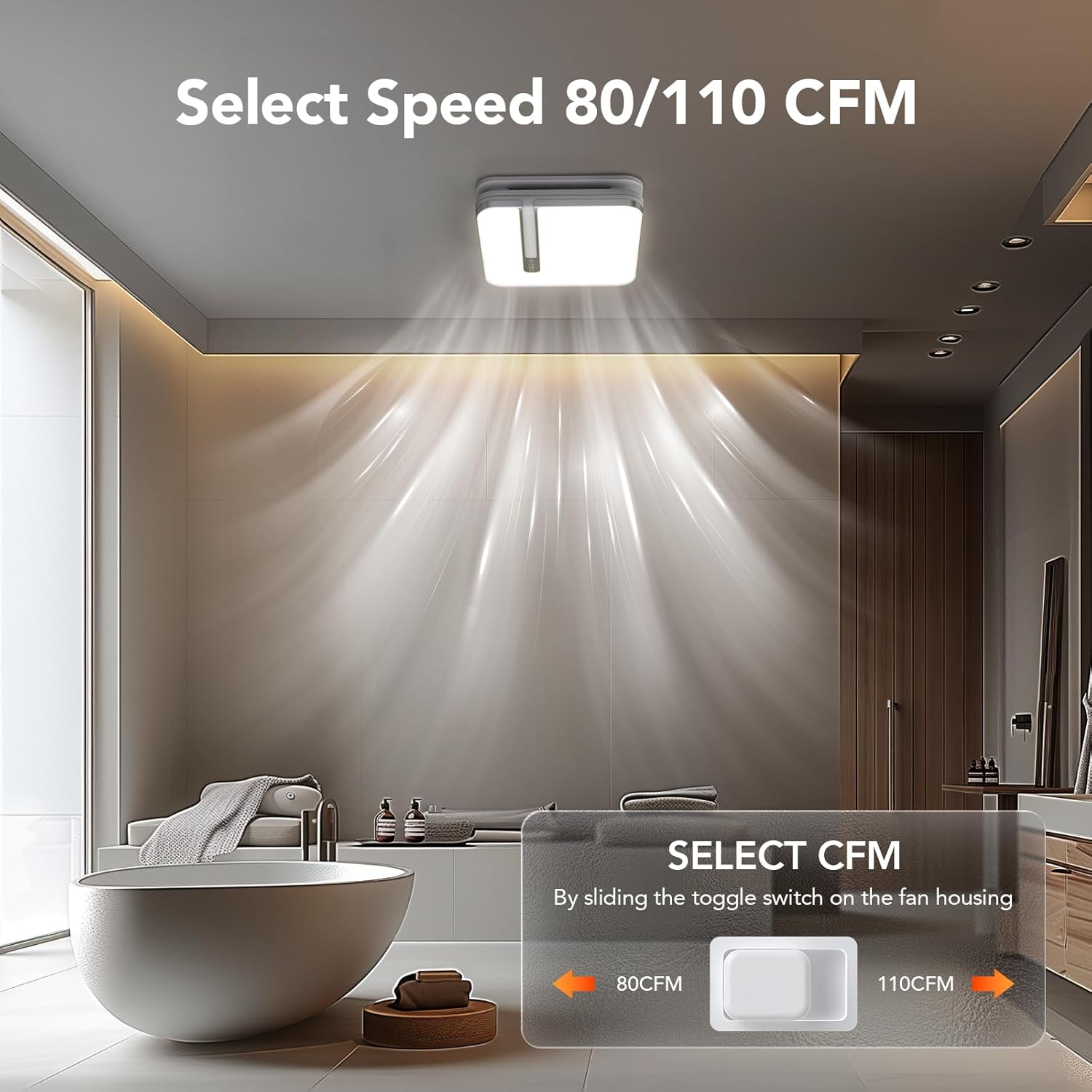
Image 6.1: Illustration of the toggle switch on the fan housing used to select between 80 CFM and 110 CFM airflow settings.
6.2 Light Color Temperature (CCT) Selection
The integrated LED light offers three color temperature options: 3000K (Soft White), 4000K (Bright White), and 5000K (Daylight). To select your desired CCT, slide the toggle switch located on the back of the bath fan shade before installing it.

Image 6.2: Visual guide for selecting the LED light's color temperature (3000K, 4000K, 5000K) using the switch on the lampвідтінок.
6.3 Функція нічного освітлення
The fan includes a 2200K nightlight. To activate the nightlight mode, cycle the wall switch of the light from OFF to ON-OFF-ON within 2 seconds. This quick sequence will switch the light to nightlight mode.

Зображення 6.3: Колишнійample of the 2200K nightlight providing subtle illumination in a bathroom setting.
6.4 Humidity Sensing Mode
The built-in humidity sensor automatically turns the fan on when the humidity level in the room exceeds 60%. The LED indicator light on the back of the fan will be green when in humidity sensing mode.
To switch between Manual Mode (fan runs continuously) and Humidity Sensing Mode, cycle the wall switch of the fan to the "OFF" position and then back to the "ON" position. The fan will indicate the current mode by the color of its indicator light.
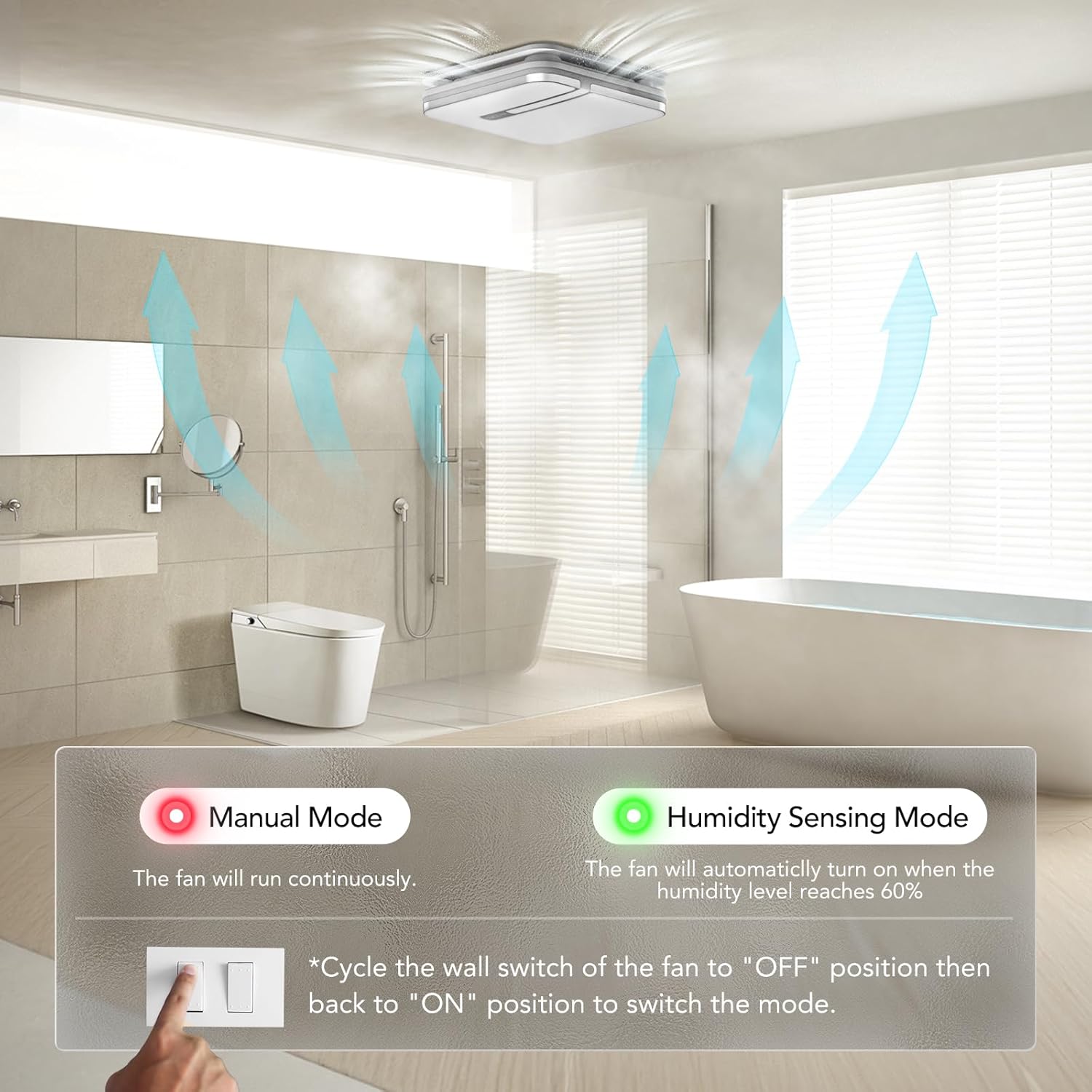
Image 6.4: Explanation of Manual Mode (red indicator, continuous operation) and Humidity Sensing Mode (green indicator, automatic activation at 60% humidity).
7. Технічне обслуговування
Регулярне технічне обслуговування забезпечує оптимальну продуктивність та довговічність вашого витяжного вентилятора.
- Відключення живлення: Завжди вимикайте живлення автоматичним вимикачем перед виконанням будь-якого технічного обслуговування.
- Cleaning the Grille/Light Cover: Remove the light cover and wash it with mild soap and water. Rinse thoroughly and dry completely before reattaching.
- Очищення лопатей вентилятора: Обережно протріть лопаті вентилятора рекламнимamp тканиною, щоб видалити пил та сміття. Не згинайте леза.
- Технічне обслуговування двигуна: Двигун постійно змащується і не потребує додаткового змащування.
- Огляд повітропроводів: Periodically check ductwork for obstructions or damage.
8. Вирішення проблем
If you encounter issues with your OREiN OL17006 fan, refer to the following common problems and solutions:
| проблема | Можлива причина | Рішення |
|---|---|---|
| Вентилятор не працює | Немає джерела живлення Ослаблена проводка Несправність мотора | Перевірте автоматичний вимикач та настінний вимикач Verify all wire connections are secure (ensure power is off) Зверніться в службу підтримки клієнтів |
| Світло не вмикається | Немає джерела живлення Ослаблена проводка Несправність світлодіода | Перевірте автоматичний вимикач та настінний вимикач Verify all wire connections are secure (ensure power is off) Зверніться в службу підтримки клієнтів |
| Вентилятор шумить | Нещільне кріплення Duct obstruction Брудні лопаті вентилятора Проблема з мотором | Ensure fan housing is securely mounted Check ductwork for debris Clean fan blades (ensure power is off) Зверніться в службу підтримки клієнтів |
| Humidity sensor not activating | Вибраний неправильний режим Humidity level below 60% Несправність датчика | Cycle wall switch to switch to Humidity Sensing Mode Ensure room humidity is above 60% Зверніться в службу підтримки клієнтів |
| Nightlight not activating | Incorrect switch sequence | Ensure ON-OFF-ON sequence is performed within 2 seconds |
9. Гарантія та підтримка
OREiN products are manufactured with quality and reliability in mind. For specific warranty details, please refer to the warranty card included with your product or contact OREiN customer service directly.
9.1 Підтримка клієнтів
For technical assistance, troubleshooting not covered in this manual, or warranty inquiries, please contact OREiN customer support:
- телефон: 1 (844) 506-1530 (цілодобове обслуговування)
- Онлайн: Visit the OREiN store on Amazon or search for OREiN on the internet to find contact options.

Image 9.1: OREiN customer service contact details, including a 24-hour service phone number.