
1. Вступ
Welcome to the TABWEE T80 Tablet user manual. This guide provides comprehensive instructions to help you get the most out of your new Android 15 tablet. The T80 is designed for a seamless and powerful user experience, featuring advanced AI capabilities, a vibrant display, and robust performance for both work and entertainment.
Ключові характеристики:
- Операційна система Android 15: Experience the latest features and security enhancements.
- Gemini AI 2.0: Enhanced AI for smarter interactions and controls.
- 10.5-inch HD+ IPS Display: Enjoy clear and vibrant visuals with a wide viewкут.
- Потужна продуктивність: Equipped with a 2.0GHz CPU, 12GB RAM, and 64GB ROM (expandable up to 2TB via TF card).
- Довговічний акумулятор: 6000mAh mega battery for extended use.
- Розширене підключення: Supports 5G WiFi and Bluetooth 5.0.
- 5MP Google Lens Camera: For clear photos and smart scene recognition.

Figure 1.1: The TABWEE T80 Tablet, showcasinйого елегантний дизайн та дисплей.
2. Налаштування
2.1 Розпакування та початкова оплата
Carefully remove your TABWEE T80 Tablet from its packaging. Before first use, it is recommended to fully charge the device using the provided USB-C cable and power adapter. The charging port is located on the side of the tablet.
2.2 Увімкнення та початкове налаштування
- Press and hold the Power button (located on the side) until the TABWEE logo appears on the screen.
- Дотримуйтесь підказок на екрані, щоб вибрати мову, підключитися до мережі Wi-Fi та налаштувати обліковий запис Google.
- Review and accept the terms and conditions to complete the setup process.

Рисунок 2.1: Оверview of the TABWEE T80's core specifications and features.
3. Керування планшетом
3.1 Функції Android 15
Your TABWEE T80 runs on the latest Android 15, offering enhanced user experience, improved privacy, and smart features.
Split-Screen Combo
The split-screen feature allows you to run two applications simultaneously, enhancing multitasking and productivity. You can easily save app pairs for quick access.
Video 3.1: Demonstrates how to use the split-screen feature to run two applications concurrently on the TABWEE T80 tablet.
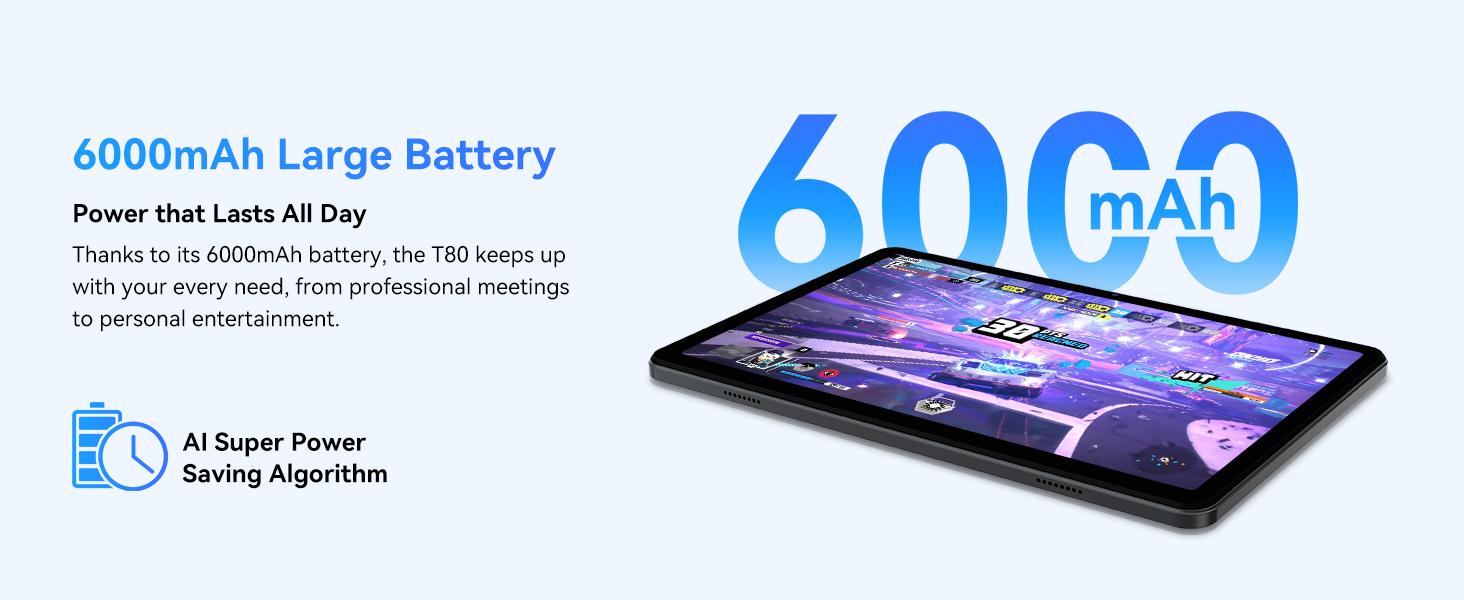
Figure 3.1: Visual representation of the split-screen functionality, allowing for efficient multitasking.
Desktop Customization and Widgets
Personalize your home screen by dragging and grouping apps freely. You can also add various widgets, such as the calendar, to quickly access information and tasks.
Video 3.2: Illustrates how to customize your desktop layout and add widgets for quick access to information.
Контроль конфіденційності
Android 15 offers enhanced privacy controls, allowing you to manage app permissions and secure your data. You can block app access to sensitive information like location.
Video 3.3: Shows how to manage privacy settings and control app access to your data on the TABWEE T80.
Parental Controls with Gemini AI
Utilize Gemini AI parental controls to manage screen time, automatically lock games during homework, and ensure a safe digital environment for children.
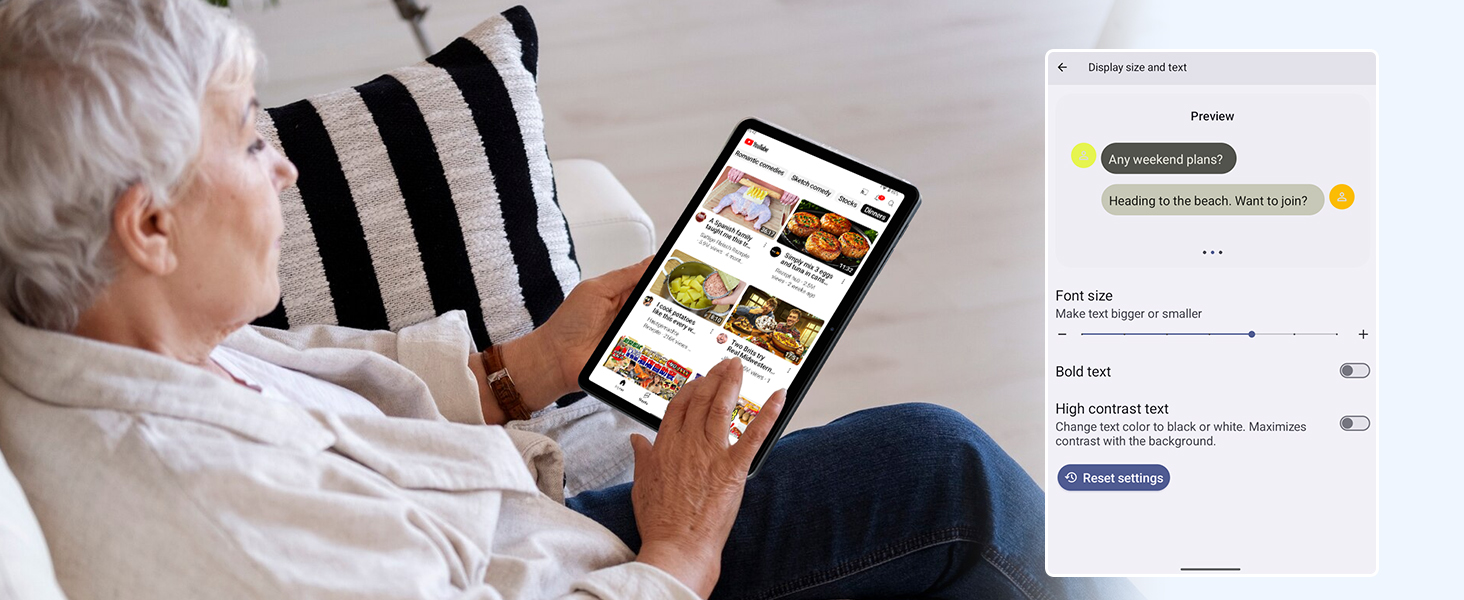
Figure 3.2: The Digital Wellbeing interface, demonstrating options for managing screen time and parental controls.
3.2 Дисплей та візуальні елементи
The 10.5-inch HD+ IPS display provides a clear and immersive viewing experience with a 1280x800 resolution and 84.9% screen-to-body ratio. It's ideal for watching videos, browsing, and reading.

Figure 3.3: Details of the tablet's display, highlighting its resolution and IPS full view можливості.
3.3 Продуктивність та сховище
Powered by a 2.0GHz Unisoc T310 CPU and 12GB RAM (expandable via software memory extension), the T80 ensures smooth multitasking and responsive performance. With 64GB of internal storage and support for up to 2TB TF cards, you have ampпростір для всіх ваших files, apps, and media.

Figure 3.4: Illustration of the tablet's processing power and memory, enabling seamless multitasking and productivity.
3.4 Термін служби батареї
The 6000mAh mega battery provides extended usage, offering up to 8 hours of video streaming, 6 hours of gaming, or 30 hours of music playback. Smart power-saving modes further optimize battery longevity.

Figure 3.5: Depiction of the tablet's large 6000mAh battery and its USB-C charging port.
3.5 Функції камери
The T80 features a 5MP Google Lens enabled camera. This allows for scene recognition, night mode optimization, and useful functions like text translation and object identification.

Рисунок 3.6: Оверview of the tablet's camera and its integration with Google Lens for smart functions.
4. Технічне обслуговування
To ensure the longevity and optimal performance of your TABWEE T80 Tablet, follow these maintenance guidelines:
- Прибирання: Використовуйте м’яку тканину без ворсу для очищення екрана та корпусу. Уникайте абразивних матеріалів або агресивних хімікатів.
- Оновлення програмного забезпечення: Регулярно перевіряйте наявність та встановлюйте оновлення системи, щоб скористатися найновішими функціями, виправленнями безпеки та покращеннями продуктивності.
- Догляд за акумулятором: Уникайте екстремальних температур. Не допускайте частої повної розрядки акумулятора. Для тривалого зберігання заряджайте акумулятор приблизно до 50%.
- Управління сховищем: Періодично очищайте від непотрібного fileта програми для звільнення місця для зберігання та забезпечення безперебійної роботи.
- захист: Розгляньте можливість використання захисного чохла та захисної плівки для екрану, щоб захистити його від падінь та подряпин.
5. Вирішення проблем
This section addresses common issues you might encounter with your TABWEE T80 Tablet.
5.1 Пристрій не вмикається
- Перевірте батарею: Ensure the tablet has sufficient charge. Connect it to the charger and wait a few minutes before attempting to power on again.
- Hard Reset: Натисніть і утримуйте кнопку живлення приблизно 10-15 секунд, доки пристрій не перезавантажиться.
5.2 Проблеми з підключенням до Wi-Fi
- Увімкнути/вимкнути Wi-Fi: Turn Wi-Fi off and then on again in Settings.
- Перезапустіть маршрутизатор: Вимкніть і знову вимкнути Wi-Fi роутер.
- Забудьте про мережу: Go to Wi-Fi settings, forget the problematic network, and then reconnect.
5.3 Повільна продуктивність
- Закрити фонові програми: Закрийте невикористовувані програми, що працюють у фоновому режимі.
- Очистити кеш: Regularly clear app caches in Settings > Apps.
- Звільніть місце для зберігання: Видалити непотрібне files or uninstall rarely used apps.
- Перезавантажте пристрій: A simple restart can often resolve temporary slowdowns.
5.4 Збої або невідповідність програм
- Примусова зупинка програми: Go to Settings > Apps, select the problematic app, and choose 'Force Stop'.
- Clear App Data/Cache: In the same app settings, try clearing its cache or data (note: clearing data will reset the app to its default state).
- Перевстановіть додаток: Uninstall and then reinstall the app from the Google Play Store.
6. Технічні характеристики
Detailed technical specifications for the TABWEE T80 Tablet:
| Особливість | Специфікація |
|---|---|
| Бренд | TABWEE |
| Назва моделі | T80 |
| Операційна система | Android 15 |
| Розмір екрана | 10.5 дюймів |
| Роздільна здатність екрана | 1280 x 800 пікселів |
| Процесор | 2.0 GHz Unisoc T310 |
| Пам'ять (RAM) | 12 ГБ |
| Зберігання (ROM) | 64 ГБ |
| Розширюване сховище | Карта пам'яті TF до 2 ТБ |
| Задня WebРоздільна здатність камери | 5 Мп |
| Бездротовий тип | 802.11n, 802.11b, 802.11a, 802.11ac, 802.11g (5G WiFi) |
| Bluetooth | Bluetooth 5.0 |
| Ємність акумулятора | 6000 мАг |
| Середній термін служби батареї | 550 годин (в режимі очікування) |
| Вага товару | 1.1 фунта (приблизно 523 грамів) |
| Розміри продукту | 9.5 x 6.4 x 0.3 дюймів |
| Колір | Сірий |
7. Гарантія та підтримка
TABWEE is committed to quality and customer satisfaction. Your T80 Tablet comes with comprehensive support to ensure a worry-free experience.
7.1 Інформація про гарантію
The TABWEE T80 Tablet is backed by a Гарантія 2 рік. This warranty covers manufacturing defects and ensures free repair service for eligible issues. Please retain your proof of purchase for warranty claims.
7.2 Підтримка клієнтів
З будь-якими питаннями, технічною допомогою або гарантійними претензіями звертайтеся до нашої спеціалізованої служби підтримки:
- Цілодобова онлайн-підтримка за телефоном: Доступний для негайної допомоги.
- Довічна технічна підтримка: Expert help whenever you need it.
- Hassle-Free Service: Assistance available through the TABWEE Official Flagship Store.
We are dedicated to providing prompt and effective solutions to all your inquiries.

Figure 7.1: Our dedicated customer support team is ready to assist you.