
Nargos Ultimate 2 Wireless Controller
Nargos 8BitDo Ultimate 2 Wireless Controller User Manual
Model: Ultimate 2 Wireless Controller
1. Вступ
This manual provides detailed instructions for the Nargos 8BitDo Ultimate 2 Wireless Controller. It covers setup, operation, maintenance, and troubleshooting to ensure optimal performance and longevity of your device. Please read this manual thoroughly before using the controller.

Figure 1: Nargos 8BitDo Ultimate 2 Wireless Controller (White model) with charging dock.
2. Налаштування та підключення
2.1 Сумісність
The Nargos 8BitDo Ultimate 2 Wireless Controller is compatible with the following platforms:
- Windows (10 and above) via 2.4G wireless dongle or wired connection.
- Steam (PC) via 2.4G wireless dongle or wired connection.
- Android (9.0 and above) via Bluetooth.
- Steam Deck via Bluetooth.
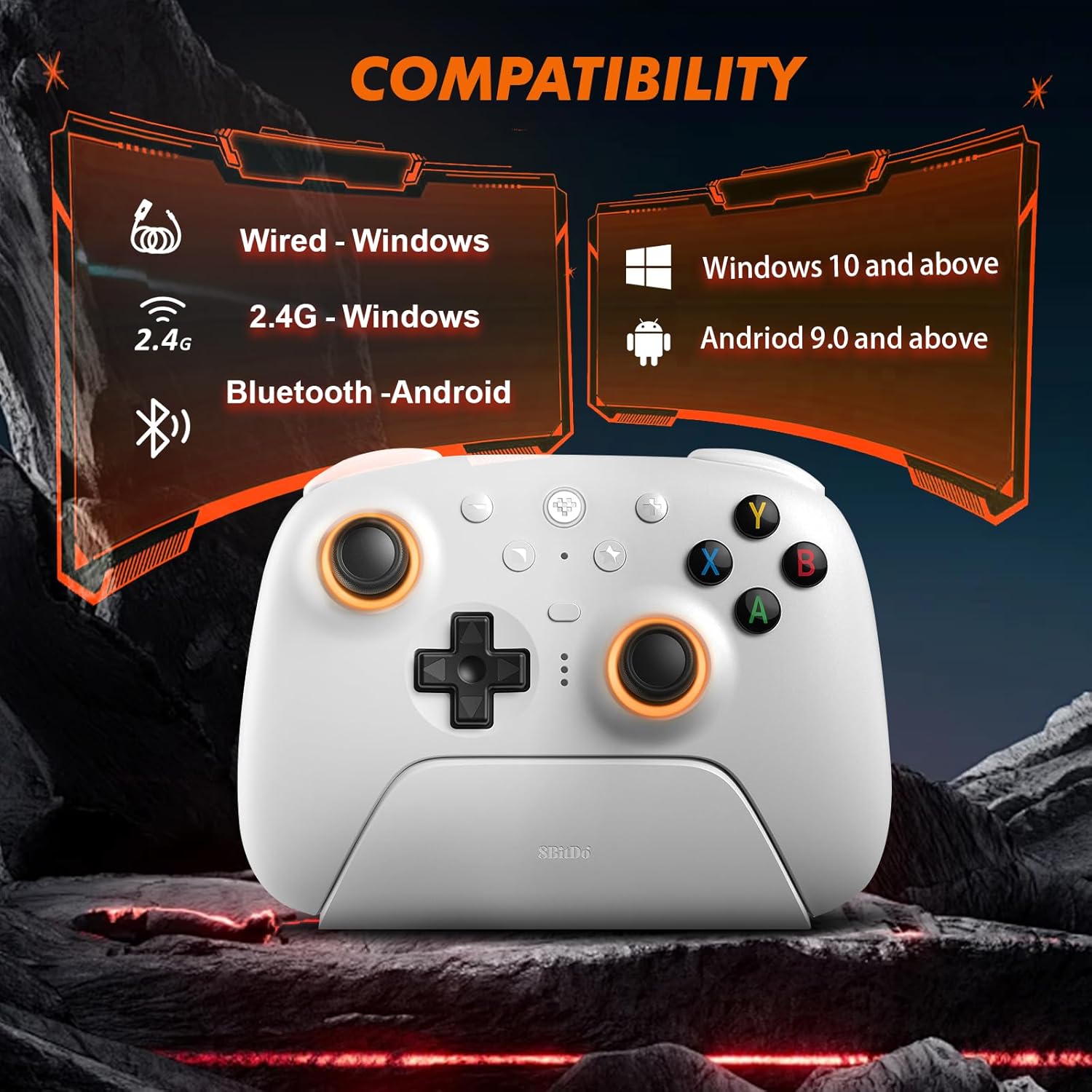
Figure 2: Visual representation of controller compatibility with Windows and Android platforms.
2.2 Заряджання контролера
The controller features a 1000mAh battery. To charge:
- Connect the included USB-C cable to the charging dock or directly to the controller.
- Connect the other end of the USB-C cable to a power source (e.g., PC USB port, USB wall adapter).
- Повна зарядка зазвичай займає приблизно 2 години.
A fully charged controller provides approximately 22 hours of gameplay without RGB lighting, or about 6 hours with RGB lighting enabled.

Figure 3: Controller on charging dock, illustrating battery capacity and charge/play times.
2.3 Підключення контролера
2.3.1 2.4G Wireless Connection (Windows/Steam PC)
- Insert the 2.4G USB-C dongle into an available USB port on your PC. The charging dock can also house the dongle, connecting to your PC via a single USB cable.
- Turn on the controller. The controller will automatically connect to the dongle.
- Індикатори контролера підтвердять успішне підключення.
2.3.2 Bluetooth Connection (Android/Steam Deck)
- Ensure your Android device or Steam Deck has Bluetooth enabled.
- На контролері натисніть і утримуйте Створення пари button (refer to button layout for location) until the indicator lights begin to flash rapidly.
- On your device, search for new Bluetooth devices and select "Nargos Ultimate 2 Controller" from the list.
- The controller's indicator lights will become solid upon successful pairing.
2.3.3 Wired Connection (Windows/Steam PC)
- Connect the USB-C cable directly from the controller to an available USB port on your PC.
- Контролер буде розпізнано як дротовий геймпад.
3. Інструкція з експлуатації
3.1 Схема контролера
The controller features a standard gamepad layout with additional customizable buttons. Familiarize yourself with the button positions for optimal use.
Малюнок 4: Спереду view of the controller, showing joysticks, D-pad, ABXY buttons, and central function buttons.
3.2 TMR Hall Effect Joysticks
The controller is equipped with TMR Hall Effect joysticks, designed to provide high precision and prevent drift. These joysticks offer enhanced durability and responsiveness for various game genres.

Малюнок 5: Збільшений план view of the TMR Hall Effect joysticks with active RGB lighting.
3.3 Switchable Triggers (Linear/Tactile)
The LT/RT buttons feature switchable trigger modes, allowing you to select between linear and tactile feedback. This functionality is useful for optimizing performance across different game types:
- Linear Hall Effect Triggers: Ideal for racing games or scenarios requiring precise analog input.
- Non-linear Tactile Triggers (Hair-trigger locks): Suitable for first-person shooter (FPS) games, providing a quicker, clicky response for rapid firing.
To switch modes, locate the physical switches on the underside of the controller near the triggers.

малюнок 6: View of the controller's underside, highlighting the switches for dual trigger modes.
3.4 Налаштування RGB-підсвічування
The joysticks feature customizable RGB lighting. Use the dedicated button (refer to controller layout) or the Ultimate Software V2 to adjust colors and effects.
3.5 Налаштовувані кнопки
The controller includes extra programmable buttons (L4/R4 on the top and back paddles PL/PR). These buttons can be remapped to other functions or assigned macros using the Ultimate Software V2.
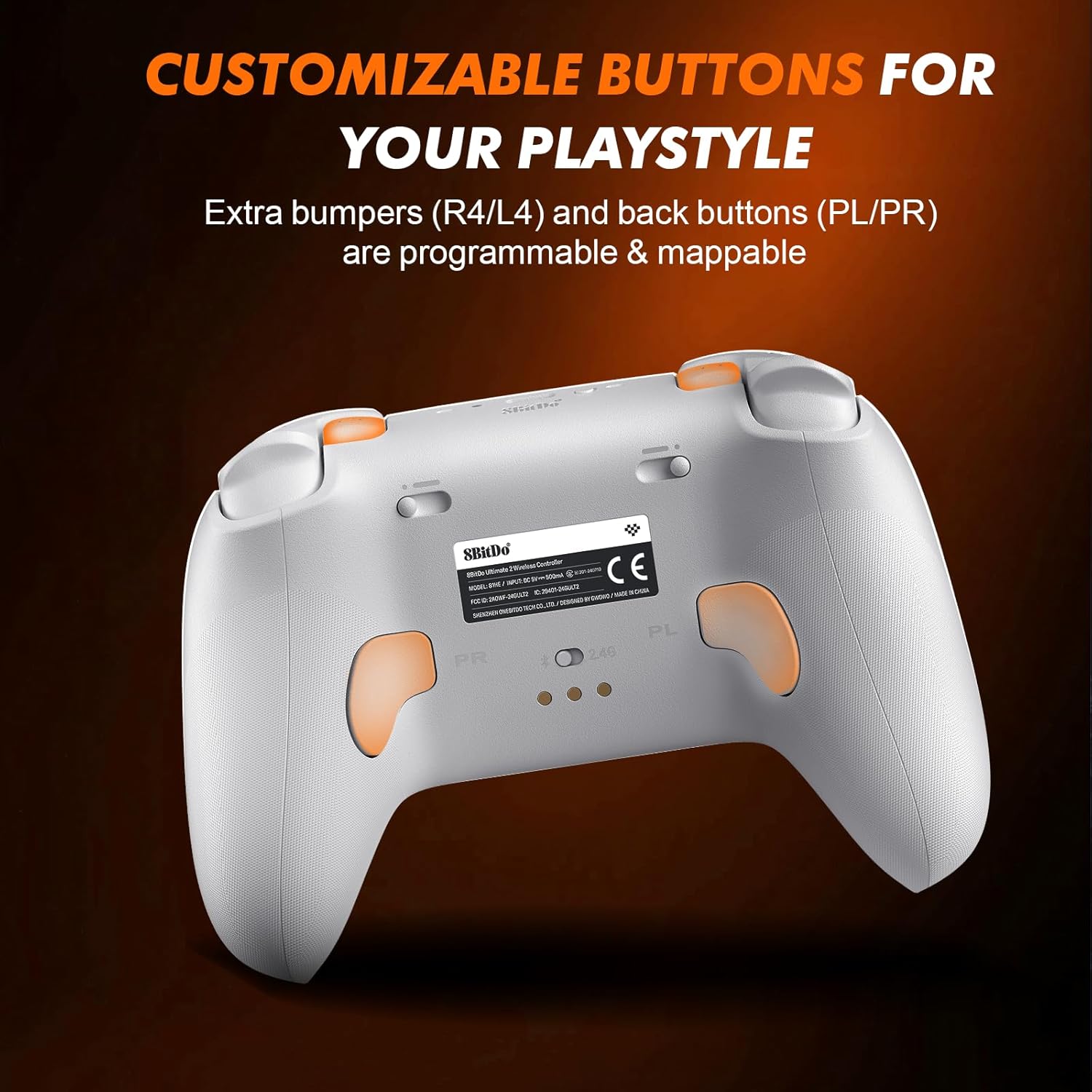
Малюнок 7: Задня частина view of the controller, indicating the location of programmable back paddles (PL/PR).
3.6 Six-Axis Gyro Control
The integrated 6-Axis Gyro provides precise motion control, enhancing gameplay in titles that support this feature. Sensitivity adjustments can be made via the Ultimate Software V2.

Figure 8: Controller being used, illustrating the immersive six-axis sensor experience.
3.7 Ultimate Software V2
The Ultimate Software V2 allows for advanced customization, including button remapping, macro programming, trigger sensitivity adjustment, and profile management. This software is compatible with Windows and Steam Deck platforms.
4. Технічне обслуговування
4.1 Очищення
To maintain the controller's condition:
- Протріть поверхню м’якою сухою тканиною.
- Для стійких забруднень використовуйте злегка damp тканиною з м’яким милом, потім негайно витріть насухо.
- Уникайте використання агресивних хімікатів або абразивних матеріалів, оскільки вони можуть пошкодити покриття.
4.2 Догляд за акумулятором
- Уникайте частого повного розряджання акумулятора.
- Зберігайте контролер у прохолодному, сухому місці, якщо він не використовується протягом тривалого часу.
- Не піддавайте контролер впливу екстремальних температур.
5. Вирішення проблем
- Контролер не підключається:
- Переконайтеся, що контролер заряджений.
- For 2.4G connection, verify the dongle is properly inserted and the controller is in 2.4G mode.
- For Bluetooth, ensure Bluetooth is enabled on your device and the controller is in pairing mode. Try re-pairing.
- Attempt a wired connection to rule out wireless issues.
- Input lag or disconnections (Bluetooth):
- Переконайтеся, що контролер знаходиться в зоні дії вашого пристрою.
- Мінімізуйте перешкоди від інших бездротових пристроїв.
- Consider using the 2.4G dongle or a wired connection for more stable performance on compatible platforms.
- Unexpected vibration:
- Check in-game settings for vibration feedback.
- Update controller firmware using the Ultimate Software V2.
- Якщо проблема не зникає, зверніться до служби підтримки клієнтів.
- Кнопки не відповідають:
- Переконайтеся, що контролер правильно підключено.
- Перевірте наявність будь-яких фізичних перешкод або сміття під кнопками.
- Test button functionality using the Ultimate Software V2.
6. Технічні характеристики
| Модель | Бездротовий контролер Ultimate 2 |
| Бренд | Nargos |
| Підключення | Бездротовий зв'язок 2.4G, Bluetooth, дротовий (USB-C) |
| Сумісність | Windows (10+), Steam (PC), Android (9.0+), Steam Deck |
| Джойстики | TMR Hall Effect Joysticks |
| Тригери | Switchable Linear Hall Effect / Tactile Triggers |
| Особливості | RGB Lighting, Customizable Buttons (L4/R4, PL/PR), 6-Axis Gyro, Ultimate Software V2 Support |
| Ємність акумулятора | 1000 мАг |
| Час зарядки | прибл. 2 години |
| Термін служби батареї | Up to 22 hours (without RGB), Up to 6 hours (with RGB) |
| Розміри | 2.68 x 5 x 4 дюймів |
| вага | 12 унції |
7. Гарантія та підтримка
Nargos is committed to providing excellent customer service and support for your Ultimate 2 Wireless Controller.
- Обслуговування клієнтів: Очікуйте швидкої відповіді на запити протягом 24 годин.
- Повернення та обмін: Products are eligible for returns or exchanges within 30 days of purchase.
- Технічна підтримка: Для продукту надається довічна технічна підтримка.
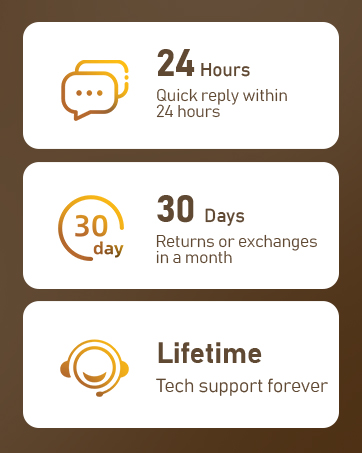
Figure 9: Summary of Nargos customer support and warranty policies.
For further assistance, please refer to the official Nargos webсайт або зверніться безпосередньо до служби підтримки клієнтів.
Ask a question about this manual
Ask about setup, troubleshooting, compatibility, parts, safety, or missing instructions. Manuals+ will review the question and use this page’s manual context to help answer it.