
1. Вступ
The Lamzu Inca Gaming Mouse is engineered for competitive gaming, featuring an ultra-lightweight design, high-precision sensor, and advanced connectivity options. This manual provides essential information for setting up, operating, maintaining, and troubleshooting your Lamzu Inca mouse to ensure optimal performance.
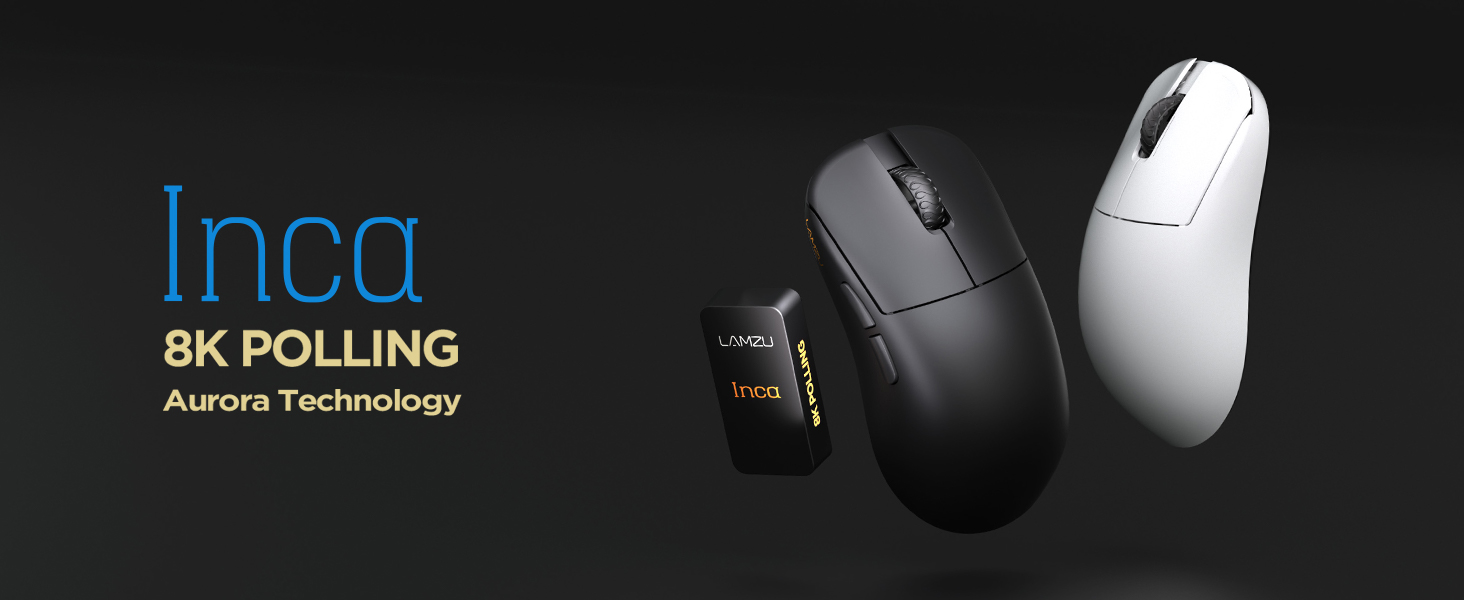
Image: The Lamzu Inca Gaming Mouse, highlighting its 8K Polling Rate and Aurora Technology.

Зображення: Оверview of key features including Pixart 3950 sensor, 40g weight, Aurora Technology, 8K Polling, Dual Mode connectivity, and Nordic 52840 MCU.
2. Вміст упаковки
Будь ласка, переконайтеся, що всі предмети присутні в упаковці:
- Lamzu Inca Gaming Mouse (Black)
- 8K Polling Rate Dongle
- USB Type-C Cable (1.8m)
- PTFE Feet (x2 sets)
- Оксамитова сумка
- Стрічка для мишки
3. Налаштування
3.1 Підключення миші
The Lamzu Inca mouse supports both 2.4GHz wireless and wired connectivity.
Wireless Mode (2.4GHz)
- Locate the 8K Polling Rate Dongle included in your package.
- Plug the 8K dongle into an available USB port on your computer.
- Увімкніть мишу за допомогою перемикача ввімк./вимк., розташованого на нижній частині миші.
- The mouse should automatically connect to the dongle. If not, refer to the pairing instructions in the software section.

Image: The Lamzu Inca mouse with its 8K dongle, illustrating the bottom view of the mouse where the sensor and power switch are located.
Провідний режим
- Connect the provided USB Type-C cable to the front port of the Lamzu Inca mouse.
- Підключіть інший кінець USB-кабелю до вільного USB-порту комп’ютера.
- Миша працюватиме в дротовому режимі, а також заряджатиме свій внутрішній акумулятор.

Зображення: спереду view of the Lamzu Inca mouse, clearly showing the USB-C port for wired connection and charging.

Image: Diagram illustrating the dual connectivity modes: 2.4G Wireless and Wired (Type-C).
3.2 Software Installation (LAMZU Aurora Driver)
To unlock the full customization potential of your Lamzu Inca mouse, download and install the LAMZU Aurora driver from the official Lamzu webсайт.
- The software allows adjustments for DPI, polling rate, debounce time, macro settings, and more.
- Note for macOS users: To use the Aurora driver on macOS, you must first update the firmware to version 0.0.0.15 or later using a Windows system.

Image: Screenshot of the LAMZU Aurora driver interface, showing options for macro settings, button customization, DPI, polling rate, and debounce time.
4. Керування мишею
4.1 Функції кнопок
The Lamzu Inca is a 6-button gaming mouse:
- Клацніть лівою кнопкою миші: Первинна дія.
- Клацніть правою кнопкою миші: Вторинна дія.
- Колесо прокрутки: Прокручування вгору/вниз, клацання середньою кнопкою миші.
- Кнопка DPI: Перемикається між попередньо встановленими значеннями DPItages (customizable via software).
- Кнопка вперед: Navigational forward.
- Кнопка Назад: Navigational back.
- Вмикання/вимкнення: Located on the bottom of the mouse to power on or off.

Image: A detailed diagram labeling all buttons on the Lamzu Inca gaming mouse, including Left, Right, Scroll Wheel, DPI, Forward, Back, and On/Off switch.
4.2 Налаштування DPI
The Lamzu Inca features a PixArt PAW3950 sensor capable of up to 30,000 DPI. DPI settings can be customized and adjusted using the LAMZU Aurora driver. The dedicated DPI button on the mouse allows for quick cycling through your configured DPI profiles.

Зображення: Нижня частина view of the Lamzu Inca mouse, emphasizing its maximum 30,000 DPI capability and the sensor area.
4.3 Частота опитування
The mouse supports an 8K polling rate, ensuring faster and more accurate responses, particularly beneficial in fast-paced games. The polling rate can be configured via the LAMZU Aurora driver.

Image: The Lamzu Inca mouse connected to its 8K dongle, demonstrating the smooth tracking achieved with an 8K polling rate.
4.4 Recommended Grip Style
The Lamzu Inca features a symmetrical high-back design, making it suitable for various grip styles. It is particularly recommended for claw-grip gamers.
- For hand length ≤ 18cm: Palm grip (extended), Claw grip (inward), Fingertip grip.
- For hand length ≥ 18cm: Fingertip grip, Claw grip (extended), Hybrid grip.
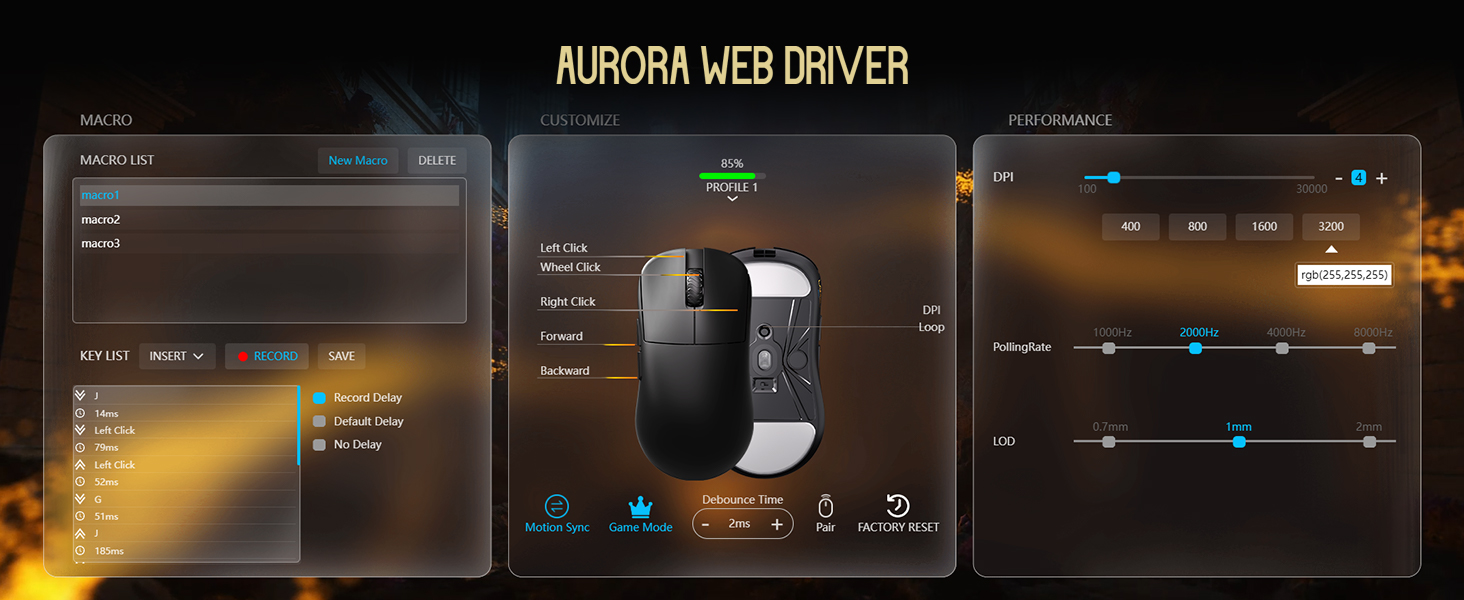
Image: Illustrations of common mouse grip methods (Palm Grip, Claw Grip, Fingertip Grip), indicating the Lamzu Inca's suitability for claw grip.
5. Технічне обслуговування
5.1 Очищення
- Регулярно протирайте поверхню миші м’якою сухою тканиною.
- Для стійкого бруду злегкаampпротріть тканину водою або м’яким миючим розчином, а потім негайно витріть насухо.
- Уникайте використання агресивних хімікатів або абразивних матеріалів, оскільки вони можуть пошкодити покриття миші.
- Clean the sensor area on the bottom of the mouse periodically to ensure accurate tracking.
5.2 Догляд за акумулятором
- The mouse uses a nonstandard battery (included).
- Заряджайте мишу за допомогою кабелю USB Type-C, що постачається в комплекті.
- Уникайте частого повного розряджання акумулятора, щоб продовжити термін його служби.
- Зберігайте мишу в прохолодному, сухому місці, якщо вона не використовується протягом тривалого часу.
6. Вирішення проблем
6.1 Миша не реагує
- Перевірте живлення: Ensure the mouse is turned on using the switch on the bottom.
- Перевірте батарею: If in wireless mode, ensure the battery is charged. Connect the USB-C cable to charge.
- Перевірте підключення: For wireless, ensure the 8K dongle is securely plugged into a USB port. For wired, ensure the USB-C cable is firmly connected to both the mouse and the computer.
- Спробуйте інший USB-порт: Plug the dongle or cable into a different USB port on your computer.
- Re-pair (Wireless): If connection is lost, use the LAMZU Aurora driver to re-pair the mouse with the dongle.
6.2 Sensor Stutter or Inaccurate Tracking
- Чистий датчик: Переконайтеся, що оптичний датчик на нижній частині миші чистий і не містить пилу чи сміття.
- Поверхня килимка для миші: Use the mouse on a clean, uniform mouse pad surface. Avoid highly reflective or uneven surfaces.
- Polling Rate/DPI Settings: Adjust polling rate and DPI settings in the Aurora driver. Sometimes very high polling rates can cause issues on older systems or with certain USB controllers.
- Оновлення мікропрограми: Ensure your mouse firmware is up to date via the LAMZU Aurora driver.
6.3 Програмне забезпечення не розпізнає мишу
- Перевстановіть драйвер: Uninstall and reinstall the LAMZU Aurora driver.
- Перевірте підключення USB: Ensure the mouse is connected directly to the computer, not through a USB hub.
- Перезавантажте комп'ютер: A system restart can often resolve software detection issues.
- macOS Firmware: If on macOS, ensure the firmware has been updated on a Windows system as required.
7. Технічні характеристики
| Особливість | Деталь |
|---|---|
| Модель продукту | ЛА-ІНКА |
| Розміри продукту | 122 × 63 × 40 мм (4.8 x 2.48 x 0.1 дюйма) |
| Вага товару | 40 грамів (1.41 унцій) |
| Датчик IC | PixArt PAW3950 |
| Максимальний DPI | 30,000 DPI |
| MCU | Північна 52840 |
| Швидкість опитування | До 8K (8000 Гц) |
| Підключення | 2.4GHz Wireless, USB Wired (Type-C) |
| Перемикачі | Optical Switches (70 million clicks durability) |
| Кодувальник | TTC Gold Dustproof Encoder |
| Особливості | Ultra-Lightweight, Symmetrical High-Hump Design |
| Акумулятор | 1 нестандартна батарея (в комплекті) |
| Колір | чорний |

Image: Detailed diagram showing the dimensions of the Lamzu Inca mouse and a summary of its key specifications.
7.1 Component Highlights
- Сенсор Pixart 3950: High-precision optical sensor for accurate tracking.
- Nordic 52840 MCU: Advanced microcontroller for efficient performance and improved battery life.
- Оптичні перемикачі: Provide tactile feedback, ultra-fast actuation, and enhanced durability.
- TTC Encoder: Features a five-layer dustproof structure for improved longevity and scroll wheel reliability.

Зображення: Крупний план view of the Pixart 3950 sensor IC, a core component for precise mouse tracking.

Зображення: Крупний план view of the Nordic 52840 MCU, highlighting its role in advanced mouse functionality and 8K polling rate compatibility.

Зображення: Прозоре view illustrating the internal mechanism of the optical switches, designed for optimized click feel and to prevent double clicks.

Зображення: Крупний план view of the TTC Encoder, responsible for the scroll wheel's precise and durable operation.
8. Гарантія та підтримка
For warranty information, technical support, and frequently asked questions, please visit the official Lamzu website or contact Lamzu customer service directly. Keep your proof of purchase for warranty claims.
Виробник: Ламзу
Дата першої доступності: 12 березня 2025 р