
1. Вступ
This manual provides comprehensive instructions for the setup, operation, and maintenance of your virtavo XM1 Dual-Lens Solar Security Camera. The XM1 is a 100% wire-free outdoor security camera featuring dual-lens technology for a wide panoramic view, starlight night vision, smart AI detection, and local storage capabilities. Please read this manual thoroughly before using the product to ensure optimal performance and safety.

Image: The virtavo XM1 Dual-Lens Solar Security Camera shown with its accompanying solar panel, illustrating its wire-free design.
2. Вміст упаковки
Переконайтеся, що всі предмети присутні в упаковці:
- virtavo XM1 Dual-Lens Solar Security Camera
- Панель сонячних батарей
- Зарядний кабель
- Інструкція з експлуатації
- Монтажні гвинти
- стенд
3. Продукт закінчивсяview & Ключові особливості
The virtavo XM1 camera is designed for robust outdoor surveillance with advanced features:
3.1 Dual-Lens Seamless Fusion & 10x Zoom
The camera utilizes two lenses with advanced stitching and color fusion technology to provide a wide 4MP panoramic view. This design aims to eliminate distortion and blind spots, offering comprehensive coverage. Digital zoom up to 10x allows for detailed inspection of recorded events.
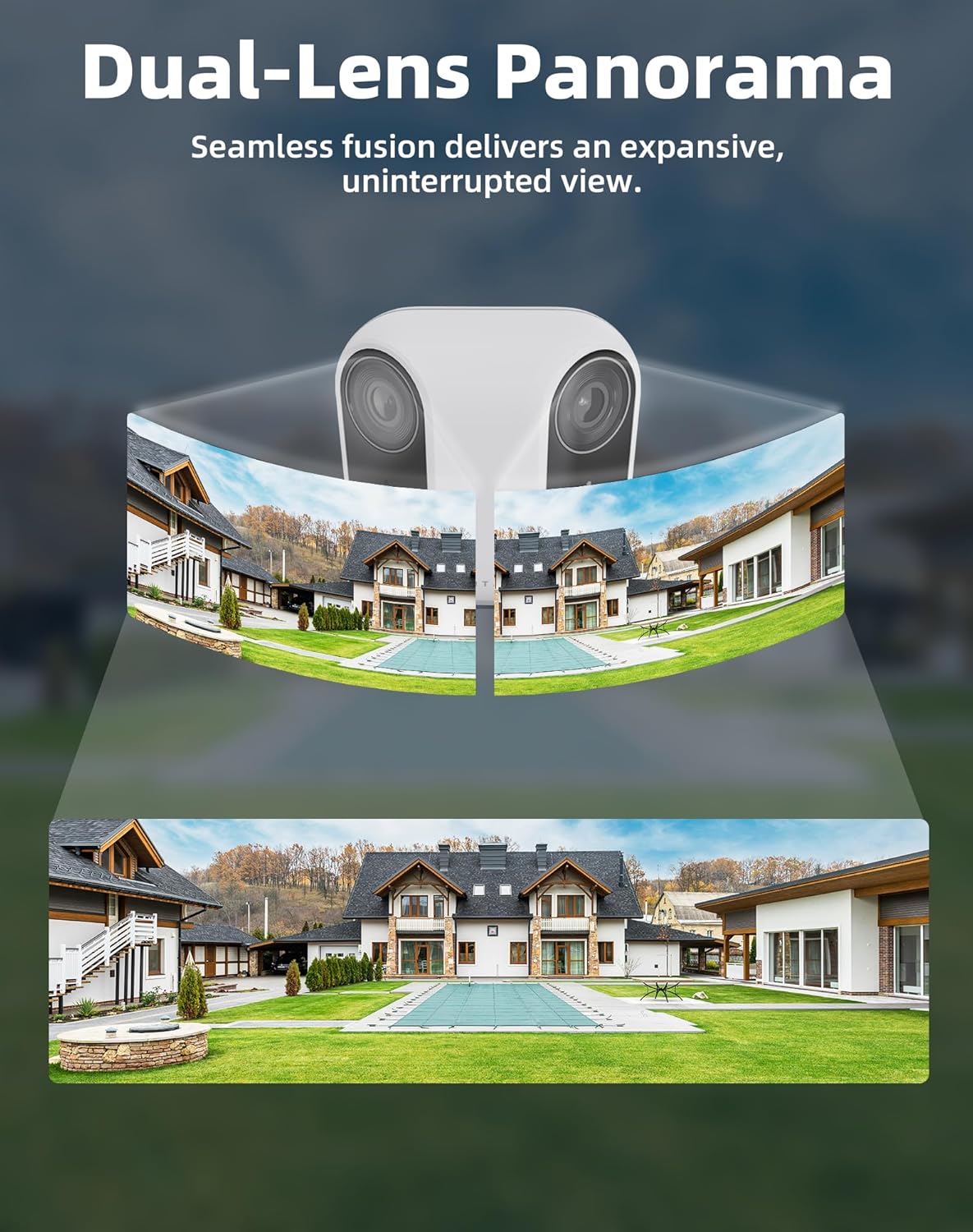
Image: Illustration of the dual-lens panoramic view, showing two camera feeds seamlessly merged into one wide image.
3.2 100% Wire-Free & Solar Powered
The XM1 operates completely wire-free, powered by a high-efficiency solar panel and a 4400mAh rechargeable battery. This eliminates the need for cables and frequent manual recharging, making installation flexible and eco-friendly. Bluetooth pairing simplifies the initial setup process.
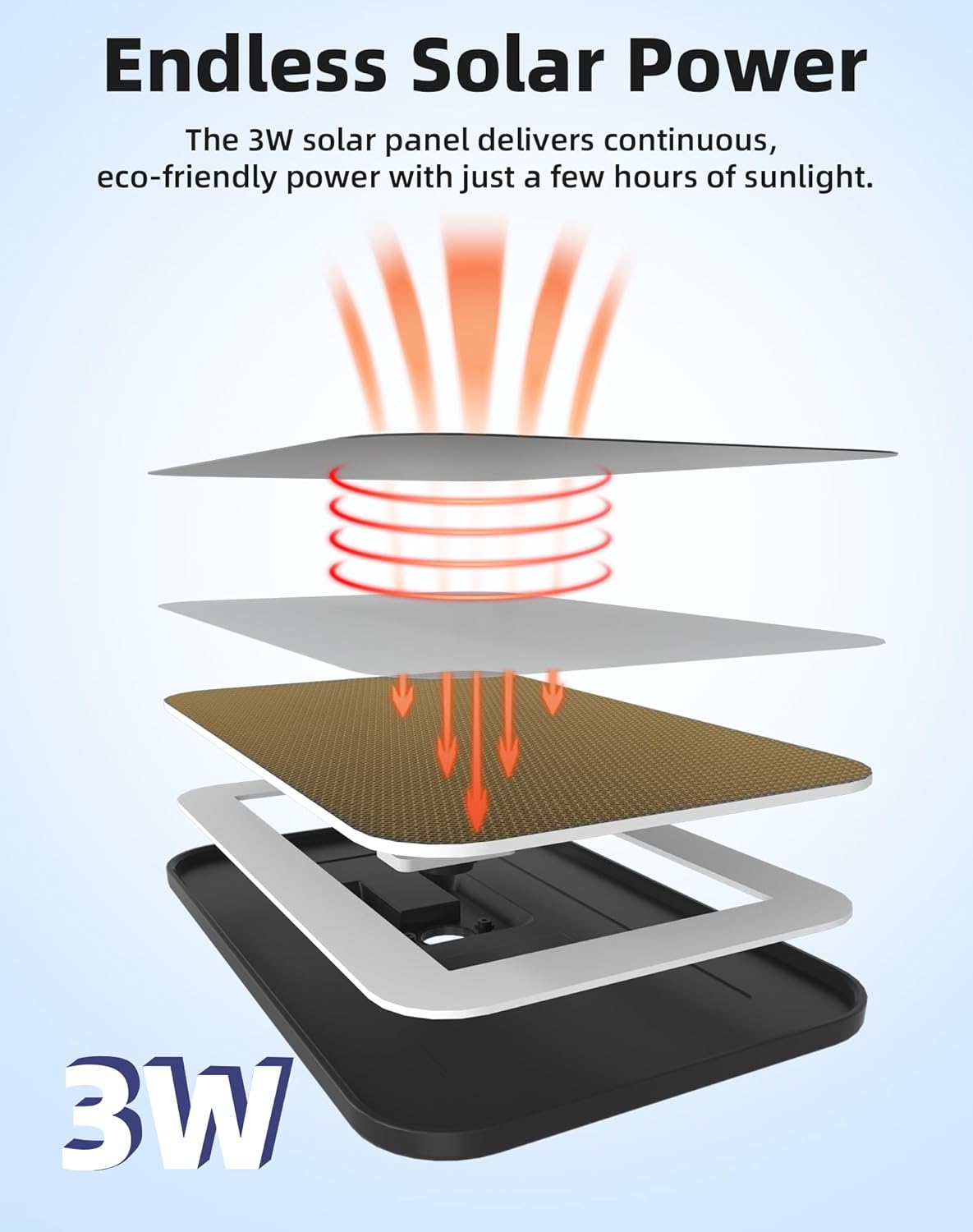
Image: Diagram illustrating how the 3W solar panel provides continuous power to the camera.
3.3 Starlight Night Vision
Equipped with an advanced starlight sensor, the camera delivers bright, full-color images even in extremely low-light conditions. This provides clearer details and true-to-life colors compared to traditional infrared night vision, enhancing security during nighttime hours.

Image: A side-by-side comparison showing a clear daytime view and a vibrant color night vision image captured by the starlight sensor.
3.4 24/7 AI Smart Capture & Dual PIR Motion Detection
Dual PIR motion detection combined with AI analysis allows the camera to accurately distinguish between people, vehicles, and pets, minimizing false alarms. Instant notifications are sent to your smartphone via the "Home V" app when motion is detected.

Image: Visual representation of the camera's local AI detection accurately identifying a person, vehicles, and animals.
3.5 No Subscription & Local Storage
The camera supports up to a 256GB micro SD card (sold separately) for secure local video storage, ensuring privacy and eliminating monthly subscription fees.

Image: The virtavo XM1 camera highlighting its microSD card slot for local storage, supporting up to 256GB.
3.6 Всепогодний дизайн IP65
With an IP65 rating, the camera is designed to withstand various weather conditions, including snow, rain, and sun, ensuring reliable operation year-round.

Image: The virtavo XM1 camera shown enduring rain, emphasizing its IP65 weatherproof construction.
4. Інструкції з налаштування
- Завантажте додаток: Download and install the "Home V" app on your smartphone. Register an account if you don't have one.
- Початкова оплата: Before installation, fully charge the camera using the provided charging cable to ensure maximum battery life.
- Сполучення: Follow the in-app instructions to pair your camera via Bluetooth. This typically involves pressing a sync button on the camera and confirming the connection in the app.
- Wi-Fi підключення: Connect the camera to your 2.4GHz Wi-Fi network through the app. Ensure a strong Wi-Fi signal at the installation location for stable performance.
5. Монтаж
The virtavo XM1 offers flexible installation options:
- Розташування: Choose a location with optimal sunlight exposure for the solar panel and a clear view області, яку ви бажаєте контролювати.
- Монтажна висота: It is recommended to mount the camera 7-10 feet (2-3 meters) above the ground for an ideal viewing angle and effective motion detection.
- Варіанти монтажу: The camera supports wall or tree mounting. Use the provided mounting screws and stand for secure installation. The solar panel can be attached directly to the camera or positioned separately using a longer cable (if provided or purchased separately) to maximize sun exposure.

Image: The virtavo XM1 camera mounted on a tree, showcasing flexible installation options with the solar panel.
Video: Panda Solar Security Cameras Wireless Outdoor. This video demonstrates the installation of a solar-powered wireless outdoor camera, providing visual guidance for mounting and positioning.
6. Інструкція з експлуатації
6.1 Живий View & Відтворення
Access the "Home V" app to view жити footage from your camera. Recorded events are stored on the micro SD card and can be accessed and played back through the app's interface. The dual-lens system provides a 160° ultra-wide viewing angle for comprehensive monitoring.
6.2 Двосторонній аудіозв'язок
The camera features two-way audio, allowing you to listen to the environment around the camera and speak through its built-in speaker using the "Home V" app. This is useful for communicating with visitors or deterring intruders.
6.3 Виявлення руху та сповіщення
Configure motion detection sensitivity and zones within the app. The AI detection will send instant notifications to your phone when it identifies people, vehicles, or pets, providing timely alerts for important events.
7. Технічне обслуговування
- Прибирання: Регулярно протирайте об'єктиви камери та сонячну панель м'якою серветкоюamp cloth to ensure clear vision and efficient solar charging. Avoid abrasive cleaners.
- Батарея: The solar panel is designed to keep the battery charged. In periods of prolonged low sunlight, you may need to manually charge the camera using the provided USB cable.
- Оновлення прошивки: Check the "Home V" app periodically for firmware updates to ensure your camera has the latest features and security enhancements.
8. Вирішення проблем
- Немає живлення/заряджання: Ensure the solar panel is clean and receiving direct sunlight. Verify the charging cable is securely connected if charging manually.
- Проблеми з підключенням до Wi-Fi: Confirm the camera is within range of your 2.4GHz Wi-Fi router. Restart both the camera and your router. If issues persist, try relocating the camera closer to the router.
- Попередження про помилкові рухи: Adjust the motion detection sensitivity and configure specific detection zones within the "Home V" app to minimize alerts from non-relevant movements (e.g., trees swaying, small animals).
- Погана якість зображення: Очистіть об'єктиви камери. Переконайтеся, що в полі зору камери немає перешкод. view. Check your Wi-Fi signal strength for optimal streaming quality.
9. Технічні характеристики
| Особливість | Деталь |
|---|---|
| Модель | XM1 |
| Бренд | віртаво |
| Використання в приміщенні/зовні | Відкритий |
| Джерело живлення | Сонячна енергія |
| Протокол підключення | Wi-Fi (2.4 ГГц) |
| Роздільна здатність захоплення відео | 1080p (4MP panoramic view) |
| Живлення батареї | 4400 мАг |
| Особливість | Waterproof (IP65), Starlight Night Vision, AI Detection, Dual-Lens |
| Локальна пам'ять | Up to 256GB Micro SD Card (sold separately) |
| Розміри | 3.54 x 2.17 x 3.54 дюймів |
| Вага товару | 1.98 фунта (0.9 кілограма) |
10. Гарантія та підтримка
virtavo is committed to providing professional customer support for a worry-free experience from setup to everyday use. For any inquiries, technical assistance, or support needs, please refer to the contact information provided in your product packaging or visit the official virtavo webсайт.