
вступ
Thank you for choosing the Pro Breeze 25L Smart Dehumidifier. This appliance is designed to efficiently remove excess moisture from your indoor environment, helping to prevent mold, mildew, and dampness. Featuring smart Wi-Fi connectivity, a digital display, and multiple operating modes, this dehumidifier offers advanced control and convenience. Please read this manual thoroughly before operation to ensure safe and optimal performance.
Важливі інструкції з безпеки
Завжди дотримуйтесь основних запобіжних заходів під час використання електроприладів, щоб зменшити ризик пожежі, ураження електричним струмом та травмування.
- Переконайтеся, що джерело живлення відповідає об’ємуtage, вказаний на табличці з рейтингом.
- Не використовуйте осушувач повітря з пошкодженим шнуром або вилкою.
- Keep the appliance at least 20 cm (8 inches) away from walls and other objects to ensure proper airflow.
- Не занурюйте пристрій, шнур живлення або вилку у воду чи інші рідини.
- Unplug the dehumidifier before cleaning, maintenance, or when not in use.
- Цей прилад призначений лише для використання в приміщенні.
- Не блокуйте вхід або вихід повітря.
- Наглядайте за дітьми та переконайтеся, що вони не граються з приладом.
- Не намагайтеся самостійно ремонтувати або модифікувати пристрій. Зверніться до кваліфікованого сервісного персоналу.
Особливості продукту

Image: The Pro Breeze 25L Smart Dehumidifier, showcasing its compact design and highlighting features such as Wi-Fi compatibility, 25L extraction rate, energy efficiency, and laundry mode. Dimensions are also indicated.
- Потужне осушення: Extracts up to 25 liters of moisture per day, effectively combating persistent humidity, mold, and condensation in large rooms.
- Великий резервуар для води: Features a 5.5-liter water tank with automatic shut-off when full. A drainage hose is included for continuous operation.
- Енергоефективний: Utilizes a high-performance compressor, 24-hour timer, and automatic stop system to reduce energy consumption.
- Тиха робота: Designed with silent technology, making it suitable for use in bedrooms, living rooms, offices, and other quiet environments.
- Розумне керування через додаток: Manage all functions remotely using the free Pro Breeze app or voice commands with Alexa and Google Home (compatible with iPhone and Android).
- Digital Display & Humidity Sensor: An intuitive LED screen allows selection of fan speed and humidity levels between 30% and 80%. The smart sensor displays real-time humidity and automatically stops the dehumidifier once the target is reached.
- Кілька режимів роботи: Includes a 24-hour timer and 4 operating modes, including a dedicated Режим сушіння білизни. Also features a Блокування від дітей, Automatic Defrost Mode, і Нічний дисплей.

Image: The Pro Breeze dehumidifier positioned next to a large 25-liter water bottle, visually representing its daily moisture extraction capacity and the benefit of fewer tank emptying cycles.
Вміст упаковки
Будь ласка, поставте позначку у відповідному полі для наступних пунктів:
- Pro Breeze 25L Smart Dehumidifier Unit
- Безперервний дренажний шланг
- Посібник користувача
Налаштування
- Розпакування: Обережно вийміть осушувач повітря з упаковки. Зберігайте упаковку для подальшого зберігання або транспортування.
- Розміщення: Place the dehumidifier on a firm, level surface. Ensure there is at least 20 cm (8 inches) of clear space around the air inlet and outlet to allow for efficient airflow. Avoid placing it near heat sources or in direct sunlight.
- Підключення живлення: Підключіть шнур живлення до заземленої електричної розетки. Переконайтеся, що гучністьtage відповідає вимогам пристрою.
- Установка бака для води: Ensure the water tank is correctly inserted into the unit. The dehumidifier will not operate if the tank is not properly seated or is full.
- Безперервний дренаж (необов'язково): For continuous operation without emptying the tank, connect the provided drainage hose to the continuous drainage port on the back of the unit. Route the hose to a suitable drain, ensuring it is sloped downwards to allow water to flow freely.
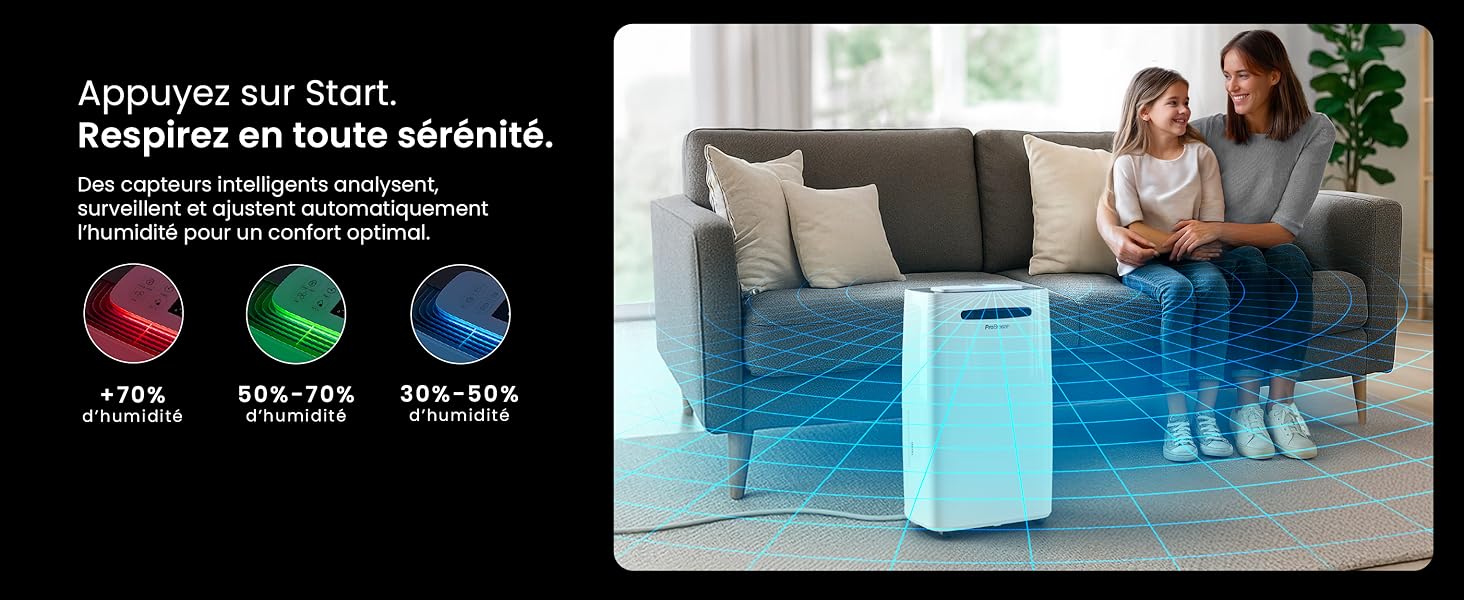
Image: The dehumidifier shown in different environments such as a garage, home office, and laundry room, illustrating its versatility and suitability for various spaces. Icons for continuous drainage and automatic defrost are also present.
Інструкція з експлуатації
Панель управління завершенаview

Зображення: Детальний view of the dehumidifier's illuminated digital control panel, showing buttons for power, mode, fan speed, timer, child lock, and humidity settings, along with the LED display.
The intuitive LED display and touch controls allow for easy operation.
- Кнопка живлення: Натисніть, щоб увімкнути або вимкнути пристрій.
- Кнопка режиму: Cycle through available operating modes: нормальний, Laundry Drying, і Нічний режим.
- Кнопка швидкості вентилятора: Adjust the fan speed between Низький і Високий.
- Humidity Setting (SET %): Use the up/down arrows to set your desired humidity level (30% - 80%). The unit will operate until this level is reached.
- Кнопка таймера: Set a 24-hour timer for automatic power ON or OFF.
- Кнопка блокування від дітей: Press and hold to activate/deactivate the child lock, preventing accidental changes to settings.
- Кнопка дисплея: Turn the LED display lights ON or OFF, useful for night mode.
Wi-Fi and App Control

Image: A user interacting with the Pro Breeze mobile application on a smartphone, demonstrating remote control capabilities for the dehumidifier. The app shows current humidity and temperature settings.
The Pro Breeze 25L Smart Dehumidifier can be controlled remotely via the Pro Breeze app. Download the app from your smartphone's app store and follow the in-app instructions to connect your device to your home Wi-Fi network. Once connected, you can control all functions, set schedules, and monitor humidity levels from anywhere.
The unit is also compatible with Amazon Alexa and Google Home for voice control. Refer to the app's help section for detailed instructions on integrating with these smart home platforms.
Технічне обслуговування
Спорожнення резервуара для води
When the water tank is full, the dehumidifier will automatically shut off and an indicator light will illuminate. Carefully remove the water tank from the unit, empty the collected water, and reinsert the tank securely. The unit will resume operation.
Очищення повітряного фільтра
A clogged filter can reduce efficiency. It is recommended to clean the air filter every two weeks or more frequently depending on usage and air quality.
- Вимкніть осушувач повітря та від’єднайте його від розетки.
- Locate and remove the air filter (usually on the back or side of the unit).
- Очистіть фільтр пилососом або обережно промийте його теплою водою з милом.
- Ретельно промийте фільтр і дайте йому повністю висохнути на повітрі, перш ніж знову вставляти його в пристрій.
Очищення зовнішнього вигляду
Протріть зовнішню поверхню осушувача м’якою, damp тканиною. Не використовуйте агресивні хімікати, абразивні засоби для чищення або розчинники, оскільки вони можуть пошкодити поверхню.
Зберігання
If storing the unit for an extended period, ensure the water tank is empty and clean, and the filter is clean and dry. Store the dehumidifier in a cool, dry place, preferably in its original packaging.
Усунення несправностей
| проблема | Можлива причина | Рішення |
|---|---|---|
| Осушувач повітря не вмикається. | No power; water tank full or incorrectly inserted; ambient temperature too low. | Check power connection; empty and reinsert water tank; ensure room temperature is above 5°C (41°F). |
| Пристрій працює, але не набирає воду. | Humidity level too low; air filter clogged; room temperature too low; unit size too small for space. | Adjust desired humidity setting lower; clean air filter; ensure room temperature is adequate; consider if unit is appropriate for room size. |
| Пристрій шумить. | Пристрій не стоїть на рівній поверхні; засмічений повітряний фільтр; внутрішні компоненти вібрують. | Place on a flat, stable surface; clean air filter; if noise persists, contact support. |
| Проблеми з підключенням до Wi-Fi. | Incorrect Wi-Fi password; unit too far from router; router issues; app issues. | Verify Wi-Fi password; move unit closer to router; restart router; reinstall Pro Breeze app. |
| На котушках з'являється іній. | Низька температура навколишнього середовища. | The unit has an automatic defrost function. If frost persists, increase room temperature. |
Технічні характеристики
| Специфікація | Деталь |
|---|---|
| Номер моделі | PB-D-37W-W-EU |
| Бренд | Про Бриз |
| Потужність видалення вологи | 25 літрів/день |
| Ємність резервуара для води | 5.5 літра |
| Розміри (Д x Ш x В) | 38.6 см х 26 см х 50 см |
| вага | 15.1 кілограма |
| Швидкості вентилятора | 2 |
| Особливості | Adjustable Humidity Control, Night Mode, Continuous Drainage, Wi-Fi Connectivity, Digital Display, 24h Timer, Laundry Drying Mode, Child Lock, Automatic Defrost |
| Рекомендована площа підлоги | До 322 кв. футів (30 м²) |

Image: The Pro Breeze dehumidifier highlighting its elegant and discreet design, along with its dimensions (50cm H, 38.6cm L, 26cm P) and four easy-to-move caster wheels.
Гарантія та підтримка
Pro Breeze products are manufactured to the highest standards. This product comes with a standard manufacturer's warranty. For specific warranty details, please refer to the warranty card included in your package or visit the official Pro Breeze webсайт.
If you encounter any issues or have questions regarding your dehumidifier, please contact Pro Breeze customer support. Contact information can typically be found on the Pro Breeze webсайті або на упаковці продукту.