
1. Вступ
Welcome to the user manual for your new Google Pixel 9 smartphone. This guide provides essential information on setting up, operating, maintaining, and troubleshooting your device. The Google Pixel 9 combines advanced technology with user-friendly design, offering a powerful and intuitive mobile experience.
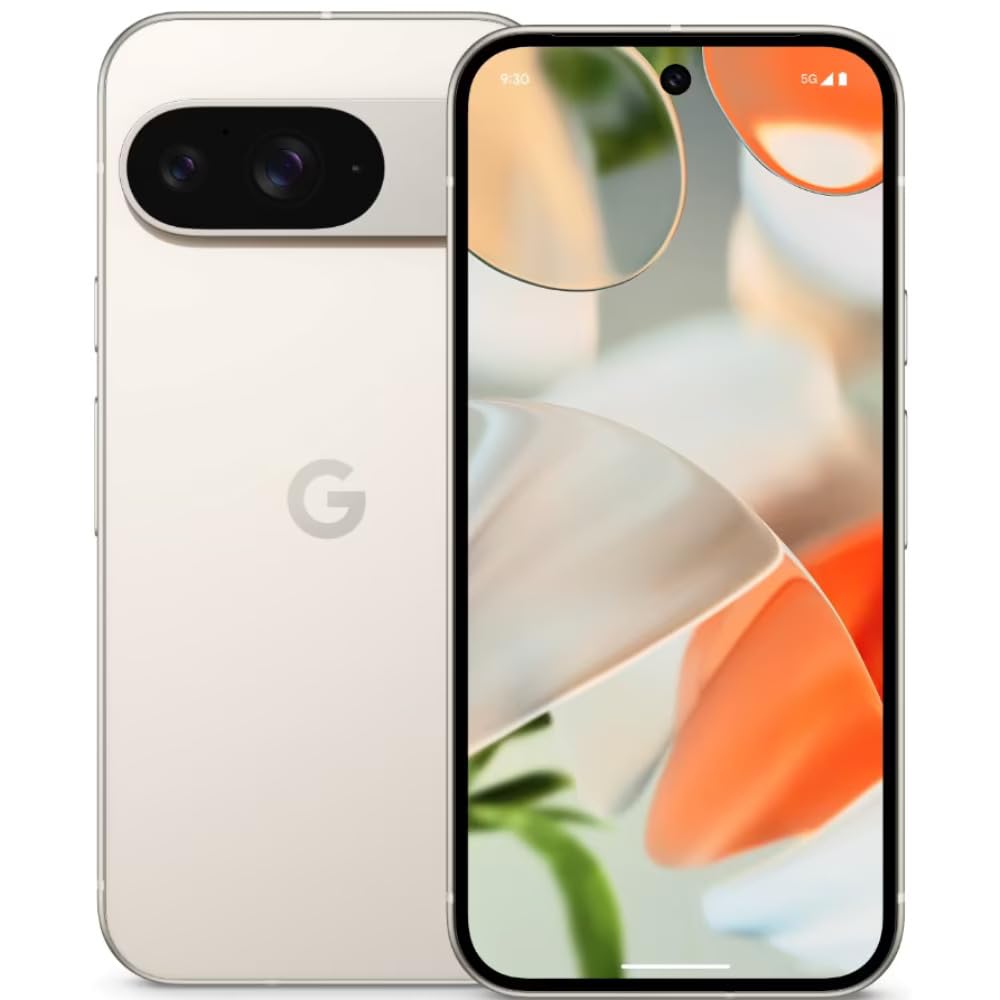
Image: The Google Pixel 9 smartphone, showcasing its sleek design and camera bar on the rear.
2. Налаштування
2.1. Розпакування та початкова оплата
Carefully remove all components from the packaging. Before first use, it is recommended to fully charge your Pixel 9 using the provided USB-C to USB-C cable and a compatible power adapter (sold separately).
2.2. Встановлення SIM-картки
- Знайдіть лоток для SIM-картки збоку вашого Pixel 9.
- Insert the SIM ejector tool (included in the box) into the small hole on the tray and press firmly until the tray pops out.
- Place your Nano SIM card(s) into the tray with the gold contacts facing down. The Pixel 9 supports Dual SIM functionality.
- Обережно вставте лоток назад у телефон, доки він не зафіксується на місці з клацанням.
2.3. Увімкнення та початкове налаштування
Press and hold the Power button on the side of the device until the Google logo appears. Follow the on-screen instructions to complete the initial setup, including connecting to Wi-Fi, signing in with your Google account, and setting up security features like fingerprint recognition.
3. Operating Your Google Pixel 9
3.1. Дисплей та навігація
The Pixel 9 features a 6.3-inch OLED display with a dynamic refresh rate up to 120Hz, providing smooth visuals. Navigate the device using touch gestures. Swipe up from the bottom to go home, swipe from the sides to go back, and swipe up and hold for recent apps.
3.2. Продуктивність
Powered by the Google Tensor G4 processor and 12 GB of RAM, the Pixel 9 delivers efficient multitasking and responsive performance for applications and games.
3.3. Система камер
The Pixel 9 is equipped with a dual rear camera system: a 50 MP main sensor and a 48 MP ultrawide lens (123° field of view). The front camera is 10.5 MP. Advanced AI features enhance photography, including:
- Додати мене: Allows users to insert themselves into photos.
- Pixel Studio: Enables image creation from text prompts.

Image: A visual representation of the Google Pixel 9's AI photo editing capabilities, showing how images can be enhanced or modified.

Image: Screenshots from the Google Pixel 9 illustrating AI functionalities such as Gemini for assistance, advanced Pixel Screenshots, and the 'Circle to Search' feature.
3.4. Акумулятор та заряджання
The device includes a 4700 mAh battery. It supports 45W USB-PD fast charging and 15W wireless charging. For optimal charging, use compatible USB-PD chargers.
3.5. Функції безпеки
Unlock your device securely using the integrated fingerprint recognition sensor.
4. Технічне обслуговування
4.1. Довговічність та захист
The Pixel 9 is designed with durability in mind, featuring Corning Gorilla Glass Victus 2 for scratch resistance and protection against minor drops and spills. It is also water resistant.
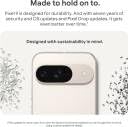
Image: The Google Pixel 9, highlighting its robust construction and the commitment to seven years of OS and security updates, ensuring longevity.
4.2. Оновлення програмного забезпечення
Google provides seven years of OS and security updates for the Pixel 9, ensuring your device remains secure and up-to-date with the latest features. Regularly check for and install available updates via Settings > System > System update.
4.3. Очищення пристрою
To clean your Pixel 9, use a soft, lint-free cloth. Avoid abrasive materials or harsh chemicals. For stubborn marks, slightly dampзмочіть тканину водою. Не занурюйте пристрій у воду.
5. Вирішення проблем
If you encounter issues with your Pixel 9, consider the following general troubleshooting steps:
- Перезапустіть пристрій: Простий перезапуск може вирішити багато незначних програмних збоїв.
- Перевірте наявність оновлень програмного забезпечення: Переконайтеся, що на вашому пристрої встановлено найновішу версію програмного забезпечення.
- Review Дозволи програми: If an app is not functioning correctly, check its permissions in Settings.
- Очистити кеш: For app-specific issues, try clearing the app's cache via Settings > Apps.
- Заводські налаштування: As a last resort, a factory reset can resolve persistent software problems. Back up your data before performing a factory reset.
For more complex issues or hardware malfunctions, please contact Google Support.
6. Технічні характеристики
| Особливість | Специфікація |
|---|---|
| Бренд | |
| Модель | Pixel 9 |
| Операційна система | Android 14 |
| Процесор | Google Tensor G4 |
| ОЗУ | 12 ГБ |
| Внутрішня пам'ять | 256 ГБ |
| Розмір дисплея | 6.3 дюймів |
| Тип дисплея | OLED |
| роздільна здатність | 2424x1080 пікселів |
| Задня камера | 50 МП (основна), 48 МП (надширококутна) |
| Фронтальна камера | 10.5 Мп |
| Ємність акумулятора | 4700 мАг |
| Зарядка | 45W USB-PD Fast Charging, 15W Wireless Charging |
| Підключення | 5G, Wi-Fi, USB Type C |
| Тип SIM-карти | Nano SIM (Dual SIM) |
| Біометрична безпека | Розпізнавання відбитків пальців |
| Рівень водонепроникності | Водостійкий |
| Розміри (Д x Ш x В) | 15.2 х 7.2 х 0.8 сантиметрів |
| вага | 198 грамів |
7. Що в коробці
The Google Pixel 9 retail package includes the following items:
- Смартфон Google Pixel 9
- Кабель USB-C – USB-C
- Інструмент для вилучення лотка SIM-картки
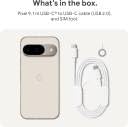
Image: A clear depiction of the Google Pixel 9 and its included accessories: a USB-C to USB-C cable and a SIM ejector tool.
8. Гарантія та підтримка
8.1. Гарантія на продукт
Your Google Pixel 9 comes with a 1-year limited warranty from the date of purchase. This warranty covers manufacturing defects. Please retain your proof of purchase for warranty claims.
8.2. Підтримка клієнтів
For technical assistance, warranty claims, or further information, please visit the official Google Support website or contact Google customer service. Refer to the Google support page for your region for specific contact details and service center locations.