
ASUS 90YE00W4-B0NA00
ASUS ROG Strix 1000W Platinum White PSU User Manual
Model: ROG-STRIX-1000P-GAMING-WHITE (90YE00W4-B0NA00)
Продукт закінченийview
The ASUS ROG Strix 1000W Platinum White Edition Power Supply Unit (PSU) is engineered to provide top-tier performance and unwavering stability for high-end gaming systems. It incorporates advanced technologies such as next-generation GaN MOSFETs for superior power efficiency and a patented intelligent voltage stabilizer with "GPU-FIRST" voltage sensing to ensure consistent power delivery to your graphics card. This PSU is fully compliant with ATX 3.1 standards and includes a native 12V-2x6 connector, making it ready for the latest hardware.

Figure 1: ASUS ROG Strix 1000W Platinum White PSU and its retail packaging, showcasinдизайн та брендинг продукту.
Ключові характеристики
- GaN MOSFET Technology: Delivers superior power efficiency, increasing efficiency by up to 30%, and contributes to a more organized internal layout for cooler operation.
- "GPU-FIRST" Intelligent Voltage Стабілізатор: Покращує об'ємtage delivery to your graphics card by up to 45%, ensuring smoother gameplay and unwavering performance under heavy loads.
- Large ROG Heatsinks: Strategically placed heatsinks cover critical components, resulting in lower operating temperatures and reduced noise compared to standard designs.
- Dual Ball Fan Bearings: The cooling fan utilizes dual ball bearings, providing up to twice the lifespan of traditional sleeve bearing designs.
- 0dB Technology: Enables the fan to stop spinning entirely under light loads, allowing for silent operation during less demanding tasks.
- Підтримка ATX 3.1 та PCIe 5.1: Fully compliant with ATX 3.1 guidelines and includes a native 16-pin PCIe power cable for compatibility with next-generation PCIe Gen 5.1 graphics cards.
- Платинова сертифікація 80 PLUS: Built with low-ESR Japanese capacitors and other premium components to achieve high power efficiency, reducing energy waste and heat generation.
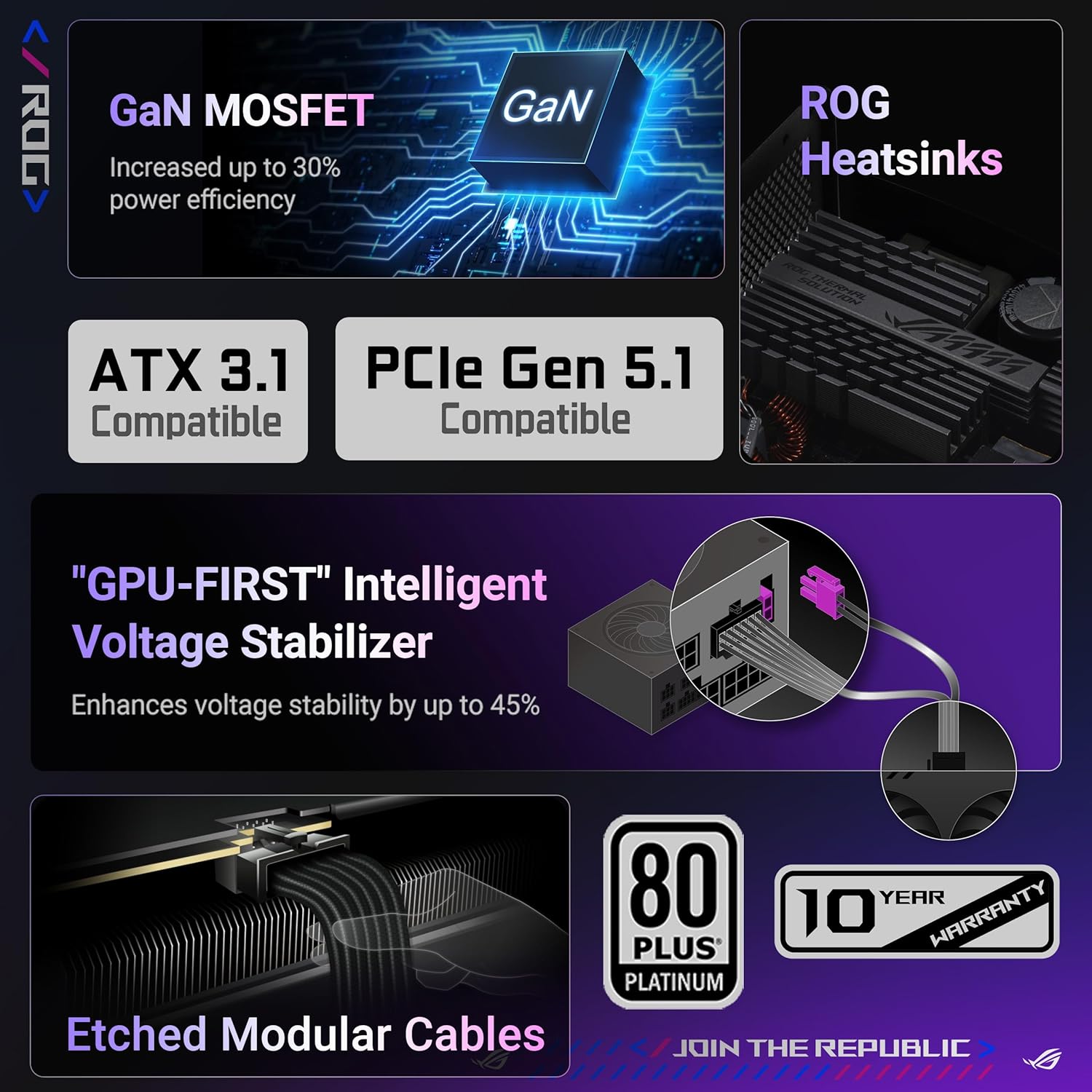
Figure 2: Visual summary of the ASUS ROG Strix PSU's advanced features, highlighting its technological advantagес.
Налаштування та встановлення
This section provides general guidelines for installing your ASUS ROG Strix 1000W Platinum White PSU. For detailed instructions specific to your PC case and components, please refer to their respective manuals.
1. Заходи безпеки
- Завжди від’єднуйте шнур живлення від розетки перед встановленням або видаленням будь-яких компонентів.
- Забезпечте належне заземлення, щоб запобігти пошкодженню компонентів електростатичним розрядом (ESD).
- Не відкривайте блок живлення casinг. Високий об'ємtages are present inside, even when unplugged.
- Install the PSU in a well-ventilated area.
2. Фізичне встановлення
- Підготуйте свою справу: Identify the PSU mounting area in your PC case, typically at the bottom or top rear.
- Встановлення блоку живлення: Slide the PSU into the designated bay. Align the screw holes on the PSU with those on the case. Secure the PSU using the provided screws.
- Підключення живлення материнської плати: Connect the 24-pin ATX power cable from the PSU to the corresponding port on your motherboard. Ensure it clicks into place.
- Підключення живлення процесора: Connect the 4+4 pin or 8-pin EPS/CPU power cable(s) to the CPU power connector(s) on your motherboard.
- Підключення живлення графічного процесора: For graphics cards requiring PCIe power, connect the appropriate 6+2 pin or the native 12V-2x6 (16-pin) PCIe 5.1 power cable from the PSU to your graphics card. Ensure all pins are fully seated.
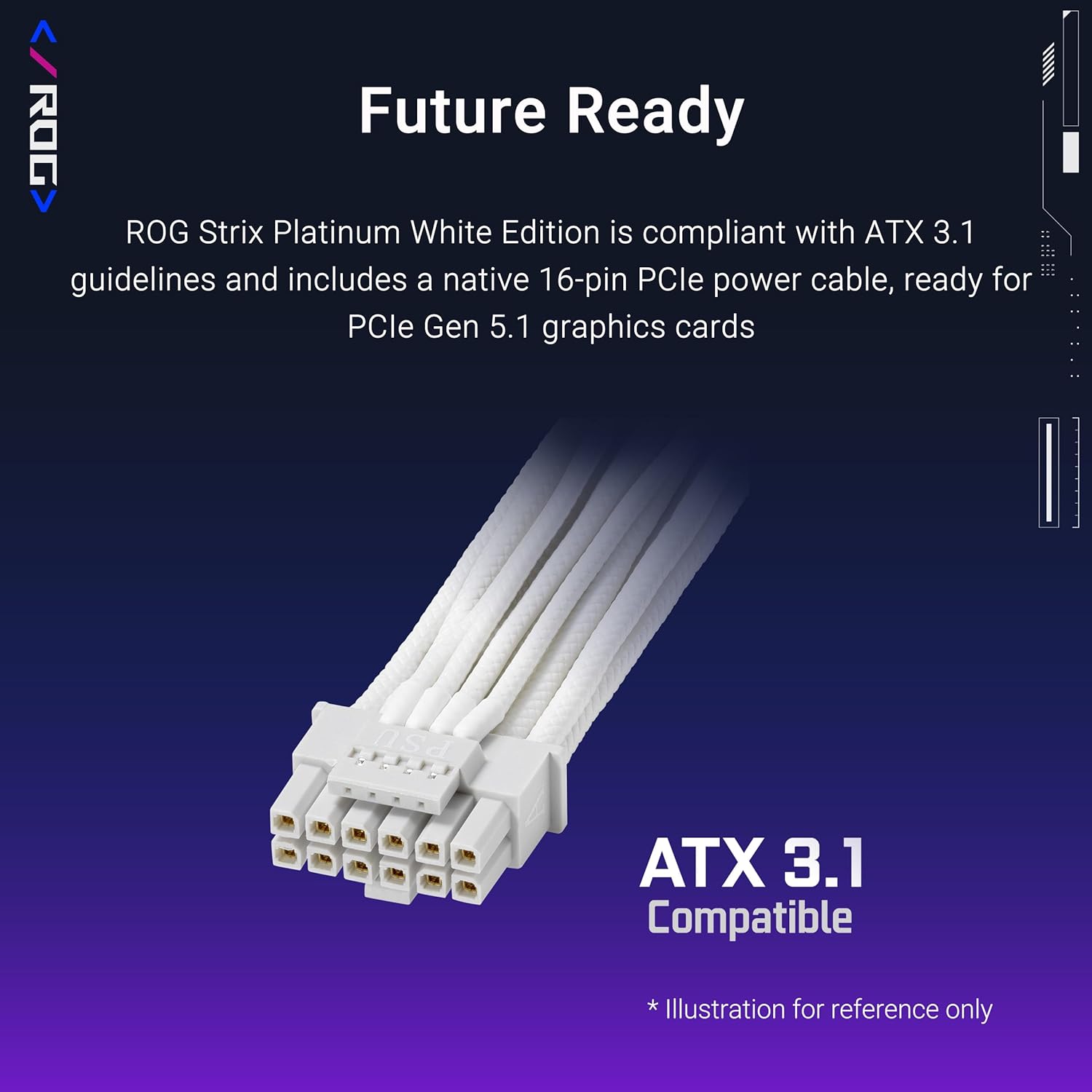
Figure 3: The native 16-pin PCIe 5.1 power cable, ensuring compatibility with next-generation graphics cards.
- Підключення периферійних пристроїв: Підключіть кабелі живлення SATA до накопичувачів (SSD, HDD), а кабелі Molex – до будь-якої іншої периферійної мережі, яка їх потребує.
- Управління кабелем: Utilize the modular design of the PSU to connect only necessary cables. Route cables neatly to improve airflow and aesthetics.
Operating the PSU
The ASUS ROG Strix 1000W Platinum White PSU operates automatically once installed and connected. It is designed for optimal performance and stability.
Увімкнення/вимкнення живлення
- Початкове ввімкнення: After all components are connected, plug the AC power cord into the PSU and then into a wall outlet. Flip the power switch on the back of the PSU to the "ON" position.
- System Power On: Press the power button on your PC case to start the system.
- Вимкнення системи: Always shut down your operating system normally before turning off the PSU switch or unplugging the power cord.
Intelligent Voltage Стабілізація
The "GPU-FIRST" intelligent voltage stabilizer actively monitors and adjusts voltage delivery to your graphics card, ensuring stable power even during sudden load changes. This patented technology minimizes voltage ripple and sag, contributing to a smoother and more reliable gaming experience.

Figure 4: Comparison of GPU voltage stability with and without the "GPU-FIRST" intelligent voltage stabilizer, showing significantly reduced voltage change with the feature enabled.
0dB Fan Technology
The PSU's fan will remain off when the power consumption is below a certain threshold, providing silent operation. As the load increases, the fan will automatically spin up to maintain optimal temperatures. This intelligent cooling system ensures quiet performance during light tasks and efficient cooling under heavy loads.
Технічне обслуговування та догляд
Proper maintenance ensures the longevity and optimal performance of your PSU.
- Видалення пилу: Periodically clean dust from the PSU's fan intake and exhaust vents using compressed air. Ensure the system is powered off and unplugged before cleaning. Do not open the PSU casing.
- Умови навколишнього середовища: Operate the PSU within recommended temperature and humidity ranges. Avoid extreme heat, cold, or moisture.
- Вентиляція: Ensure adequate airflow around the PSU within your PC case. Do not obstruct the fan or vents.
- Цілісність кабелю: Periodically check all power cable connections to ensure they are secure and free from damage.
Усунення несправностей
Якщо у вас виникли проблеми з блоком живлення, зверніться до наступних поширених кроків з усунення несправностей.
| проблема | Можлива причина | Рішення |
|---|---|---|
| Система не вмикається. |
|
|
| Система вмикається, але одразу вимикається. |
|
|
| Вентилятор не обертається. |
|
|
| Незвичайні звуки з блоку живлення. |
|
|
Технічні характеристики
| Атрибут | Деталь |
|---|---|
| Бренд | ASUS |
| Серія | ROG-STRIX-1000P-GAMING-WHITE |
| Номер моделі | 90YE00W4-B0NA00 |
| Вихідна ватtage | 1000 Вт |
| Сертифікат 80 PLUS | Платина |
| Форм-фактор | ATX |
| Стандарт ATX | Сумісний зі стандартом ATX 3.1 |
| Роз'єм PCIe | Native 12V-2x6 (16-pin) for PCIe 5.1 GPUs |
| Розміри (ДxШxВ) | 6.3 x 5.91 x 3.39 дюйма (160 x 150 x 86 мм) |
| Вага товару | 7.79 фунта (3.54 кілограма) |
| Спосіб охолодження | Air (with 0dB Technology) |
| Підшипники вентилятора | Dual Ball Bearings |
| Колір | Білий |
| Сумісні пристрої | Персональний комп'ютер |

Figure 5: Efficiency performance of the ASUS ROG Strix 1000W Platinum PSU, demonstrating its compliance with 80 PLUS Platinum certification standards.
Інформація про гарантію
The ASUS ROG Strix 1000W Platinum White PSU comes with a comprehensive warranty to ensure peace of mind.
- Гарантійний термін: This product is typically backed by a 10-year manufacturer's warranty. Please refer to the official ASUS website or your purchase documentation for the exact terms and conditions applicable to your region.
- Покриття: The warranty generally covers defects in materials and workmanship under normal use. It does not cover damage caused by misuse, accident, unauthorized modification, or improper installation.
Підтримка клієнтів
For further assistance, technical support, or warranty claims, please contact ASUS customer service or visit their official support webсайт.
- Офіційний ASUS Webсайт: www.asus.com/support/
- Реєстрація товару: Register your product on the ASUS webсайт для отримання оновлень та підтримки.
- Інтернет-ресурси: Check the ASUS support page for FAQs, driver downloads, and additional documentation.
Ask a question about this manual
Ask about setup, troubleshooting, compatibility, parts, safety, or missing instructions. Manuals+ will review the question and use this page’s manual context to help answer it.